AppLock
Safeguard your privacy, lock contacts, messengers & other apps with AppLock
- Installs
- 4.21M
- Measured
- Rating
- 4.05
- Ratings
- 10.3K
- 52 reviews
- Version
- 2.0.53
- Updated 5 Nov 2026
- Released
- 10 Mar 2020
- Tracked since 11 May 2026
- Size
- 3 MB
- Needs 4.4
Screenshots


About AppLock
The description on the store listing
<b><em>Safeguard your privacy, lock contacts, messengers & other apps with AppLock</em></b>
Packed with powerful functionality and slick UI, AppLock is the top locking app that enables you to protect your data and lock apps from intruders in a matter of few clicks.
<b>How does AppLock work?</b>
Having configured the basic AppLock settings upon the first sign-in, you only need to open AppLock and tap the app - to switch on the app lock protection.
<b>Key features:</b>
<b>• Powerful Message Locker</b>
Lock Facebook Messenger, WhatsApp, Viber, Snapchat, WeChat, Hangouts, Skype, Slack and other messenger apps with AppLock to ensure your conversations with family, friends, and …
Read the full description
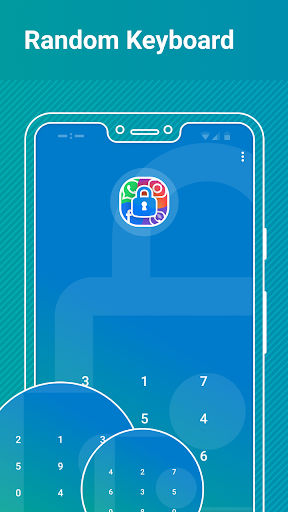
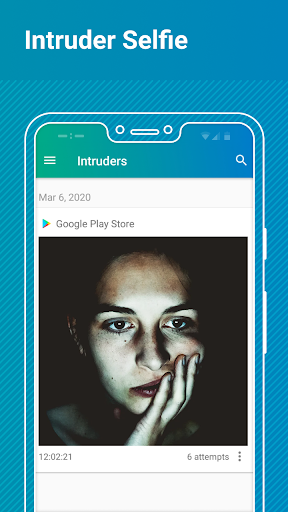
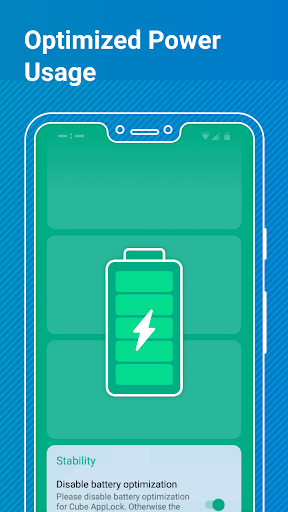
<b><em>Safeguard your privacy, lock contacts, messengers & other apps with AppLock</em></b> Packed with powerful functionality and slick UI, AppLock is the top locking app that enables you to protect your data and lock apps from intruders in a matter of few clicks. <b>How does AppLock work?</b> Having configured the basic AppLock settings upon the first sign-in, you only need to open AppLock and tap the app - to switch on the app lock protection. <b>Key features:</b> <b>• Powerful Message Locker</b> Lock Facebook Messenger, WhatsApp, Viber, Snapchat, WeChat, Hangouts, Skype, Slack and other messenger apps with AppLock to ensure your conversations with family, friends, and colleagues stay protected. <b>• Advanced AppLock for System Apps</b> Lock contacts, calendar and other system applications in a flash - using AppLock. <b>• Broad Range of App Lock Options</b> AppLock enables you to select the best lock option for your apps, i.e. lock apps with fingerprint, password or pattern you set up. <b>• Random Keyboard</b> Switch on a “Random Keyboard” feature in AppLock to hide your password from prying eyes. <b>• Intruder Selfie</b> Turn on the “Intruder Selfie” mode in AppLock and track who’s made unauthorized attempts to snoop into your phone. <b>• Real-time App Lock Protection</b> AppLock will notify you of the new app/s on a device, available for locking. <b>• Customizable Themes </b> Personalize your experience with AppLock by selecting a Light (Default), or a Dark theme. <b>AppLock requires the following app permissions: </b> <b>• App Usage</b> - used to retrieve the list of installed apps, available for locking, and manage their lock status. <b>• Overlay (Run over other apps) </b>- enables the lock screen display. <b>Note!</b> The “Overlay” permission is mandatory for Android 10 smartphones and tablets - otherwise, AppLock won’t work on the device. <b>• Camera</b> - used to make an intruder selfie. <b>Getting Started with AppLock:</b> AppLock enables you to configure a broad range of settings right away - the first time you’re using the app. Let’s see how it works. • Open AppLock. • Grant the required “App Usage” and “Overlay” app permissions. • Sign in the app using your Google account. <b>Note!</b> Sign-in is required to enable recovering access to locked apps in case you forget your AppLock lock password or pattern. • Select & configure the app lock option you’d like to apply. <b>Tip!</b> If you’re using the Password (PIN) lock, it’s also possible to switch on the “Random Keyboard” feature right away. <b>Configure a number of extra stability and security features:</b> <b>• Enable advanced app lock protection</b> - set AppLock as a device administrator to prevent the app from authorized uninstall attempts. <b>• Disable battery optimization</b> - switch on this feature to prevent AppLock from sleeping and ensure stable app lock protection. <b>• Set Fingerprint App Unlock </b>- enable unlocking apps instantly, with a fingerprint. <b>• Switch on “Intruder Selfie”</b>- turn on the feature to enable the app to take photos using the front camera on your device, in case the incorrect AppLock Password (PIN) or Pattern is entered.
Installs, last 30 days Measured
Exact Google Play install counts, collected daily
Ratings
10,334 ratings, 52 reviews
- 5 ★68%
- 4 ★8.6%
- 3 ★4.6%
- 2 ★7.9%
- 1 ★11%
Recent reviews
Latest public reviews from the store
- 28 Mar 2026
this app is very very good
- 22 Mar 2026
👉♥️
- 12 Dec 2025
good
- 5 Oct 2025
never goes wrong great app
What reviewers bring up
Topics mentioned in the latest 50 reviews, by how many reviews mention them
Liked in good reviews (37 reviews)
- hai 2
Raised in bad reviews (12 reviews)
No topic comes up twice.
Top chart positions
Latest Google Play chart ranks by country, last 10 days
Not in any tracked top chart in the last 10 days.
AppLock history
Release, install milestones, listing and store changes
- Reached 1,000,000+ installs 21 Sep 2022
- Reached 500,000+ installs 13 Jul 2022
- Reached 100,000+ installs 26 Jan 2022
- Reached 50,000+ installs 19 Apr 2021
- Reached 10,000+ installs 17 Sep 2020
- Reached 5,000+ installs 17 Aug 2020
- Reached 1,000+ installs 8 Jun 2020
- Reached 500+ installs 27 Apr 2020
Update frequency
How often AppLock ships a new version, month by month
2 updates in the last 12 months. About as often as similar apps, which shipped a median of 2 updates in the same year.
Recent versions
Current version 2.0.53
- Version 2.0.505 Nov 2026
- Fixes and minor improvements.
- Version 2.0.495 Aug 2026
- Fixes and minor improvements.
- Version 2.0.4829 Oct 2025
- Fixes and minor improvements.
- Version 2.0.463 May 2025
Listing keywords
Words and phrases AppLock repeats most in its store listing
Top phrases: intruder selfie (4), lock protection (4), lock contacts (3), random keyboard (3), available for locking (2).
Highlighted words also appear in the title. Counts cover the title, short description and description.
Business model and tech
From the store listing and declared permissions
- Business model
- Free to downloadIn-app purchasesShows ads
- Sensitive access
- No sensitive permission declared
Compliance
What the listing and the app package show
- Store status
- Live
- Upkeep
- Updated 5 Nov 2026
- Registered in
- Cyprus
- Privacy policy
- Linked on the listing
- Advertising
- Shows ads
- In-app purchases
- Offered
- Age rating
- Everyone
Apps like AppLock
Tree Capitator ModMaps Mods Addons1M installs★ 3.46
Simple Clock - Alarm & TimerSimple Mobile Tool2M installs★ 4.22
Basic Web BrowserAPG Solutions, LLC12.6M installs★ 3.59
USB OTG CHECKERbubble shooter game2.2M installs★ 4.38
5G 4G FORCE LTE MODERK AppZia4.1M installs★ 3.84
ALFAISAL vpnALFAISALVPN2.1M installs★ 3.45
Simple Auto ClickerXIAOYANG3.7M installs★ 4.04
zFont Tool - Android Font ToolKhun Htetz Naing9.2M installs★ 3.04
analiti - Speed & WiFianaliti Networking Experts4.3M installs★ 4.27
AppLock: questions and answers
How many downloads does AppLock have?
AppLock has 4,207,189 installs on Google Play, measured from the store's own count on 19 Nov 2026.
Who makes AppLock?
AppLock is published by Cube Apps Ltd, a developer based in CY.
When was AppLock last updated?
The latest version (2.0.53) was released on 5 Nov 2026.
Is AppLock free?
Yes. AppLock is free to download and offers in-app purchases, and it shows ads.
Is AppLock still available?
Yes. AppLock is live on Google Play as of 19 Nov 2026.
Track AppLock and its competitors
Watch any app for new versions, rating drops, chart moves and removals. Free plan, no card.