AppLock
AppLock can lock apps, hide photos & videos with Pattern, Pin & Fingerprint.
- Installs
- 35.66M
- Measured
- Rating
- 4.39
- Ratings
- 321K
- 954 reviews
- Version
- 3.2.19
- Updated 1 Apr 2026
- Released
- 3 Mar 2016
- Tracked since 12 May 2026
- Size
- 7 MB
- Needs 4.1
Screenshots
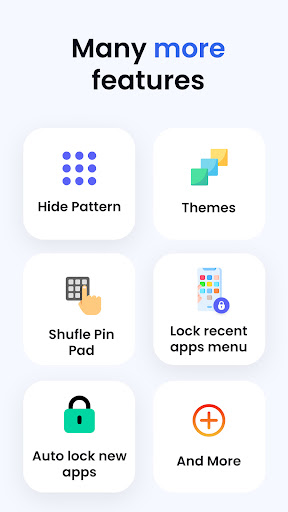
About AppLock
The description on the store listing
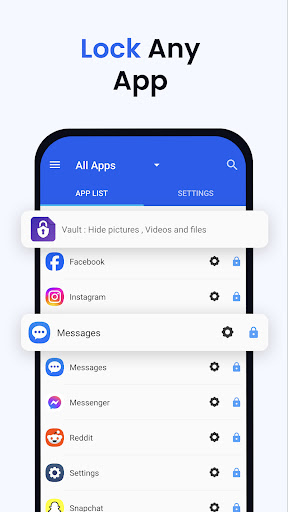
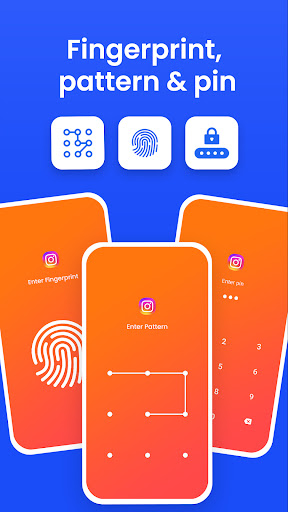
AppLock allows you to lock apps and protect your apps using Pattern , Pin , Fingerprint and crash screen with many other options.
---- Features -----
▶ Lock Apps / App Locker
AppLock allows you to lock apps like gallery , message apps , social apps and email apps with fingerprint , pin , pattern and crash screen.
▶ Capture Intruder Picture
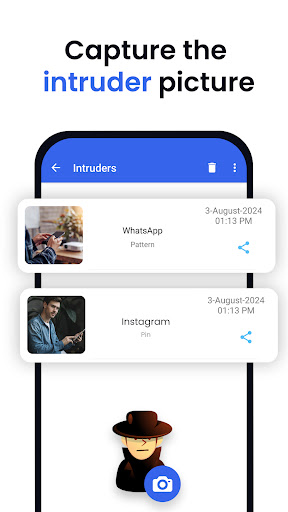
If someone tries to open locked apps with wrong password , AppLock will capture the pictuer of intruder from front camera and show you when you open AppLock.
▶ Lock Recent Apps
You can lock recent apps page so no one can see the content of recently used apps.
▶ Custom Settings
Use separate combination of locking methods with different …
Read the full description
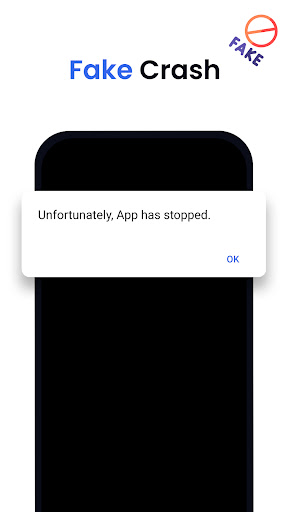
AppLock allows you to lock apps and protect your apps using Pattern , Pin , Fingerprint and crash screen with many other options. ---- Features ----- ▶ Lock Apps / App Locker AppLock allows you to lock apps like gallery , message apps , social apps and email apps with fingerprint , pin , pattern and crash screen. ▶ Capture Intruder Picture If someone tries to open locked apps with wrong password , AppLock will capture the pictuer of intruder from front camera and show you when you open AppLock. ▶ Lock Recent Apps You can lock recent apps page so no one can see the content of recently used apps. ▶ Custom Settings Use separate combination of locking methods with different pin or pattern for a specific apps. ▶ Crash screen set crash screen for locked app , so no one can know that if an app is locked. ▶ Fingerprint Support Use fingerprint as secondary , or use only fingerprint to un-lock apps. ▶ Improved Lock Engine AppLock use two locking engines , default engine is fast and the "Improved Lock Engine" is battery efficient with more features that does not drain your battery. ▶ Turn Off AppLock you can turn off AppLock completely , just go to app settings and turn off the app. ▶ Lock Timeout you can to re-lock apps after some time [1-60] minuets , immediately or after screen off. ▶ Simple and Beautiful UI Beautiful and simple UI so you can perform any task easily. ▶ Lock Screen Theme lock screen changes color according to the app that you locked , every time when lock screen appears you will experience AppLock differently. ▶ Prevent Uninstall To protect AppLock from uninstall you can go to AppLock setting and press "Prevent Force Close/Uninstall". <b>FAQs</b> <b>----------</b> <b> Q 2: How can I create different pin & pattern for each application?</b> A: Select the app that you want to lock from App list, Lock the app and then click on Custom, Then enable "Custom Settings" and then change pin, and pattern. <b> Q 3: How can I prevent someone from uninstalling my AppLock?</b> A: Go to settings and click on “Prevent Force Close/Uninstall”. Then Lock your mobile Settings. <b> Q 4: Will AppLock works if I restart my Mobile?</b> A: Yes it will start working, and your locked apps will be protected. <b> Q 5: How can I check which apps are locked?</b> A: In the top right corner of AppLock From the drop-down menu select “Locked Apps”. <b> Q 6: What does “Lock recent apps” do?</b> A: This option prevents someone from seeing your recent Opened Apps. <b> Q 7: I installed AppLock, but there is no option to lock my apps with the fingerprint?</b> A: It depends on your mobile if your mobile has a fingerprint scanner and Android version 6.0 (Marshmallow) then finger print app lock method will also work. <b> Q 8: In my Huawei device when I open AppLock it again asks to On the Option of AppLock service?</b> A: Because you have not added AppLock in your Protected Apps list of your Huawei Mobile. <b> Q 9: What is "Crash Screen"?</b> A: If you enable Crash screen for some application it will show a window with a message of “App Crashed” after long pressing "OK" you can go to lock screen. <b> Q 10: How to enable Crash screen option in AppLock?</b> A: In, App List lock your desired app Click on “custom” and enable custom settings, and then enable “Crash.” <b> Q 15: How to uninstall AppLock?</b> A: First Remove AppLock from Device Admin from mobile settings or AppLock settings and then simply uninstall it. <b>Permissions:</b> • Accessibility Service: This app uses Accessibility services to enable "Improved Lock Engine" and stop battery drain. • Draw Over Other Apps: AppLock uses this permission to draw lock screen on top of your locked app. • Usage Access: AppLock uses this permission to detect if a lock app is opened. • This app uses the Device Administrator permission : We use this permission to prevent other users from uninstalling this app so your locked content can be fully secured.
Installs, last 30 days Measured
Exact Google Play install counts, collected daily
Ratings
320,716 ratings, 954 reviews
- 5 ★77%
- 4 ★8.3%
- 3 ★4.8%
- 2 ★2.8%
- 1 ★7.2%
Recent reviews
Latest public reviews from the store
- 17 May 2025
this game is a great and very good game
- 7 Mar 2025
Addictive game love it
- 25 Feb 2025
Colorful and nice game Best bus puzzle game.
- 25 Feb 2025
So amezing game for entertainment
Top chart positions
Latest Google Play chart ranks by country, last 10 days
Not in any tracked top chart in the last 10 days.
AppLock history
Release, install milestones, listing and store changes
- Reached 10,000,000+ installs 20 Sep 2023
- First released on the store 3 Mar 2016
Update frequency
How often AppLock ships a new version, month by month
2 updates in the last 12 months. Less often than most similar apps: they shipped a median of 4 updates in the same year.
Recent versions
Current version 3.2.19
- Version 3.2.191 Apr 2026
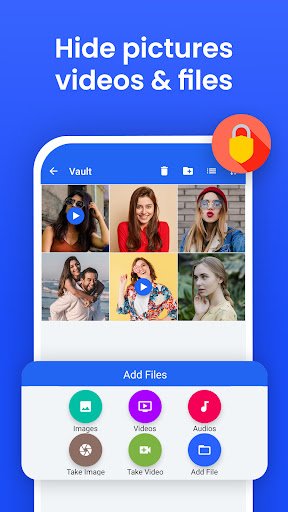
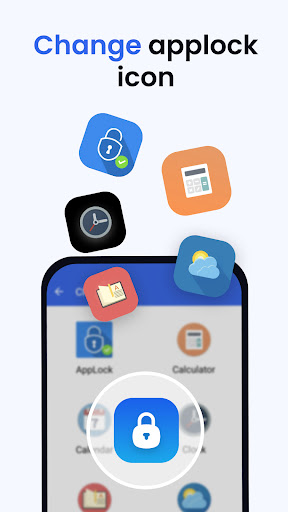
*** Biometrics added : Face, iris and fingerprint scan. *** File Vault : Hide pictures , videos , files feature added *** *** Themes added *** *** Low battery consumption *** *** Android 16 supported *** *** Bugs are Bad, Mkay? , lots of bugs fixed *** *** Lock recent apps added *** *** FAST , FASTER , FASTEST *** *** Hide Applock icon added *** *** App uninstall lock added *** *** Performance Improved ***
- Version 3.2.1725 Nov 2025
- Version 3.2.1625 Aug 2025
- Version 3.2.1323 Aug 2025
Listing keywords
Words and phrases AppLock repeats most in its store listing
Top phrases: crash screen (7), lock screen (5), improved lock engine (3), custom settings (3), enable crash (3).
Highlighted words also appear in the title. Counts cover the title, short description and description.
Business model and tech
From the store listing and declared permissions
- Business model
- Free to downloadIn-app purchasesShows ads
- Sensitive access
- No sensitive permission declared
Compliance
What the listing and the app package show
- Store status
- Live
- Upkeep
- Updated 1 Apr 2026
- Registered in
- Pakistan
- Privacy policy
- Linked on the listing
- Advertising
- Shows ads
- In-app purchases
- Offered
- Age rating
- Everyone
Apps like AppLock
Simple SpeedcheckOokla6.5M installs★ 4.58
Blue Proxy: proxy browser VPNGolzak20M installs★ 4.48
Universal TV Remote ControliKame Applications - Begamob Global38.6M installs★ 3.92
Wifi Password Key GeneratorGamesoftgames10.1M installs★ 4.38
Laban Key: Vietnamese KeyboardZalo Group51.7M installs★ 4.14
GreenifyOasis Feng31.1M installs★ 3.48
Force LTE Only (4G/5G)Xsquare Studio45M installs★ 4.14
My Orange RomaniaOrange Romania7.3M installs★ 4.28
Music DownloaderHip Music Mp3 Download Inc8.9M installs★ 4.69
AppLock: questions and answers
How many downloads does AppLock have?
AppLock has 35,658,690 installs on Google Play, measured from the store's own count on 19 Nov 2026.
Who makes AppLock?
AppLock is published by KewlApps, a developer based in PK.
When was AppLock last updated?
The latest version (3.2.19) was released on 1 Apr 2026.
Is AppLock free?
Yes. AppLock is free to download and offers in-app purchases, and it shows ads.
Is AppLock still available?
Yes. AppLock is live on Google Play as of 19 Nov 2026.
Track AppLock and its competitors
Watch any app for new versions, rating drops, chart moves and removals. Free plan, no card.