
AppLocker - Lock Apps & Files
Lock applications and files and provide integrated privacy protection.
- Installs
- 28.68K
- Measured
- Rating
- —
- Ratings
- —
- Version
- 42.30.8.24
- Updated 30 Aug 2024
- Released
- 10 Aug 2021
- Tracked since 12 May 2026
- Size
- —
Screenshots


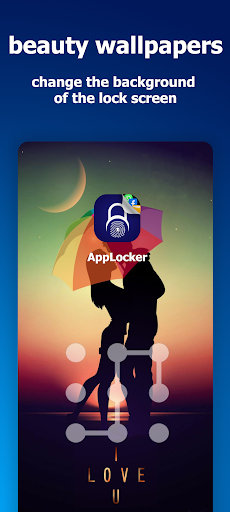

About AppLocker - Lock Apps & Files
The description on the store listing
AppLocker provides complete protection for your privacy with new and various features that give you sure protection from tampering and intruders.
The application has been redesigned to provide privacy protection services in a more efficient and capable manner, with high design quality that ensures the ability to protect in addition to ease of use.
# What are the protection advantages of AppLocker:
- Lock applications: You can simply lock your applications to protect them from tampering and intruders. You can lock messages, chat applications, and lock your private games. The application supports the ability to lock using a pattern, PIN code, or fingerprint, and provides advanced …
Read the full description
AppLocker provides complete protection for your privacy with new and various features that give you sure protection from tampering and intruders. The application has been redesigned to provide privacy protection services in a more efficient and capable manner, with high design quality that ensures the ability to protect in addition to ease of use. # What are the protection advantages of AppLocker: - Lock applications: You can simply lock your applications to protect them from tampering and intruders. You can lock messages, chat applications, and lock your private games. The application supports the ability to lock using a pattern, PIN code, or fingerprint, and provides advanced features to recover the password if you forget it. - Lock files: You can lock video, photo, music, or document files, so that you can browse them from within the application. - Notebook: App Lock provides a notebook feature for writing your own notes with advanced features that support word processing such as changing fonts and text colors and adding images to notes. You can save your notes and export them as a PDF file. You can also sync your notes with your Google Drive account so that you can restore them when you restore them. Installing the application . - Private Browser: App Lock provides a private browser feature to browse the Internet safely away from other apps visible to others. Enhanced security: App lock allows a photo of the person who tries to open the app with the wrong password to be taken, which helps protect user data. - Protection against deletion or removal: App Lock provides this feature in order to prevent others or intruders from deleting the application. - Lock notifications: With this feature, intruders will not be able to read notifications of chat applications and notifications of applications that you do not want anyone to see. This feature gives you complete protection for your privacy. - Camouflage the application: This is a new feature that turns the application into a real calculator to camouflage intruders. When the feature is enabled, you will be asked for specific numbers through which you can access the application. - Contact us: In the new version, we have provided the Contact Us feature, through which you can communicate with us to inquire, report any problems, or make any suggestions. We will always remain ready to cooperate with all users. What permissions does App Lock request: - File management permission: The application requests this permission in order to enable hiding and encrypting files. - Administrator permission: The application requests this permission in order to prevent others and intruders from deleting or removing the application. - Access to notifications: App Lock requests this permission in order to prevent others from reading notifications of applications that you do not want anyone to see. - - Important note: The application does not store or retain your notifications. The application removes notifications that you do not want to appear on the screen. - Access to the camera: The application requests this permission when the feature of taking a photo of the intruder is enabled. Accessibility Services: App Lock uses this service to save energy, improve the efficiency of the lock screen, ensure that the lock service works stably, and protect it from being stopped or interrupted, which helps protect the privacy of important data for the user. Do not worry, this service is not used to access your private data. - Important note: AppLocker does not request any permissions outside the scope of the application’s functions. We do not store information about your account or email addresses and we do not share this information with external parties. Information such as the email address is deleted once the application is removed.. We are constantly working to provide better and more quality services that meet the aspirations of users. We hope you like this.
Installs since 26 Aug 2026 Measured
Exact Google Play install counts, collected daily
Ratings
- 5 ★0.0%
- 4 ★0.0%
- 3 ★0.0%
- 2 ★0.0%
- 1 ★0.0%
Recent reviews
Latest public reviews from the store
- 29 Jan 2026
widget nahi hai
- 17 Jan 2026
good app 👍
- 13 Jan 2026
this apps overall good but NO PLACE FOR SUB TASKS , TICKING AFTER EVENT OR TASK HAS BEEN OVER , feedbacks of completion,but need to have more interesting features AND notifications isn't ..always coming
- 29 Dec 2025
way too basic. it feels like a gimmick to try then uninstall.
What reviewers bring up
Topics mentioned in the latest 50 reviews, by how many reviews mention them
Liked in good reviews (16 reviews)
- widgets 2
- bought 2
Raised in bad reviews (27 reviews)
- support 6
- premium 5
- contact 5
- option 5
- error 4
- money 4
- paid 4
- upgrade 3
Top chart positions
Latest Google Play chart ranks by country, last 10 days
Not in any tracked top chart in the last 10 days.
AppLocker - Lock Apps & Files history
Release, install milestones, listing and store changes
- Reached 10,000+ installs 23 Oct 2022
- Reached 5,000+ installs 31 Jul 2022
- First released on the store 10 Aug 2021
Recent versions
Current version 42.30.8.24
- Version 42.30.8.2429 Aug 2024
- Add the feature of enabling or disabling vibration when touching the lock screen. - Clear the notification of the locked application after clicking on it. - Added the feature of enabling activity restriction protection, to protect the lock application from closing when the battery saver is enabled. - Display the lock screen when deletion protection is disabled to check and prevent intruders from disabling app deletion. - Make more improvements.
- Version 39.2.7.242 Jul 2024
- Version 37.12.6.2411 Jun 2024
- Version 36.7.6.247 Jun 2024
Listing keywords
Words and phrases AppLocker - Lock Apps & Files repeats most in its store listing
Top phrases: requests this permission (4), order to prevent (3), permission in order (3), application requests (3), lock provides (3).
Highlighted words also appear in the title. Counts cover the title, short description and description.
Business model and tech
From the store listing and declared permissions
- Business model
- Free to downloadShows ads
- Sensitive access
- No sensitive permission declared
Compliance
What the listing and the app package show
- Store status
- Live
- Upkeep
- No update since 30 Aug 2024
- Registered in
- United Kingdom
- Privacy policy
- Linked on the listing
- Advertising
- Shows ads
- In-app purchases
- None declared
- Age rating
- Mature 17+
Apps like AppLocker - Lock Apps & Files
들어서 화면켜기Won3.5K installs★ 4.0
Height PredictionEcliptic App Ventures45.9K installs★ 2.4
Speicers`Pro VPNEldiablolucifer202021.2K installs★ 4.14
Lightning Tracker with AlertsYaksh Software4.3K installs★ 3.0
Mana Pathi (Unit Converter)Shirish Koirala2.2K installs★ 4.6
Multi-tab Calc - A simple app.Naoyuki Rikiji1.3K installs★ 5.0
Photo Recovery PlusBillApps7.1K installs★ 4.53
Just Silence. Scheduled.Akid Soft1.6K installs★ 5.0
- WoWp AssistantВиталий Робиновский2K installs★ 4.2
AppLocker - Lock Apps & Files: questions and answers
How many downloads does AppLocker - Lock Apps & Files have?
AppLocker - Lock Apps & Files has 28,680 installs on Google Play, measured from the store's own count on 18 Nov 2026.
Who makes AppLocker - Lock Apps & Files?
AppLocker - Lock Apps & Files is published by forutechnology, a developer based in GB.
When was AppLocker - Lock Apps & Files last updated?
The latest version (42.30.8.24) was released on 30 Aug 2024.
Is AppLocker - Lock Apps & Files free?
Yes. AppLocker - Lock Apps & Files is free to download, and it shows ads.
Is AppLocker - Lock Apps & Files still available?
Yes. AppLocker - Lock Apps & Files is live on Google Play as of 18 Nov 2026.
Track AppLocker - Lock Apps & Files and its competitors
Watch any app for new versions, rating drops, chart moves and removals. Free plan, no card.