
Authenticator - 2FA & Password
Authenticator - 2FA & Password: Enable Two-Factor Authentication, powerful OTP!
- Installs
- 1.24M
- Measured
- Rating
- 2.72
- Ratings
- 1.2K
- 61 reviews
- Version
- 73.0
- Updated 23 Jul 2026
- Released
- 9 Aug 2024
- Tracked since 11 May 2026
- Size
- —
Screenshots


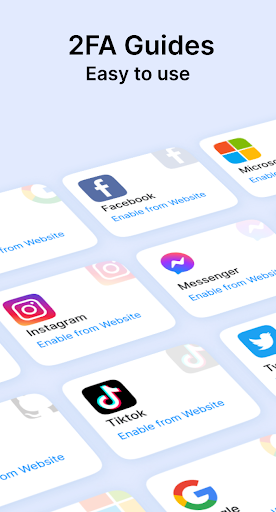


About Authenticator - 2FA & Password
The description on the store listing
👋 Welcome to <b>Authenticator - 2FA & Password</b>, your dedicated solution for Two-Factor Authentication (2FA) and 2-Step Verification across all your accounts!
<b> Looking for a dependable and user-friendly 2FA & 2-Step Verification solution? Your search ends here!</b>
🚀 Safeguard your digital life with <b>Authenticator - 2FA & Password</b>! Enjoy unparalleled security for your online accounts, ensuring peace of mind with every login.
Why choose Authenticator - 2FA & Password?
🛠️ <b>Effortless Setup</b>
Easily activate Two-Factor Authentication (2FA) and 2-Step Verification by scanning a QR code or entering a secret key, adding an extra layer of security beyond passwords. …
Read the full description
👋 Welcome to <b>Authenticator - 2FA & Password</b>, your dedicated solution for Two-Factor Authentication (2FA) and 2-Step Verification across all your accounts! <b> Looking for a dependable and user-friendly 2FA & 2-Step Verification solution? Your search ends here!</b> 🚀 Safeguard your digital life with <b>Authenticator - 2FA & Password</b>! Enjoy unparalleled security for your online accounts, ensuring peace of mind with every login. Why choose Authenticator - 2FA & Password? 🛠️ <b>Effortless Setup</b> Easily activate Two-Factor Authentication (2FA) and 2-Step Verification by scanning a QR code or entering a secret key, adding an extra layer of security beyond passwords. 📵 <b>Offline Access</b> Our app generates 2-step verification codes offline, ensuring access even without an internet connection. 🔐 <b>Enhanced Privacy</b> With offline backup, account restore features, and a PIN lock for added protection, your security is our top priority. 🌟 <b>Versatile Features</b> Effortlessly manage multiple accounts with intuitive group management. Supports both time-based OTP and counter-based OTP methods. <b> How to use <b>Authenticator - 2FA & Password</b>:</b> 📷 <b>Scan QR Code or Enter Secret Key:</b> Open the app and scan the QR code or enter the secret key manually. 🔑 <b>Retrieve OTP:</b> Retrieve the 6 or 8-digit OTP from the app. 🔢 <b>Enter OTP:</b> Enter the OTP within the designated timeframe for secure account access. <b>Wondering what a 2FA authenticator app does?</b> <b>Authenticator - 2FA & Password</b> generates one-time passwords (OTPs) for Two-Factor Authentication (2FA) or Multi-Factor Authentication (MFA) by scanning QR codes or inputting secret keys. These dynamic OTPs provide enhanced security compared to traditional passwords, valid for 30 seconds. It supports 2FA & 2-Step Verification for accounts across various sectors: Finance, Crypto, Banking, Insurance, Social Media, Dating, eCommerce, Business, and IT, including platforms like Facebook, Instagram, Google, Microsoft, Discord,Github and more. One app to authenticate all your online accounts, a must-have for security! Implementing 2FA or 2-Step Verification is one of the simplest and most effective ways to protect your accounts from hacking attempts. Trusted by security experts, it's highly recommended for applications in Finance, Crypto, Banking, Insurance, Social Media, Dating, eCommerce, and Business sectors. 🌟 Join countless satisfied users who rely on <b>Authenticator - 2FA & Password</b> for account protection. Download now and experience unbeatable security! 💌 Thank you for choosing <b>Authenticator - 2FA & Password</b>! For any inquiries or feedback, please don't hesitate to contact us at [email protected]. Enhance your security with peace of mind!
Installs since 26 Aug 2026 Measured
Exact Google Play install counts, collected daily
Ratings
1,166 ratings, 61 reviews
- 5 ★32%
- 4 ★3.8%
- 3 ★5.4%
- 2 ★1.5%
- 1 ★57%
Recent reviews
Latest public reviews from the store
- 16 May 2026
am happy
- 24 Apr 2026
I was not interested ads because of consuming a time
- 12 Mar 2026
superb
- 19 Oct 2025
Amaizing
What reviewers bring up
Topics mentioned in the latest 50 reviews, by how many reviews mention them
Liked in good reviews (25 reviews)
No topic comes up twice.
Raised in bad reviews (24 reviews)
- ads 4
- codes 3
- card 3
- charged 2
- credit 2
- open 2
- said 2
- box 2
Top chart positions
Latest Google Play chart ranks by country, last 10 days
- Countries ranked
- 5
- Best rank
- #44
- Top 10 placements
- 0
- of 5 chart placements
- Average rank
- #86.6
Best countries on Google Play
- 🇦🇺 Australia · Top grossing, Tools#44
- 🇨🇦 Canada · Top grossing, Tools#84
- 🇩🇪 Germany · Top grossing, Tools#97
- 🇬🇧 United Kingdom · Top grossing, Tools#99
- 🇺🇸 United States · Top grossing, Tools#109
| Country | Chart | Category | Rank | Best (10 days) | Date |
|---|---|---|---|---|---|
| 🇦🇺 Australia | Top grossing | Tools | #44 | #44 | 19 Nov 2026 |
| 🇨🇦 Canada | Top grossing | Tools | #84 | #75 | 19 Nov 2026 |
| 🇩🇪 Germany | Top grossing | Tools | #97 | #97 | 19 Nov 2026 |
| 🇬🇧 United Kingdom | Top grossing | Tools | #99 | #99 | 19 Nov 2026 |
| 🇺🇸 United States | Top grossing | Tools | #109 | #109 | 19 Nov 2026 |
Authenticator - 2FA & Password history
Release, install milestones, listing and store changes
- Reached 1,000,000+ installs 27 Mar 2026
- Reached 500,000+ installs 18 Aug 2025
- Reached 100,000+ installs 22 Apr 2025
- Reached 50,000+ installs 6 Nov 2024
- Reached 10,000+ installs 15 Sep 2024
- Reached 5,000+ installs 1 Sep 2024
- Reached 1,000+ installs 17 Aug 2024
- Reached 500+ installs 16 Aug 2024
Update frequency
How often Authenticator - 2FA & Password ships a new version, month by month
2 updates in the last 12 months. More often than most similar apps: they shipped a median of 0 updates in the same year.
Recent versions
Current version 73.0
- Version 72.023 Jul 2026
- Authenticator App
- Version 69.08 Dec 2025
- Authenticator App
- Version 66.029 Oct 2025
- Version 65.028 Oct 2025
Listing keywords
Words and phrases Authenticator - 2FA & Password repeats most in its store listing
Top phrases: authenticator 2fa password (9), 2fa password (9), authenticator 2fa (9), step verification (6), factor authentication (5).
Highlighted words also appear in the title. Counts cover the title, short description and description.
Business model and tech
From the store listing and declared permissions
- Business model
- Free to downloadIn-app purchases
- Subscriptions and payments
- Google Play billing
- Sensitive access
- CameraAdvertising ID
17 permissions
0 special access, 2 sensitive, 15 standard
- Take photos and videosSensitive
- Show notificationsPOST_NOTIFICATIONSSensitive
- Ad attribution (Privacy Sandbox)ACCESS_ADSERVICES_ATTRIBUTIONStandard
- Read how it was installed (install referrer)BIND_GET_INSTALL_REFERRER_SERVICEStandard
- Read the advertising IDAD_IDStandard
- Read the advertising ID (Privacy Sandbox)ACCESS_ADSERVICES_AD_IDStandard
- Add home screen shortcutsStandard
- Control the flashlightStandard
- Control vibrationStandard
- Keep the phone awakeStandard
- Use fingerprint or face unlockUSE_BIOMETRICStandard
- Use the fingerprint readerUSE_FINGERPRINTStandard
Compliance
What the listing and the app package show
- Store status
- Live
- Upkeep
- Updated 23 Jul 2026
- Registered in
- Hong Kong SAR China
- Privacy policy
- Linked on the listing
- Advertising
- No ads declared
- In-app purchases
- Offered
- Age rating
- Everyone
- Sensitive permissions
- 2 sensitive of 17
- Location access
- No
- Camera and microphone
- Camera
Apps like Authenticator - 2FA & Password
BatteryAlarmGoldLokik Soni58.2K installs★ 3.33
Photo Watch Face ProTiny Watch21.4K installs★ 4.42
GPS Location Sharing & LocatorNeo Utilities796K installs★ 4.2
Views Fans: CommunityaAa Designer36.5K installs★ 3.67
Space Clean ToolkitStarlume Tech597K installs★ 3.85
Calculator+ Photo&Video vaultGreen Water420K installs★ 4.37
Red Panic ButtonUltimate Communication Software LTD257K installs★ 3.31
Cutting Paper CalculatorTasikWeb.com84.5K installs★ 3.92
FORMSThe App Master848K installs★ 2.78
Authenticator - 2FA & Password: questions and answers
How many downloads does Authenticator - 2FA & Password have?
Authenticator - 2FA & Password has 1,235,673 installs on Google Play, measured from the store's own count on 18 Nov 2026.
Who makes Authenticator - 2FA & Password?
Authenticator - 2FA & Password is published by FIRE Ltd, a developer based in HK.
When was Authenticator - 2FA & Password last updated?
The latest version (73.0) was released on 23 Jul 2026.
Is Authenticator - 2FA & Password free?
Yes. Authenticator - 2FA & Password is free to download and offers in-app purchases.
Is Authenticator - 2FA & Password still available?
Yes. Authenticator - 2FA & Password is live on Google Play as of 18 Nov 2026.
Track Authenticator - 2FA & Password and its competitors
Watch any app for new versions, rating drops, chart moves and removals. Free plan, no card.