
Authenticator App 2FA MFA OTP
1Password Unlimited Accounts- 2FA Authenticator App like Microsoftwares Authyntc
- Installs
- 3.08K
- Measured
- Rating
- 4.64
- Ratings
- 113
- 10 reviews
- Version
- Varies with device
- Updated 6 Nov 2025
- Released
- 3 Aug 2024
- Tracked since 12 May 2026
- Size
- —
Also on App Store: Authenticator App: 2FA・MFA・OTP (214 ratings), Authenticator App: 2FA MFA OTP (173 ratings), Authenticator App: 2FA/MFA/OTP
Screenshots
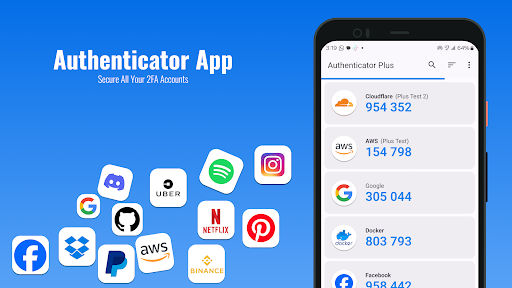
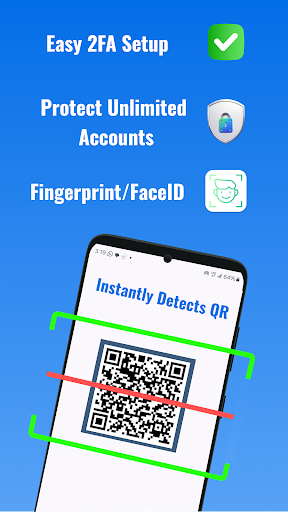




About Authenticator App 2FA MFA OTP
The description on the store listing
Elevate Your Digital Security with Authenticator Plus 2FA!
Protecting your online accounts has never been easier. Authenticator Plus 2FA is a powerful, user-friendly two-factor authentication (2FA) solution that enhances the security of your digital life. With this app, you can rest easy knowing your personal information is safe from unauthorized access.
Why Choose Authenticator App 2FA?
🔧 Quick and Simple Setup
Get started in seconds! Simply scan a QR code or enter a secret key to activate two-step verification for your accounts. The seamless setup process ensures that you can enhance your security without any hassle. Authy. 1Password is used to unlock all the account OTPs. The …
Read the full description
Elevate Your Digital Security with Authenticator Plus 2FA! Protecting your online accounts has never been easier. Authenticator Plus 2FA is a powerful, user-friendly two-factor authentication (2FA) solution that enhances the security of your digital life. With this app, you can rest easy knowing your personal information is safe from unauthorized access. Why Choose Authenticator App 2FA? 🔧 Quick and Simple Setup Get started in seconds! Simply scan a QR code or enter a secret key to activate two-step verification for your accounts. The seamless setup process ensures that you can enhance your security without any hassle. Authy. 1Password is used to unlock all the account OTPs. The 2FA QR codes automatically refresh after every 30 seconds. Microsoft Authenticator offers the same functionality. We have used TOTP RFC6238 Algorithm. 2FAS Backup allows the user to store all the keys encrypted with the password in local files on their phone. 🚫 Offline Functionality No internet? No problem! Our app generates secure one-time passwords (OTPs) without requiring a connection, giving you access wherever you are. 🔐 Advanced Privacy Protection Your security is our priority. With offline backup and account restoration options, you can protect your information without worry. Plus, our PIN lock feature safeguards against unauthorized access, adding an extra layer of security. 🌟 Comprehensive Features We offer verification support (though not affiliated with) a variety of well-known services, including Facebook, Google Chrome, Coinbase, Binance, PlayStation, Steam, Amazon, PayPal, Gmail, Microsoft, Instagram, Discord, Epic Games, Roblox, Twitter, Twitch, LinkedIn, and many others. Our platform offers a range of advanced security features designed to enhance your account protection. These include multifactor authentication (2FA) and TOTP for added security layers. We also support OTPAuth and the LastPass protocol, ensuring seamless access management. How to Use Authenticator App 2FA Open the app and scan the QR code or manually enter the secret key. Access the generated 6 digit OTP (one-time password). Enter the OTP within the designated time frame to log in securely. What is a 2FA Authenticator App? Authenticator Plus 2FA generates time-sensitive one-time passwords for two-factor and multi-factor authentication. With dynamic verification codes that expire every 30 seconds, this app provides an additional security layer beyond traditional passwords. Ideal for All Your Accounts The Authenticator Plus 2FA supports two-factor authentication for a wide range of services, including finance, cryptocurrency, social media, eCommerce, and more. Protect your accounts on platforms like Facebook, Google, Amazon, and many others, all within one application. It’s an excellent alternative to Microsoft Authenticator, with easy backup and offline restoration features. Enhance Your Security Today Implementing 2FA is one of the simplest yet most effective ways to protect your accounts from cyber threats. Experts recommend enabling two-factor authentication for sensitive applications such as banking, social media, and eCommerce. Authenticator Plus 2FA is your ultimate solution for secure and efficient 2-step verification. Additional Features Password Manager: Securely store and manage your passwords with our built-in autofill feature, simplifying your login process. Backup & Sync: Never lose your data when switching devices, ensuring a seamless transition. Master Password and Touch ID: Safeguard access to your app with robust authentication methods. Import and Export: Easily transfer data from other authenticator apps for a smooth switching experience. Dark Mode: Use the app comfortably in low-light environments. Join countless satisfied users who trust Authenticator Plus 2FA for their digital security. Download now and experience top-tier account protection and peace of mind!
Installs since 29 Aug 2026 Measured
Exact Google Play install counts, collected daily
Ratings
113 ratings, 10 reviews
- 5 ★91%
- 4 ★0.0%
- 3 ★0.0%
- 2 ★0.0%
- 1 ★8.8%
Recent reviews
Latest public reviews from the store
- 1 Aug 2024
Very amazing app
- 1 Aug 2024
Simple and usefull, very amazing app
- 1 Aug 2024
Amazing app, find useful
- 30 Jul 2024
Easy useful and helpful
What reviewers bring up
Topics mentioned in the latest 10 reviews, by how many reviews mention them
Liked in good reviews (8 reviews)
- useful 2
Raised in bad reviews (2 reviews)
No topic comes up twice.
Top chart positions
Latest Google Play chart ranks by country, last 10 days
Not in any tracked top chart in the last 10 days.
Authenticator App 2FA MFA OTP history
Release, install milestones, listing and store changes
- Reached 1,000+ installs 7 Oct 2024
- Reached 500+ installs 9 Sep 2024
- Reached 100+ installs 11 Aug 2024
- Moved from Productivity to Tools 11 Aug 2024
- Reached 50+ installs 10 Aug 2024
- First released on the store 3 Aug 2024
Recent versions
Current version Varies with device
- Version 10.0.96 Nov 2025
Listing keywords
Words and phrases Authenticator App 2FA MFA OTP repeats most in its store listing
Top phrases: authenticator plus 2fa (6), authenticator plus (6), plus 2fa (6), factor authentication (4), authenticator app 2fa (3).
Highlighted words also appear in the title. Counts cover the title, short description and description.
Business model and tech
From the store listing and declared permissions
- Business model
- Free to downloadIn-app purchases
- Subscriptions and payments
- Google Play billing
- Sensitive access
- LocationCameraMicrophonePhotos, videos and filesAdvertising ID
26 permissions
1 special access, 9 sensitive, 16 standard
- Set exact alarmsSCHEDULE_EXACT_ALARMSpecial access
- Record audioSensitive
- Take photos and videosSensitive
- Change or delete shared storageSensitive
- Read photosREAD_MEDIA_IMAGESSensitive
- Read shared storageSensitive
- Read videosREAD_MEDIA_VIDEOSensitive
- Approximate locationSensitive
- Precise locationSensitive
- Show notificationsPOST_NOTIFICATIONSSensitive
- Ad attribution (Privacy Sandbox)ACCESS_ADSERVICES_ATTRIBUTIONStandard
- Ad topics (Privacy Sandbox)ACCESS_ADSERVICES_TOPICSStandard
Compliance
What the listing and the app package show
- Store status
- Live
- Upkeep
- Updated 6 Nov 2025
- Registered in
- Pakistan
- Privacy policy
- Linked on the listing
- Advertising
- No ads declared
- In-app purchases
- Offered
- Age rating
- Everyone
- Sensitive permissions
- 9 sensitive, 1 special access of 26
- Location access
- Yes, while in use
- Camera and microphone
- Both
Apps like Authenticator App 2FA MFA OTP
오직 온라인센터오직(주)242K installs★ 4.3
Simple LAN Chatnathanield.com12.4K installs★ 3.63
aDataConMonamazing-create13.6K installs★ 4.3
Universal TV Remote for All TVAlphard Solutions56K installs★ 3.17
Auto Scroll TTAbyssiniatech64.2K installs★ 2.67
Whistle SoundsInfinite_Apps64.4K installs★ 3.5
QR Barcode : Scanner & CreateScan Team320K installs★ 3.38
Calendario de Puerto Rico 2025FamilyAppsPro15.2K installs★ 4.57
Watt VA Amp Volt CalculationsElectroMission Co.53.2K installs★ 1.0
Authenticator App 2FA MFA OTP: questions and answers
How many downloads does Authenticator App 2FA MFA OTP have?
Authenticator App 2FA MFA OTP has 3,081 installs on Google Play, measured from the store's own count on 14 Nov 2026.
Who makes Authenticator App 2FA MFA OTP?
Authenticator App 2FA MFA OTP is published by VIRTUAL ZONE TECHNOLOGIES, a developer based in PK.
When was Authenticator App 2FA MFA OTP last updated?
The latest version (Varies with device) was released on 6 Nov 2025.
Is Authenticator App 2FA MFA OTP free?
Yes. Authenticator App 2FA MFA OTP is free to download and offers in-app purchases.
Is Authenticator App 2FA MFA OTP still available?
Yes. Authenticator App 2FA MFA OTP is live on Google Play as of 14 Nov 2026.
Track Authenticator App 2FA MFA OTP and its competitors
Watch any app for new versions, rating drops, chart moves and removals. Free plan, no card.