Authenticator: Passkey & 2FA
Authenticator to Enable Passkey & Two-Factor Authentication (2FA), OTP
- Installs
- 2.36M
- Measured
- Rating
- 4.14
- Ratings
- 5.2K
- 54 reviews
- Version
- 1.0.18
- Updated 22 Sep 2026
- Released
- 7 Nov 2024
- Tracked since 11 May 2026
- Size
- —
Screenshots
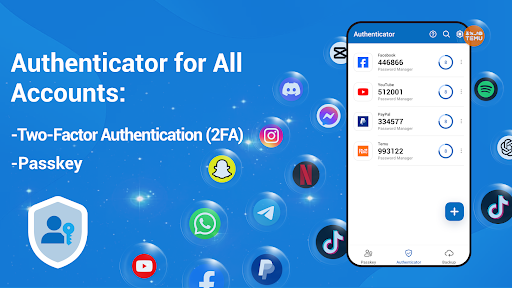
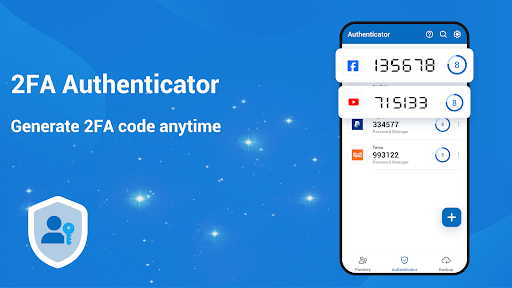
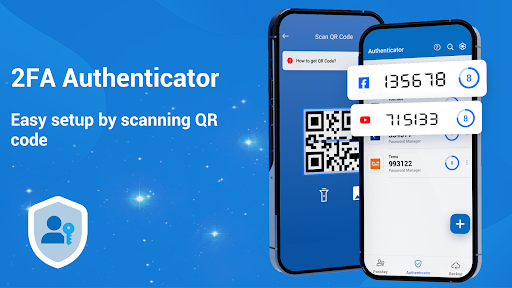

About Authenticator: Passkey & 2FA
The description on the store listing
<b>Strengthen Your Online Security with Authenticator: Passkey & 2FA!</b>
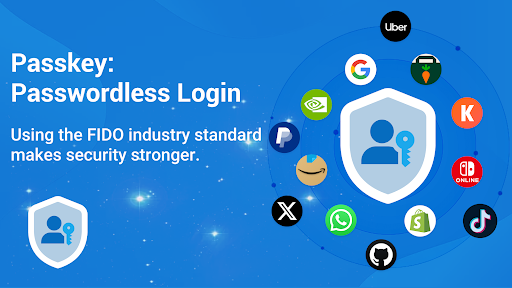
Say goodbye to cumbersome passwords and embrace seamless, next-generation security. Use <b>Authenticator: Passkey & 2FA</b> for easy and secure sign-ins for all your online accounts with <b>two-factor authentication (2FA)</b>, <b>multi-factor authentication (MFA)</b>, and <b>passkeys</b>.
<b>Key Features:</b>
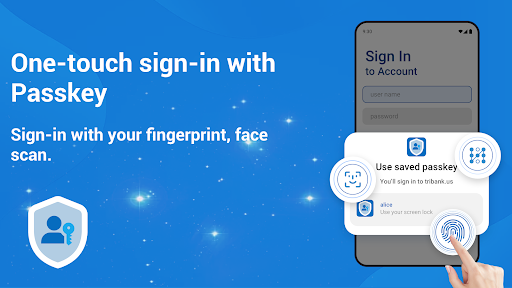
1 <b>Passkey Authentication:</b> Experience cutting-edge technology that eliminates the need for passwords. Your passkey is the key to a world without password fatigue.
2 <b>Two-Factor Authentication (2FA):</b> Enhance your security with an additional layer of protection. Safeguard your accounts from …
Read the full description
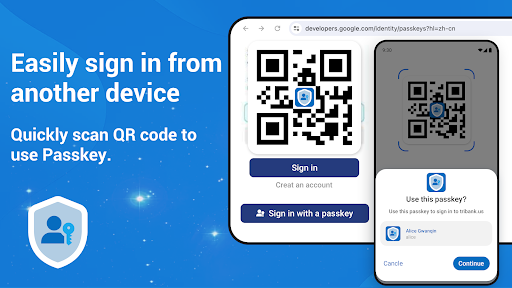
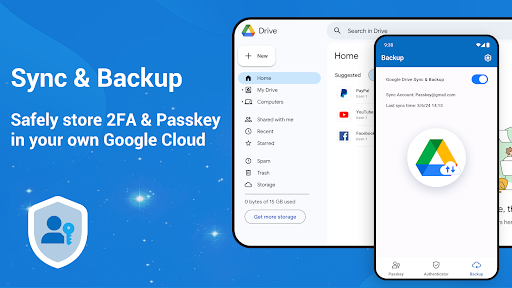
<b>Strengthen Your Online Security with Authenticator: Passkey & 2FA!</b> Say goodbye to cumbersome passwords and embrace seamless, next-generation security. Use <b>Authenticator: Passkey & 2FA</b> for easy and secure sign-ins for all your online accounts with <b>two-factor authentication (2FA)</b>, <b>multi-factor authentication (MFA)</b>, and <b>passkeys</b>. <b>Key Features:</b> 1 <b>Passkey Authentication:</b> Experience cutting-edge technology that eliminates the need for passwords. Your passkey is the key to a world without password fatigue. 2 <b>Two-Factor Authentication (2FA):</b> Enhance your security with an additional layer of protection. Safeguard your accounts from unauthorized access with ease. 3 <b>Biometric Integration:</b> Utilize fingerprint or facial recognition to unlock your digital world securely and effortlessly. 4 <b>Easy Setup:</b> A user-friendly interface that simplifies the process of securing your accounts. No technical expertise required! 5 <b>Cloud Backup:</b> Sync across all your Android devices, ensuring your security travels with you. <b>How to Use 2FA or MFA?</b> MFA or 2FA adds an extra layer of security. After entering your password, you'll be prompted for additional verification by entering a one-time password (OTP) generated by this app. OTPs refresh every 30 seconds, ensuring unique and time-sensitive codes without requiring a network connection or draining your battery. <b>How to Use Passkey?</b> This app facilitates the setup and sign-in process of passkeys with ease through the following streamlined steps: <b>For setting up or creating a passkey:</b> 1 Sign in to your account using your existing sign-in method. 2 Click the "Create a Passkey" button. 3 Choose “Authenticator: Passkey & 2FA” as your preferred service for passkey management and authentication. 4 Use your device screen unlock to create the passkey. <b>For sign-in from the same device:</b> 1 Tap on the account name field to show a list of passkeys in an autofill dialog. 2 Choose the passkey. 3 Use the device screen unlock to complete the login. <b>For sign-in from another device:</b> 1 Opt for "Use a Passkey from a Second Device." 2 The second device will display a QR code, which you can scan using this app. 3 Select the passkey provided by the app and authenticate it with your screen lock. You can also add multiple accounts to <b>"Authenticator: Passkey & 2FA"</b>, like Facebook, Instagram, Amazon, Dropbox, Google, LinkedIn, GitHub, Microsoft, Binance, Crypto.com, Kraken, Coinbase, Gemini, TikTok, Twitch, PayPal, Uber, Tesla, and more. It widely supports login for any business, including finance, banking, insurance, EV, social media, blockchain and cryptocurrency, fintech, gaming, and entertainment. Don't wait until it's too late. Upgrade your security today with <b>Authenticator: Passkey & 2FA</b> and step into the future of authentication!
Installs, last 30 days Measured
Exact Google Play install counts, collected daily
Ratings
5,235 ratings, 54 reviews
- 5 ★77%
- 4 ★8.8%
- 3 ★2.0%
- 2 ★2.9%
- 1 ★8.8%
Recent reviews
Latest public reviews from the store
- 18 May 2026
good
- 1 May 2026
nice
- 14 Apr 2026
RELIABLE AND EFFECIENT
- 9 Apr 2026
good
What reviewers bring up
Topics mentioned in the latest 50 reviews, by how many reviews mention them
Liked in good reviews (35 reviews)
- helpful 2
Raised in bad reviews (15 reviews)
- ads 3
- downloaded 2
- deleting 2
Top chart positions
Latest Google Play chart ranks by country, last 10 days
- Countries ranked
- 1
- Best rank
- #132
- Top 10 placements
- 0
- of 1 chart placements
- Average rank
- #132
Best countries on Google Play
- 🇬🇧 United Kingdom · Top free, Tools#132
| Country | Chart | Category | Rank | Best (10 days) | Date |
|---|---|---|---|---|---|
| 🇬🇧 United Kingdom | Top free | Tools | #132 | #132 | 19 Nov 2026 |
Authenticator: Passkey & 2FA history
Release, install milestones, listing and store changes
- Reached 1,000,000+ installs 7 Nov 2025
- Reached 500,000+ installs 10 Jul 2025
- Reached 100,000+ installs 9 May 2025
- Reached 50,000+ installs 13 Apr 2025
- Reached 10,000+ installs 5 Feb 2025
- Reached 5,000+ installs 1 Jan 2025
- Reached 1,000+ installs 27 Nov 2024
- Reached 500+ installs 25 Nov 2024
Update frequency
How often Authenticator: Passkey & 2FA ships a new version, month by month
2 updates in the last 12 months. More often than most similar apps: they shipped a median of 0 updates in the same year.
Recent versions
Current version 1.0.18
- Version 1.0.1822 Sep 2026
Fix crash and minor bugs: Resolved crashes and minor issues to improve stability. Performance Improvements: Faster app startup and smoother navigation. Enhanced Security: Strengthened 2FA and passkey handling for safer authentication.
- Version 1.0.1717 Mar 2026
Fix crash and minor bugs: Resolved crashes and minor issues to improve stability. Performance Improvements: Faster app startup and smoother navigation. Enhanced Security: Strengthened 2FA and passkey handling for safer authentication.
- Version 1.0.169 Oct 2025
- Fix crash and minor bugs
- Version 1.0.1522 Sep 2025
Listing keywords
Words and phrases Authenticator: Passkey & 2FA repeats most in its store listing
Top phrases: authenticator passkey 2fa (6), authenticator passkey (6), passkey 2fa (6), factor authentication (4), factor authentication 2fa (3).
Highlighted words also appear in the title. Counts cover the title, short description and description.
Business model and tech
From the store listing and declared permissions
- Business model
- Free to downloadIn-app purchasesShows ads
- Subscriptions and payments
- Google Play billing
- Sensitive access
- CameraPhotos, videos and filesAdvertising ID
21 permissions
0 special access, 3 sensitive, 18 standard
- Take photos and videosSensitive
- Read photosREAD_MEDIA_IMAGESSensitive
- Show notificationsPOST_NOTIFICATIONSSensitive
- Ad attribution (Privacy Sandbox)ACCESS_ADSERVICES_ATTRIBUTIONStandard
- Ad topics (Privacy Sandbox)ACCESS_ADSERVICES_TOPICSStandard
- Read how it was installed (install referrer)BIND_GET_INSTALL_REFERRER_SERVICEStandard
- Read the advertising IDAD_IDStandard
- Read the advertising ID (Privacy Sandbox)ACCESS_ADSERVICES_AD_IDStandard
- Control vibrationStandard
- Keep the phone awakeStandard
- Read basic phone stateREAD_BASIC_PHONE_STATEStandard
- Run a foreground serviceFOREGROUND_SERVICEStandard
Compliance
What the listing and the app package show
- Store status
- Live
- Upkeep
- Updated 22 Sep 2026
- Registered in
- Hong Kong SAR China
- Privacy policy
- Linked on the listing
- Advertising
- Shows ads
- In-app purchases
- Offered
- Age rating
- Everyone
- Sensitive permissions
- 3 sensitive of 21
- Location access
- No
- Camera and microphone
- Camera
Apps like Authenticator: Passkey & 2FA
Samsung TV RemoteNew World Apps964K installs★ 3.86
Urdu Pana Flex - Banner MakerU&S-Soft221K installs★ 4.55
Grapher - Equation PlotterBasile Van Hoorick1.5M installs★ 4.12
TiviMate CompanionArmobsoft FZE2.3M installs★ 3.23
My BTBhutan Telecom Ltd.685K installs★ 3.97
GalleryMV Gallery761K installs★ 4.5
SQCOMShenzhen SHANGQING INDUSTRIAL CO., LTD418K installs★ 3.74
NINJA TRICK FF BUTTONPAPPS1M installs★ 4.5
Mi Band 4 WatchFacesWallet Passes Alliance3.3M installs★ 3.78
Authenticator: Passkey & 2FA: questions and answers
How many downloads does Authenticator: Passkey & 2FA have?
Authenticator: Passkey & 2FA has 2,363,326 installs on Google Play, measured from the store's own count on 18 Nov 2026.
Who makes Authenticator: Passkey & 2FA?
Authenticator: Passkey & 2FA is published by Isaaclight AI, a developer based in HK.
When was Authenticator: Passkey & 2FA last updated?
The latest version (1.0.18) was released on 22 Sep 2026.
Is Authenticator: Passkey & 2FA free?
Yes. Authenticator: Passkey & 2FA is free to download and offers in-app purchases, and it shows ads.
Is Authenticator: Passkey & 2FA still available?
Yes. Authenticator: Passkey & 2FA is live on Google Play as of 18 Nov 2026.
Track Authenticator: Passkey & 2FA and its competitors
Watch any app for new versions, rating drops, chart moves and removals. Free plan, no card.