
Auto Click : Automatic Clicker
Auto Clicker app is used to automate clicking tasks without manual intervention.
- Installs
- 19.96K
- Measured
- Rating
- —
- Ratings
- —
- Version
- Varies with device
- Updated 4 Oct 2025
- Released
- 12 Jun 2023
- Tracked since 13 May 2026
- Size
- —
Screenshots

About Auto Click : Automatic Clicker
The description on the store listing
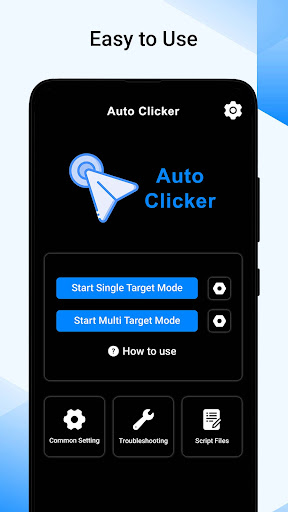
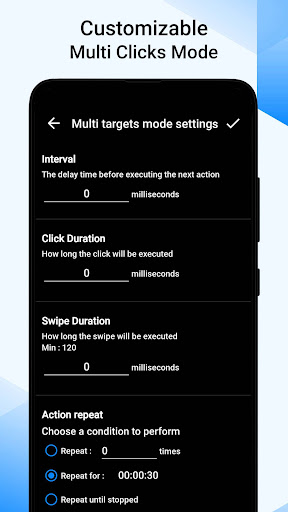
Auto Clicker app automates repetitive clicking tasks on a mobile device. It simulates mouse or touchpad clicks at specified intervals or in response to certain triggers, without requiring manual input from the user. The Automatic clicker app is commonly used in situations where repetitive clicking is necessary, such as gaming, software testing, or automation of simple tasks.
Auto Clicker can be programmed to auto click at specific coordinates on the screen, repeat a certain number of times, or click in a random pattern because of its auto click assistant feature. This Automatic Tapping app can also be configured to click at regular intervals or at irregular intervals, depending on the …
Read the full description
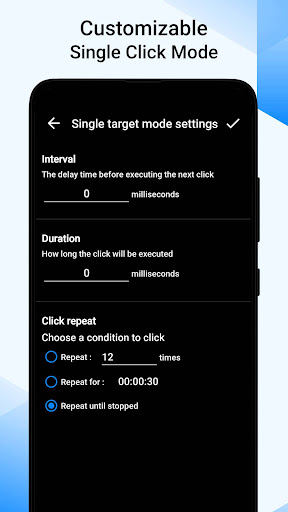
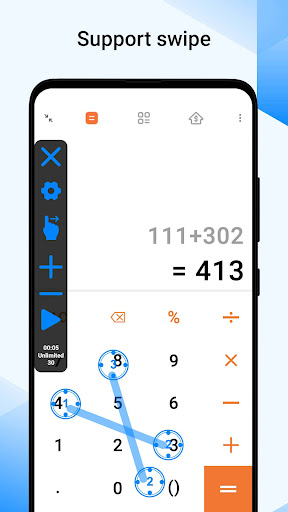
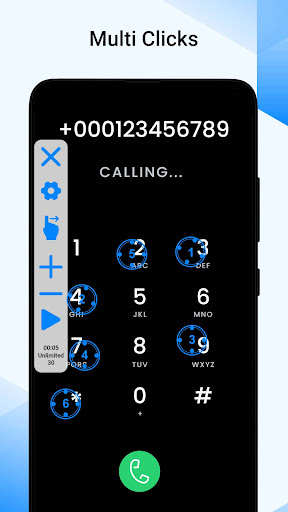
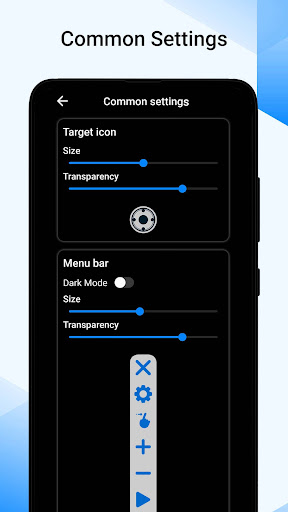
Auto Clicker app automates repetitive clicking tasks on a mobile device. It simulates mouse or touchpad clicks at specified intervals or in response to certain triggers, without requiring manual input from the user. The Automatic clicker app is commonly used in situations where repetitive clicking is necessary, such as gaming, software testing, or automation of simple tasks. Auto Clicker can be programmed to auto click at specific coordinates on the screen, repeat a certain number of times, or click in a random pattern because of its auto click assistant feature. This Automatic Tapping app can also be configured to click at regular intervals or at irregular intervals, depending on the requirements. This Auto Key Presser app offers additional features, such as customize click speeds, or define complex clicking sequences. Features:- 1. Click Automation: Auto Clicker Automatic Tap app allows you to automate clicking tasks by setting a specific location on the screen or providing coordinates for the clicks. 2. Auto Click Types: Auto Clicker often support different types of clicks, such as single clicks, double clicks, right-clicks, or even customized click patterns. This allows you to mimic various clicking actions according to your requirements. 3. Quick Touch Macro Clicker: By using this clickmate, you can specify the number of clicks, the interval between clicks, and the duration of the clicking session. 4. Auto Slider / Auto Scroll: Auto Slider can be useful for controlling presentations or slideshows. By automatically scrolling the page, you can maintain a smooth and consistent flow during presentations without the need for manual intervention. 5. Click Interval Control: You can adjust the interval between each click to make them occur at a constant or random rate. This feature helps to simulate more natural or human-like clicking behavior. 6. Auto Clicker for Games: Become a game master using this Automatic Clicker app, because this can be helpful when dealing with applications or games that have specific timing requirements or cooldown periods. 7. Repeat and Looping: You can set this auto keyboard presser app to repeat the clicking sequence a certain number of times or loop indefinitely until manually stopped. This feature is useful for executing a series of clicks repeatedly without the need for manual intervention. 8. Advanced Configurations: Depending on the auto tapper app, you may have access to additional settings and configurations. These can include adjustable click speed, click coordinates adjustment, window focus control, and more. Enjoy, this is one the best app named Auto Clicker download it for free! Note:- - System requirement Android 7.0 or above - No need ROOT permission Accessibility services declaration:- - AccessibilityServices API is required to implement its core functions, such as performing clicks, swipes, and other core functions. - We do not collect any private data using this permission.
Installs since 8 Nov 2026 Measured
Exact Google Play install counts, collected daily
Daily history starts once this app is in our daily install sample.
Ratings
- 5 ★0.0%
- 4 ★0.0%
- 3 ★0.0%
- 2 ★0.0%
- 1 ★0.0%
Recent reviews
Latest public reviews from the store
- 5 Nov 2025
so far so good
- 12 Jun 2025
super
- 21 Apr 2025
good
- 29 Jan 2025
Good
Top chart positions
Latest Google Play chart ranks by country, last 10 days
Not in any tracked top chart in the last 10 days.
Auto Click : Automatic Clicker history
Release, install milestones, listing and store changes
- Reached 10,000+ installs 11 Dec 2024
- Reached 5,000+ installs 4 Jul 2024
- Reached 1,000+ installs 5 Aug 2023
- Reached 500+ installs 8 Jul 2023
- First released on the store 12 Jun 2023
Recent versions
Current version Varies with device
- Version 1.0.44 Oct 2025
- Version 1.0.38 Jan 2025
- Version 1.0.217 Oct 2023
Listing keywords
Words and phrases Auto Click : Automatic Clicker repeats most in its store listing
Top phrases: auto clicker (7), auto click (4), automatic clicker (3), clicking tasks (3), manual intervention (3).
Highlighted words also appear in the title. Counts cover the title, short description and description.
Business model and tech
From the store listing and declared permissions
- Business model
- Free to downloadShows ads
- Sensitive access
- Advertising ID
10 permissions
0 special access, 0 sensitive, 10 standard
- Ad attribution (Privacy Sandbox)ACCESS_ADSERVICES_ATTRIBUTIONStandard
- Ad topics (Privacy Sandbox)ACCESS_ADSERVICES_TOPICSStandard
- Read how it was installed (install referrer)BIND_GET_INSTALL_REFERRER_SERVICEStandard
- Read the advertising IDAD_IDStandard
- Read the advertising ID (Privacy Sandbox)ACCESS_ADSERVICES_AD_IDStandard
- Keep the phone awakeStandard
- Run a foreground serviceFOREGROUND_SERVICEStandard
- Full internet accessStandard
- See network connectionsStandard
- Internal app permissionDYNAMIC_RECEIVER_NOT_EXPORTED_PERMISSIONStandard
Compliance
What the listing and the app package show
- Store status
- Live
- Upkeep
- Updated 4 Oct 2025
- Privacy policy
- Linked on the listing
- Advertising
- Shows ads
- In-app purchases
- None declared
- Age rating
- Everyone
- Sensitive permissions
- 0 sensitive of 10
- Location access
- No
- Camera and microphone
- Neither
Apps like Auto Click : Automatic Clicker
들어서 화면켜기Won3.5K installs★ 4.0
Height PredictionEcliptic App Ventures45.9K installs★ 2.4
Speicers`Pro VPNEldiablolucifer202021.2K installs★ 4.14
Lightning Tracker with AlertsYaksh Software4.3K installs★ 3.0
Mana Pathi (Unit Converter)Shirish Koirala2.2K installs★ 4.6
Multi-tab Calc - A simple app.Naoyuki Rikiji1.3K installs★ 5.0
Photo Recovery PlusBillApps7.1K installs★ 4.53
Just Silence. Scheduled.Akid Soft1.6K installs★ 5.0
- WoWp AssistantВиталий Робиновский2K installs★ 4.2
Auto Click : Automatic Clicker: questions and answers
How many downloads does Auto Click : Automatic Clicker have?
Auto Click : Automatic Clicker has 19,964 installs on Google Play, measured from the store's own count on 8 Nov 2026.
Who makes Auto Click : Automatic Clicker?
Auto Click : Automatic Clicker is published by Logic Work Lab.
When was Auto Click : Automatic Clicker last updated?
The latest version (Varies with device) was released on 4 Oct 2025.
Is Auto Click : Automatic Clicker free?
Yes. Auto Click : Automatic Clicker is free to download, and it shows ads.
Is Auto Click : Automatic Clicker still available?
Yes. Auto Click : Automatic Clicker is live on Google Play as of 8 Nov 2026.
Track Auto Click : Automatic Clicker and its competitors
Watch any app for new versions, rating drops, chart moves and removals. Free plan, no card.