Auto Folder Cleaner
Clean all fo your unwanted files automatically!
- Installs
- 12.82K
- Measured
- Rating
- 3.8
- Ratings
- 100
- 2 reviews
- Version
- 2.6
- Updated 17 Nov 2025
- Released
- 15 Apr 2020
- Tracked since 13 May 2026
- Size
- 3 MB
- Needs 5.0
Screenshots

About Auto Folder Cleaner
The description on the store listing
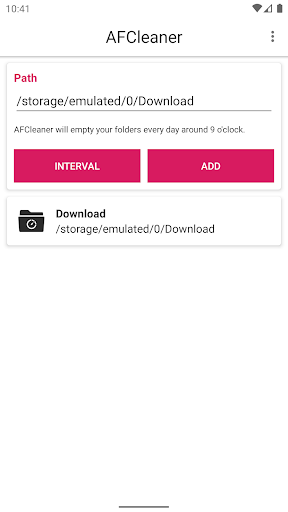
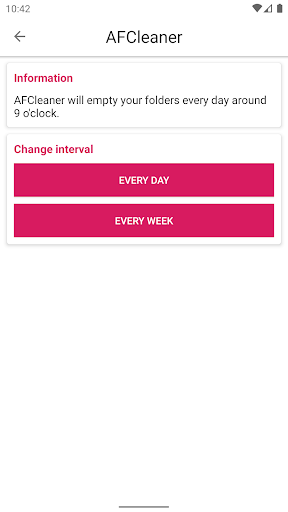
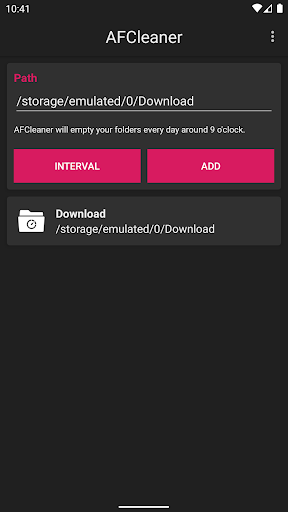
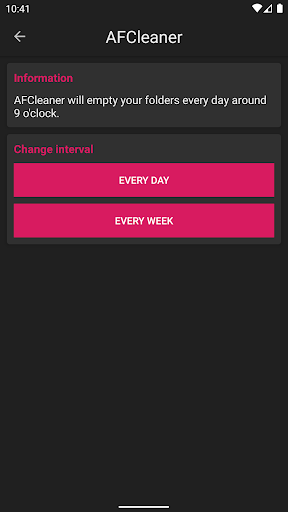
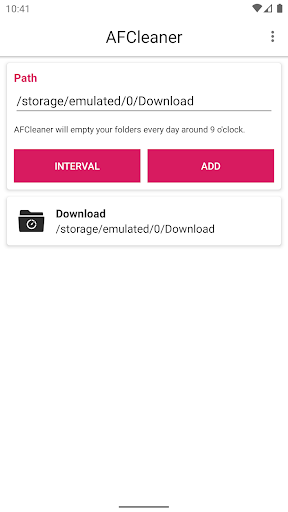
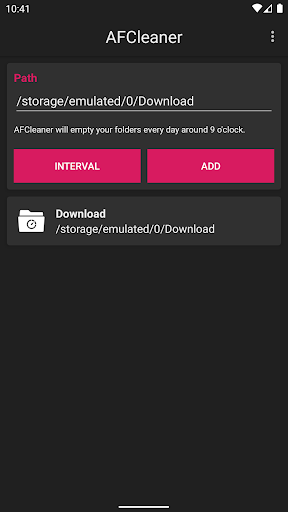
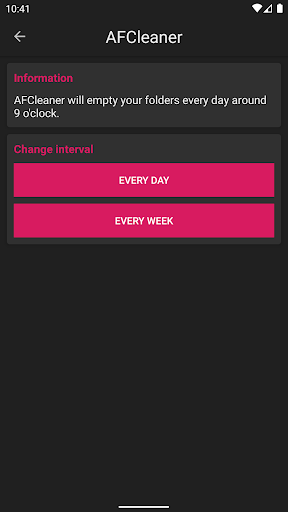
The app will allow you to add a list of folders. Each day or each week according to your settings the app will automatically delete the contents of these folders. This is very helpful if you want to auto delete for example all of your temporary downloaded images in certain folder. Or if you want to auto delete your screenshots periodically. The app will automate this process.
A few tips:
Battery consumption should be almost non existent.
If you find out that the app is no longer deleting the files in the background after a few days then probably your device have an option to stop apps from working if they are not opened for a few days. Some of the latest Samsung phones have this …
Read the full description
The app will allow you to add a list of folders. Each day or each week according to your settings the app will automatically delete the contents of these folders. This is very helpful if you want to auto delete for example all of your temporary downloaded images in certain folder. Or if you want to auto delete your screenshots periodically. The app will automate this process. A few tips: Battery consumption should be almost non existent. If you find out that the app is no longer deleting the files in the background after a few days then probably your device have an option to stop apps from working if they are not opened for a few days. Some of the latest Samsung phones have this option. To continue using the app you should add it to the battery exceptions list and allow it to work no matter if opened or not. If you find out that after rebooting your device the app is no longer deleting the files in the background you should allow the app to auto launch after reboot. Usually this is not necessary but on some Xiaomi and Huawei devices there's an option to block apps from auto launching and this prevents app from working after reboot.
Installs since 1 Sep 2026 Measured
Exact Google Play install counts, collected daily
Ratings
100 ratings, 2 reviews
- 5 ★0.0%
- 4 ★0.0%
- 3 ★0.0%
- 2 ★0.0%
- 1 ★0.0%
Recent reviews
Latest public reviews from the store
- 19 Dec 2016
Simple and clear design. Do what was made to do. Good app.
Top chart positions
Latest Google Play chart ranks by country, last 10 days
Not in any tracked top chart in the last 10 days.
Auto Folder Cleaner history
Release, install milestones, listing and store changes
- Reached 10,000+ installs 20 Nov 2024
- Reached 5,000+ installs 7 Mar 2022
- Reached 1,000+ installs 13 Apr 2021
- Reached 500+ installs 10 Aug 2020
- Reached 100+ installs 3 May 2020
- First released on the store 15 Apr 2020
Recent versions
Current version 2.6
- Version 2.617 Nov 2025
- added option to change the day of the interval - bug fixes and performance improvements
- Version 2.56 Jun 2025
- Version 2.410 Sep 2023
- Version 2.327 Sep 2022
Listing keywords
Words and phrases Auto Folder Cleaner repeats most in its store listing
Top phrases: deleting the files (2), want to auto (2), after reboot (2), auto delete (2), longer deleting (2).
Highlighted words also appear in the title. Counts cover the title, short description and description.
Business model and tech
From the store listing, the SDKs in the app package and its declared permissions
- Business model
- Free to downloadShows ads
- Built with
- No cross-platform framework or game engine detected
- Ad networks (1)
- AdMob
- Analytics and crash reports
- Firebase
- Sensitive access
- Advertising ID
2 ad, attribution and analytics SDKs detected. SDKs are read from the app package and permissions from the store listing, so code that loads later is not seen.
Technology
21 SDKs found in the app package
Ad networks
Advertising and install-attribution SDKs found in the app package
- AdMob
11 permissions
0 special access, 1 sensitive, 10 standard
- Show notificationsPOST_NOTIFICATIONSSensitive
- Ad attribution (Privacy Sandbox)ACCESS_ADSERVICES_ATTRIBUTIONStandard
- Ad topics (Privacy Sandbox)ACCESS_ADSERVICES_TOPICSStandard
- Read the advertising IDAD_IDStandard
- Read the advertising ID (Privacy Sandbox)ACCESS_ADSERVICES_AD_IDStandard
- Keep the phone awakeStandard
- Run a foreground serviceFOREGROUND_SERVICEStandard
- Start when the phone turns onStandard
- Full internet accessStandard
- See network connectionsStandard
- Internal app permissionDYNAMIC_RECEIVER_NOT_EXPORTED_PERMISSIONStandard
Compliance
What the listing and the app package show
- Store status
- Live
- Upkeep
- Updated 17 Nov 2025
- Privacy policy
- Linked on the listing
- Advertising
- Shows ads
- In-app purchases
- None declared
- Age rating
- Everyone
- Sensitive permissions
- 1 sensitive of 11
- Location access
- No
- Camera and microphone
- Neither
Apps like Auto Folder Cleaner
오직 온라인센터오직(주)242K installs★ 4.3
Simple LAN Chatnathanield.com12.4K installs★ 3.63
aDataConMonamazing-create13.6K installs★ 4.3
Universal TV Remote for All TVAlphard Solutions56K installs★ 3.17
Auto Scroll TTAbyssiniatech64.2K installs★ 2.67
Whistle SoundsInfinite_Apps64.4K installs★ 3.5
QR Barcode : Scanner & CreateScan Team320K installs★ 3.38
Calendario de Puerto Rico 2025FamilyAppsPro15.2K installs★ 4.57
Watt VA Amp Volt CalculationsElectroMission Co.53.2K installs★ 1.0
Auto Folder Cleaner: questions and answers
How many downloads does Auto Folder Cleaner have?
Auto Folder Cleaner has 12,821 installs on Google Play, measured from the store's own count on 10 Nov 2026.
Who makes Auto Folder Cleaner?
Auto Folder Cleaner is published by RADEFFFACTORY.
When was Auto Folder Cleaner last updated?
The latest version (2.6) was released on 17 Nov 2025.
Is Auto Folder Cleaner free?
Yes. Auto Folder Cleaner is free to download, and it shows ads.
Is Auto Folder Cleaner still available?
Yes. Auto Folder Cleaner is live on Google Play as of 10 Nov 2026.
Track Auto Folder Cleaner and its competitors
Watch any app for new versions, rating drops, chart moves and removals. Free plan, no card.