AutoCast
Cast any video,image or audio along with any custom web page to your Chromecast!
- Installs
- 159K
- Measured
- Rating
- 3.4
- Ratings
- 956
- 140 reviews
- Version
- 1.5.1.bf
- Updated 16 Dec 2018
- Released
- 4 Apr 2014
- Tracked since 13 May 2026
- Size
- 5 MB
- Needs 4.0.3
Also on App Store: AutoCast
Screenshots
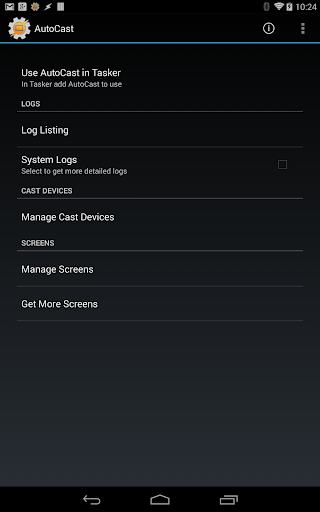

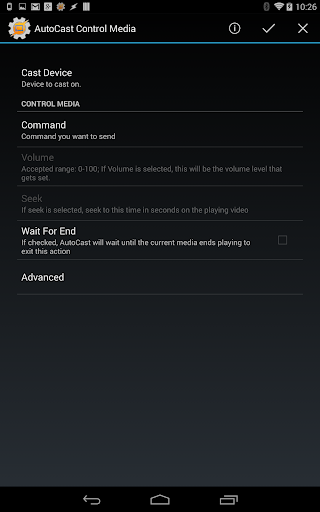
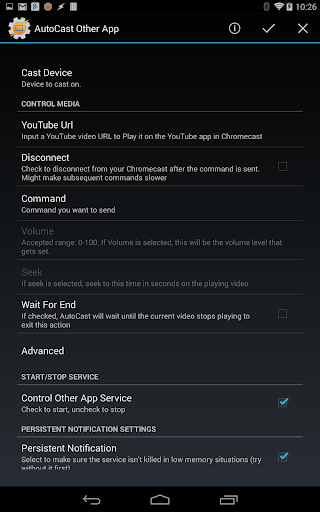

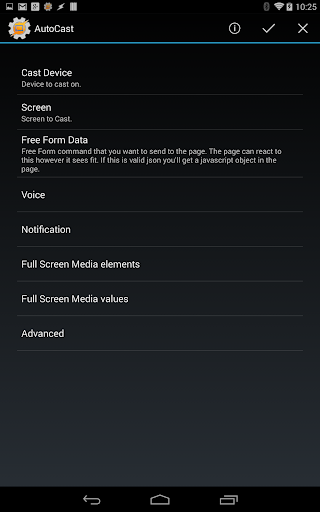


About AutoCast
The description on the store listing
Automate Your TV with AutoCast.
******IMPORTANT NOTE*****
Please don't rate the app 1 star because it's not a standalone app. Contact me for a refund if you've bought it thinking otherwise.
AutoCast is a Tasker plugin. You need to have Tasker (https://play.google.com/store/apps/details?id=net.dinglisch.android.taskerm) installed to use most of its features, so please be aware of that before using it.
You can get a free trial of Tasker here: http://tasker.dinglisch.net/download.html
Also, to create everything you see in the demo video you need other Tasker plugins. Please read the video description. Please don't rate the app 1 star because of this. This is not supposed to be a …
Read the full description
Automate Your TV with AutoCast. ******IMPORTANT NOTE***** Please don't rate the app 1 star because it's not a standalone app. Contact me for a refund if you've bought it thinking otherwise. AutoCast is a Tasker plugin. You need to have Tasker (https://play.google.com/store/apps/details?id=net.dinglisch.android.taskerm) installed to use most of its features, so please be aware of that before using it. You can get a free trial of Tasker here: http://tasker.dinglisch.net/download.html Also, to create everything you see in the demo video you need other Tasker plugins. Please read the video description. Please don't rate the app 1 star because of this. This is not supposed to be a standalone app at all. Thank you for understanding. ******************************** Learn all about AutoCast here: http://joaoapps.com/autocast/ This is a demo version of the app with these restrictions:you'll always cast pre-determined images, audio and video. Text you cast with the lite version will be prepended with "AutoCast Demo". Get the full app by buying the unlocker (https://play.google.com/store/apps/details?id=com.joaomgcd.autocast.unlock) or an in-app purchase. AutoCast is a Tasker plugin that gives you full control over your Chromecast. It not only enables you to cast images, audio and video from Tasker, but you can also cast and control many other local or web contents, like YouTube videos and playlists, notifications, voice, and web pages! You can also take over other apps that are being cast and control their playback! CUSTOM SCREENS (Learn how to create one here: http://joaoapps.com/autocast/custom-screens/) In AutoCast anything you cast is a custom screen. Built-in screens: - "Full Screen Media". Here you can cast video, photos and audio in full screen, so they look their best. For example you can cast a slideshow and at the same time listen to the system Audio from your phone. Or you can be watching a movie in AutoCast while you receive all your Android notifications on your TV. You can even watch a slideshow of photos and videos, all in a row. - "Alternate Home Screen". Here you have a screen that is really similar to the built-in Chromecast homescreen, but it shows whatever photos you want and you can add any info you like on to it, like the current weather, or if the heater in your house is currently on. Like in all screens you also get all the goodies of an AutoCast screen, so you can get notifications on it for example, or you can play some music in the background. You can also cast any existing web page you like, assuming that the page allows for this. My goal with AutoCast is that people from around the world start creating their own awesome custom screens which you can then easily import into AutoCast and use. YOUTUBE INTEGRATION In AutoCast you can cast a YouTube video or playlist on to any screen. With the help of AutoShare you can cast a YouTube video from your Android Web Browser for example. Or with the help of AutoRemote you can cast a playlist from the YouTube Website. MULTIPLE SOURCES With AutoCast you can cast media from an ever growing list of websites and sources like Dropbox, Vimeo, Flickr, Gametrailers and more! For example, you can cast all the photos on the Flickr explore page as a slideshow. Or you can cast a Gametrailers video from your favourite RSS reader on Android. MULTIPLE USERS Because AutoCast can also send messages from your Chromecast to your Android device, you can also create collaborative casting apps, like a photo editor where multiple people are editing the same image. CONTROL AND INFO You can control the playback of media in AutoCast as well as some other apps like YouTube, Google Play Music or Plex. You can also get info on what is currently playing, so you could build a remote Chromecast controller on your PC for example.The possibilities are endless!
Installs since 29 Aug 2026 Measured
Exact Google Play install counts, collected daily
Ratings
956 ratings, 140 reviews
- 5 ★41%
- 4 ★3.5%
- 3 ★6.0%
- 2 ★11%
- 1 ★39%
Recent reviews
Latest public reviews from the store
- 3 Apr 2026
Great suite of apps along with Tasker
- 7 Feb 2026
I will never go back to life without this app. This is such a game changer... wait I'm actually gonna go as far to say this app is a LIFE changer. With how much I'm on my phone, this app is changing my life for the better, as silly as that might sound. Fewer frustrations from annoying useless notifs is a huge improvement for my daily life. I even paid money for the part I use the most cuz it's so amazing <3
- 3 Feb 2026
does the work.
- 2 Dec 2025
More goodness from the Tasker dev - the BEST automation app on Android!
What reviewers bring up
Topics mentioned in the latest 50 reviews, by how many reviews mention them
Liked in good reviews (29 reviews)
- tasker 6
- automation 3
- android 3
- developer 2
- daily 2
- says 2
- pro 2
Raised in bad reviews (19 reviews)
- money 4
- refund 3
- pay 3
- subscription 2
- purchase 2
- install 2
- opened 2
- start 2
Top chart positions
Latest Google Play chart ranks by country, last 10 days
Not in any tracked top chart in the last 10 days.
AutoCast history
Release, install milestones, listing and store changes
- Reached 100,000+ installs 16 Dec 2018
- Reached 50,000+ installs 4 Feb 2016
- Reached 10,000+ installs 7 Apr 2014
- Reached 5,000+ installs 6 Apr 2014
- First released on the store 4 Apr 2014
Recent versions
Current version 1.5.1.bf
- Version 1.5.1.bf28 May 2018
- fixed issue where app would freeze with the privacy policy dialog when entering the AutoCast Speak action in Tasker
- Version 1.5.123 May 2018
- Version 1.5.0.bf129 Jan 2018
- Version 1.0.2510 Jan 2017
Listing keywords
Words and phrases AutoCast repeats most in its store listing
Top phrases: audio and video (2), autocast is tasker (2), cast and control (2), cast youtube video (2), please don't rate (2).
Highlighted words also appear in the title. Counts cover the title, short description and description.
Business model and tech
From the store listing, the SDKs in the app package and its declared permissions
- Business model
- Free to downloadIn-app purchasesShows ads
- Built with
- No cross-platform framework or game engine detected
- Ad networks (1)
- AdMob
- Subscriptions and payments
- Google Play billing
- Sensitive access
- Photos, videos and files
1 ad, attribution and analytics SDKs detected. SDKs are read from the app package and permissions from the store listing, so code that loads later is not seen.
Technology
11 SDKs found in the app package
Ad network libraries
Ad networks
Advertising and install-attribution SDKs found in the app package
- AdMob
10 permissions
0 special access, 2 sensitive, 8 standard
- Change or delete shared storageSensitive
- Read shared storageSensitive
- Ask to skip battery optimisationREQUEST_IGNORE_BATTERY_OPTIMIZATIONSStandard
- Keep the phone awakeStandard
- Full internet accessStandard
- See network connectionsStandard
- See Wi-Fi connectionsStandard
- Check joaomgcd licenseCHECK_JOAOMGCD_LICENSEStandard
- Manage documentsMANAGE_DOCUMENTSStandard
- In-app purchases with Google PlayStandard
Compliance
What the listing and the app package show
- Store status
- Live
- Upkeep
- No update since 16 Dec 2018
- Registered in
- Portugal
- Privacy policy
- Linked on the listing
- Advertising
- Shows ads
- In-app purchases
- Offered
- Age rating
- Everyone
- Sensitive permissions
- 2 sensitive of 10
- Location access
- No
- Camera and microphone
- Neither
Apps like AutoCast
Sonic SenderBravura33.1K installs★ 4.3
Listen Docs: Text to SpeechMatlub Yazılım A.Ş.34.2K installs★ 4.34
Sharpdesk MobileSHARP CORPORATION453K installs★ 2.79
DNS Checker - Network ToolsSoftrix Technologies97.4K installs★ 4.37
1Hub MobileMovista, Inc.68.2K installs★ 2.91
Clearspaceclearspace technologies, inc.247K installs★ 4.53
Clear: To-Dos & Remindernedkaboo19.7K installs★ 4.61
BS Patro - Nepali BsCalendarK Kafle411K installs★ 4.4
English Voice typing KeyboardAppsCaps318K installs★ 4.1
AutoCast: questions and answers
How many downloads does AutoCast have?
AutoCast has 159,301 installs on Google Play, measured from the store's own count on 10 Nov 2026.
Who makes AutoCast?
AutoCast is published by joaomgcd, a developer based in PT.
When was AutoCast last updated?
The latest version (1.5.1.bf) was released on 16 Dec 2018.
Is AutoCast free?
Yes. AutoCast is free to download and offers in-app purchases, and it shows ads.
Is AutoCast still available?
Yes. AutoCast is live on Google Play as of 10 Nov 2026.
Track AutoCast and its competitors
Watch any app for new versions, rating drops, chart moves and removals. Free plan, no card.