
AutoShare
Do an ever-growing list of actions and receive shares from other apps inTasker
- Installs
- 127K
- Measured
- Rating
- 4.14
- Ratings
- 689
- 66 reviews
- Version
- 2.1.5
- Updated 10 Nov 2025
- Released
- 24 Nov 2012
- Tracked since 13 May 2026
- Size
- 5 MB
- Needs 4.0.3
Screenshots


About AutoShare
The description on the store listing
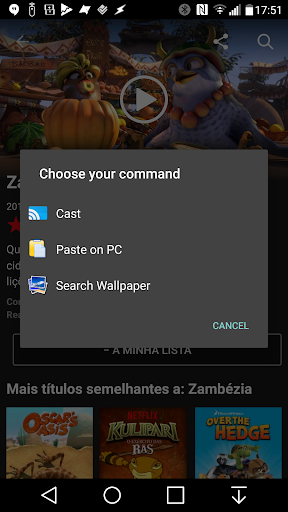
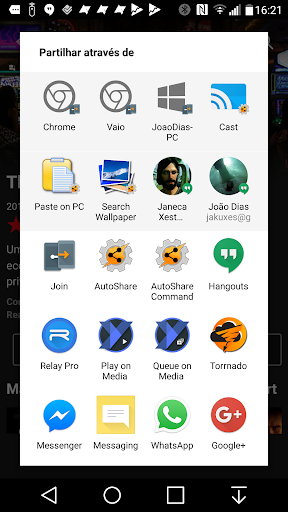
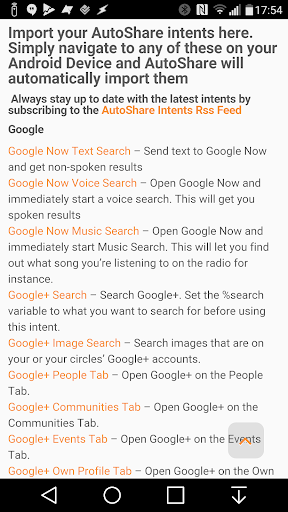
Add Tasker support to any app with AutoShare! Do anything on an ever growing number of apps with AutoShare intents available here:http://goo.gl/r1ibqy. You can also share to AutoShare from the regular Android share menu and get the share info into Tasker.
Simply use the regular Android share menu and choose AutoShare from the list and the Subject, Text or files will be sent to Tasker where you can do what you want with them! On the corresponding Enter Task you have several variables available:
- %assender (contains the sender app's package name; the app that shared to AutoShare)
- %assubject (contains the subject of the share)
- %astext (contains the text of the share)
- …
Read the full description
Add Tasker support to any app with AutoShare! Do anything on an ever growing number of apps with AutoShare intents available here:http://goo.gl/r1ibqy. You can also share to AutoShare from the regular Android share menu and get the share info into Tasker. Simply use the regular Android share menu and choose AutoShare from the list and the Subject, Text or files will be sent to Tasker where you can do what you want with them! On the corresponding Enter Task you have several variables available: - %assender (contains the sender app's package name; the app that shared to AutoShare) - %assubject (contains the subject of the share) - %astext (contains the text of the share) - %asfile1, %asfile2, %asfile3, etc (contains path to files shared; can be accessed in tasker as an array named %asfile) With the AutoShare command feature you can easily tell Tasker what you want to do with what you are sharing. For instance, use the "copy" command in a profile and in the corresponding task, copy %astext to the clipboard. Then share with the AutoShare Command and choose "copy" from the dropdown list, and whatever you shared will be available on your device's clipboard You can also create an Android Share menu from within Tasker with AutoShare, with the Subject, Text and Images of your choosing. - Intercept shares to other apps and replicate them in Tasker, where you can tweak them at your will or use Tasker variables to make them dynamic.. Watch this video to fully understand it: http://youtu.be/4QPi56Brqsg Example uses (all these commands are free-form; you are free to come up with any command you'd like): - Share to Clipboard: copy any share-able text to your phone's clipboard instantly -Share to multiple social networks simultaneously: Share to AutoShare with a "social" command, in Tasker popup a window to input your personal comment then with AutoRemote (http://goo.gl/uJSce) send that to Zapier which in turn instantly posts it on Facebook, Twitter, etc! :) - Add urls to your read-at-home list: Share urls with a "readathome" command and open those urls when you get home on your phone or even on your computer with AutoRemote (http://goo.gl/uJSce) - Alter text any way you like before sharing it to another service: share anything with an "alter" command, and trim text, or alter it in any way you like and reshare it with another app via AutoShare - Add Sharing sending and receiving abilities to your StandAlone apps - Add items to your todo list: share any text with a "todo" command and add it to a list in Tasker - Share when at home: Want to remember to share that special photo when you get home? Simply set a Wifi-connected profile connected to an AutoShare Task and when you get home you'll be reminded to share the photo instantly Note: Lite version is limited to only receiving and sharing the Text field. You can purchase the full version in-app.
Installs since 29 Aug 2026 Measured
Exact Google Play install counts, collected daily
Ratings
689 ratings, 66 reviews
- 5 ★68%
- 4 ★9.5%
- 3 ★6.4%
- 2 ★1.5%
- 1 ★15%
Recent reviews
Latest public reviews from the store
No reviews in our sample for this app yet.
Top chart positions
Latest Google Play chart ranks by country, last 10 days
Not in any tracked top chart in the last 10 days.
AutoShare history
Release, install milestones, listing and store changes
- Reached 100,000+ installs 4 Dec 2022
- Reached 50,000+ installs 10 May 2017
- Reached 10,000+ installs 28 Dec 2013
- Reached 5,000+ installs 19 Jul 2013
- Reached 1,000+ installs 17 Mar 2013
- Reached 500+ installs 15 Jan 2013
- Reached 100+ installs 3 Dec 2012
- First released on the store 24 Nov 2012
Update frequency
How often AutoShare ships a new version, month by month
0 updates in the last 12 months. Less often than most similar apps: they shipped a median of 1 updates in the same year.
Recent versions
Current version 2.1.5
- Version 2.1.510 Nov 2025
- Updated target API to 36. This might break stuff. Let me know if it does. Thanks
- Version 2.1.312 Apr 2023
- Version 2.1.114 Oct 2019
- Version 2.11 Oct 2019
Listing keywords
Words and phrases AutoShare repeats most in its store listing
Top phrases: android share menu (3), android share (3), share menu (3), regular android share (2), share to autoshare (2).
Highlighted words also appear in the title. Counts cover the title, short description and description.
Business model and tech
From the store listing, the SDKs in the app package and its declared permissions
- Business model
- Free to downloadIn-app purchasesShows ads
- Built with
- No cross-platform framework or game engine detected
- Ad networks (1)
- AdMob
- Subscriptions and payments
- Google Play billing
- Analytics and crash reports
- Firebase
- Sensitive access
- Photos, videos and filesDraws over other appsAdvertising ID
2 ad, attribution and analytics SDKs detected. SDKs are read from the app package and permissions from the store listing, so code that loads later is not seen.
Technology
28 SDKs found in the app package
Ad networks
Advertising and install-attribution SDKs found in the app package
- AdMob
22 permissions
2 special access, 3 sensitive, 17 standard
- Draw over other appsSpecial access
- See every installed appQUERY_ALL_PACKAGESSpecial access
- Change or delete shared storageSensitive
- Read shared storageSensitive
- Show notificationsPOST_NOTIFICATIONSSensitive
- Ad attribution (Privacy Sandbox)ACCESS_ADSERVICES_ATTRIBUTIONStandard
- Ad topics (Privacy Sandbox)ACCESS_ADSERVICES_TOPICSStandard
- Read the advertising IDAD_IDStandard
- Read the advertising ID (Privacy Sandbox)ACCESS_ADSERVICES_AD_IDStandard
- Ask to skip battery optimisationREQUEST_IGNORE_BATTERY_OPTIMIZATIONSStandard
- Foreground service (special use)FOREGROUND_SERVICE_SPECIAL_USEStandard
- Run a foreground serviceFOREGROUND_SERVICEStandard
Compliance
What the listing and the app package show
- Store status
- Live
- Upkeep
- Updated 10 Nov 2025
- Registered in
- Portugal
- Privacy policy
- Linked on the listing
- Advertising
- Shows ads
- In-app purchases
- Offered
- Age rating
- Everyone
- Sensitive permissions
- 3 sensitive, 2 special access of 22
- Location access
- No
- Camera and microphone
- Neither
Apps like AutoShare
X Sexy Video DownloaderVideo Studio Browser Apps145K installs★ 4.58
FileGenie AIChancey405K installs★ 3.86
Dualix: Web ScannerAegis Digital346K installs★ 4.67
PDF Viewer LiteIpsita Developer408K installs★ 3.89
HyToolsIMI Hydronic Engineering192K installs★ 1.58
Audio Memos SEImesart S.a.r.l.102K installs★ 3.64
Munily -Gestión de comunidadesTiko Technology Solutions S.A.225K installs★ 2.97
DeftPDF - PDF Editor, AnnotateSictec Infotech Inc.97.5K installs★ 3.94
TVTCTVTC - Technical & Vocational Training Corporation51.5K installs★ 2.71
AutoShare: questions and answers
How many downloads does AutoShare have?
AutoShare has 127,148 installs on Google Play, measured from the store's own count on 14 Nov 2026.
Who makes AutoShare?
AutoShare is published by joaomgcd, a developer based in PT.
When was AutoShare last updated?
The latest version (2.1.5) was released on 10 Nov 2025.
Is AutoShare free?
Yes. AutoShare is free to download and offers in-app purchases, and it shows ads.
Is AutoShare still available?
Yes. AutoShare is live on Google Play as of 14 Nov 2026.
Track AutoShare and its competitors
Watch any app for new versions, rating drops, chart moves and removals. Free plan, no card.