
- Installs
- 3.16K
- Measured
- Rating
- —
- Ratings
- —
- Version
- Varies with device
- Updated 20 Jul 2025
- Released
- 19 Jul 2022
- Tracked since 13 May 2026
- Size
- —
Screenshots
About Be Quiet!
The description on the store listing
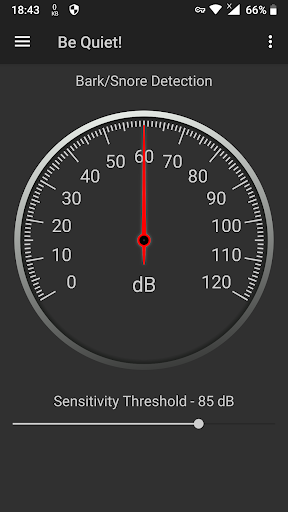
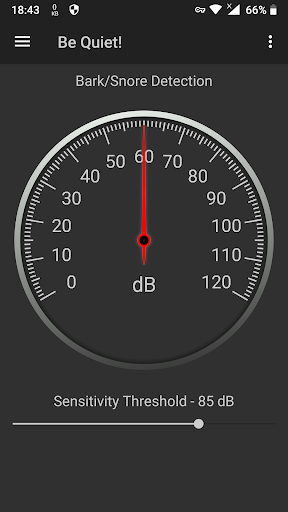
If your dog barks often, or your partner or roommate snores, the goal is to distract them. To achieve that goal, the Be Quiet! app, when in monitoring mode, can detect sound above some level you have set, and then it will play the selected sound in an attempt to distract the barking dog or one that is snoring.
To be perfectly clear, there is no guarantee that the distracting attempt will succeed, but you can certainly try. As you can see in the reviews, one user claims that he successfully uses the app to distract his children when they make loud noises while playing video games.
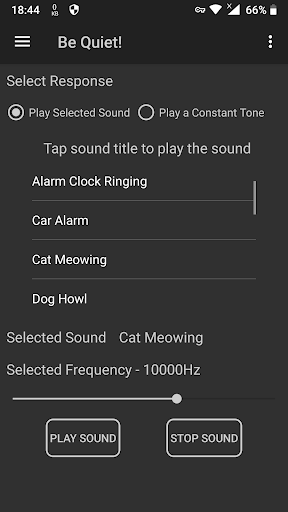
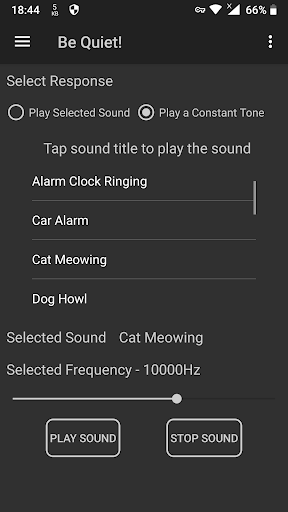
You can select a constant high-pitched sound or some other sounds from the list. There are various sounds …
Read the full description
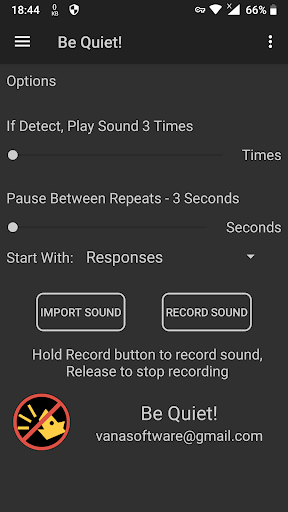
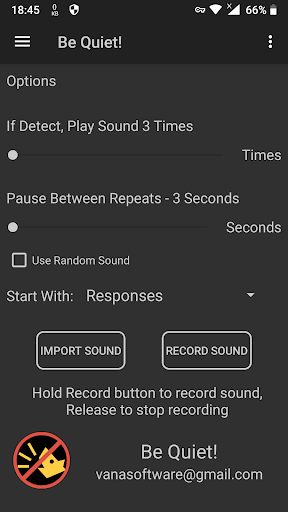
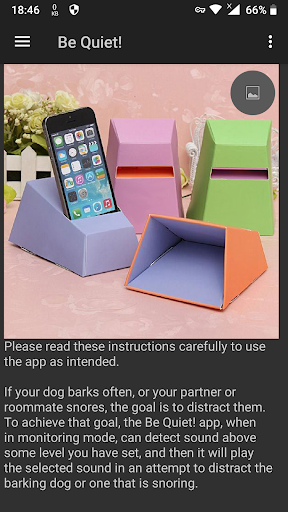
If your dog barks often, or your partner or roommate snores, the goal is to distract them. To achieve that goal, the Be Quiet! app, when in monitoring mode, can detect sound above some level you have set, and then it will play the selected sound in an attempt to distract the barking dog or one that is snoring. To be perfectly clear, there is no guarantee that the distracting attempt will succeed, but you can certainly try. As you can see in the reviews, one user claims that he successfully uses the app to distract his children when they make loud noises while playing video games. You can select a constant high-pitched sound or some other sounds from the list. There are various sounds that come with the app, but you can also import more sounds, or you can also record your own voice, or whatever you want to try to distract the dog or the snorer. The sound is intended to surprise the dog and cause him to cease barking, or to distract the snorer from snoring. For the application to work properly during monitoring, the phone screen needs to be on all the time. You shouldn't change anything in the phone's desktop settings. The Be Quiet! app will keep the phone's screen on when started, until you exit the app, or until the app is sent to the background. Keep in mind that when the app is in the background, monitoring will be stopped. There are various sounds that come with the app, but you can also import more sounds. You can also record your own voice, like when you call your dog, which may be better for distracting barking dogs. Obviously, if your dog or your snoring spouse, etc. responds to the app, and you decide to monitor them constantly, the phone should be permanently attached to the charger. A speaker built into the mobile phone has limited capacity. For better results, you could consider attaching external speakers to the phone, or you could use a so-called "passive amplifier" to make the sound louder. A passive amplifier, also known as a mechanical amplifier, is a device which makes the sound more directional with the help of a bell shape. A passive amplifier works just like a megaphone or a trumpet, a shape designed to transmit into the air as much sound energy as possible. The bell shape is used to reflect the sound waves in one direction. The wider the bell shape is, the better the sound is directed, and also, when the diameter of the bell is changed, the sound can be mellower or sharper. If a passive amplifier is designed properly, it can make a sound at least 50% louder in front of it. If you encounter any problems during use, please contact us, and we will try our best to help you. That's all.
Installs since 15 Nov 2026 Measured
Exact Google Play install counts, collected daily
Daily history starts once this app is in our daily install sample.
Ratings
- 5 ★0.0%
- 4 ★0.0%
- 3 ★0.0%
- 2 ★0.0%
- 1 ★0.0%
Recent reviews
Latest public reviews from the store
- 24 Nov 2025
I have all my files in dozens of sub folders, the only way I can add them in this app is to go in to every sub folder and select individual files. It would be helpful if I could just select the main folder to add the contents of all sub folders.
- 29 Apr 2025
if you want a true randomised play list this app will do it, but it's settings are very limited
- 19 Dec 2024
Fantastic shuffling. No repeats. I love it. I would like the controls to be larger to make it easier to operate while driving though. Not a deal breaker.
- 29 Dec 2023
Ok
What reviewers bring up
Topics mentioned in the latest 9 reviews, by how many reviews mention them
Liked in good reviews (3 reviews)
No topic comes up twice.
Raised in bad reviews (5 reviews)
- load 2
Top chart positions
Latest Google Play chart ranks by country, last 10 days
Not in any tracked top chart in the last 10 days.
Be Quiet! history
Release, install milestones, listing and store changes
- Reached 1,000+ installs 27 Mar 2025
- Reached 500+ installs 24 Oct 2024
- Reached 100+ installs 6 Jul 2023
- Reached 50+ installs 3 Mar 2023
- Reached 10+ installs 4 Oct 2022
- Reached 5+ installs 4 Sep 2022
- Reached 1+ installs 21 Aug 2022
- First released on the store 19 Jul 2022
Recent versions
Current version Varies with device
- Version 1.013 Dec 2022
Listing keywords
Words and phrases Be Quiet! repeats most in its store listing
Top phrases: passive amplifier (4), bell shape (3), import more sounds (2), sounds that come (2), various sounds (2).
Highlighted words also appear in the title. Counts cover the title, short description and description.
Business model and tech
From the store listing and declared permissions
- Business model
- Free to downloadShows ads
- Sensitive access
- MicrophonePhotos, videos and filesAdvertising ID
12 permissions
0 special access, 3 sensitive, 9 standard
- Record audioSensitive
- Change or delete shared storageSensitive
- Read shared storageSensitive
- Ad attribution (Privacy Sandbox)ACCESS_ADSERVICES_ATTRIBUTIONStandard
- Ad topics (Privacy Sandbox)ACCESS_ADSERVICES_TOPICSStandard
- Read the advertising IDAD_IDStandard
- Read the advertising ID (Privacy Sandbox)ACCESS_ADSERVICES_AD_IDStandard
- Keep the phone awakeStandard
- Run a foreground serviceFOREGROUND_SERVICEStandard
- Full internet accessStandard
- See network connectionsStandard
- Google Play license checkStandard
Compliance
What the listing and the app package show
- Store status
- Live
- Upkeep
- Updated 20 Jul 2025
- Privacy policy
- Linked on the listing
- Advertising
- Shows ads
- In-app purchases
- None declared
- Age rating
- Everyone
- Sensitive permissions
- 3 sensitive of 12
- Location access
- No
- Camera and microphone
- Microphone
Apps like Be Quiet!
들어서 화면켜기Won3.5K installs★ 4.0
Height PredictionEcliptic App Ventures45.9K installs★ 2.4
Speicers`Pro VPNEldiablolucifer202021.2K installs★ 4.14
Lightning Tracker with AlertsYaksh Software4.3K installs★ 3.0
Mana Pathi (Unit Converter)Shirish Koirala2.2K installs★ 4.6
Multi-tab Calc - A simple app.Naoyuki Rikiji1.3K installs★ 5.0
Photo Recovery PlusBillApps7.1K installs★ 4.53
Just Silence. Scheduled.Akid Soft1.6K installs★ 5.0
- WoWp AssistantВиталий Робиновский2K installs★ 4.2
Be Quiet!: questions and answers
How many downloads does Be Quiet! have?
Be Quiet! has 3,161 installs on Google Play, measured from the store's own count on 15 Nov 2026.
Who makes Be Quiet!?
Be Quiet! is published by Vana software.
When was Be Quiet! last updated?
The latest version (Varies with device) was released on 20 Jul 2025.
Is Be Quiet! free?
Yes. Be Quiet! is free to download, and it shows ads.
Is Be Quiet! still available?
Yes. Be Quiet! is live on Google Play as of 15 Nov 2026.
Track Be Quiet! and its competitors
Watch any app for new versions, rating drops, chart moves and removals. Free plan, no card.