Brain Work
Brain Work has 4 brain exercises, 2 of them using photo, for the elderly
- Installs
- 443
- Measured
- Rating
- —
- Ratings
- —
- Version
- Varies with device
- Updated 24 Jun 2018
- Released
- 17 Mar 2015
- Tracked since 13 May 2026
- Size
- 1 MB
- Needs 2.2
Also on App Store: Brain Work!, Brain Work
Screenshots
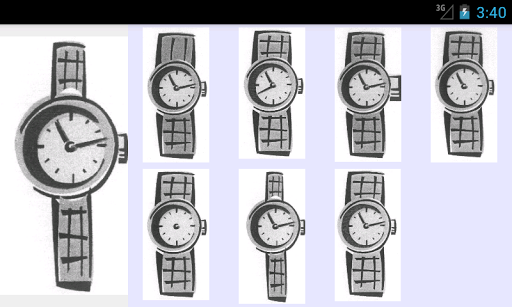
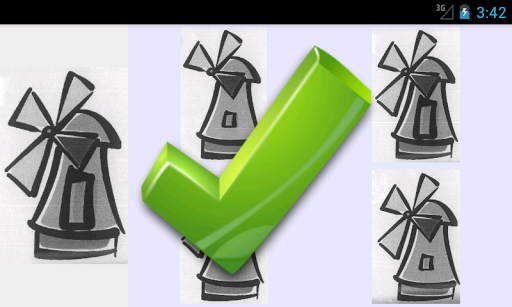
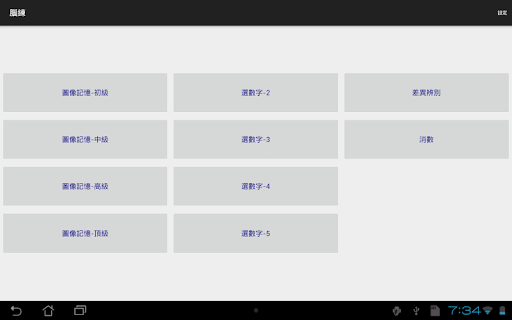
About Brain Work
The description on the store listing
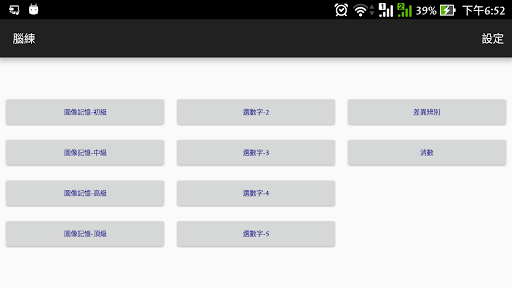
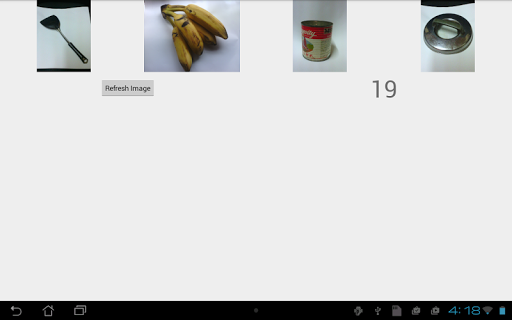
Brain Work is developed for a senior to do brain exercises. It tries to address the problem that common brain exercise apps use image objects which the senior has no experience to or cannot recognize. Instead, Brain Work allows user to create images by device camera, downloading or copying from memory card. For each exercise, there will be setting to specify the folder in which those images are stored.
Currently there are 2 exercises related to photos.
1) PhotoMem
a) one-time photo folder setup
- before first time use, create a folder, say 'bwfolder'
- take photos of common objects in everyday life and put in the folder
(6-16 photos depending on the size of the screen size) …
Read the full description
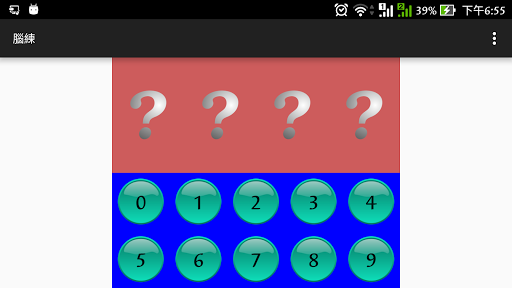
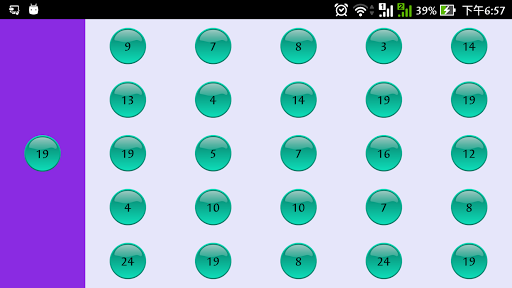
Brain Work is developed for a senior to do brain exercises. It tries to address the problem that common brain exercise apps use image objects which the senior has no experience to or cannot recognize. Instead, Brain Work allows user to create images by device camera, downloading or copying from memory card. For each exercise, there will be setting to specify the folder in which those images are stored. Currently there are 2 exercises related to photos. 1) PhotoMem a) one-time photo folder setup - before first time use, create a folder, say 'bwfolder' - take photos of common objects in everyday life and put in the folder (6-16 photos depending on the size of the screen size) - in the app setting, choose the 'bwfolder' for PhotoMem b) the exercise - 2 to 5 image will be selected from the image folder for display in a certain order - the senior has a few seconds to remember the image objects and the order - then these images will be hidden and a list of images will be shown for selection - the senior has to select the matching images from the list in the same order of display to pass the exercise 2) FindDiff a) one-time photo folder setup - before first time use, create a parent folder with 3 sub-folders (must be named bw0, bw1, bw2) - in each sub-folder, put a set of photos that are similar to each other but with a small but significant different feature (e.g. a clock with different time, missing needle, ...) (due to copyright issues, this app cannot supply these sets of photos, but images from paper tests are good references) - the photos in the sub-folder have to be differed by a little from each other - there can be 3 groups of photos and each group will be stored under the parent folder with sub-folder names bw0, bw1, bw2. - in the app setting, choose the parent for FindDiff b) the exercise - one image from a set of similar images in a sub-folder is selected - it will be shown on the left and the whole set of similar images in the same sub-folder are shown on the right. - the senior has to select in the right list the one that is exactly matched with the left one. 3) Cancel Number - On the screen, there is a target number on the left side and a matrix of numbers on the right side - the objective is to click on the number in the matrix that match the target number - the game finished when all the target number in the matrix are clicked 4) SelectDigit - the app will read out 2-5 digits - the senior needs to select the digits in the same order to pass the exercise - there are 5 level of difficulties - the app can read in Cantonese and English, depending on the device language This app is an on-going project and new exercises will/may be added whenever the developer has such needs and time allows. And there is no guarantee of quality of any level. This app is free. To avoid distraction, it has no ads. Anyone who needs brain exercises and have the same problem are welcome to use it. Question on usage or feedback on the exercise are also welcome. But be patient to allow time for the developer to response.
Installs since 3 Sep 2026 Measured
Exact Google Play install counts, collected daily
Ratings
- 5 ★0.0%
- 4 ★0.0%
- 3 ★0.0%
- 2 ★0.0%
- 1 ★0.0%
Recent reviews
Latest public reviews from the store
- 15 Feb 2026
good gaming
- 12 May 2025
nice
- 17 Mar 2025
user friendly ,quick hands ,
- 7 Feb 2025
👌
What reviewers bring up
Topics mentioned in the latest 50 reviews, by how many reviews mention them
Liked in good reviews (29 reviews)
- enjoy 2
Raised in bad reviews (17 reviews)
- getting 3
- rigged 2
- people 2
- keeps 2
- hands 2
- table 2
- other 2
- win 2
Top chart positions
Latest Google Play chart ranks by country, last 10 days
Not in any tracked top chart in the last 10 days.
Brain Work history
Release, install milestones, listing and store changes
- First released on the store 17 Mar 2015
Recent versions
Current version Varies with device
- Version 4.024 Jun 2018
Listing keywords
Words and phrases Brain Work repeats most in its store listing
Top phrases: sub folder (5), brain work (4), brain exercises (3), target number (3), bw0 bw1 bw2 (2).
Highlighted words also appear in the title. Counts cover the title, short description and description.
Business model and tech
From the store listing and declared permissions
- Business model
- Free to download
- Sensitive access
- Photos, videos and files
1 permissions
0 special access, 1 sensitive, 0 standard
- Read shared storageSensitive
Compliance
What the listing and the app package show
- Store status
- Live
- Upkeep
- No update since 24 Jun 2018
- Registered in
- Hong Kong SAR China
- Privacy policy
- Linked on the listing
- Advertising
- No ads declared
- In-app purchases
- None declared
- Age rating
- Everyone
- Sensitive permissions
- 1 sensitive of 1
- Location access
- No
- Camera and microphone
- Neither
Apps like Brain Work
들어서 화면켜기Won3.5K installs★ 4.0
Height PredictionEcliptic App Ventures45.9K installs★ 2.4
Speicers`Pro VPNEldiablolucifer202021.2K installs★ 4.14
Lightning Tracker with AlertsYaksh Software4.3K installs★ 3.0
Mana Pathi (Unit Converter)Shirish Koirala2.2K installs★ 4.6
Multi-tab Calc - A simple app.Naoyuki Rikiji1.3K installs★ 5.0
Photo Recovery PlusBillApps7.1K installs★ 4.53
Just Silence. Scheduled.Akid Soft1.6K installs★ 5.0
- WoWp AssistantВиталий Робиновский2K installs★ 4.2
Brain Work: questions and answers
How many downloads does Brain Work have?
Brain Work has 443 installs on Google Play, measured from the store's own count on 12 Nov 2026.
Who makes Brain Work?
Brain Work is published by Simple App Devloper, a developer based in HK.
When was Brain Work last updated?
The latest version (Varies with device) was released on 24 Jun 2018.
Is Brain Work free?
Yes. Brain Work is free to download.
Is Brain Work still available?
Yes. Brain Work is live on Google Play as of 12 Nov 2026.
Track Brain Work and its competitors
Watch any app for new versions, rating drops, chart moves and removals. Free plan, no card.