
Catch! — Android-PC File Trans
Catch, throw, browse, back up and transfer files from Android to PC and more!
- Installs
- 59.53K
- Measured
- Rating
- 4.4
- Ratings
- 735
- 41 reviews
- Version
- Varies with device
- Updated 29 Jun 2024
- Released
- 27 Feb 2017
- Tracked since 12 May 2026
- Size
- 68 MB
- Needs 5.0
Screenshots

About Catch! — Android-PC File Trans
The description on the store listing
<h2><b>Transfer files from Android to PC and other mobile devices via local Wi-Fi network</b></h2>
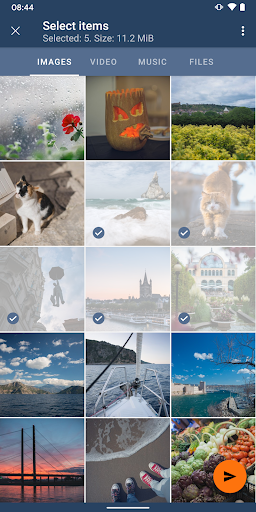
Let’s make your desktop and mobile devices closer! Install DAEMON Tools Ultra or Lite to to <b>transfer files from Android to PC</b> with the lightning speed. <b>Back up Android files</b>, transfer photos from Android to PC, browse the content of your phone and catch all types of files from any device in the local network.
<h3><b>Why to use Catch! for the file transfer?</b></h3>
- Lightning speed
- Automated backups
- No mobile network usage
- No limits on the file types
- Mobile device browsing
<h3><b>How to transfer files from Android to PC and back?</b></h3>
- Install DAEMON …
Read the full description
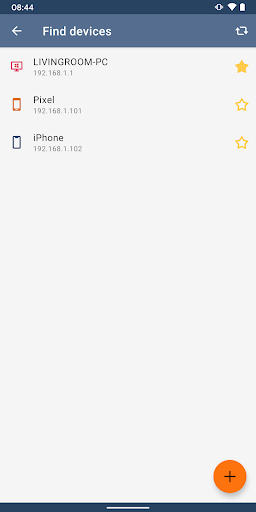
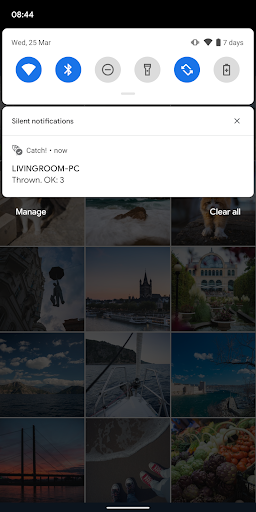
<h2><b>Transfer files from Android to PC and other mobile devices via local Wi-Fi network</b></h2> Let’s make your desktop and mobile devices closer! Install DAEMON Tools Ultra or Lite to to <b>transfer files from Android to PC</b> with the lightning speed. <b>Back up Android files</b>, transfer photos from Android to PC, browse the content of your phone and catch all types of files from any device in the local network. <h3><b>Why to use Catch! for the file transfer?</b></h3> - Lightning speed - Automated backups - No mobile network usage - No limits on the file types - Mobile device browsing <h3><b>How to transfer files from Android to PC and back?</b></h3> - Install DAEMON Tools Ultra or Lite to your PC - Open Catch! on the Android device - Ensure that both apps are running in the same network - Choose photos, tracks or files you want to send - Choose the PC that will catch them - Wait while we transfer files from Android to PC - Go to DAEMON Tools to look at the received files :) <h3><b>How to browse Android files from the PC?</b></h3> - Open Catch! on the Android device - Install DAEMON Tools Ultra/Lite to your PC - Ensure that both apps are in the same network - Launch Ultra/Lite, you will see your Android on the device panel - Right-click it and choose Open in Ultra/Lite option - That’s it! All Android files are shown on your PC <h3><b>How to back up Android files to PC?</b></h3> - Install DAEMON Tools Ultra to your PC - Open Catch! on the Android device - Ensure that both apps are in the same network - Choose New Backup Task from Store section in Ultra - Set Source to Remote device and choose your one - Adjust backup schedule and settings, click Finish - That’s it! The task to back up Android to PC is ready
Installs since 28 Aug 2026 Measured
Exact Google Play install counts, collected daily
Ratings
735 ratings, 41 reviews
- 5 ★76%
- 4 ★9.2%
- 3 ★5.8%
- 2 ★2.2%
- 1 ★6.9%
Recent reviews
Latest public reviews from the store
- 4 May 2026
awesome bag app
- 14 Jan 2026
Really cool app
- 29 Oct 2025
Great App!! Helps keep a catalog of your bag. I'd give it 5 stars but the photo upload feature hasn't been working lately so I have most of my discs uploaded with pics and the rest are generic blanks. Hoping they sort that out soon.
- 11 Jul 2025
honestly for a free app this is amazing! and with it being new, I am excited to see the app grow! anyone that wants to track there disc's should grab this.
What reviewers bring up
Topics mentioned in the latest 10 reviews, by how many reviews mention them
Liked in good reviews (10 reviews)
- discs 6
- bag 5
- feature 3
- friends 3
- track 3
- add 3
- absolutely 2
- overall 2
Raised in bad reviews (0 reviews)
No topic comes up twice.
Top chart positions
Latest Google Play chart ranks by country, last 10 days
Not in any tracked top chart in the last 10 days.
Catch! — Android-PC File Trans history
Release, install milestones, listing and store changes
- Reached 50,000+ installs 29 Jun 2024
- Reached 10,000+ installs 24 Aug 2019
- Reached 5,000+ installs 14 Dec 2018
- Reached 1,000+ installs 11 May 2018
- Reached 500+ installs 13 Apr 2018
- First released on the store 27 Feb 2017
Recent versions
Current version Varies with device
- Version 3.4.7279 Jan 2024
- Version 3.4.7261 Dec 2023
- Version 3.3.71029 Aug 2021
- Version 3.3.70923 Aug 2021
Listing keywords
Words and phrases Catch! — Android-PC File Trans repeats most in its store listing
Top phrases: android to pc (7), files from android (5), daemon tools (5), transfer files (5), daemon tools ultra (4).
Highlighted words also appear in the title. Counts cover the title, short description and description.
Business model and tech
From the store listing, the SDKs in the app package and its declared permissions
- Business model
- Free to download
- Built with
- No cross-platform framework or game engine detected
- Ad networks (0)
- None detected
- Analytics and crash reports
- Firebase
- Sensitive access
- LocationPhotos, videos and filesNearby devices
1 ad, attribution and analytics SDKs detected. SDKs are read from the app package and permissions from the store listing, so code that loads later is not seen.
Technology
30 SDKs found in the app package
22 permissions
0 special access, 10 sensitive, 12 standard
- Change or delete shared storageSensitive
- Read music and audioREAD_MEDIA_AUDIOSensitive
- Read photosREAD_MEDIA_IMAGESSensitive
- Read shared storageSensitive
- Read videosREAD_MEDIA_VIDEOSensitive
- Approximate locationSensitive
- Location in the backgroundACCESS_BACKGROUND_LOCATIONSensitive
- Precise locationSensitive
- Find nearby Wi-Fi devicesNEARBY_WIFI_DEVICESSensitive
- Show notificationsPOST_NOTIFICATIONSSensitive
- Read how it was installed (install referrer)BIND_GET_INSTALL_REFERRER_SERVICEStandard
- Control vibrationStandard
Compliance
What the listing and the app package show
- Store status
- Live
- Upkeep
- No update since 29 Jun 2024
- Registered in
- Latvia
- Privacy policy
- Linked on the listing
- Advertising
- No ads declared
- In-app purchases
- None declared
- Age rating
- Everyone
- Sensitive permissions
- 10 sensitive of 22
- Location access
- Yes, also in the background
- Camera and microphone
- Neither
Apps like Catch! — Android-PC File Trans
Color LED ControllerStonez56 (Kevin Chen)494K installs★ 2.46
Bigg VPNBigg Software Ltd72.2K installs★ 4.86
Junk Cleaner - Cleanup Phoneepazarturkiye.com161K installs★ 3.9
CloverPool - Multi-coins PoolCloverPool Team122K installs★ 3.94
Afghan Sim (خدمات سیم کارت ها)Yasin Mohammadi52.7K installs★ 3.91
Drink Water TrackerWe Soft Global221K installs★ 4.05
ХваляГосударственное предприятие "БелГИЭ"19.2K installs★ 2.29
QR code scanner & generatorDual Design Studio333K installs★ 3.53
فیلتر شکن قوی پرسرعت اریزوSol Sol App654472293K installs★ 4.39
Catch! — Android-PC File Trans: questions and answers
How many downloads does Catch! — Android-PC File Trans have?
Catch! — Android-PC File Trans has 59,532 installs on Google Play, measured from the store's own count on 14 Nov 2026.
Who makes Catch! — Android-PC File Trans?
Catch! — Android-PC File Trans is published by SIA AVB Disc Soft, a developer based in LV.
When was Catch! — Android-PC File Trans last updated?
The latest version (Varies with device) was released on 29 Jun 2024.
Is Catch! — Android-PC File Trans free?
Yes. Catch! — Android-PC File Trans is free to download.
Is Catch! — Android-PC File Trans still available?
Yes. Catch! — Android-PC File Trans is live on Google Play as of 14 Nov 2026.
Track Catch! — Android-PC File Trans and its competitors
Watch any app for new versions, rating drops, chart moves and removals. Free plan, no card.