
- Installs
- 8.69K
- Measured
- Rating
- 5.0
- Ratings
- 102
- 4 reviews
- Version
- 1.0.5.20161024
- Updated 23 Oct 2016
- Released
- 11 Nov 2012
- Tracked since 13 May 2026
- Size
- 3 MB
- Needs 4.0
Screenshots
About Clip Notify
The description on the store listing
This is a clipboard extension app.
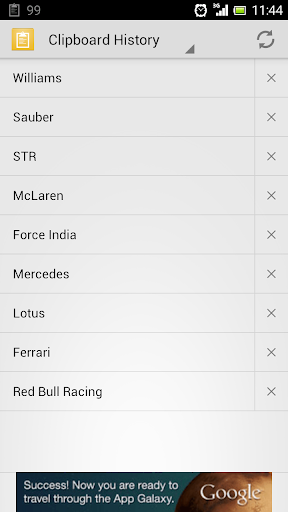
Android clipboard history manager. You can easily "Copy and Paste" from clipboard history. It is like venerable online software that is from the time of Windows 3.1.
You can easily copy and paste "URL" or "Page title" from bookmarks and visit history. Support is "Default Browser" and "Google Chrome".
Target has been since Android 4.0 (Ice Cream Sandwich, ICS).
This app supports the following languages:
Chinese (Traditional), English, French, German, Italian, Japanese, Korean, Portuguese, Russian, Spanish
Free Version:
This is the free version with ads. Ad-free paid version is also available.
Clip Notify Pro …
Read the full description
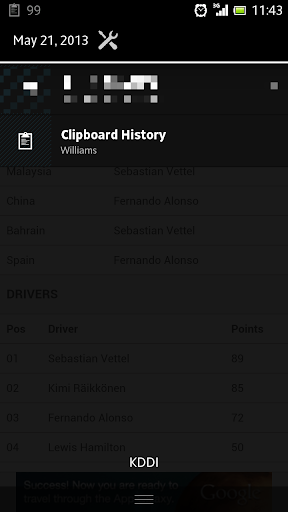
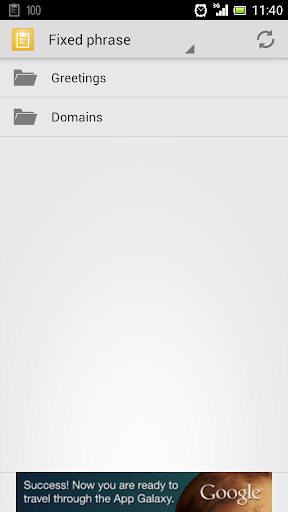
This is a clipboard extension app. Android clipboard history manager. You can easily "Copy and Paste" from clipboard history. It is like venerable online software that is from the time of Windows 3.1. You can easily copy and paste "URL" or "Page title" from bookmarks and visit history. Support is "Default Browser" and "Google Chrome". Target has been since Android 4.0 (Ice Cream Sandwich, ICS). This app supports the following languages: Chinese (Traditional), English, French, German, Italian, Japanese, Korean, Portuguese, Russian, Spanish Free Version: This is the free version with ads. Ad-free paid version is also available. Clip Notify Pro https://market.android.com/details?id=com.koji27.android.clipnotifypro How to use: Resides in the system when you start the app, add an icon in the notification bar. (You can release the resident from "Menu - Settings".) When you copy of a text, accumulate in the clipboard history. Can open this app at any time from the notification bar. This app main page is clipboard history. Can paste text in any app, after copy text from it. Action Bar of this app has become a pull-down menu, there are the following pages. - Clipboard History - Fixed phrase - Browser Bookmarks - Browser History Fixed phrase can add, edit, remove from "Menu - Settings". Do from here as well if you want to password-protect(*1) folder(category) of Fixed phrase. Can choose default browser or google chrome at sources of Bookmarks and History from "Menu - Settings". Please choose a browser to use well. Open menu at tap of Bookmarks or History item. Can copy it, choose title or URL. (*1) Password protection of fixed phrase: Encrypt using AES, key is password of your inputted. So, cannot decrypt at if you forgot password. Key Features: - A clipboard history app of notification bar resident type. - Fixed phrase corresponds to the folder (category) management. - Fixed phrase corresponds to password-protection. - Browser Bookmarks and History support is Default Browser, Google Chrome. - Does not access to your contacts. (So, There is not a function of copy your contacts.) - Designed with Android 4.0(ICS) or later only. Theme: App theme selectable for Light or Dark. - Light -- Android default light theme. - Dark -- Android default dark theme. - Device default light -- Device default light theme. - Device default dark -- Device default dark theme. Android default theme and device default theme is a slightly different. I like Android default light theme. So, it is default. Permissions: [Network communication] - full network access - view network connections Required for ads. [Storage] - modify or delete the contents of your USB storage [System tools] - test access to protected storage Required for backup/restore. [Bookmarks and History] - read your Web bookmarks and history Required for Browser bookmarks/History. [Your applications information] - run at startup Required for system resides. Others: - If you have any requests, please contact me by email. - Please help me with translation!
Installs since 29 Aug 2026 Measured
Exact Google Play install counts, collected daily
Ratings
102 ratings, 4 reviews
- 5 ★100%
- 4 ★0.0%
- 3 ★0.0%
- 2 ★0.0%
- 1 ★0.0%
Recent reviews
Latest public reviews from the store
No reviews in our sample for this app yet.
Top chart positions
Latest Google Play chart ranks by country, last 10 days
Not in any tracked top chart in the last 10 days.
Clip Notify history
Release, install milestones, listing and store changes
- Reached 5,000+ installs 10 Jul 2016
- Reached 1,000+ installs 17 Nov 2013
- Reached 500+ installs 15 Jun 2013
- First released on the store 11 Nov 2012
Update frequency
How often Clip Notify ships a new version, month by month
0 updates in the last 12 months. Less often than most similar apps: they shipped a median of 2 updates in the same year.
Recent versions
Current version 1.0.5.20161024
- Version 1.0.5.2016102423 Oct 2016
v1.0.5.20161024 - Bug fixes.
- Version 1.0.4.201310312 Nov 2013
- Version 1.0.4.2013101719 Oct 2013
- Version 1.0.3.2013081222 Aug 2013
Listing keywords
Words and phrases Clip Notify repeats most in its store listing
Top phrases: clipboard history (6), fixed phrase (6), device default (5), bookmarks and history (4), android default (4).
Highlighted words also appear in the title. Counts cover the title, short description and description.
Business model and tech
From the store listing, the SDKs in the app package and its declared permissions
- Business model
- Free to downloadShows ads
- Built with
- No cross-platform framework or game engine detected
- Ad networks (2)
- AdMobNend
- Sensitive access
- Photos, videos and files
2 ad, attribution and analytics SDKs detected. SDKs are read from the app package and permissions from the store listing, so code that loads later is not seen.
Technology
4 SDKs found in the app package
Ad networks
Advertising and install-attribution SDKs found in the app package
- AdMob
- Nend
6 permissions
0 special access, 2 sensitive, 4 standard
- Change or delete shared storageSensitive
- Read shared storageSensitive
- Start when the phone turns onStandard
- Full internet accessStandard
- See network connectionsStandard
- Read your Web bookmarks and historyStandard
Compliance
What the listing and the app package show
- Store status
- Live
- Upkeep
- No update since 23 Oct 2016
- Privacy policy
- Linked on the listing
- Advertising
- Shows ads
- In-app purchases
- None declared
- Age rating
- Everyone
- Sensitive permissions
- 2 sensitive of 6
- Location access
- No
- Camera and microphone
- Neither
Apps like Clip Notify
aDataConMonamazing-create13.6K installs★ 4.3
Universal TV Remote for All TVAlphard Solutions56K installs★ 3.17
Auto Scroll TTAbyssiniatech64.2K installs★ 2.67
Whistle SoundsInfinite_Apps64.4K installs★ 3.5
QR Barcode : Scanner & CreateScan Team320K installs★ 3.38
Calendario de Puerto Rico 2025FamilyAppsPro15.2K installs★ 4.57
Motion Detector: Security CamFabioDeveloper8.1K installs★ 4.1
Watt VA Amp Volt CalculationsElectroMission Co.53.2K installs★ 1.0
Zip Extractor–Unzip UnRARMS Apps Lab30.1K installs★ 3.5
Clip Notify: questions and answers
How many downloads does Clip Notify have?
Clip Notify has 8,692 installs on Google Play, measured from the store's own count on 14 Nov 2026.
Who makes Clip Notify?
Clip Notify is published by koji27.com.
When was Clip Notify last updated?
The latest version (1.0.5.20161024) was released on 23 Oct 2016.
Is Clip Notify free?
Yes. Clip Notify is free to download, and it shows ads.
Is Clip Notify still available?
Yes. Clip Notify is live on Google Play as of 14 Nov 2026.
Track Clip Notify and its competitors
Watch any app for new versions, rating drops, chart moves and removals. Free plan, no card.