
CloudPush: Slideshow TV Player
Display & manage images, videos on Android Device from cloud server easily.
- Installs
- 1.68K
- Measured
- Rating
- —
- Ratings
- —
- Version
- Varies with device
- Updated 14 Apr 2025
- Released
- 29 Jan 2021
- Tracked since 10 May 2026
- Size
- 5 MB
- Needs 6.0
Screenshots

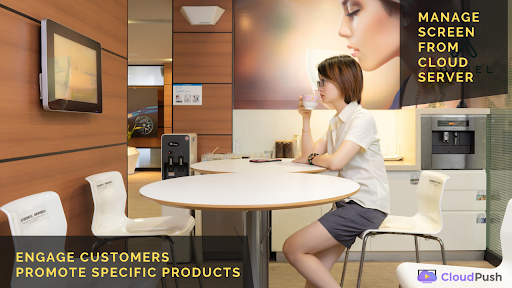


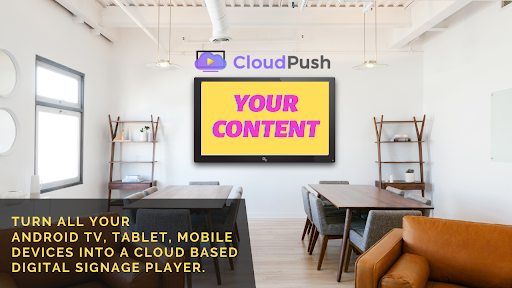

About CloudPush: Slideshow TV Player
The description on the store listing
Turn any device like Android Tv, Tablet, and mobile device into a free Digital signage player / Slide show Tv player.
Info:
• Install to Android TV, or Android 6.x devices
• You need to have an account on cloudpush.in to get started.
• Upload contents like images, videos, audio on cloud server and push the content to the device or screen.
• Play and update new contents from cloud server.
Product features:
• Works Offline
• In-built Image, Video, Audio player & Browser
• Create Playlist
• Schedule Content
• Create slideshow player of images / videos
• Manage multiple devices / screens
• Catalogue Mode (Playlist contents)
• Background Audio for Playlist / Schedule
Steps …
Read the full description
Turn any device like Android Tv, Tablet, and mobile device into a free Digital signage player / Slide show Tv player. Info: • Install to Android TV, or Android 6.x devices • You need to have an account on cloudpush.in to get started. • Upload contents like images, videos, audio on cloud server and push the content to the device or screen. • Play and update new contents from cloud server. Product features: • Works Offline • In-built Image, Video, Audio player & Browser • Create Playlist • Schedule Content • Create slideshow player of images / videos • Manage multiple devices / screens • Catalogue Mode (Playlist contents) • Background Audio for Playlist / Schedule Steps to kickstart: 1. Install the app, note screen ID 2. Register a Free account and Pair the screen 3. Upload contents 4. Create playlist 5. Schedule content, Done! The scheduled contents will be played on your device. The CloudPush digital display boards player gives you the tools you need to instantly streamline signage efforts, no matter what size or type of display is in use. This makes it easier than ever for you to put meaningful content on screens, in locations, and in formats that are best for increasing sales and creating a positive customer experience. You can easily display your contents like a Signage boards on your TV. this is similar to a led signage you see in many places. CloudPush helps you to create a free digital display boards like menu boards, signage for shops or led signage scrolling texts. Screen / Device Adding an electronic signage screen is as simple as downloading the CloudPush app and entering the pairing code. You can use your TV screen at home or any device that runs on Android OS. Image Add your content that needs to be displayed on the screen. • You can upload your images here for your slideshow. • PNG, JPG is the most common format supported. Audio & Video Add your media files that need to be played on the screen. • You can upload any Audio and video files. • Audio can be used for the entire playlist background music and volume can be controlled from the panel. • Mp3, OGG, Mp4, Mov, Mkv file formats are supported. Web link or Browser Add your external content like Website, YouTube Embedded links, Google Slideshow, Microsoft PowerBi reports, many other web-related links. • You can add any web link and it will be displayed on the device/screen • You need an active internet connection to make it work always. • You can add links like Power BI reports to view production dashboards, Youtube videos can be played in embedded link format. Playlist Create your custom playlists by combining any content from images, audios, videos and web links which needs to be displayed on Signage boards Schedule Schedule your content for different times of day, for certain weeks, or for special events. Display specific contents at a specific time on your menu boards Proof of Play Gain real-time insight to your content playback duration and number of times. This helps you to check if the Signage boards have really displayed your content. Business owners can view the signage for shops contents playing reports. Instant messages Display an emergency message or any announcements on a digital display boards you want to tell your viewers. This is like a led signage, you can immediately display your text on the menu boards. This is very useful signage for shops, they can add new offers instantly. Offline electronic signage Player All contents are downloaded and played. internet is required only when you need to update new content on the electronic signage player. Catalog Viewer The playlist contents are displayed as a catalog grid and you can navigate manually using the TV remote. Note: • Free version has 1 Device or screen only and limited content uploads. • You can upgrade your account to add more devices/screens. Website: http://cloudpush.in
Installs since 16 Nov 2026 Measured
Exact Google Play install counts, collected daily
Daily history starts once this app is in our daily install sample.
Ratings
- 5 ★0.0%
- 4 ★0.0%
- 3 ★0.0%
- 2 ★0.0%
- 1 ★0.0%
Recent reviews
Latest public reviews from the store
- 17 Sep 2021
Great job guys. Stunning app. I'm glad I found it!
Top chart positions
Latest Google Play chart ranks by country, last 10 days
Not in any tracked top chart in the last 10 days.
CloudPush: Slideshow TV Player history
Release, install milestones, listing and store changes
- Reached 1,000+ installs 15 Mar 2025
- First released on the store 29 Jan 2021
Update frequency
How often CloudPush: Slideshow TV Player ships a new version, month by month
0 updates in the last 12 months. Less often than most similar apps: they shipped a median of 1 updates in the same year.
Recent versions
Current version Varies with device
- Version 5.014 Apr 2025
Listing keywords
Words and phrases CloudPush: Slideshow TV Player repeats most in its store listing
Top phrases: digital display boards (3), signage for shops (3), cloud server (3), digital display (3), display boards (3).
Highlighted words also appear in the title. Counts cover the title, short description and description.
Business model and tech
From the store listing and declared permissions
- Business model
- Free to download
- Sensitive access
- No sensitive permission declared
Compliance
What the listing and the app package show
- Store status
- Live
- Upkeep
- Updated 14 Apr 2025
- Registered in
- India
- Privacy policy
- Linked on the listing
- Advertising
- No ads declared
- In-app purchases
- None declared
- Age rating
- Everyone
Apps like CloudPush: Slideshow TV Player
Merveilles de DieuGroupe CÉPIA13.3K installs★ 4.2
BigFan TVFunasia Network6K installs★ 2.44
آهنگ افغانی دمبوره حاجي رنگينSounDmoy23.1K installs★ 4.09
WETA+ PBSWETA TV-FM20K installs★ 4.14
The Bold & The BeautifulThe Bold & The Beautiful5K installs★ 3.9
lo! estrenoGameLink2.6K installs★ 3.8
Radios de EL SalvadorRadio Streaming Ilimitado2.6K installs★ 4.66
Days Of Our Lives Soap OperaSistemas TSS4.6K installs★ 4.33
- VoiceToneSPSoft17.5K installs★ 4.0
CloudPush: Slideshow TV Player: questions and answers
How many downloads does CloudPush: Slideshow TV Player have?
CloudPush: Slideshow TV Player has 1,681 installs on Google Play, measured from the store's own count on 16 Nov 2026.
Who makes CloudPush: Slideshow TV Player?
CloudPush: Slideshow TV Player is published by i App Studio, a developer based in IN.
When was CloudPush: Slideshow TV Player last updated?
The latest version (Varies with device) was released on 14 Apr 2025.
Is CloudPush: Slideshow TV Player free?
Yes. CloudPush: Slideshow TV Player is free to download.
Is CloudPush: Slideshow TV Player still available?
Yes. CloudPush: Slideshow TV Player is live on Google Play as of 16 Nov 2026.
Track CloudPush: Slideshow TV Player and its competitors
Watch any app for new versions, rating drops, chart moves and removals. Free plan, no card.