Color Screen:From Button/Clock
Use:Concerts,festival,appeal,cheer,flashlight,etc... Support your expression App
- Installs
- 443
- Measured
- Rating
- —
- Ratings
- —
- Version
- Varies with device
- Updated 12 Mar 2025
- Released
- 23 Jun 2023
- Tracked since 12 May 2026
- Size
- —
Also on App Store: Color Screen:From Button/Clock (3 ratings)
Screenshots
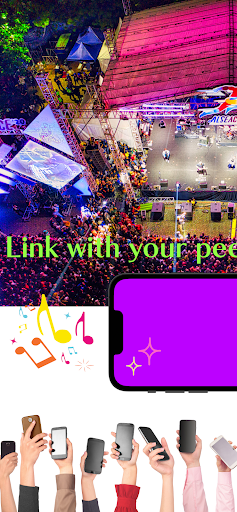
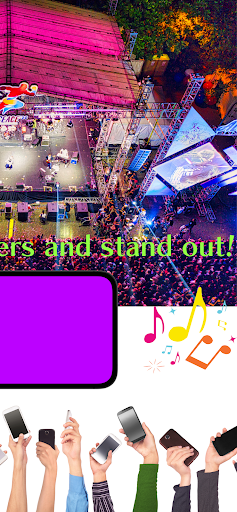


About Color Screen:From Button/Clock
The description on the store listing
■Overview of Color Screen App
With this application, you can display screens of various colors.
1. order
2. time
3. number of times
You can set these to display a color screen. Therefore, it will be able to be used in various scenes.
■Functions of the color screen application
1. display in order:.
Users can set the order of colors to be displayed. For example, red, blue, and green can be set to be displayed in that order.
2. display by time: The user can set the time to display each color on the screen.
The user can set the length of time each color is displayed on the screen. For example, red can be displayed for 5 seconds, blue for 3 seconds, and green for 10 seconds. …
Read the full description
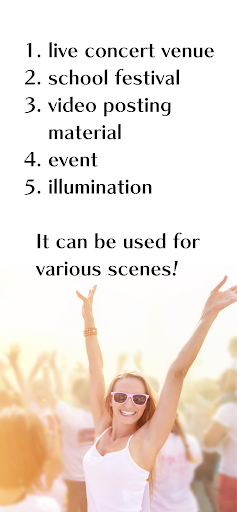
■Overview of Color Screen App With this application, you can display screens of various colors. 1. order 2. time 3. number of times You can set these to display a color screen. Therefore, it will be able to be used in various scenes. ■Functions of the color screen application 1. display in order:. Users can set the order of colors to be displayed. For example, red, blue, and green can be set to be displayed in that order. 2. display by time: The user can set the time to display each color on the screen. The user can set the length of time each color is displayed on the screen. For example, red can be displayed for 5 seconds, blue for 3 seconds, and green for 10 seconds. 3. frequency setting: The user can set the number of times the screen is displayed. The user can set the number of times the screen will be repeated. For example, it can be set to repeat 3 times. 4. color screen display method: The user can set the number of times the screen will be displayed. The color screen application allows the user to choose how to display the screen in two different colors. - Button press: The user presses a button to display the next color screen. This method allows the user to switch between colors at his/her own timing. - At a set time: The user sets the display time for each color, and when the time is up, the next color screen is automatically displayed. In this way, the user does not have to manually press a button, and the screen will automatically switch to the next color at the specified time. 5. loop function: The color screen application has a loop function. The color screen application has a loop function. The screen can be repeated a user-defined number of times. If the loop function is turned on, the color screen will be displayed until the application is closed. A color screen application with this kind of functionality can be used in a variety of situations. ■Use Cases for Color Screen App 1. live concert venue:. The Color Screen App can be used to enhance the production of a live concert venue. For example, specific colors or color sequences can be set to match the artist's music, and the color screens can be displayed as part of the performance or performance to create a visual effect. 2. school festivals:. Using a color screen application in a booth or on stage at a cultural festival can create an eye-catching effect for the audience. Specific colors and color changes can be used to create a more vivid impression for performances and exhibits. 3. videos such as TikTok:. Videos shot with color screen applications can attract attention on social networking platforms. By combining specific color screens or color changes, videos can be produced with creative effects and visual appeal to capture viewers' attention. 4. illumination:. Color screen applications can be used to create illuminations. Connecting a color screen app to the lighting system of a building or park and lighting it up with a specified color or color pattern can create a special atmosphere and standout effect. 5. appeals and Morse code:. The color screen app can be used to appeal to a message or symbol. Specific colors or color sequences can be set to display prominently or create Morse code-like light patterns for an effective means of communication. 6. dance and entertainment effects:. Color screen applications can be used to create dance performances and entertainment shows. Color changes in time with music and rhythm can visually support dancers' movements and performers' performances, making the show more attractive. ■Intended Users 1. event organizers People involved in the planning and production of events such as live concerts, festivals, cultural festivals, etc. 2. performers/artists:. Performers such as dancers, musicians, theatrical groups, etc. 3. visual artists:. Creators of visual art and installations. 4. creators and content producers for TikTok, YouTube, etc.
Installs since 15 Nov 2026 Measured
Exact Google Play install counts, collected daily
Daily history starts once this app is in our daily install sample.
Ratings
- 5 ★0.0%
- 4 ★0.0%
- 3 ★0.0%
- 2 ★0.0%
- 1 ★0.0%
Recent reviews
Latest public reviews from the store
No reviews in our sample for this app yet.
Top chart positions
Latest Google Play chart ranks by country, last 10 days
Not in any tracked top chart in the last 10 days.
Color Screen:From Button/Clock history
Release, install milestones, listing and store changes
- Reached 50+ installs 12 Mar 2025
- Reached 10+ installs 25 Aug 2023
- First released on the store 23 Jun 2023
Recent versions
Current version Varies with device
- Version 1.0.26 Jul 2024
Listing keywords
Words and phrases Color Screen:From Button/Clock repeats most in its store listing
Top phrases: color screen (20), color screen application (6), screen application (6), user can set (5), loop function (4).
Highlighted words also appear in the title. Counts cover the title, short description and description.
Business model and tech
From the store listing and declared permissions
- Business model
- Free to downloadShows ads
- Sensitive access
- Advertising ID
13 permissions
0 special access, 1 sensitive, 12 standard
- Show notificationsPOST_NOTIFICATIONSSensitive
- Ad attribution (Privacy Sandbox)ACCESS_ADSERVICES_ATTRIBUTIONStandard
- Ad topics (Privacy Sandbox)ACCESS_ADSERVICES_TOPICSStandard
- Read the advertising IDAD_IDStandard
- Read the advertising ID (Privacy Sandbox)ACCESS_ADSERVICES_AD_IDStandard
- Control vibrationStandard
- Keep the phone awakeStandard
- Run a foreground serviceFOREGROUND_SERVICEStandard
- Full internet accessStandard
- See network connectionsStandard
- See Wi-Fi connectionsStandard
- Bind apphub serviceBIND_APPHUB_SERVICEStandard
Compliance
What the listing and the app package show
- Store status
- Live
- Upkeep
- Updated 12 Mar 2025
- Registered in
- Japan
- Privacy policy
- Linked on the listing
- Advertising
- Shows ads
- In-app purchases
- None declared
- Age rating
- Everyone
- Sensitive permissions
- 1 sensitive of 13
- Location access
- No
- Camera and microphone
- Neither
Apps like Color Screen:From Button/Clock
목포해양대학교 도서관wiseneosco7.6K installs★ 4.8
Aza-e-HussainSyed Mehdi Raza5.2K installs★ 4.8
Jewish QuoteChabad.org Jewish Apps8K installs★ 4.85
Car Engine SoundsSboard.pro29K installs★ 4.17
Garland County LibrarySolus UK Ltd5.9K installs★ 4.78
Món Ngon 3 Miền - Nau an ngonWeOnline.VN9.1K installs★ 4.1
CARPORTPop-Pulse4.3K installs★ 4.06
블랙 심플 카톡테마은수우우45.4K installs★ 4.6
WMS WebControlWAREMA Renkhoff SE13.1K installs★ 3.5
Color Screen:From Button/Clock: questions and answers
How many downloads does Color Screen:From Button/Clock have?
Color Screen:From Button/Clock has 443 installs on Google Play, measured from the store's own count on 15 Nov 2026.
Who makes Color Screen:From Button/Clock?
Color Screen:From Button/Clock is published by Minerva K.K., a developer based in JP.
When was Color Screen:From Button/Clock last updated?
The latest version (Varies with device) was released on 12 Mar 2025.
Is Color Screen:From Button/Clock free?
Yes. Color Screen:From Button/Clock is free to download, and it shows ads.
Is Color Screen:From Button/Clock still available?
Yes. Color Screen:From Button/Clock is live on Google Play as of 15 Nov 2026.
Track Color Screen:From Button/Clock and its competitors
Watch any app for new versions, rating drops, chart moves and removals. Free plan, no card.