
Compass PRO
Precise, accurate & essential. When you need it, where you need it. Get it NOW!
- Installs
- 206K
- Measured
- Rating
- 4.41
- Ratings
- 7.4K
- 760 reviews
- Version
- 3.9
- Updated 21 Aug 2025
- Released
- 10 Mar 2015
- Tracked since 12 May 2026
- Size
- 3 MB
- Needs 4.1
Screenshots
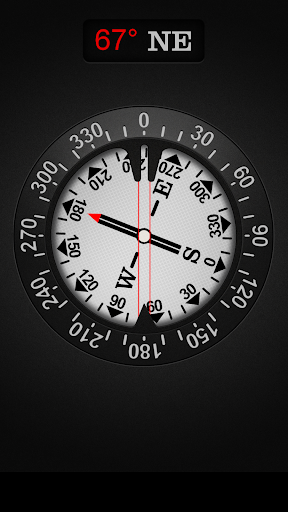
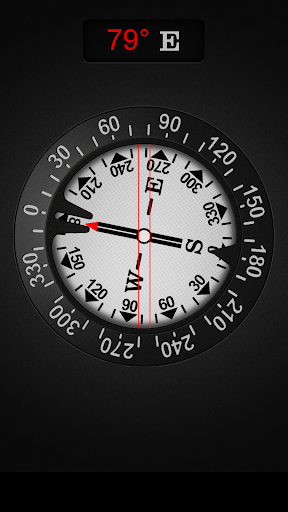
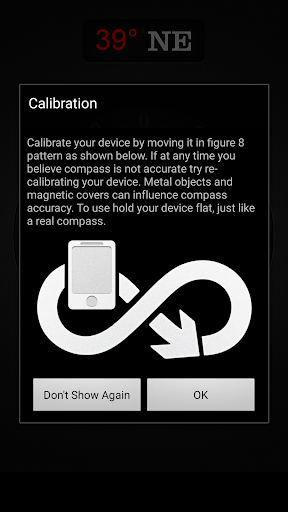
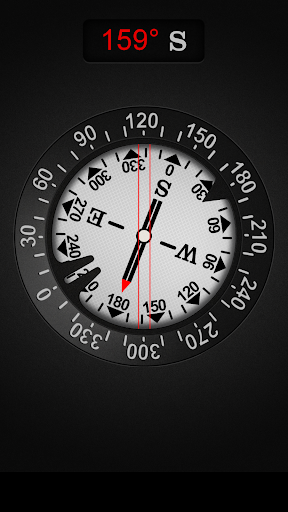
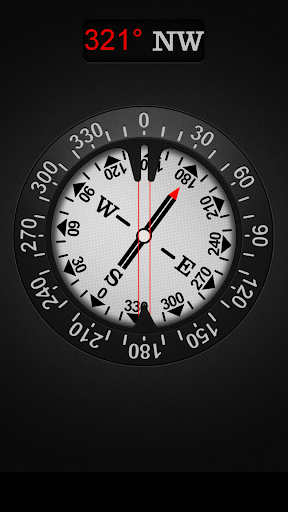
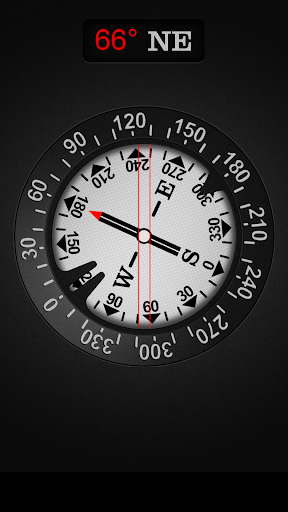
About Compass PRO
The description on the store listing
This is ad free (no ads) version of my compass: https://play.google.com/store/apps/details?id=com.gamma.compass
Compass is one of the most if not the most essential app every Android should have installed. Compass is the most precise compass app on Google Play. Compass app is compass in your pocket. Use it on camping trips, to navigate in unknown territory or when you get lost. You never know when it might come handy. It might even save your life one day!
Compass is easy to use; just use it like a real compass. Compass app is more than just showing degrees and north, south, east and west. I have designed Compass with user experience in mind, large numbers and easy to read design. …
Read the full description
This is ad free (no ads) version of my compass: https://play.google.com/store/apps/details?id=com.gamma.compass Compass is one of the most if not the most essential app every Android should have installed. Compass is the most precise compass app on Google Play. Compass app is compass in your pocket. Use it on camping trips, to navigate in unknown territory or when you get lost. You never know when it might come handy. It might even save your life one day! Compass is easy to use; just use it like a real compass. Compass app is more than just showing degrees and north, south, east and west. I have designed Compass with user experience in mind, large numbers and easy to read design. Compass also allows you to set your directions by rotating the bezel for easier and professional navigation. How to use? First we’ll need to cover a little bit of compass jargon first. The part of Compass that moves and always points north is called the card (with N,S,E, and W indicated, and a beveled edge with a series of numbers on it). There is a movable ring around the edge of the compass, called the bezel. A red double line across the top of the compass is called the lubber line, and finally, there is a little window above the compass which is often named as side-window (as it is on the side of a real compass). Side-window navigation couldn’t be simpler. You point the lubber line on top of your compass at where you want to go. Now as long as you hold your compass flat in front of you with the lubber line pointing in the direction you’re going, you should always see the same number in your window as long as you’re going the right way. If you see a different number, turn until you see the same number. The downside of the side window method is that you need to remember your number. Navigating with bezel works essentially the same as using the side window, but your bezel remembers your number for you. All you do is, point the lubber line on top of your compass at where you want to go, and then wait until the card settles down and stops moving. Then turn your bezel until the double triangle on the edge of the bezel (the notch right by the number zero on the bezel) is bracketing the north arrow on the card. Now as long as you hold your compass flat in front of you with the lubber line pointing in the direction you’re going, you should always see the north arrow inside the notch, as long as you’re going the right way. If not, turn until you see the north arrow inside the notch. Notice that if you’ve adjusted the bezel correctly, the number in the side window is also the number directly across from you at the front end of the lubber line. In other words, if you turned the bezel counterclockwise until the notch bracketed the north arrow, the 120 on the bezel would be at the far end of the lubber line. Notice that on the card, the number showing in the side window is 120. If you were holding this compass and going in the direction of the lubber line, you’d be on a heading of 120. Now you should have learned how to go to desired direction. But how do you get back? Easy! If you’re thinking in terms of the bezel, simply turn until the north arrow faces not to the notch, but to the single triangle that’s exactly across from the notch. Now you’re pointed back where you came. The really tricky part of using your compass isn’t learning what the numbers mean and how to adjust the bezel. The most common mistakes are not holding your compass flat, and not actually going in the direction your lubber line is pointing. Large iron and steel objects can influence the magnetic sensor in your Android device, causing it to point in the wrong direction. This is called deviation. If you suspect this is happening, simply move away from the object several feet and the problem should correct itself.
Installs since 20 Jul 2026 Measured
Exact Google Play install counts, collected daily
Ratings
7,377 ratings, 760 reviews
- 5 ★77%
- 4 ★10%
- 3 ★2.5%
- 2 ★0.6%
- 1 ★10%
Recent reviews
Latest public reviews from the store
- 5 Mar 2026
very very nice and beautiful app
- 26 Feb 2026
this is the best game for me it's the 3rd time am downloading it only that its end around 700
- 24 Feb 2026
This game is very nice 🎮👌🏻✨
- 21 Feb 2026
ok sa
What reviewers bring up
Topics mentioned in the latest 50 reviews, by how many reviews mention them
Liked in good reviews (46 reviews)
- interesting 2
- challenge 2
- boring 2
- found 2
- pass 2
- ads 2
- see 2
Raised in bad reviews (3 reviews)
No topic comes up twice.
Top chart positions
Latest Google Play chart ranks by country, last 10 days
Not in any tracked top chart in the last 10 days.
Compass PRO history
Release, install milestones, listing and store changes
- Reached 100,000+ installs 20 Dec 2017
- Reached 50,000+ installs 16 Jul 2017
- Reached 5,000+ installs 7 Apr 2016
- Reached 1,000+ installs 25 Jul 2015
- Reached 500+ installs 30 May 2015
- Reached 100+ installs 29 Mar 2015
- Reached 50+ installs 18 Mar 2015
- First released on the store 10 Mar 2015
Update frequency
How often Compass PRO ships a new version, month by month
0 updates in the last 12 months. Less often than most similar apps: they shipped a median of 1 updates in the same year.
Recent versions
Current version 3.9
- Version 3.921 Aug 2025
Thanks for using Compass PRO! We bring updates to Google Play regularly to constantly improve speed, reliability, performance and fix bugs.
- Version 3.615 Jul 2024
- Version 3.510 Oct 2022
- Version 2.116 Nov 2020
Listing keywords
Words and phrases Compass PRO repeats most in its store listing
Top phrases: lubber line (9), side window (6), north arrow (5), you’re going (4), compass flat (3).
Highlighted words also appear in the title. Counts cover the title, short description and description.
Business model and tech
From the store listing and declared permissions
- Business model
- Paid, $1.99
- Sensitive access
- No sensitive permission declared
Compliance
What the listing and the app package show
- Store status
- Live
- Upkeep
- Updated 21 Aug 2025
- Registered in
- Hong Kong SAR China
- Privacy policy
- Linked on the listing
- Advertising
- No ads declared
- In-app purchases
- None declared
- Age rating
- Everyone
Apps like Compass PRO
SuperCam PlusShenzhen TVT Digital Technology Co., Ltd.1M installs★ 3.98
쇼핑스캐너zarax studio1.3M installs★ 4.67
TIP VPNmobovpn group546K installs★ 4.49
Metric Conversionsmetric-conversions.org1.5M installs★ 4.3
eAlert: Ukraine Air Raid AlertWild Pluto684K installs★ 4.0
oraimo soundORAIMO TECHNOLOGY LIMITED2.8M installs★ 3.18
ZentrixAvsfamily soft255K installs★ 4.56
Universal remote control for Ti6 Games2.1M installs★ 3.52
iLinknikey2.7M installs★ 2.67
Compass PRO: questions and answers
How many downloads does Compass PRO have?
Compass PRO has 206,299 installs on Google Play, measured from the store's own count on 15 Nov 2026.
Who makes Compass PRO?
Compass PRO is published by Gamma Play, a developer based in HK.
When was Compass PRO last updated?
The latest version (3.9) was released on 21 Aug 2025.
Is Compass PRO free?
No. Compass PRO is a paid app priced at $1.99.
Is Compass PRO still available?
Yes. Compass PRO is live on Google Play as of 15 Nov 2026.
Track Compass PRO and its competitors
Watch any app for new versions, rating drops, chart moves and removals. Free plan, no card.