
Computer Course: Learn Basic
Learn computer skills with our basic to advanced computer course offline.
- Installs
- 537K
- Measured
- Rating
- 4.23
- Ratings
- 3.6K
- 29 reviews
- Version
- 6.22.2.2.12
- Updated 20 Jun 2026
- Released
- 13 Nov 2018
- Tracked since 10 May 2026
- Size
- 11 MB
- Needs 4.4
Screenshots
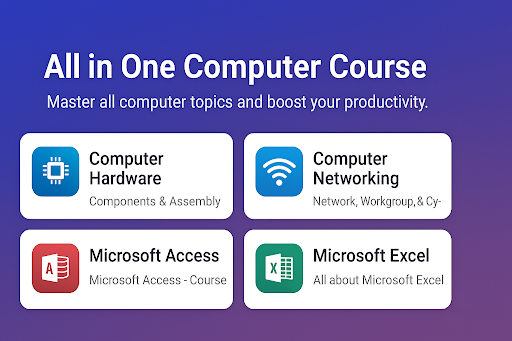


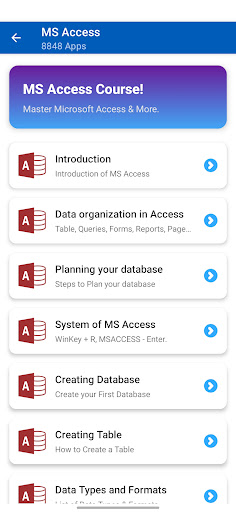
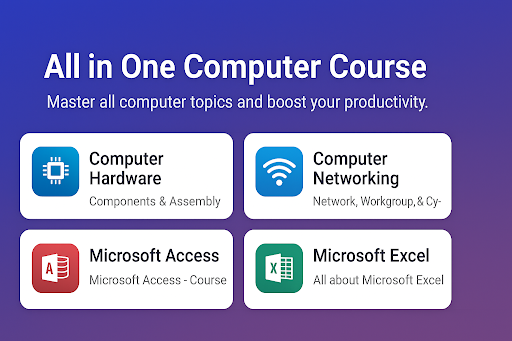
About Computer Course: Learn Basic
The description on the store listing
<b>Computer course basic to advanced </b> for a beginner as well as an expert to increase your computer skills. <b>Computer Course Offline</b> app is designed for students who want to learn computer courses. <b> Learn Computer Course</b> app also contains computer science school notes From class 5 to 10.
<b> Learn Computer course </b>covered in this app are pointed below
1. <b> Learn Computer Basic </b> : for Everyone.
2. <b> Advanced Computer course</b> : Can change your career
3. <b> Computer Hardware Course</b> & Computer Software Course: Fix computer technical issues
4. <b> Learn Computer Networking</b> : LAN, MAN, WAN
5. <b>Graphics designing Course</b> : Photoshop, Coreldraw, …
Read the full description
<b>Computer course basic to advanced </b> for a beginner as well as an expert to increase your computer skills. <b>Computer Course Offline</b> app is designed for students who want to learn computer courses. <b> Learn Computer Course</b> app also contains computer science school notes From class 5 to 10. <b> Learn Computer course </b>covered in this app are pointed below 1. <b> Learn Computer Basic </b> : for Everyone. 2. <b> Advanced Computer course</b> : Can change your career 3. <b> Computer Hardware Course</b> & Computer Software Course: Fix computer technical issues 4. <b> Learn Computer Networking</b> : LAN, MAN, WAN 5. <b>Graphics designing Course</b> : Photoshop, Coreldraw, Pagemaker 6. Database management: Microsoft Access 7. <b> Computer notes </b> for students 8. <b> Computer shortcut keys </b> and run commands 9. Many more <b> Computer Notes available on topics </b> 1. Introduction to computer: History and Generation of computer, Types of computer 2. Input and Output devices 3. Computer Software concept: Operating System, Types of software 4. Computer Hardware: Monitor, CPU, Keyboard, mouse 5. The memory of Computer: Primary memory, secondary memory 6. Computer Networking System 7. Computer Virus and Antivirus 8. Word processing: Microsoft Word (Microsoft Office Package) 9. Spreadsheet software: Microsoft Excel 10. Presentation software: Microsoft PowerPoint 11. Computer Graphics: Microsoft Paint, Photoshop 12. Email and Internet: Information and Communication Technologies 13. Social impact of computer 14. E-Government 15. HTML Web page designing: helps you gain programming knowledge like a Java programming language 16. Multimedia and its application: Education, Health, Entertainment 17. Computer Programming language 18. Program design tools 19. Algorithm and Flowchart 20. QBASIC: Programming and Statement 21. MS LOGO Program 22. Typing Tutor: Proper position of figures while typing 23. ICT and Computer Ethics 24. Number System: Binary, decimal, hexadecimal Fundamental of computer is the most important exercise, a user must know before using a laptop or desktop. We have also covered it within several chapters. This is a well-known computer (Information Technology) training app. We have explained a lot of materials with the help of images, which makes the user understand easily. After completing <b>computer basic course</b> chapters you can start using available computer shortcut keys and run commands to increase your working speed on the computer. Using shortcuts is a cool thing that makes you smarter. After completing all computer courses available in this offline app you can repair desktop or laptop hardware and can also solve software problems. This app will help you make your career good, as well as can help you to generate incomes.. <b> Features of the Computer course offline app </b> 1. Simple user interface 2. Explained every tool 3. Easy to understand 4. Computer shortcut keys 5. Computer abbreviation 6. Windows run commands 7. Tips and tricks 8. Works offline 9. Videos links 10. Free educational apps If you have any feedback feel free to mail us at <a href="mailto:[email protected]">[email protected]</a> Don't forget to 🎖rate the app, let us know what you think about this app.
Installs since 19 Jul 2026 Measured
Exact Google Play install counts, collected daily
Ratings
3,582 ratings, 29 reviews
- 5 ★66%
- 4 ★12%
- 3 ★9.4%
- 2 ★3.1%
- 1 ★9.4%
Recent reviews
Latest public reviews from the store
- 7 Jun 2020
Excellent game but only 25 levels, is it possible to increase the levels
- 22 Aug 2017
Wish there were more levels!!
- 3 Mar 2017
Awesome game
Top chart positions
Latest Google Play chart ranks by country, last 10 days
Not in any tracked top chart in the last 10 days.
Computer Course: Learn Basic history
Release, install milestones, listing and store changes
- Reached 500,000+ installs 5 Apr 2026
- Reached 100,000+ installs 25 Apr 2021
- Reached 50,000+ installs 3 May 2020
- Reached 10,000+ installs 27 Jul 2019
- Reached 5,000+ installs 15 Jun 2019
- Reached 1,000+ installs 20 Apr 2019
- Reached 500+ installs 9 Mar 2019
- Reached 100+ installs 26 Jan 2019
Update frequency
How often Computer Course: Learn Basic ships a new version, month by month
3 updates in the last 12 months. More often than most similar apps: they shipped a median of 1 updates in the same year.
Recent versions
Current version 6.22.2.2.12
- Version 6.22.2.2.1220 Jun 2026
Learn Computer Course Offline Learn Computer Hardware Learn Computer Networking Learn Photoshop Learn Excel & Access Learn CorelDraw Computer Shortcut Keys Computer Notes Grade V to X
- Version 6.22.2.2.11 Apr 2026
- Version 6.22.2.223 Nov 2025
Learn Computer Course Offline Learn Computer Hardware Learn Computer Networking Learn Photoshop Learn Excel & Access Learn CorelDraw Computer Shortcut Keys Computer Notes Grade V to X
- Version 6.22.2.111 Nov 2025
Listing keywords
Words and phrases Computer Course: Learn Basic repeats most in its store listing
Top phrases: computer course (8), learn computer (6), computer course offline (3), computer shortcut keys (3), computer shortcut (3).
Highlighted words also appear in the title. Counts cover the title, short description and description.
Business model and tech
From the store listing and declared permissions
- Business model
- Free to downloadShows ads
- Sensitive access
- No sensitive permission declared
Compliance
What the listing and the app package show
- Store status
- Live
- Upkeep
- Updated 20 Jun 2026
- Registered in
- Australia
- Privacy policy
- Linked on the listing
- Advertising
- Shows ads
- In-app purchases
- None declared
- Age rating
- Everyone
Apps like Computer Course: Learn Basic
Pratiyogita Darpan HindiMagzter Inc.551K installs★ 2.0
LangLearn: Language learningmqcoder343K installs★ 4.68
Class 6 Book 2026bdbook381K installs★ 3.74
AbjadNative Melon704K installs★ 3.69
SayDuo: AI Language LearningTerasofts JSC1M installs★ 4.69
Math - mathematics is easyorlangur502K installs★ 3.67
ABC Flash Cards - Sight WordsSmart Kidz Club: Reading & Learning Books for Kids1.8M installs★ 4.44
Learn PythonCodeliber253K installs★ 4.7
Electronics CourselnnovApp1.2M installs★ 3.15
Computer Course: Learn Basic: questions and answers
How many downloads does Computer Course: Learn Basic have?
Computer Course: Learn Basic has 537,180 installs on Google Play, measured from the store's own count on 14 Nov 2026.
Who makes Computer Course: Learn Basic?
Computer Course: Learn Basic is published by 8848 Apps, a developer based in AU.
When was Computer Course: Learn Basic last updated?
The latest version (6.22.2.2.12) was released on 20 Jun 2026.
Is Computer Course: Learn Basic free?
Yes. Computer Course: Learn Basic is free to download, and it shows ads.
Is Computer Course: Learn Basic still available?
Yes. Computer Course: Learn Basic is live on Google Play as of 14 Nov 2026.
Track Computer Course: Learn Basic and its competitors
Watch any app for new versions, rating drops, chart moves and removals. Free plan, no card.