CSV File Reader & CSV Viewer
CSV viewer: CSV file reader & editor make your workbook easier to read and use.
- Installs
- 111K
- Measured
- Rating
- 2.82
- Ratings
- 864
- 39 reviews
- Version
- Varies with device
- Updated 29 Apr 2026
- Released
- 15 Jan 2021
- Tracked since 11 May 2026
- Size
- 3 MB
- Needs 4.4
Screenshots

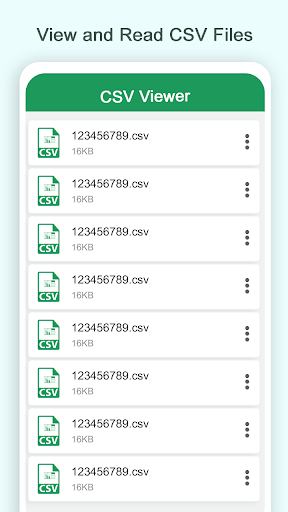


About CSV File Reader & CSV Viewer
The description on the store listing
In CSV viewer you can write and read data codes of table designing. Story creation support app helps the developer to read and view the CSV files accurately with a CSV reader. CSV Viewer: CSV File Reader & Editor open and read files very efficiently and effectively which user needs. You can open documents that are stored on the internal memory of SD cards or even download the generated files or those sent as email attachments. The main feature of this application is that you can scroll left and right and drag top to down. CVS delivery has business features on your phone with document file insert charts to bring your data to life and use data analysis features like to make spreadsheets by …
Read the full description
In CSV viewer you can write and read data codes of table designing. Story creation support app helps the developer to read and view the CSV files accurately with a CSV reader. CSV Viewer: CSV File Reader & Editor open and read files very efficiently and effectively which user needs. You can open documents that are stored on the internal memory of SD cards or even download the generated files or those sent as email attachments. The main feature of this application is that you can scroll left and right and drag top to down. CVS delivery has business features on your phone with document file insert charts to bring your data to life and use data analysis features like to make spreadsheets by putting a value or date like name, phone number, images, and many more to save any kind of important data which can share to the others. Convert to XLS you build your charts and spreadsheets to meet your specific needs without any internet permission. CSV is an android application to edit XLSX spreadsheets that a user will be able to create, modify and share with others simply and easily from an SD card or internal storage of the device you can choose a file you want to display. <b>Spreadsheets & Calculations</b> 1. Manage charts with Excel's modern templates. 2. Use data analysis and formulas to run calculations. 3. Rich Office features options make your workbook easier to read and use. 4. Spreadsheet formats and formulas operate the same way on any device. In this app you can also scroll to top and bottom or any specific row and the cells which are created from each other by commas, there are special symbols for row end designation with cool design and user-friendly interface. You can add to task several documents at once, simply select the created file manager multiple documents. Create formulas review your charts, or start a budget on the go. CSV viewer is a good function of this CSV converter and CSV file viewer application. Our team has multiple functionalities that fully and free convert your CSV file format and then read and view your CSV file through this application. You can minimize without any limitations; the whole process will happen in the background. Create picklists for the data entry process with desired values and predefined formats. Evaluate data that is entered into your sheet with data validation rules. <b>Main Core Features of CSV Viewer: CSV File Reader & Editor </b> 1. View Csv file 2. Edit any cell value 3. Draggable rows 4. Add row and column 5. Scroll row and column to adjust a suitable place 6. Draggable column 7. Make favorites CSV files 8. Share CSV file 9. Delete csv file 10. Shuffle rows and columns 11. Display picture via the link 12. Alignment of data 13. Modes selection 14. User-friendly interface. 15. Easy to use. 16. Csv reader open csv file accurately. <b>Supported formats of CSV Viewer: CSV File Reader & Editor </b> 1. Chart elements can be added and modified 2. Edit custom shapes and formatting. 3. Create charts with customized PivotTable styles and layouts. 4. Data analysis via data maps. 5. Create and edit SmartArt. <b>If you have any problem to open files, please don't hesitate to send us suggestions and feedback to the following developer's email: [email protected] </b>
Installs since 29 Aug 2026 Measured
Exact Google Play install counts, collected daily
Ratings
864 ratings, 39 reviews
- 5 ★36%
- 4 ★7.7%
- 3 ★7.7%
- 2 ★1.5%
- 1 ★47%
Recent reviews
Latest public reviews from the store
- 31 Jan 2024
App needs more functionality. You cannot send promo updates to the POS from the app. You also need to add the ability to change fuel prices from the app.
- 8 Nov 2022
Amazing service from PDI. Great app / does everything I need.
- 24 Apr 2021
Please add crv function in the app. Plus create a function where we can print labels right from the app. Rather than going through the computer. It is missing several functions. Please do something. So we can skip the pc and continue our work right from the app.
- 2 Mar 2021
Great app for managing your C-Store. Been using for 3+ years and it's the best on the market
What reviewers bring up
Topics mentioned in the latest 10 reviews, by how many reviews mention them
Liked in good reviews (2 reviews)
No topic comes up twice.
Raised in bad reviews (6 reviews)
- computer 2
- company 2
- care 2
Top chart positions
Latest Google Play chart ranks by country, last 10 days
Not in any tracked top chart in the last 10 days.
CSV File Reader & CSV Viewer history
Release, install milestones, listing and store changes
- Reached 100,000+ installs 9 Jul 2024
- Reached 50,000+ installs 2 Feb 2022
- Reached 10,000+ installs 26 May 2021
- Reached 5,000+ installs 14 Apr 2021
- Reached 1,000+ installs 15 Feb 2021
- Reached 500+ installs 5 Feb 2021
- Reached 100+ installs 23 Jan 2021
- Reached 50+ installs 21 Jan 2021
Update frequency
How often CSV File Reader & CSV Viewer ships a new version, month by month
1 updates in the last 12 months. More often than most similar apps: they shipped a median of 0 updates in the same year.
Recent versions
Current version Varies with device
- Version 3.0.029 Apr 2026
- Version 1.1316 May 2025
- Version 1.124 Nov 2024
- Version 1.1028 Apr 2024
Listing keywords
Words and phrases CSV File Reader & CSV Viewer repeats most in its store listing
Top phrases: csv file (12), csv viewer (7), csv file reader (5), file reader (5), csv viewer csv (4).
Highlighted words also appear in the title. Counts cover the title, short description and description.
Business model and tech
From the store listing and declared permissions
- Business model
- Free to download
- Sensitive access
- No sensitive permission declared
Compliance
What the listing and the app package show
- Store status
- Live
- Upkeep
- Updated 29 Apr 2026
- Registered in
- United States
- Privacy policy
- Linked on the listing
- Advertising
- No ads declared
- In-app purchases
- None declared
- Age rating
- Everyone
Apps like CSV File Reader & CSV Viewer
Sharpdesk MobileSHARP CORPORATION453K installs★ 2.79
Listen Docs: Text to SpeechMatlub Yazılım A.Ş.34.2K installs★ 4.34
Sonic SenderBravura33.1K installs★ 4.3
DNS Checker - Network ToolsSoftrix Technologies97.4K installs★ 4.37
1Hub MobileMovista, Inc.68.2K installs★ 2.91
Clearspaceclearspace technologies, inc.247K installs★ 4.53
Clear: To-Dos & Remindernedkaboo19.7K installs★ 4.61
BS Patro - Nepali BsCalendarK Kafle411K installs★ 4.4
English Voice typing KeyboardAppsCaps318K installs★ 4.1
CSV File Reader & CSV Viewer: questions and answers
How many downloads does CSV File Reader & CSV Viewer have?
CSV File Reader & CSV Viewer has 111,160 installs on Google Play, measured from the store's own count on 14 Nov 2026.
Who makes CSV File Reader & CSV Viewer?
CSV File Reader & CSV Viewer is published by Bizcraft Apps, a developer based in US.
When was CSV File Reader & CSV Viewer last updated?
The latest version (Varies with device) was released on 29 Apr 2026.
Is CSV File Reader & CSV Viewer free?
Yes. CSV File Reader & CSV Viewer is free to download.
Is CSV File Reader & CSV Viewer still available?
Yes. CSV File Reader & CSV Viewer is live on Google Play as of 14 Nov 2026.
Track CSV File Reader & CSV Viewer and its competitors
Watch any app for new versions, rating drops, chart moves and removals. Free plan, no card.