
Data Transfer - Copy My Data
All-in-one phone clone and data transfer tool for switching mobile fast.
- Installs
- 3.74M
- Measured
- Rating
- —
- Ratings
- —
- Version
- Varies with device
- Updated 11 May 2026
- Released
- —
- Tracked since 13 May 2026
- Size
- —
Screenshots

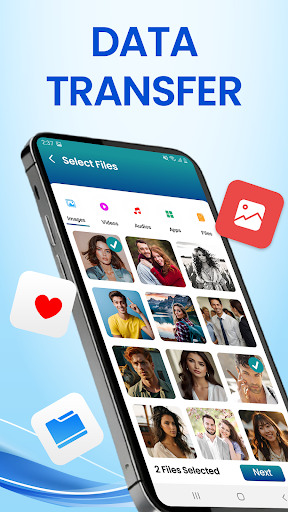
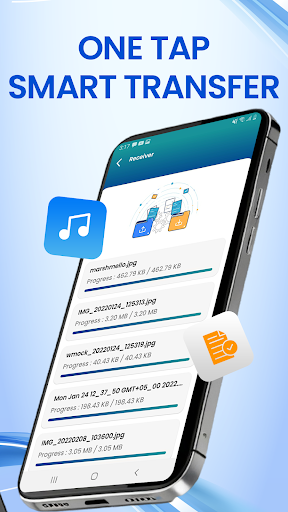


About Data Transfer - Copy My Data
The description on the store listing
Smart Transfer – The Best Solution for Seamless Data Transfer
Need to copy my data or transfer content from your old device to a new one? Data Transfer - Copy My Data is here to help! With powerful features like content transfer and phone clone, this app allows you to transfer all data, from photos and videos to contacts and files, safely and securely. Whether it's phone-to-phone transfer or file transfer, clone phone offers a quick and easy way to transfer content between smartphones, including Android and iPhone, through Move to iOS.
Effortless clone phone with Data Transfer - Copy My Data
Experience hassle-free transfer of data between devices with our app’s advanced feature. Copy my …
Read the full description
Smart Transfer – The Best Solution for Seamless Data Transfer Need to copy my data or transfer content from your old device to a new one? Data Transfer - Copy My Data is here to help! With powerful features like content transfer and phone clone, this app allows you to transfer all data, from photos and videos to contacts and files, safely and securely. Whether it's phone-to-phone transfer or file transfer, clone phone offers a quick and easy way to transfer content between smartphones, including Android and iPhone, through Move to iOS. Effortless clone phone with Data Transfer - Copy My Data Experience hassle-free transfer of data between devices with our app’s advanced feature. Copy my data from Android to iPhone or switch mobile phones in minutes! With Smart Transfer, you can easily transfer contacts, apps, photos, and more with Copy My Data functionality, ensuring your files are transferred without cables. Whether you need phone transfer, file transfer, or to clone phone data, Smart Transfer makes it simple. Clone App and Switch Mobile in Minutes Clone Phone enables users to replicate and switch content between devices effortlessly. The app’s clone app and phone replicate features make it easy to copy all data, including videos, photos, contacts, and documents. By using the Copy My Data phone transfer option, you can safely transfer files and save files from one device to another without any interruptions. Whether you are transferring between Android phones or using Move to iOS, Smart Transfer has you covered. How to Use Smart Transfer for Phone-to-Phone Transfer? Install & Connect: Open the app, and connect both devices to the same Wi-Fi network for a fast and smooth data transfer. Select Content: Choose the files you want to transfer—photos, videos, contacts, or apps with our transfer my data feature. Transfer Data: Start the phone switch and watch as Smart Transfer securely transfers your data to your new device. Key Features of: Data Transfer - Copy My Data Phone Clone: Easily clone phone and transfer all data from one device to another. Contact Transfer: Seamlessly transfer contacts and important information. File Transfer: Share large files such as photos, music, videos, and more with Data Transfer - Copy My Data. App Switcher: Transfer apps and their data to your new device with the switch app. Save Files: Keep all your media and important documents safe during content transfer. Why Choose Data Transfer - Copy My Data for Android & iOS? With Smart Transfer, you get a reliable solution to transfer data across all devices. Whether it's video transfer, contact transfer, or Android transfer, this app helps you copy your data, switch phones, and ensure a smooth phone transfer. Additionally, features like Move to iOS and touch copy allow for effortless content transfer between Android and iPhones. From transfer app options to clone phone content transfer, Smart Transfer handles everything! Disclaimer: Smart Transfer is not affiliated with, authorized by, or officially connected with any other apps.
Installs since 15 Nov 2026 Measured
Exact Google Play install counts, collected daily
Daily history starts once this app is in our daily install sample.
Ratings
- 5 ★0.0%
- 4 ★0.0%
- 3 ★0.0%
- 2 ★0.0%
- 1 ★0.0%
Recent reviews
Latest public reviews from the store
- 29 Jan 2026
really good app for payment processor
Top chart positions
Latest Google Play chart ranks by country, last 10 days
Not in any tracked top chart in the last 10 days.
Data Transfer - Copy My Data history
Release, install milestones, listing and store changes
- Reached 1,000,000+ installs 26 Jul 2025
Update frequency
How often Data Transfer - Copy My Data ships a new version, month by month
5 updates in the last 12 months. More often than most similar apps: they shipped a median of 0 updates in the same year.
Recent versions
Current version Varies with device
- Version 1.2.411 May 2026
- Version 1.2.213 Apr 2026
- Version 1.2.118 Mar 2026
- Version 1.2.012 Mar 2026
Listing keywords
Words and phrases Data Transfer - Copy My Data repeats most in its store listing
Top phrases: copy my data (10), data transfer (9), smart transfer (9), data transfer copy (6), clone phone (6).
Highlighted words also appear in the title. Counts cover the title, short description and description.
Business model and tech
From the store listing and declared permissions
- Business model
- Free to downloadIn-app purchasesShows ads
- Subscriptions and payments
- Google Play billing
- Sensitive access
- LocationCameraPhotos, videos and filesDraws over other appsAdvertising ID
30 permissions
5 special access, 6 sensitive, 19 standard
- Change system settingsSpecial access
- Draw over other appsSpecial access
- Install other appsREQUEST_INSTALL_PACKAGESSpecial access
- Manage all filesMANAGE_EXTERNAL_STORAGESpecial access
- See every installed appQUERY_ALL_PACKAGESSpecial access
- Take photos and videosSensitive
- Change or delete shared storageSensitive
- Read shared storageSensitive
- Approximate locationSensitive
- Precise locationSensitive
- Show notificationsPOST_NOTIFICATIONSSensitive
- Ad attribution (Privacy Sandbox)ACCESS_ADSERVICES_ATTRIBUTIONStandard
Compliance
What the listing and the app package show
- Store status
- Live
- Upkeep
- Updated 11 May 2026
- Registered in
- Oman
- Privacy policy
- Linked on the listing
- Advertising
- Shows ads
- In-app purchases
- Offered
- Age rating
- Everyone
- Sensitive permissions
- 6 sensitive, 5 special access of 30
- Location access
- Yes, while in use
- Camera and microphone
- Camera
Apps like Data Transfer - Copy My Data
들어서 화면켜기Won3.5K installs★ 4.0
Height PredictionEcliptic App Ventures45.9K installs★ 2.4
Speicers`Pro VPNEldiablolucifer202021.2K installs★ 4.14
Lightning Tracker with AlertsYaksh Software4.3K installs★ 3.0
Mana Pathi (Unit Converter)Shirish Koirala2.2K installs★ 4.6
Multi-tab Calc - A simple app.Naoyuki Rikiji1.3K installs★ 5.0
Photo Recovery PlusBillApps7.1K installs★ 4.53
Just Silence. Scheduled.Akid Soft1.6K installs★ 5.0
- WoWp AssistantВиталий Робиновский2K installs★ 4.2
Data Transfer - Copy My Data: questions and answers
How many downloads does Data Transfer - Copy My Data have?
Data Transfer - Copy My Data has 3,744,938 installs on Google Play, measured from the store's own count on 15 Nov 2026.
Who makes Data Transfer - Copy My Data?
Data Transfer - Copy My Data is published by One Stop Apps, a developer based in OM.
When was Data Transfer - Copy My Data last updated?
The latest version (Varies with device) was released on 11 May 2026.
Is Data Transfer - Copy My Data free?
Yes. Data Transfer - Copy My Data is free to download and offers in-app purchases, and it shows ads.
Is Data Transfer - Copy My Data still available?
Yes. Data Transfer - Copy My Data is live on Google Play as of 15 Nov 2026.
Track Data Transfer - Copy My Data and its competitors
Watch any app for new versions, rating drops, chart moves and removals. Free plan, no card.