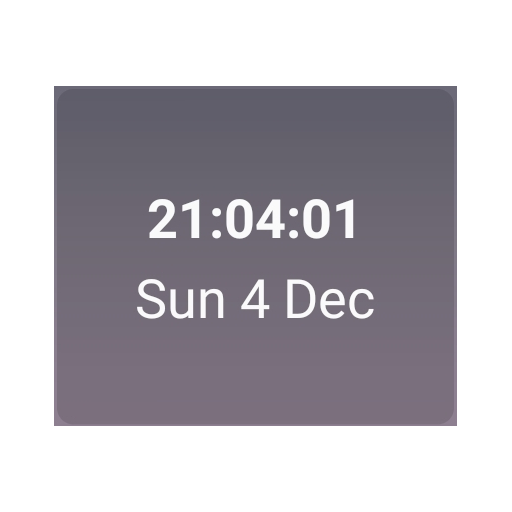
Date Clock Widget
Widget showing date and clock with seconds and configurable font size/colors
- Installs
- 29.01K
- Measured
- Rating
- 4.13
- Ratings
- 197
- 25 reviews
- Version
- 1.0.23
- Updated 6 Jul 2025
- Released
- 3 Feb 2023
- Tracked since 13 May 2026
- Size
- —
Screenshots


About Date Clock Widget
The description on the store listing
Simple widget showing current date and time, including seconds, with customizable font size and colors (so you can use larger font sizes if you have difficulty reading smaller text on the default Android clock). Originally designed for my mother so she can see the current date in a bigger font. The font size can be changed in the widget settings, e.g. when adding it to the screen for the first time. The default widget size is 1x1, but you can resize the widget by long-pressing on it then dragging the resize handles. Clicking on the date/time should launch your default clock app for setting alarms etc.
Installs since 26 Aug 2026 Measured
Exact Google Play install counts, collected daily
Ratings
197 ratings, 25 reviews
- 5 ★76%
- 4 ★3.2%
- 3 ★0.0%
- 2 ★3.2%
- 1 ★18%
Recent reviews
Latest public reviews from the store
- 27 Feb 2026
Thank you
- 23 Sep 2025
Simple, looks nice, can customise display but not the words used ("one past one" or "one oh one" instead of "one one" would be nice).
Top chart positions
Latest Google Play chart ranks by country, last 10 days
Not in any tracked top chart in the last 10 days.
Date Clock Widget history
Release, install milestones, listing and store changes
- Reached 10,000+ installs 23 Jun 2025
- Reached 5,000+ installs 25 Nov 2024
- Reached 1,000+ installs 11 Jan 2024
- Reached 500+ installs 19 Oct 2023
- Reached 100+ installs 27 Mar 2023
- Reached 50+ installs 2 Mar 2023
- First released on the store 3 Feb 2023
Recent versions
Current version 1.0.23
- Version 1.0.236 Jul 2025
Allow toggling 12/24-hour time separately per widget, instead of using the system setting. Defaults to the system setting.
- Version 1.0.203 Jun 2025
- Version 1.0.1711 Feb 2025
- Version 1.0.1513 Sep 2024
Listing keywords
Words and phrases Date Clock Widget repeats most in its store listing
Top phrases: font size (3), current date (2), widget showing (2).
Highlighted words also appear in the title. Counts cover the title, short description and description.
Business model and tech
From the store listing and declared permissions
- Business model
- Free to download
- Sensitive access
- No sensitive permission declared
Compliance
What the listing and the app package show
- Store status
- Live
- Upkeep
- Updated 6 Jul 2025
- Registered in
- Malaysia
- Privacy policy
- Linked on the listing
- Advertising
- No ads declared
- In-app purchases
- None declared
- Age rating
- Everyone
Apps like Date Clock Widget
NBA Basketball WallpaperAngga Developer12.3K installs★ 4.75
Black Live WallpaperMy Live Wallpapers19.9K installs★ 4.33
Wallpapers for Asus 4K7Fon Wallpapers Apps32K installs★ 4.0
Hebrew Keyboard: Easy TypingMultilingual Keyboard Apps9.5K installs★ 4.36
Live Lion Wallpapers - 4KSoko Apps5K installs★ 4.83
Shimeji:My Desktop Pet FriendkevinAI43K installs★ 2.91
Anime Live Wallpapers HD - 4KJunior Z Apps19.5K installs★ 3.91
Flowers Transparent ThemeTheme Design Apps for Android29.6K installs★ 5.0
Doodle Neon Hearts Keyboard ThStylish Emoji keyboard Theme22.4K installs★ 4.54
Date Clock Widget: questions and answers
How many downloads does Date Clock Widget have?
Date Clock Widget has 29,008 installs on Google Play, measured from the store's own count on 18 Nov 2026.
Who makes Date Clock Widget?
Date Clock Widget is published by tjin256, a developer based in MY.
When was Date Clock Widget last updated?
The latest version (1.0.23) was released on 6 Jul 2025.
Is Date Clock Widget free?
Yes. Date Clock Widget is free to download.
Is Date Clock Widget still available?
Yes. Date Clock Widget is live on Google Play as of 18 Nov 2026.
Track Date Clock Widget and its competitors
Watch any app for new versions, rating drops, chart moves and removals. Free plan, no card.