
Desmos Test Mode
**BETA** Not intended for use in a high-stakes environment yet.
- Installs
- 74.97K
- Measured
- Rating
- 3.23
- Ratings
- 198
- 36 reviews
- Version
- 7.60.0.0
- Updated 6 Nov 2026
- Released
- 27 Feb 2020
- Tracked since 12 May 2026
- Size
- 1 MB
- Needs 5.0
Also on App Store: Desmos Test Mode (371 ratings)
Screenshots
About Desmos Test Mode
The description on the store listing
**BETA** Not intended for use in a high-stakes environment yet.
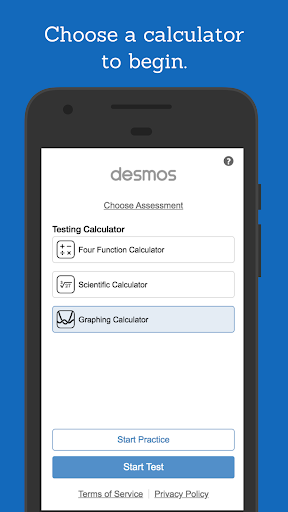
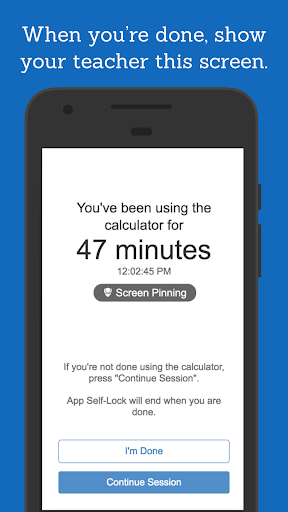
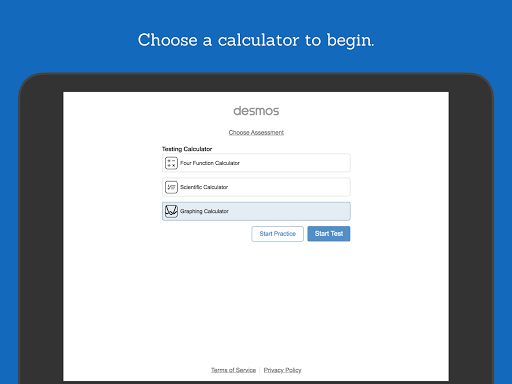
** These are restricted versions of the Desmos Calculators that comply with exam requirements. To prepare for specific state or national assessments, select the corresponding test from the menu in the app. Find out whether Desmos is used for your test at www.desmos.com/testing.
If you’d like to use full, unrestricted versions of the calculators, download the Scientific or Graphing Calculator apps or visit www.desmos.com. **
At Desmos, we imagine a world of universal math literacy where math is accessible and enjoyable for all students. To that end, we’ve built simple yet powerful calculators. They’re intuitive, …
Read the full description
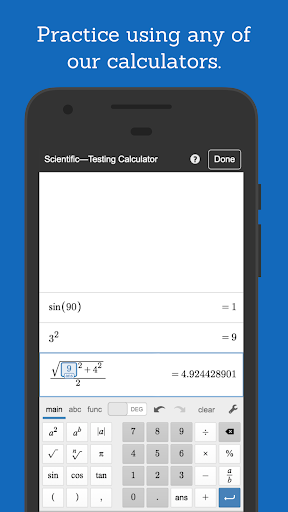
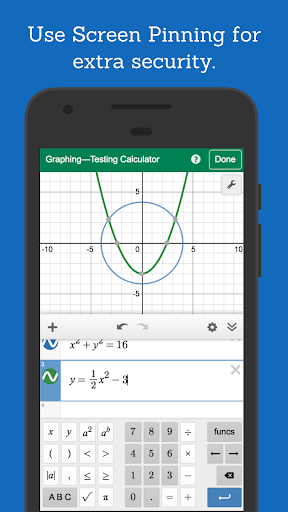
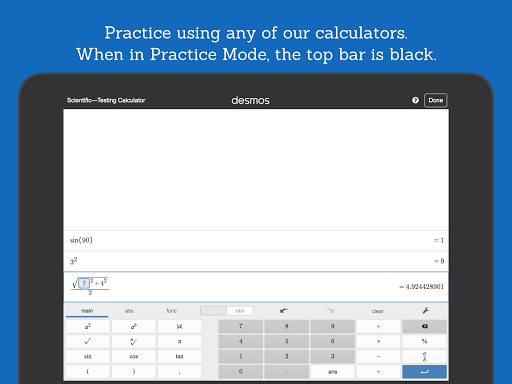
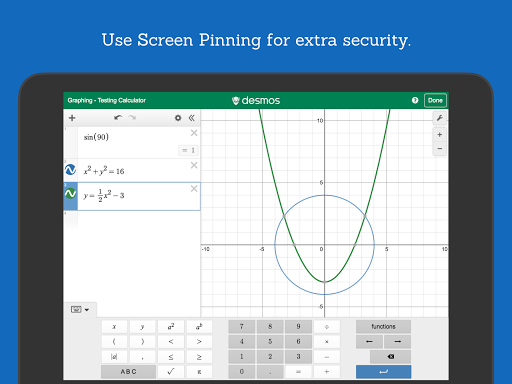
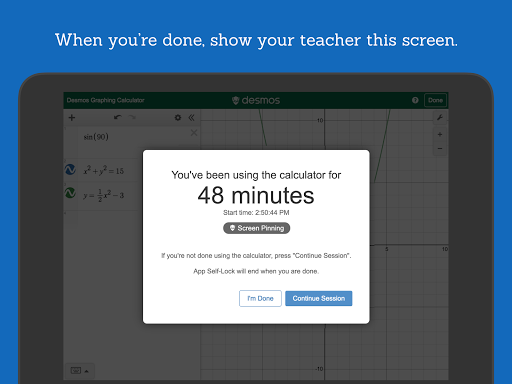
**BETA** Not intended for use in a high-stakes environment yet. ** These are restricted versions of the Desmos Calculators that comply with exam requirements. To prepare for specific state or national assessments, select the corresponding test from the menu in the app. Find out whether Desmos is used for your test at www.desmos.com/testing. If you’d like to use full, unrestricted versions of the calculators, download the Scientific or Graphing Calculator apps or visit www.desmos.com. ** At Desmos, we imagine a world of universal math literacy where math is accessible and enjoyable for all students. To that end, we’ve built simple yet powerful calculators. They’re intuitive, beautiful, and completely free. - - - Graphing Calculator Features: Graphing: Plot polar, Cartesian, and parametric graphs. There’s no limit to how many expressions you can graph at one time—and you don’t even need to enter expressions in y= form! Sliders: Adjust values interactively to build intuition, or animate any parameter to visualize its effect on the graph. Tables: Input and plot data, or create an input-output table for any function. Statistics: Use regressions to find the lines (or other curves!) that best fit your data. Zooming: Scale the axes independently or at the same time with the pinch of two fingers, or edit the window size manually to get the perfect view of your graph. Points of Interest: Touch a curve to show its maximum and minimum values, intercepts, and points of intersection with other curves. Tap any of these points of interest to see their coordinates. Hold and drag along a curve to see the coordinates change under your finger as you trace. - - - Scientific Calculator Features: Variables: Assign values to variables that you can use in other expressions. Since all of your work is held in the expressions list, you can compute a value once and use it in many places simultaneously. Take advantage of the “ans” key, which always stores the value of the previous expression. Arithmetic: Beyond the four basic operations, the scientific calculator also supports exponentiation, radicals, absolute value, logarithms, rounding, and percentages. Trigonometry: Evaluate the fundamental trigonometric functions and their inverses using either radians or degrees for angle measure. Statistics: Compute the mean and standard deviation (sample or population) of a list of data. Combinatorics: Count combinations and permutations and calculate factorials. - - - Four-Function Calculator Features: Simple and Beautiful: Just the basics done right. Add, subtract, multiply, divide, and take square roots. Multiple Expressions: Unlike many four-function calculators, all of your previous work remains visible on the screen. The special “ans” key always holds the value of the previous computation (and updates automatically!), so you never have to remember or copy a result.
Installs since 28 Aug 2026 Measured
Exact Google Play install counts, collected daily
Ratings
198 ratings, 36 reviews
- 5 ★45%
- 4 ★7.8%
- 3 ★11%
- 2 ★2.2%
- 1 ★34%
Recent reviews
Latest public reviews from the store
- 3 May 2026
difficult to use as it forces a custom keyboard rather than the native one
- 29 Apr 2026
this app is amazing the features are boring however its still fun the interface is good the app itself is really good five stars i would absolutely recommend this
- 12 Apr 2026
awesome 👍🏻👍🏻
- 5 Apr 2026
it's like amazing
What reviewers bring up
Topics mentioned in the latest 50 reviews, by how many reviews mention them
Liked in good reviews (36 reviews)
- calculator 9
- desmos 5
- scientific 3
- recommend 3
- other 3
- school 2
- built 2
- solid 2
Raised in bad reviews (10 reviews)
- keyboard 4
- loading 2
- app's 2
- type 2
Top chart positions
Latest Google Play chart ranks by country, last 10 days
Not in any tracked top chart in the last 10 days.
Desmos Test Mode history
Release, install milestones, listing and store changes
- Reached 50,000+ installs 6 Mar 2025
- Reached 10,000+ installs 24 Feb 2021
- Reached 5,000+ installs 20 Sep 2020
- Reached 1,000+ installs 16 Apr 2020
- Reached 500+ installs 16 Mar 2020
- Reached 100+ installs 5 Mar 2020
- Reached 50+ installs 4 Mar 2020
- First released on the store 27 Feb 2020
Update frequency
How often Desmos Test Mode ships a new version, month by month
4 updates in the last 12 months. More often than most similar apps: they shipped a median of 0 updates in the same year.
Recent versions
Current version 7.60.0.0
- Version 7.60.0.06 Nov 2026
- Version 7.57.0.024 Aug 2026
Select testing calculator configurations just got an update. Learn more at desmos.com/testing
- Version 7.49.0.029 May 2026
Bug fixes and performance improvements
- Version 7.46.0.028 Jan 2026
Select testing calculator configurations just got an update. Learn more at desmos.com/testing
Listing keywords
Words and phrases Desmos Test Mode repeats most in its store listing
Top phrases: calculator features (3), beta not intended (2), high stakes environment (2), points of interest (2), stakes environment yet (2).
Highlighted words also appear in the title. Counts cover the title, short description and description.
Business model and tech
From the store listing, the SDKs in the app package and its declared permissions
- Business model
- Free to download
- Built with
- No cross-platform framework or game engine detected
- Ad networks (0)
- None detected
- Sensitive access
- No sensitive permission declared
0 ad, attribution and analytics SDKs detected. SDKs are read from the app package and permissions from the store listing, so code that loads later is not seen.
Technology
6 SDKs found in the app package
5 permissions
0 special access, 0 sensitive, 5 standard
- Use fingerprint or face unlockUSE_BIOMETRICStandard
- Use the fingerprint readerUSE_FINGERPRINTStandard
- Full internet accessStandard
- See network connectionsStandard
- Internal app permissionDYNAMIC_RECEIVER_NOT_EXPORTED_PERMISSIONStandard
Compliance
What the listing and the app package show
- Store status
- Live
- Upkeep
- Updated 6 Nov 2026
- Registered in
- United States
- Privacy policy
- Linked on the listing
- Advertising
- No ads declared
- In-app purchases
- None declared
- Age rating
- Everyone
- Sensitive permissions
- 0 sensitive of 5
- Location access
- No
- Camera and microphone
- Neither
Apps like Desmos Test Mode
Escuela Bíblica VirtualEvangelismo y Ministerio Personal25.2K installs★ 3.67
Singularity by VaonisVaonis20.8K installs★ 3.68
Exoplanet HunterVaroid21.6K installs★ 4.36
CLAT Exam Preparation App 2023Youth4work18.4K installs★ 4.2
B.R. Global School SirsaZimong Software Private Limited5.8K installs★ 4.1
Form 2 notes, All subjectsLogiciel Puissant83.4K installs★ 4.0
Norae: Learn Real KoreanTC Fusion14K installs★ 4.39
성균관대학교 전자출결Sungkyunkwan University46.4K installs★ 1.5
Egyptian hieroglyphs KeyboardHonso28.9K installs★ 2.56
Desmos Test Mode: questions and answers
How many downloads does Desmos Test Mode have?
Desmos Test Mode has 74,969 installs on Google Play, measured from the store's own count on 14 Nov 2026.
Who makes Desmos Test Mode?
Desmos Test Mode is published by Desmos Inc, a developer based in US.
When was Desmos Test Mode last updated?
The latest version (7.60.0.0) was released on 6 Nov 2026.
Is Desmos Test Mode free?
Yes. Desmos Test Mode is free to download.
Is Desmos Test Mode still available?
Yes. Desmos Test Mode is live on Google Play as of 14 Nov 2026.
Track Desmos Test Mode and its competitors
Watch any app for new versions, rating drops, chart moves and removals. Free plan, no card.