Detect Dead Pixels & Touchscre
App detects the broken or dead pixels on touchscreen & helps to get it fixed.
- Installs
- 115K
- Measured
- Rating
- 3.84
- Ratings
- 818
- 18 reviews
- Version
- Varies with device
- Updated 2 Mar 2026
- Released
- 22 Jan 2021
- Tracked since 12 May 2026
- Size
- 4 MB
- Needs 4.4
Screenshots


About Detect Dead Pixels & Touchscre
The description on the store listing
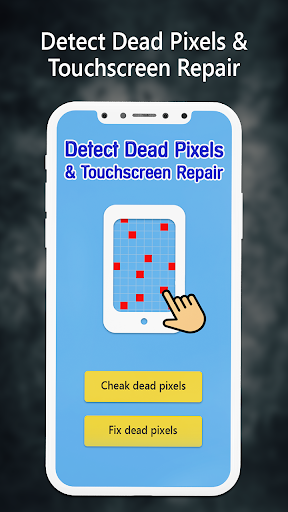
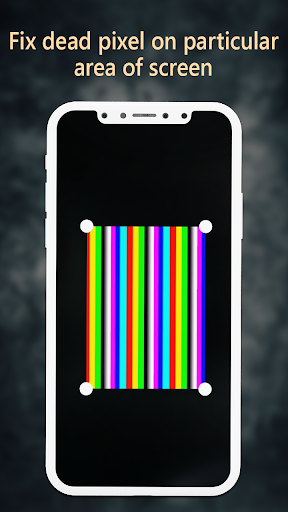
Dead pixels, A common issue in the device touchscreen, which is unresponsive with excessive use. Screen Dead pixels Repair app detects the broken pixel and gets it fixed.
This screen fixer app can detect the Dead Pixels on the touchscreen display and repair them.
Steps to use the Dead Pixel Detect and Fix them.
1. Check dead pixels:
- There are two ways you can detect the broken pixels on the screen.
I. Random color:
- In this option, random colors are displayed one by one on the touchscreen which helps detect the pixels having issues, This automated method is easy to use and swiftly detects the dead pixels on the screen.
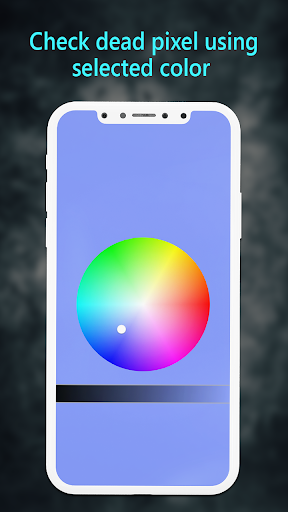
II. Choose color:
- In the second option, you need to …
Read the full description
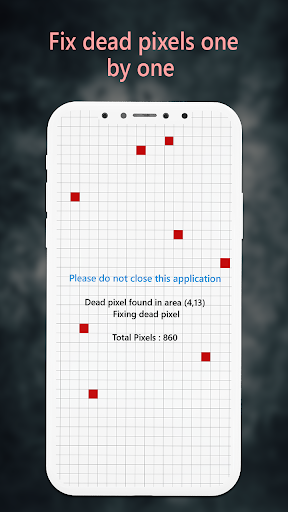
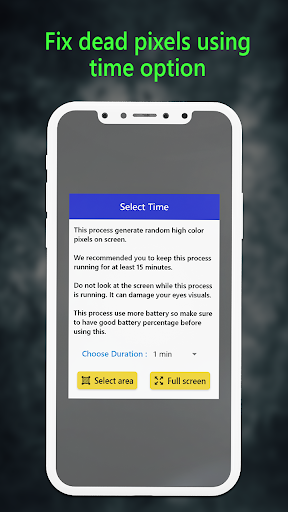
Dead pixels, A common issue in the device touchscreen, which is unresponsive with excessive use. Screen Dead pixels Repair app detects the broken pixel and gets it fixed. This screen fixer app can detect the Dead Pixels on the touchscreen display and repair them. Steps to use the Dead Pixel Detect and Fix them. 1. Check dead pixels: - There are two ways you can detect the broken pixels on the screen. I. Random color: - In this option, random colors are displayed one by one on the touchscreen which helps detect the pixels having issues, This automated method is easy to use and swiftly detects the dead pixels on the screen. II. Choose color: - In the second option, you need to manually select the color from the color wheel for dead pixel detection, You can drag the circle on the color wheel and the phone screen background will change accordingly. Tap on the margins to remove the color wheel and view the whole screen. 2. Fix dead pixels: - You get two fixing options in the Screen Dead pixels Repair app. I. Fix one by one: - It automatically scans one by one pixel for dead OR broken ones and fixes it. - Once the scan and repair process is completed successfully, It is necessary to restart the device for the best results. II. Fix full screen: - In this touch screen dead pixels test you have two options, the first is custom area selection and the second is full screen. You can select the desired option and continue, This process generates random high color pixels on the screen which automatically fixes the dead pixels. Important Notes: - Use this process for at least 15 minutes for the best results. - For the safety of your eyes, It is not recommended to look at the screen while this process is running. - This process uses more power than usual, so make sure to have a good battery percentage before starting the process. FEATURES * Easy to use, One-click solution for touchscreen related issues. * Fixes the dead pixels which improve touchscreen smoothness and experience. * Reduces the response time of the pixels to fix unwanted touch lags. NOTE: Restart your device after the repair process is finished. This touchscreen repair app is one of the easiest and safest way to repair the phone screen with ease.
Installs since 29 Aug 2026 Measured
Exact Google Play install counts, collected daily
Ratings
818 ratings, 18 reviews
- 5 ★58%
- 4 ★11%
- 3 ★5.6%
- 2 ★2.8%
- 1 ★22%
Recent reviews
Latest public reviews from the store
- 2 Jun 2021
It took me a while to use the app but after that it's very good recommend using it. nice work
- 30 May 2021
An amazing app which solves all my problems in a special. This is a must have app.
Top chart positions
Latest Google Play chart ranks by country, last 10 days
Not in any tracked top chart in the last 10 days.
Detect Dead Pixels & Touchscre history
Release, install milestones, listing and store changes
- Reached 100,000+ installs 2 Mar 2026
- Reached 50,000+ installs 14 Feb 2023
- Reached 10,000+ installs 2 Aug 2021
- Reached 5,000+ installs 21 Jun 2021
- Reached 1,000+ installs 12 Apr 2021
- Reached 500+ installs 15 Mar 2021
- Reached 100+ installs 15 Feb 2021
- Reached 50+ installs 2 Feb 2021
Update frequency
How often Detect Dead Pixels & Touchscre ships a new version, month by month
0 updates in the last 12 months. Less often than most similar apps: they shipped a median of 1 updates in the same year.
Recent versions
Current version Varies with device
- Version 6.029 Aug 2025
- Version 5.020 Aug 2024
- Version 4.07 Jul 2023
- Version 3.029 Nov 2022
Listing keywords
Words and phrases Detect Dead Pixels & Touchscre repeats most in its store listing
Top phrases: dead pixels (12), screen dead pixels (3), color wheel (3), screen dead (3), dead pixels repair (2).
Highlighted words also appear in the title. Counts cover the title, short description and description.
Business model and tech
From the store listing, the SDKs in the app package and its declared permissions
- Business model
- Free to downloadShows ads
- Built with
- No cross-platform framework or game engine detected
- Ad networks (1)
- AdMob
- Sensitive access
- Advertising ID
1 ad, attribution and analytics SDKs detected. SDKs are read from the app package and permissions from the store listing, so code that loads later is not seen.
Technology
13 SDKs found in the app package
Ad networks
Advertising and install-attribution SDKs found in the app package
- AdMob
11 permissions
0 special access, 1 sensitive, 10 standard
- Show notificationsPOST_NOTIFICATIONSSensitive
- Ad attribution (Privacy Sandbox)ACCESS_ADSERVICES_ATTRIBUTIONStandard
- Ad topics (Privacy Sandbox)ACCESS_ADSERVICES_TOPICSStandard
- Read the advertising IDAD_IDStandard
- Read the advertising ID (Privacy Sandbox)ACCESS_ADSERVICES_AD_IDStandard
- Keep the phone awakeStandard
- Run a foreground serviceFOREGROUND_SERVICEStandard
- Full internet accessStandard
- See network connectionsStandard
- See Wi-Fi connectionsStandard
- Internal app permissionDYNAMIC_RECEIVER_NOT_EXPORTED_PERMISSIONStandard
Compliance
What the listing and the app package show
- Store status
- Live
- Upkeep
- Updated 2 Mar 2026
- Registered in
- India
- Privacy policy
- Linked on the listing
- Advertising
- Shows ads
- In-app purchases
- None declared
- Age rating
- Everyone
- Sensitive permissions
- 1 sensitive of 11
- Location access
- No
- Camera and microphone
- Neither
Apps like Detect Dead Pixels & Touchscre
Graffiti Battery Meter [WidgetTomoyuki Ono135K installs★ 4.46
Authenticator App - 2FAHoniry Xidoa799K installs★ 1.77
EasyBattery - Battery Managersteven he188K installs★ 4.44
Plant Identifier AI - CareAI Identifier Apps133K installs★ 4.32
How Long Widget - Time CounterRubén Mayayo195K installs★ 3.68
Aranet HomeSAF Tehnika A/S68.8K installs★ 4.79
RF Signal Tracker & DetectorMove More Solutions328K installs★ 2.68
LED Text ScrollerBlue Wave203K installs★ 3.5
Check VIN Number Lookup SearchCriminal Search Background4.6K installs★ 5.0
Detect Dead Pixels & Touchscre: questions and answers
How many downloads does Detect Dead Pixels & Touchscre have?
Detect Dead Pixels & Touchscre has 115,398 installs on Google Play, measured from the store's own count on 14 Nov 2026.
Who makes Detect Dead Pixels & Touchscre?
Detect Dead Pixels & Touchscre is published by IMP Tools, a developer based in IN.
When was Detect Dead Pixels & Touchscre last updated?
The latest version (Varies with device) was released on 2 Mar 2026.
Is Detect Dead Pixels & Touchscre free?
Yes. Detect Dead Pixels & Touchscre is free to download, and it shows ads.
Is Detect Dead Pixels & Touchscre still available?
Yes. Detect Dead Pixels & Touchscre is live on Google Play as of 14 Nov 2026.
Track Detect Dead Pixels & Touchscre and its competitors
Watch any app for new versions, rating drops, chart moves and removals. Free plan, no card.