
Device Info & Test: System CPU
Get complete information about your phone system, software, hardware & more.
- Installs
- 155K
- Measured
- Rating
- 3.99
- Ratings
- 605
- 30 reviews
- Version
- Varies with device
- Updated 20 Jun 2025
- Released
- 15 Jul 2022
- Tracked since 13 May 2026
- Size
- —
Screenshots
About Device Info & Test: System CPU
The description on the store listing
Are you looking to get detailed insights into your device’s performance? Need to test your phone’s features and functions to ensure device is running smoothly? Look no further! The app provides you with a comprehensive solution to check your device’s health and performance, offering valuable information on both hardware and software, as well as the ability to run a variety of tests. Whether you're troubleshooting, checking for issues, or simply curious about your device's capabilities, this app will serve all your needs.
Get solution to test your device functions and features. Also helps get all information about your device.
---
<b>App Features:</b>
<b>Routine Checkup of Your …
Read the full description
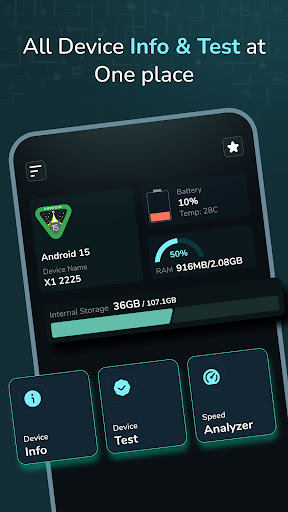
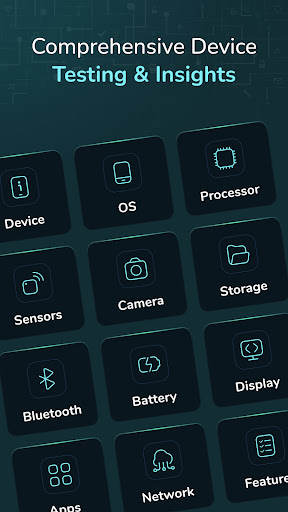
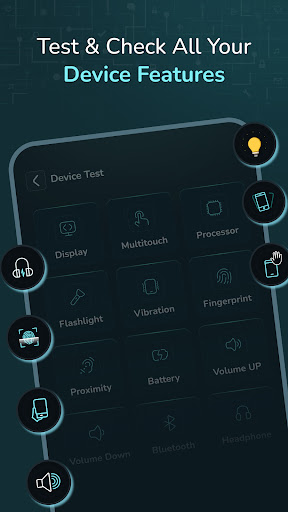
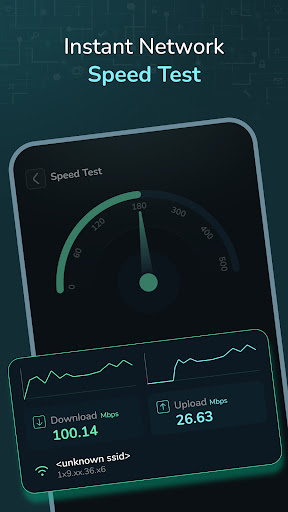
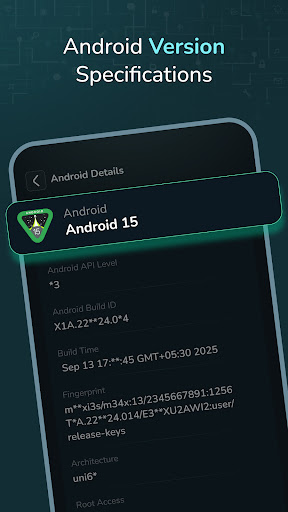
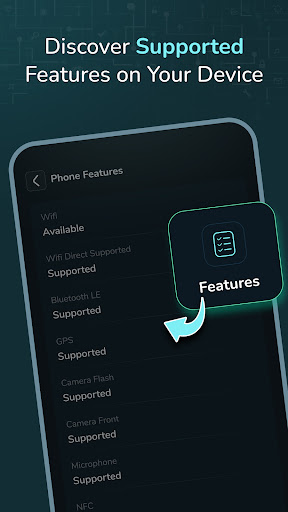
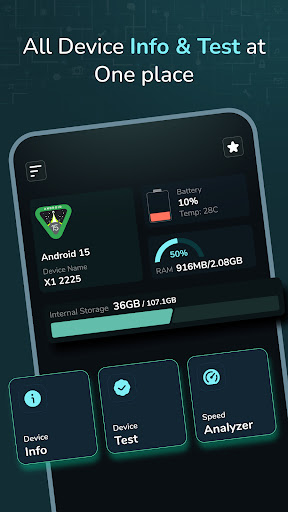
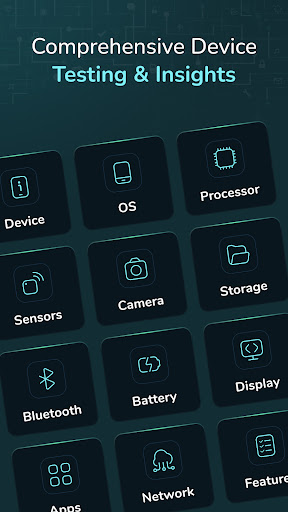
Are you looking to get detailed insights into your device’s performance? Need to test your phone’s features and functions to ensure device is running smoothly? Look no further! The app provides you with a comprehensive solution to check your device’s health and performance, offering valuable information on both hardware and software, as well as the ability to run a variety of tests. Whether you're troubleshooting, checking for issues, or simply curious about your device's capabilities, this app will serve all your needs. Get solution to test your device functions and features. Also helps get all information about your device. --- <b>App Features:</b> <b>Routine Checkup of Your Smart Mobile:</b> - <b>Quick Review</b>: Check your current Android version, device name, battery level, RAM, and internal storage directly from the home screen for an immediate overview of your phone’s performance. - <b>Device System</b>: A special section designed to test your phone’s hardware and software, giving you detailed insights into its condition. - <b>Testing Solution</b>: Check on your Android device to ensure everything is in working condition. <b>Device Info:</b> - <b>Device</b>: Displays your current model, hardware type, Android ID, time zone, and manufacturer name. - <b>OS</b>: Shows your operating system details and structure. - <b>Processor</b>: Displays your RAM space, available RAM, CPU information, and architecture. - <b>Sensor</b>: Shows information on all available sensors, including which ones are active or inactive. - <b>Camera</b>: Provides details about your device's front and back cameras. - <b>Storage</b>: Displays information about used and available storage. - <b>Battery</b>: Shows battery temperature and additional battery details. - <b>Bluetooth</b>: Displays Bluetooth name, status, discovery mode, and scan mode. - <b>Display</b>: Provides screen density and resolution details. - <b>Apps</b>: Lists installed and system apps with detailed information. - <b>Network</b>: Shows SIM and Wi-Fi details. - <b>Features</b>: Lists supported device features. <b>Device Test:</b> - <b>Display</b>: Test for touch defects on the screen. - <b>Multi-touch</b>: Test multi-touch functionality. - <b>Light Sensor</b>: Test the light sensor’s functionality by covering areas of the screen. - <b>Flashlight</b>: Test the flashlight functionality. - <b>Vibration</b>: Test the phone’s vibration functionality. - <b>Fingerprint</b>: Checks if fingerprint recognition works and whether it’s supported. - <b>Proximity</b>: Test the proximity sensor by covering the screen. - <b>Accelerometer</b>: Test the accelerometer sensor using shaking techniques. - <b>Volume Up & Down</b>: Checks if the volume buttons are operating properly. - <b>Bluetooth</b>: Test Bluetooth functionality. - <b>Headphone</b>: Test headphone support and audio output. <b>Speed Analyzer:</b> - <b>Speed Test</b>: Measures your device’s download and upload speeds in Mbps, and lets you visualize the speed results on a meter. <b>Why Use This App?</b> In-Depth Information: Get all the essential details about your device in one place. Routine Maintenance: Run test to ensure everything is working. User-Friendly Interface: Easy-to-understand features and quick access to vital system information. Helpful for monitor: If you're experiencing performance issues, this app can help identify hardware or software problems. <b>How This App Helps You?</b> Testing Solution: Whether it's the battery, sensors, display, or any hardware, you can test your device with ease. Monitor Your Device’s Health: Check your device’s health with up-to-date information on storage, battery levels, and much more. --- -Whether you want to perform a quick checkup, troubleshoot an issue, or test your phone’s capabilities, this app has you covered. Permission : Bluetooth permission :We require this permission to allow you to test bluetooth functionality.
Installs since 29 Aug 2026 Measured
Exact Google Play install counts, collected daily
Ratings
605 ratings, 30 reviews
- 5 ★65%
- 4 ★8.3%
- 3 ★4.8%
- 2 ★4.8%
- 1 ★17%
Recent reviews
Latest public reviews from the store
- 6 May 2026
good app
- 24 Mar 2026
I think so far so good this an app i trust sooo much Am in what of you
- 29 Jan 2026
great
- 23 Jan 2026
best
What reviewers bring up
Topics mentioned in the latest 50 reviews, by how many reviews mention them
Liked in good reviews (22 reviews)
- ram 2
Raised in bad reviews (26 reviews)
- ads 9
- click 4
- feature 3
- cpu 3
- available 2
- settings 2
- wasted 2
- shows 2
Top chart positions
Latest Google Play chart ranks by country, last 10 days
Not in any tracked top chart in the last 10 days.
Device Info & Test: System CPU history
Release, install milestones, listing and store changes
- Reached 100,000+ installs 20 Jun 2025
- Reached 50,000+ installs 2 Aug 2024
- Reached 10,000+ installs 3 Nov 2023
- Reached 5,000+ installs 13 Oct 2023
- Reached 1,000+ installs 15 Mar 2023
- Reached 500+ installs 1 Feb 2023
- Reached 100+ installs 14 Sep 2022
- Reached 50+ installs 17 Aug 2022
Update frequency
How often Device Info & Test: System CPU ships a new version, month by month
0 updates in the last 12 months. Less often than most similar apps: they shipped a median of 1 updates in the same year.
Recent versions
Current version Varies with device
- Version 2.0.113 Jun 2025
- Version 2.0.016 Feb 2025
- Version 1.0.12 Oct 2023
Listing keywords
Words and phrases Device Info & Test: System CPU repeats most in its store listing
Top phrases: test your phone’s (3), device’s health (3), information about (3), about your device (2), about your device's (2).
Highlighted words also appear in the title. Counts cover the title, short description and description.
Business model and tech
From the store listing, the SDKs in the app package and its declared permissions
- Business model
- Free to downloadIn-app purchasesShows ads
- Built with
- No cross-platform framework or game engine detected
- Ad networks (1)
- AdMob
- Subscriptions and payments
- Google Play billing
- Analytics and crash reports
- Firebase
- Sensitive access
- Nearby devicesAdvertising ID
2 ad, attribution and analytics SDKs detected. SDKs are read from the app package and permissions from the store listing, so code that loads later is not seen.
Technology
20 SDKs found in the app package
Ad networks
Advertising and install-attribution SDKs found in the app package
- AdMob
21 permissions
0 special access, 3 sensitive, 18 standard
- Connect to paired Bluetooth devicesBLUETOOTH_CONNECTSensitive
- Find nearby Bluetooth devicesBLUETOOTH_SCANSensitive
- Show notificationsPOST_NOTIFICATIONSSensitive
- Ad attribution (Privacy Sandbox)ACCESS_ADSERVICES_ATTRIBUTIONStandard
- Ad topics (Privacy Sandbox)ACCESS_ADSERVICES_TOPICSStandard
- Read the advertising IDAD_IDStandard
- Read the advertising ID (Privacy Sandbox)ACCESS_ADSERVICES_AD_IDStandard
- Control vibrationStandard
- Keep the phone awakeStandard
- Run a foreground serviceFOREGROUND_SERVICEStandard
- Start when the phone turns onStandard
- Use fingerprint or face unlockUSE_BIOMETRICStandard
Compliance
What the listing and the app package show
- Store status
- Live
- Upkeep
- Updated 20 Jun 2025
- Registered in
- Germany
- Privacy policy
- Linked on the listing
- Advertising
- Shows ads
- In-app purchases
- Offered
- Age rating
- Everyone
- Sensitive permissions
- 3 sensitive of 21
- Location access
- No
- Camera and microphone
- Neither
Apps like Device Info & Test: System CPU
MessagesTrackon Infotech114K installs★ 4.28
Multi Counter(with calculator)TAKAOS222K installs★ 4.1
Taj VPN - قدرتمند و سریعMilestone Tech Apps401K installs★ 4.4
qBitControllerBartu Özen81.1K installs★ 4.68
SuicaPASMO履歴管理kino2718174K installs★ 4.0
Super DimAlessandro Tasca140K installs★ 3.85
Pink Mod Princess Mansion Mapdeugeniogames675K installs★ 3.64
Bluetooth Explorer LiteFruitMobile LLC193K installs★ 4.12
Stopwatch and CountdownGame land484K installs★ 4.44
Device Info & Test: System CPU: questions and answers
How many downloads does Device Info & Test: System CPU have?
Device Info & Test: System CPU has 155,132 installs on Google Play, measured from the store's own count on 17 Nov 2026.
Who makes Device Info & Test: System CPU?
Device Info & Test: System CPU is published by Kraph Tech, a developer based in DE.
When was Device Info & Test: System CPU last updated?
The latest version (Varies with device) was released on 20 Jun 2025.
Is Device Info & Test: System CPU free?
Yes. Device Info & Test: System CPU is free to download and offers in-app purchases, and it shows ads.
Is Device Info & Test: System CPU still available?
Yes. Device Info & Test: System CPU is live on Google Play as of 17 Nov 2026.
Track Device Info & Test: System CPU and its competitors
Watch any app for new versions, rating drops, chart moves and removals. Free plan, no card.