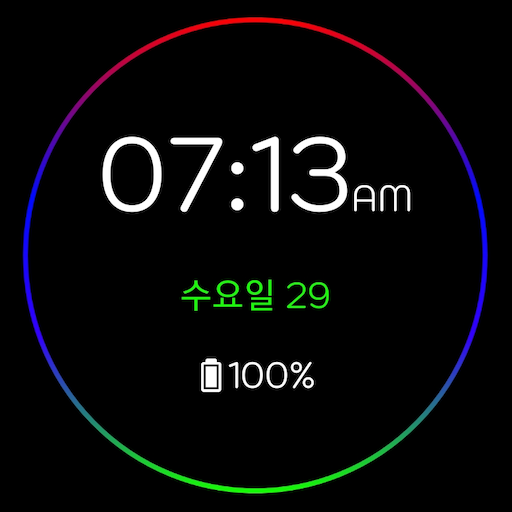
Digital Clock LWP – AOD
customize and create a digital clock live wallpaper for your phone screen
- Installs
- 697
- Measured
- Rating
- —
- Ratings
- —
- Version
- Varies with device
- Updated 17 Apr 2026
- Released
- 14 Jul 2023
- Tracked since 12 May 2026
- Size
- —
Screenshots
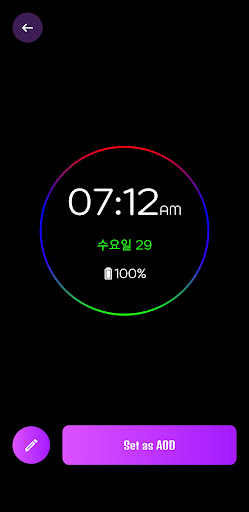
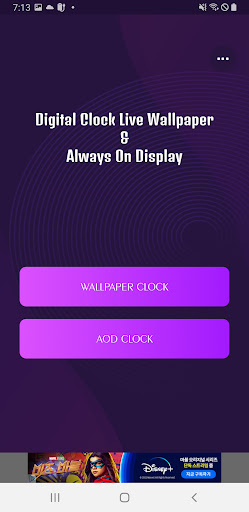
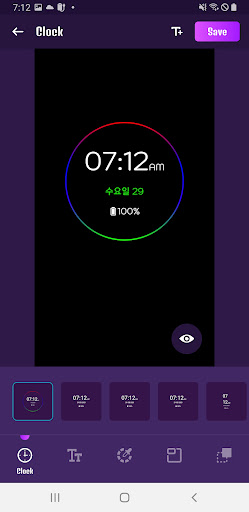
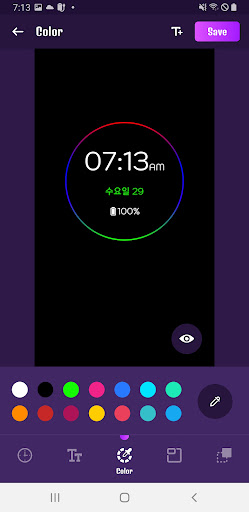

About Digital Clock LWP – AOD
The description on the store listing
Digital Clock LWP – Digital Clock AOD
Digital clock LWP & AOD app allows you to customize and create a digital clock live wallpaper for your phone screen. Digital clock LWP app provides an amazing collection of LED style digital clock live wallpapers and set as home screen, home screen and lock screen wallpaper.
Set your photo as the background of your digital clock live wallpaper and spice up your phone screen.
What's Included in Digital Clock LWP & AOD?
You can set the desktop clock and Always on Display (AOD) clock options as wallpaper. In this option you will have digital clock and emoji clock options with huge collection of amazing digital clock live wallpapers to set on …
Read the full description
Digital Clock LWP – Digital Clock AOD Digital clock LWP & AOD app allows you to customize and create a digital clock live wallpaper for your phone screen. Digital clock LWP app provides an amazing collection of LED style digital clock live wallpapers and set as home screen, home screen and lock screen wallpaper. Set your photo as the background of your digital clock live wallpaper and spice up your phone screen. What's Included in Digital Clock LWP & AOD? You can set the desktop clock and Always on Display (AOD) clock options as wallpaper. In this option you will have digital clock and emoji clock options with huge collection of amazing digital clock live wallpapers to set on your phone screen. Easily edit or create your own digital clock LWP and Always On Display clock wallpaper. All created LED style digital clock live wallpapers are stored in MY Creation.With this digital clock LWP & AOD wallpaper app you can check the time and date on your mobile home screen and you don't need to check it on your phone. - Can be set to display battery percentage. - Enable 24 hour format. - You can set vibration in Always ON Screen. - Single tap, double tap, swipe up, swipe down and shake to exit AOD screen. - Adjust the AOD brightness. - Set the end point of the AOD screen. - You can set AOD screen rules according to battery percentage. - Exit AOD by activating the home button. - You can turn on the AOD screen with the volume button.
Installs since 27 Aug 2026 Measured
Exact Google Play install counts, collected daily
Ratings
- 5 ★0.0%
- 4 ★0.0%
- 3 ★0.0%
- 2 ★0.0%
- 1 ★0.0%
Recent reviews
Latest public reviews from the store
No reviews in our sample for this app yet.
Top chart positions
Latest Google Play chart ranks by country, last 10 days
Not in any tracked top chart in the last 10 days.
Digital Clock LWP – AOD history
Release, install milestones, listing and store changes
- Reached 500+ installs 17 Apr 2026
- Reached 100+ installs 18 Sep 2023
- Reached 50+ installs 25 Jul 2023
- First released on the store 14 Jul 2023
Listing keywords
Words and phrases Digital Clock LWP – AOD repeats most in its store listing
Top phrases: digital clock (15), digital clock lwp (7), clock lwp (7), digital clock live (6), clock live (6).
Highlighted words also appear in the title. Counts cover the title, short description and description.
Business model and tech
From the store listing and declared permissions
- Business model
- Free to downloadShows ads
- Sensitive access
- Phone and callsPhotos, videos and filesDraws over other appsAdvertising ID
15 permissions
2 special access, 2 sensitive, 11 standard
- Change system settingsSpecial access
- Draw over other appsSpecial access
- Read shared storageSensitive
- Read phone status and identitySensitive
- Read the advertising IDAD_IDStandard
- Ask to skip battery optimisationREQUEST_IGNORE_BATTERY_OPTIMIZATIONSStandard
- Control vibrationStandard
- Keep the phone awakeStandard
- Run a foreground serviceFOREGROUND_SERVICEStandard
- Set the wallpaperStandard
- Start when the phone turns onStandard
- Turn off the screen lockStandard
Compliance
What the listing and the app package show
- Store status
- Live
- Upkeep
- Updated 17 Apr 2026
- Registered in
- South Korea
- Privacy policy
- Linked on the listing
- Advertising
- Shows ads
- In-app purchases
- None declared
- Age rating
- Everyone
- Sensitive permissions
- 2 sensitive, 2 special access of 15
- Location access
- No
- Camera and microphone
- Neither
Apps like Digital Clock LWP – AOD
들어서 화면켜기Won3.5K installs★ 4.0
Height PredictionEcliptic App Ventures45.9K installs★ 2.4
Speicers`Pro VPNEldiablolucifer202021.2K installs★ 4.14
Lightning Tracker with AlertsYaksh Software4.3K installs★ 3.0
Mana Pathi (Unit Converter)Shirish Koirala2.2K installs★ 4.6
Multi-tab Calc - A simple app.Naoyuki Rikiji1.3K installs★ 5.0
Photo Recovery PlusBillApps7.1K installs★ 4.53
Just Silence. Scheduled.Akid Soft1.6K installs★ 5.0
- WoWp AssistantВиталий Робиновский2K installs★ 4.2
Digital Clock LWP – AOD: questions and answers
How many downloads does Digital Clock LWP – AOD have?
Digital Clock LWP – AOD has 697 installs on Google Play, measured from the store's own count on 19 Nov 2026.
Who makes Digital Clock LWP – AOD?
Digital Clock LWP – AOD is published by BlackGD, a developer based in KR.
When was Digital Clock LWP – AOD last updated?
The latest version (Varies with device) was released on 17 Apr 2026.
Is Digital Clock LWP – AOD free?
Yes. Digital Clock LWP – AOD is free to download, and it shows ads.
Is Digital Clock LWP – AOD still available?
Yes. Digital Clock LWP – AOD is live on Google Play as of 19 Nov 2026.
Track Digital Clock LWP – AOD and its competitors
Watch any app for new versions, rating drops, chart moves and removals. Free plan, no card.