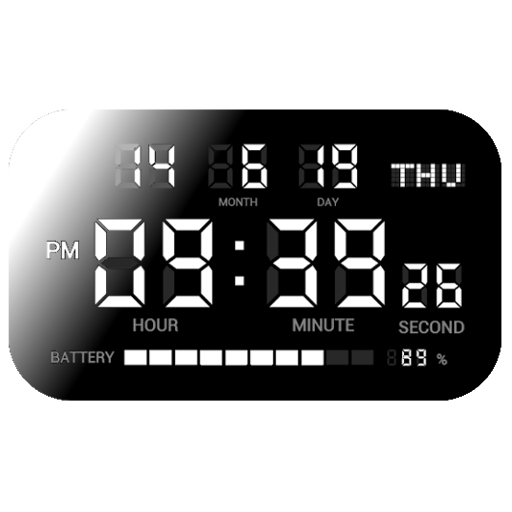
DIGITAL CLOCK SHG2
This app is a simple digital clock. Customization is also possible.
- Installs
- 5.84K
- Measured
- Rating
- 3.96
- Ratings
- 194
- 18 reviews
- Version
- 9.1.0
- Updated 13 Feb 2022
- Released
- 23 May 2014
- Tracked since 11 May 2026
- Size
- 3 MB
- Needs 4.4
Screenshots


About DIGITAL CLOCK SHG2
The description on the store listing
"【Note】
If you input your questions, bug reports or complaints in review form, it isn't notified developer. Please email directly ([email protected]).
■Please inform us about the bug report by e-mail.
【How to use】
● Alarm setting
1. Select the alarm task from the alarm list and open the alarm setting.
2. Set the time to sound the alarm with the [Alarm time].
3. At [Alarm sounds], select the music file to sound at the alarm time.
4. [Vibration], you can select vibration action at alarm.
5. In the [Snooze time], you can set the time when the alarm sounds again.
6. At [Alarm volume], set the volume at alarm time.
7. At [Alarm day], Alarm operation date can be set for each day …
Read the full description
"【Note】 If you input your questions, bug reports or complaints in review form, it isn't notified developer. Please email directly ([email protected]). ■Please inform us about the bug report by e-mail. 【How to use】 ● Alarm setting 1. Select the alarm task from the alarm list and open the alarm setting. 2. Set the time to sound the alarm with the [Alarm time]. 3. At [Alarm sounds], select the music file to sound at the alarm time. 4. [Vibration], you can select vibration action at alarm. 5. In the [Snooze time], you can set the time when the alarm sounds again. 6. At [Alarm volume], set the volume at alarm time. 7. At [Alarm day], Alarm operation date can be set for each day of the week. 8. To enable the alarm, please turn on the button on the left side of the alarm list. 9. The low power consumption function of Android may invalidate the alarm. After setting the alarm, please confirm whether automatic start of this application is not invalid. ● Setting the notification sound 〇 Setting of time signal sound From the option button, select the Notification sound -> Time signal. 1. From [Sound type], select OFF, Sound, or Speaking. 2. If you select the sound, it will play a sound at 0 minutes per hour. 3. If you select the speaking, it will say the current time at 0 minutes per hour. 4. In the official version, you can change the type of sound from [Sound Select]. 5. In the official version, you can restrict playing sound time at [Enable sound or speak per hour]. 〇 Setting of charging completed sound From the option button, select notification sound -> charge completed. 1. From [Sound type], select off, sound, or speech. 2. If you select the Sound, it will be played a sound when charging is completed. 3. If you select the Speaking, it will be played ""Charging was completed"" when charging is completed. 4. In the official version, you can change the sound from the sound selection. ○ Setting of TTS To use the reading function, please set TTS. This application supports the Google text-to-speech engine. If other TTS engine is set, reading may not be performed normally. 1. From [TTS setting], you can open the TTS setting in Android system settings. Please make sure that the Google text-to-speech engine is set up. 2. From [TTS Download], open the download page of the Google text-to-speech engine. Please download or update the Google text-to-speech engine. 3. By the [Test], you can try the speaking of TTS. Please check the TTS setting if there is abnormality in reading aloud. ● Clock customization 1. In [Screensaver], you can activate the screen saver to prevent screen burning. 2. [Orientation] is setting for clock orientation. 3. [Startup at charging] is for launch by starting USB charge. 4. [Close at end charging] is for close clock screen by end charging. 6. In [Frame corner], you can select the rectangle or round corner frame. If the background of the clock is black, the rounded corners will not be visible. 7. [Display contents] allows you to set the time and date to be displayed on the screen. 8. In [Date Format], you can change the position of year, month, and day. 9. In [Time format], the time range can be set from 1 to 12 or 0 to 23. 10. In [Colon blinking], toggles the presence or absence of a colon blink. 11. In [seconds display], toggles display of seconds. 12. In [Label display], switch the presence / absence of label display. 13. [Setting status display] toggles the presence / absence of display showing the setting status of alarm setting and notification sound. 14. In [Battery level indicator], select whether or not to display the remaining battery level (gauge). 15. [Charging indicator] is expresses battery charging by battery level gauge. 16. [Screen brightness] adjust the brightness of the clock display. 17. [Color scheme] set the color scheme of the digital clock. In the paid version, you can set your favorite color by selecting Edit 1 to 5."
Installs since 29 Aug 2026 Measured
Exact Google Play install counts, collected daily
Ratings
194 ratings, 18 reviews
- 5 ★66%
- 4 ★10%
- 3 ★3.4%
- 2 ★6.7%
- 1 ★14%
Recent reviews
Latest public reviews from the store
No reviews in our sample for this app yet.
Top chart positions
Latest Google Play chart ranks by country, last 10 days
Not in any tracked top chart in the last 10 days.
DIGITAL CLOCK SHG2 history
Release, install milestones, listing and store changes
- Reached 5,000+ installs 13 Feb 2022
- Reached 1,000+ installs 7 Feb 2016
- Reached 500+ installs 8 Oct 2015
- Reached 100+ installs 9 Jan 2015
- Reached 50+ installs 29 Nov 2014
- Reached 10+ installs 30 Sep 2014
- First released on the store 23 May 2014
Recent versions
Current version 9.1.0
- Version 9.1.010 Oct 2020
Add function: Recover from screen saving by detecting sound. Bug fix: The charactors of time are large on long display devices.
- Version 8.6.06 Mar 2020
- Version 8.5.027 Jan 2020
- Version 8.4.030 Jun 2019
Listing keywords
Words and phrases DIGITAL CLOCK SHG2 repeats most in its store listing
Top phrases: text to speech (4), google text (4), notification sound (4), speech engine (4), alarm setting (3).
Highlighted words also appear in the title. Counts cover the title, short description and description.
Business model and tech
From the store listing, the SDKs in the app package and its declared permissions
- Business model
- Paid, $1.99Shows ads
- Built with
- No cross-platform framework or game engine detected
- Ad networks (1)
- AdMob
- Sensitive access
- MicrophonePhotos, videos and files
1 ad, attribution and analytics SDKs detected. SDKs are read from the app package and permissions from the store listing, so code that loads later is not seen.
Technology
3 SDKs found in the app package
Ad network libraries
Development tools
Ad networks
Advertising and install-attribution SDKs found in the app package
- AdMob
10 permissions
0 special access, 2 sensitive, 8 standard
- Record audioSensitive
- Read shared storageSensitive
- Control vibrationStandard
- Keep the phone awakeStandard
- Run a foreground serviceFOREGROUND_SERVICEStandard
- Start when the phone turns onStandard
- Turn off the screen lockStandard
- Full internet accessStandard
- See network connectionsStandard
- Google Play license checkStandard
Compliance
What the listing and the app package show
- Store status
- Live
- Upkeep
- No update since 13 Feb 2022
- Registered in
- Japan
- Privacy policy
- Linked on the listing
- Advertising
- No ads declared
- In-app purchases
- None declared
- Age rating
- Everyone
- Sensitive permissions
- 2 sensitive of 10
- Location access
- No
- Camera and microphone
- Microphone
Apps like DIGITAL CLOCK SHG2
Easy Schedule Notebookoxdb.net51.5K installs★ 5.0
Land Parcels Areas CalculatorGeoZidan46K installs★ 1.73
Gallery Vault - Hide PhotoMerryblue51K installs★ 4.2
Heat Index Calculator - How toVnMobileSolutions Inc.3.7K installs★ 4.24
2D OwnerTechnologyGateway46K installs★ 4.8
3D Print Cost CalculatorReme Le Hane38.5K installs★ 3.95
Bluetooth ScannerThe Tree Team51.3K installs★ 3.87
HD wifi EndoskopCEI Conrad Electronic International (HK) Limited117K installs★ 2.41
WGS84 ConverterPilaBlu - Apps111K installs★ 4.29
DIGITAL CLOCK SHG2: questions and answers
How many downloads does DIGITAL CLOCK SHG2 have?
DIGITAL CLOCK SHG2 has 5,840 installs on Google Play, measured from the store's own count on 14 Nov 2026.
Who makes DIGITAL CLOCK SHG2?
DIGITAL CLOCK SHG2 is published by Y2PROM, a developer based in JP.
When was DIGITAL CLOCK SHG2 last updated?
The latest version (9.1.0) was released on 13 Feb 2022.
Is DIGITAL CLOCK SHG2 free?
No. DIGITAL CLOCK SHG2 is a paid app priced at $1.99.
Is DIGITAL CLOCK SHG2 still available?
Yes. DIGITAL CLOCK SHG2 is live on Google Play as of 14 Nov 2026.
Track DIGITAL CLOCK SHG2 and its competitors
Watch any app for new versions, rating drops, chart moves and removals. Free plan, no card.