Display Tester
Test your screen and figure out whether it has hassles.
- Installs
- 2.57M
- Measured
- Rating
- 4.11
- Ratings
- 7.8K
- 256 reviews
- Version
- 5.37.2
- Updated 4 Jun 2026
- Released
- 4 Mar 2012
- Tracked since 12 May 2026
- Size
- 12 MB
- Needs 4.1
Screenshots


About Display Tester
The description on the store listing
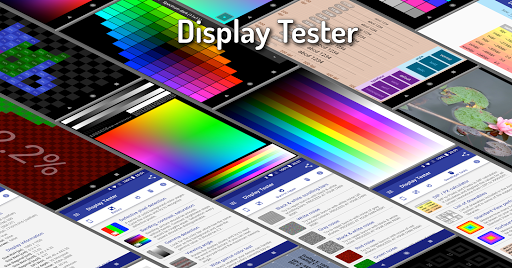
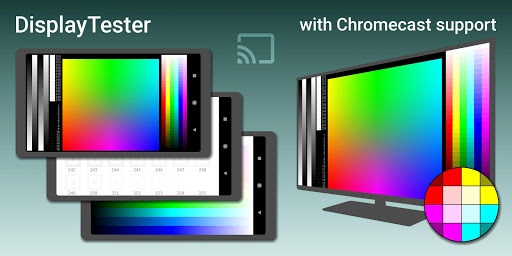
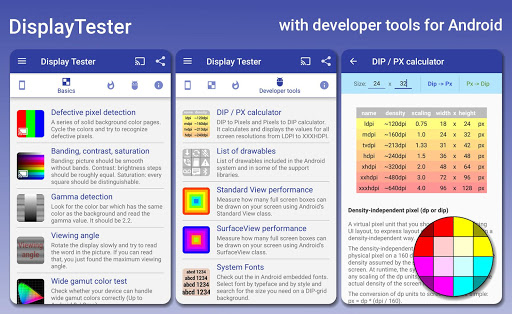
DisplayTester makes it possible to test almost every aspect of your device's LCD/OLED screen. Using Google Cast it is possible to test the display quality of your TV. It is designed to allow full screen testing also on devices with soft keys (hiding the soft keys in ICS and later, immersive mode in KitKat and later).
-----
-= Free features =-
◆ Dead pixel test: detect "dead pixels" by displaying a series of solid background color pages
◆ Color tests: contrast, gradient (banding) and saturation tests
◆ Gamma calibration tests (grey/red/green/blue)
◆ Viewing angle tests (This is useless for OLED displays)
◆ Wide gamut color test
◆ Multi-touch test
◆ Display performance tests
◆ …
Read the full description
DisplayTester makes it possible to test almost every aspect of your device's LCD/OLED screen. Using Google Cast it is possible to test the display quality of your TV. It is designed to allow full screen testing also on devices with soft keys (hiding the soft keys in ICS and later, immersive mode in KitKat and later). ----- -= Free features =- ◆ Dead pixel test: detect "dead pixels" by displaying a series of solid background color pages ◆ Color tests: contrast, gradient (banding) and saturation tests ◆ Gamma calibration tests (grey/red/green/blue) ◆ Viewing angle tests (This is useless for OLED displays) ◆ Wide gamut color test ◆ Multi-touch test ◆ Display performance tests ◆ Repair burn in - scrolling black & white bars ◆ Display measures info: screen size, GPU type, dpi, density-independent pixel size, OpenGL 1.x info, pixel format ◆ Real world pictures for reference and comparison ◆ 4-color gradient test with orientation change correction (Android 2.2 and higher) ◆ Pixel format & dithering tests ◆ Built-in font styles test ◆ Manually DPI measurement ◆ Color charts ◆ Touch screen dead spot tester ◆ System Fonts tester ◆ DIP / PX calculator -= Pro features =- ◆ Full Google Cast support ◆ Repair burn in - noise (white, b&w, red, green, blue) -= Soft key hiding in ICS/Honeycomb/JellyBean =- Use the preferences menu option for this or simply long touch the display during a test is running. -= Gestures =- ◆ Slide left-right: change test image ◆ Slide up-down: change brightness ◆ Long touch: switch between full screen and normal screen (Android 3.0 and higher) ◆ Double tap: hide or show the test specific settings dialogue (if available) When the soft keys are hidden it is not easy to advance to the next screen: First tap to make the buttons appear, then a quick swipe for the next screen before the buttons are hidden again. ----- Please consider purchasing the Pro version to support further development. If you are having a problem or you have a suggestion about a missing feature, the ONLY way it will get done is if you email me! :)
Installs, last 30 days Measured
Exact Google Play install counts, collected daily
Ratings
7,802 ratings, 256 reviews
- 5 ★70%
- 4 ★8.0%
- 3 ★6.0%
- 2 ★0.9%
- 1 ★15%
Recent reviews
Latest public reviews from the store
No reviews in our sample for this app yet.
Top chart positions
Latest Google Play chart ranks by country, last 10 days
Not in any tracked top chart in the last 10 days.
Display Tester history
Release, install milestones, listing and store changes
- Reached 1,000,000+ installs 21 Jan 2020
- First released on the store 4 Mar 2012
Update frequency
How often Display Tester ships a new version, month by month
1 updates in the last 12 months. Less often than most similar apps: they shipped a median of 2 updates in the same year.
Recent versions
Current version 5.37.2
- Version 5.36.14 Jun 2026
v5.36.1 * Android 16 release * Bug fixes and optimisations
- Version 5.35.624 Aug 2025
v5.35.6 * Immersive mode is now default * Bug fixes and optimisations
- Version 5.35.54 Jun 2025
- Version 5.35.427 Apr 2025
Listing keywords
Words and phrases Display Tester repeats most in its store listing
Top phrases: soft keys (3), android and higher (2), possible to test (2), red green blue (2), full screen (2).
Highlighted words also appear in the title. Counts cover the title, short description and description.
Business model and tech
From the store listing and declared permissions
- Business model
- Free to downloadShows ads
- Sensitive access
- No sensitive permission declared
Compliance
What the listing and the app package show
- Store status
- Live
- Upkeep
- Updated 4 Jun 2026
- Registered in
- Germany
- Privacy policy
- Linked on the listing
- Advertising
- Shows ads
- In-app purchases
- None declared
- Age rating
- Everyone
Apps like Display Tester
Touch Macro Pro - Auto Clickerjake773M installs★ 2.84
MobileRecov - Data RecoveryStor Med Apps563K installs★ 4.69
Fibex Oficina MóvilSoluciones Medianet, C.A.631K installs★ 2.86
WeBackGrit Technology949K installs★ 1.2
LED Scroller - text LED BannerCristools Simple Apps607K installs★ 4.75
Find My Bluetooth DeviceByteBox Inc.939K installs★ 3.9
Blue Speed VPNhelalik1.4M installs★ 4.51
Lag remover Lower Gaming PingNoLag Australia708K installs★ 4.35
Electron: battery health infoMaher Safadi4M installs★ 3.81
Display Tester: questions and answers
How many downloads does Display Tester have?
Display Tester has 2,566,842 installs on Google Play, measured from the store's own count on 19 Nov 2026.
Who makes Display Tester?
Display Tester is published by Brain_trapp, a developer based in DE.
When was Display Tester last updated?
The latest version (5.37.2) was released on 4 Jun 2026.
Is Display Tester free?
Yes. Display Tester is free to download, and it shows ads.
Is Display Tester still available?
Yes. Display Tester is live on Google Play as of 19 Nov 2026.
Track Display Tester and its competitors
Watch any app for new versions, rating drops, chart moves and removals. Free plan, no card.