Doc Reader: Editor, Scanner
All file reader, word document viewer app to open word office. Easy manage files
- Installs
- 39.45M
- Measured
- Rating
- 4.16
- Ratings
- 148K
- 180 reviews
- Version
- 2.1.1
- Updated 27 Jul 2026
- Released
- 10 Apr 2021
- Tracked since 12 May 2026
- Size
- 44 MB
- Needs 5.0
Screenshots


About Doc Reader: Editor, Scanner
The description on the store listing
<b>Ebook Reader & EPUB</b>
Turn your everyday productivity companion into a gateway of knowledge and entertainment. <b>Doc Reader: Editor, Scanner</b> is already your go-to tool for opening PDF, Word, Excel, and presentations — and now it’s even better with the integrated <b>Ebook Reader & EPUB</b>, letting you enjoy stories and books anytime.
- Endless variety: Explore a wide collection of ebooks, novels, and stories in EPUB format.
- Romance & Rebirth novels: Fall into heart-touching love stories and dramatic second-chance tales.
- Life experience books: Learn, reflect, and grow from inspiring real-life stories.
- One app, many uses: Work on documents, analyze files, and <b>enjoy …
Read the full description
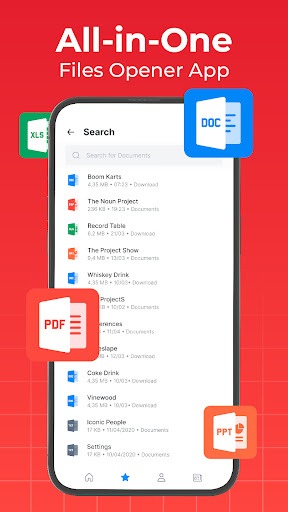
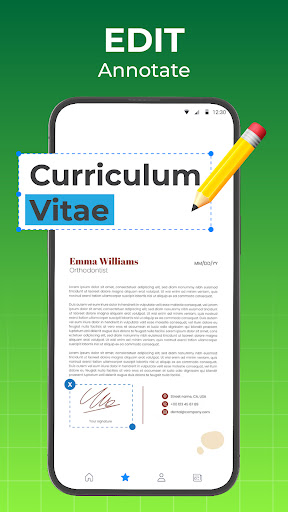
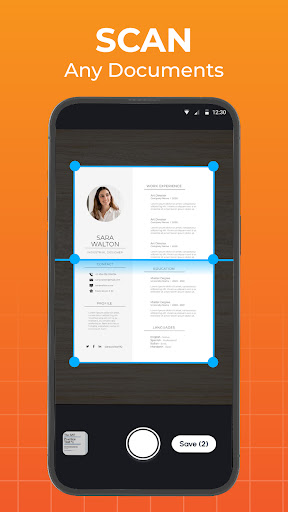
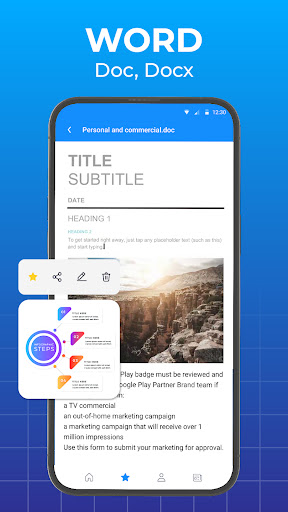
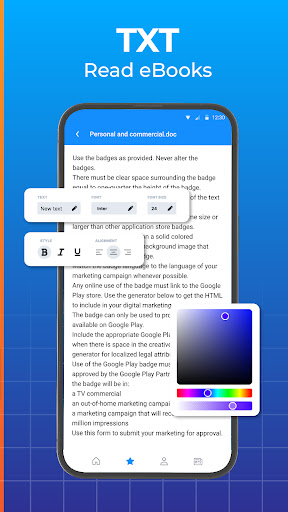
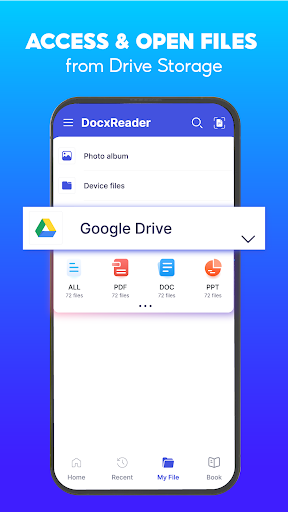
<b>Ebook Reader & EPUB</b> Turn your everyday productivity companion into a gateway of knowledge and entertainment. <b>Doc Reader: Editor, Scanner</b> is already your go-to tool for opening PDF, Word, Excel, and presentations — and now it’s even better with the integrated <b>Ebook Reader & EPUB</b>, letting you enjoy stories and books anytime. - Endless variety: Explore a wide collection of ebooks, novels, and stories in EPUB format. - Romance & Rebirth novels: Fall into heart-touching love stories and dramatic second-chance tales. - Life experience books: Learn, reflect, and grow from inspiring real-life stories. - One app, many uses: Work on documents, analyze files, and <b>enjoy ebooks</b> without switching apps. - Smooth reading: Easy navigation, adjustable fonts, and a distraction-free experience. Picture this: you finish editing a report or reviewing a presentation, and in just one tap, you’re reading your favorite romance story, motivational life experience book, or immersive rebirth novel. With <b>All Document Reader and Editor</b>, productivity and relaxation come together seamlessly in one app. <b>Smart Document Reader ⭐</b> <b>7 reasons why you should choose to use this word viewer app:</b> 📌Easily access photos, documents, and files directly from your Drive storage 📌 Navigate pages quickly to read docx files 📌 Open doc files, read files without an internet connection 📌 Friendly interface, easy-to-read word office files 📌 Choose file view modes: horizontal/vertical, zoom in/out 📌 Supports scanning all types of documents, a powerful scanner with high-quality 📌 Move your favorite documents to "Favorites" for later reading Doc Reader: Editor, Scanner is a document reader, a word viewer right on your phone, allowing you to open, manage and scan documents without needing an internet connection. This document reader app is the optimal choice to help you view all documents on your phone anytime, anywhere. You don't need to download multiple apps to read all documents because this word reader app is compatible with all formats. With its user-friendly and straightforward interface, you can use this files reader app without needing to be highly tech-savvy, thus saving you a lot of time. <b>Key Features of this document viewer app:</b> 📘 <font color="#0000FF">Word Reader:</font> - View all DOC, DOCX and DOCS files - Organize documents logically, easily find target files - Quick file search with simple search options - Easy document opening, viewing 📱 <b>Supports reading file in all formats:</b> - Word office: DOC, DOCX, DOCS - Read Excel files: XLS, XLSX - Slide documents: PPT, PPTX, PPS, PPSX - Open other files: TXT, ODT, ZIP, RTF, PNG, JPG, … 🖨️ <b>Quickly scan photos, documents, ID cards:</b> - Easily scan photos, documents - Export files to high-quality PDF, PNG - Simple and user-friendly interface ⭐ <b>Other special features:</b> - Convert files to PDF format - Check detailed file information - Basic customization: Rename, delete, and share files - Easily search files within and outside the app - Organize and manage files logically - by time, name, and size With this document reader app, you can read documents stored on the internal memory or SD card (external memory) or read downloaded email attachments. This word reader app is a useful file reader tool that will help you read docx at work faster than ever. If you encounter any issues while using the documents reader app, please contact us for the earliest support. We highly value your feedback to continuously improve Doc Reader: Editor, Scanner every day ❤️
Installs, last 30 days Measured
Exact Google Play install counts, collected daily
Ratings
148,196 ratings, 180 reviews
- 5 ★76%
- 4 ★4.3%
- 3 ★0.9%
- 2 ★3.4%
- 1 ★15%
Recent reviews
Latest public reviews from the store
- 29 Nov 2023
Good 👍
- 28 Sep 2023
Excellent
Top chart positions
Latest Google Play chart ranks by country, last 10 days
Not in any tracked top chart in the last 10 days.
Doc Reader: Editor, Scanner history
Release, install milestones, listing and store changes
- First released on the store 10 Apr 2021
Update frequency
How often Doc Reader: Editor, Scanner ships a new version, month by month
2 updates in the last 12 months. Less often than most similar apps: they shipped a median of 9 updates in the same year.
Recent versions
Current version 2.1.1
- Version 2.1.127 Jul 2026
- Version 2.1.03 Mar 2026
Office Word Reader Docx Viewer
- Version 2.0.014 Oct 2025
- Version 1.10.710 Sep 2025
Listing keywords
Words and phrases Doc Reader: Editor, Scanner repeats most in its store listing
Top phrases: document reader (5), doc reader editor (4), reader editor scanner (4), doc reader (4), editor scanner (4).
Highlighted words also appear in the title. Counts cover the title, short description and description.
Business model and tech
From the store listing, the SDKs in the app package and its declared permissions
- Business model
- Free to downloadIn-app purchasesShows ads
- Built with
- No cross-platform framework or game engine detected
- Ad networks (3)
- AdMobAppLovinFacebook Audience Network
- Subscriptions and payments
- Google Play billing
- Attribution and measurement
- AdjustAppsFlyerOpen Measurement
- Analytics and crash reports
- Firebase
- Sign-in and social
- Sensitive access
- CameraPhotos, videos and filesAdvertising ID
6 ad, attribution and analytics SDKs detected. SDKs are read from the app package and permissions from the store listing, so code that loads later is not seen.
Technology
68 SDKs found in the app package
Ad network libraries
Development tools
Ad networks
Advertising and install-attribution SDKs found in the app package
- AdMob
- Adjust
- AppLovin
- AppsFlyer
- Facebook Audience Network
- Open Measurement
33 permissions
3 special access, 4 sensitive, 26 standard
- Manage all filesMANAGE_EXTERNAL_STORAGESpecial access
- Set exact alarmsSCHEDULE_EXACT_ALARMSpecial access
- Show full-screen alertsUSE_FULL_SCREEN_INTENTSpecial access
- Take photos and videosSensitive
- Change or delete shared storageSensitive
- Read shared storageSensitive
- Show notificationsPOST_NOTIFICATIONSSensitive
- Ad attribution (Privacy Sandbox)ACCESS_ADSERVICES_ATTRIBUTIONStandard
- Ad topics (Privacy Sandbox)ACCESS_ADSERVICES_TOPICSStandard
- Privacy Sandbox ads (custom audience)ACCESS_ADSERVICES_CUSTOM_AUDIENCEStandard
- Read how it was installed (install referrer)BIND_GET_INSTALL_REFERRER_SERVICEStandard
- Read the advertising IDAD_IDStandard
Compliance
What the listing and the app package show
- Store status
- Live
- Upkeep
- Updated 27 Jul 2026
- Registered in
- Singapore
- Privacy policy
- Linked on the listing
- Advertising
- Shows ads
- In-app purchases
- Offered
- Age rating
- Everyone
- Sensitive permissions
- 4 sensitive, 3 special access of 33
- Location access
- No
- Camera and microphone
- Camera
Apps like Doc Reader: Editor, Scanner
Document Reader : PDF CreatorSolo Tech Apps13.6M installs★ 4.24
TickTick:To Do List & CalendarTickTick Limited11.8M installs★ 4.61
PDF Reader, Editor & ScannerEAGLE APPS17.5M installs★ 4.36
Mi Movistar EcuadorMovistar Ecuador6M installs★ 4.41
FlashVPN Fast VPN ProxyFlashSoftware14.2M installs★ 4.7
Status Saver - Download StatusOffice Tools.49.1M installs★ 4.28
CoxCox Communications, Inc.3.6M installs★ 4.46
Office App-Edit Word, PDF fileA1 Office Apps52.1M installs★ 4.39
Blazar VPN: Super Fast ConnectAibern CO8M installs★ 4.22
Doc Reader: Editor, Scanner: questions and answers
How many downloads does Doc Reader: Editor, Scanner have?
Doc Reader: Editor, Scanner has 39,452,264 installs on Google Play, measured from the store's own count on 19 Nov 2026.
Who makes Doc Reader: Editor, Scanner?
Doc Reader: Editor, Scanner is published by TrustedOffice, a developer based in SG.
When was Doc Reader: Editor, Scanner last updated?
The latest version (2.1.1) was released on 27 Jul 2026.
Is Doc Reader: Editor, Scanner free?
Yes. Doc Reader: Editor, Scanner is free to download and offers in-app purchases, and it shows ads.
Is Doc Reader: Editor, Scanner still available?
Yes. Doc Reader: Editor, Scanner is live on Google Play as of 19 Nov 2026.
Track Doc Reader: Editor, Scanner and its competitors
Watch any app for new versions, rating drops, chart moves and removals. Free plan, no card.