
Document Editor - PDF Scanner
PDF Reader-PDF Viewer: PPT,Docx,Excel,word all-in-one tool
- Installs
- 2.50M
- Measured
- Rating
- 4.14
- Ratings
- 4.4K
- 110 reviews
- Version
- 2.1.4
- Updated 23 May 2026
- Released
- 31 Aug 2023
- Tracked since 12 May 2026
- Size
- —
Screenshots
About Document Editor - PDF Scanner
The description on the store listing
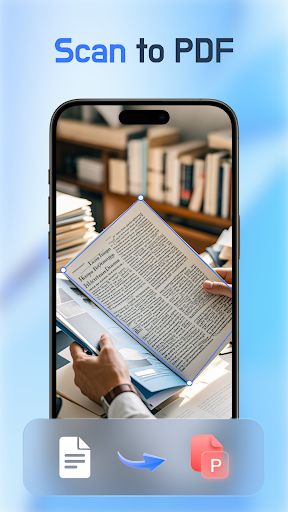
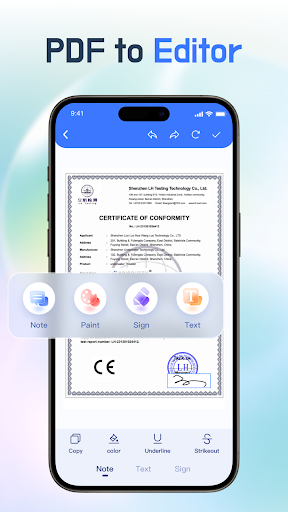
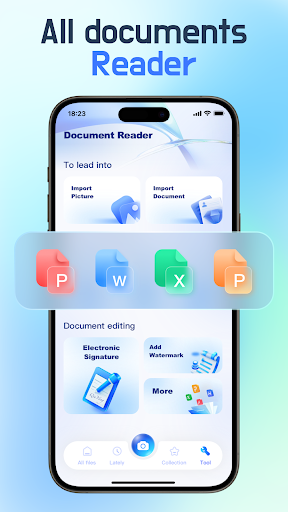
Unlock the ultimate convenience in document handling with Document Editor - PDF Scanner, your top choice! This application brings together multi-format document reading, PDF editing, PDF scanning, and automatic organization of PDFs, Excel, PPT, and Word files. Enjoy a seamless file opening experience, with reading and management all within the app.
✨ Powerful PDF Viewer
👏 Comfortable reading experience: Easily switch between page-by-page and continuous scroll modes & toggle between horizontal and vertical viewing & jump to a specific page by entering its number & zoom in and out of the text
🎉 PDF Split & Merge
✨ PDF Editing
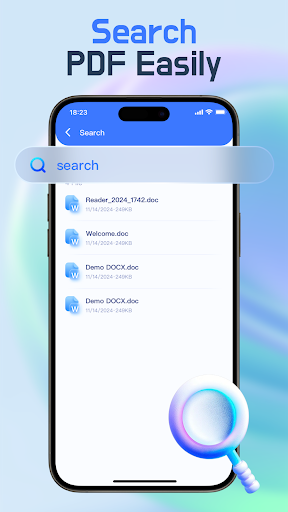
👏 File search & File lock
🎉 Directly connect to a …
Read the full description
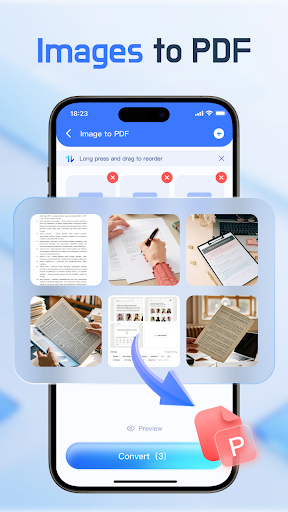
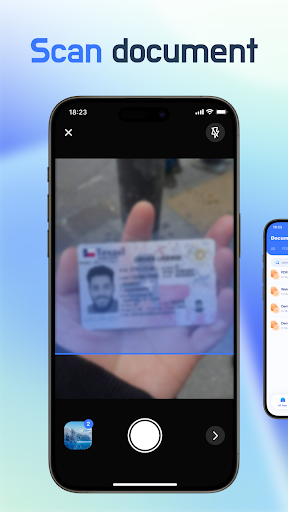
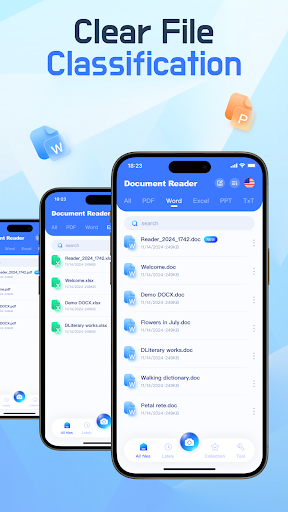
Unlock the ultimate convenience in document handling with Document Editor - PDF Scanner, your top choice! This application brings together multi-format document reading, PDF editing, PDF scanning, and automatic organization of PDFs, Excel, PPT, and Word files. Enjoy a seamless file opening experience, with reading and management all within the app. ✨ Powerful PDF Viewer 👏 Comfortable reading experience: Easily switch between page-by-page and continuous scroll modes & toggle between horizontal and vertical viewing & jump to a specific page by entering its number & zoom in and out of the text 🎉 PDF Split & Merge ✨ PDF Editing 👏 File search & File lock 🎉 Directly connect to a printer from your mobile device Effortlessly scan documents to PDF Document Editor - PDF Scanner allows you to digitize important documents for backup with just one click, making organization and retrieval a breeze: 📝 Paper invoices 📝 Appliance manuals 📝 Cooking recipes 📝 Business cards Simply use your mobile device to scan and save documents as PDFs. When you need these files, there's no need to rummage around—just open your phone and they'll be right there. ✨ Easy image-to-PDF conversion Quickly create PDFs from multiple images, then edit and customize their order to suit your needs. ✨ Comprehensive file management Effortlessly manage various file formats. Files are automatically sorted by format, clearly visible, and easy to manage. By using this application, you agree to our Privacy Policy and Terms of Service: Privacy Policy: https://document-editor.com/1/privacy Terms of Service: https://document-editor.com/1/terms Our app offers subscription options, with clear pricing details displayed within the app. Subscription Information: https://document-editor.com/1/subscription Download this exceptional productivity app now! It provides robust support for your work and study needs, combining a document viewer, e-book reader, and file manager into one comprehensive package. We're constantly working to enhance the app and improve user experience. If you have any suggestions, please feel free to contact us at [email protected]. Important Notification: To help you efficiently manage document files on your device, Document Editor - PDF Scanner requires access permissions to all files: MANAGE_EXTERNAL_STORAGE. This permission is solely used to enable the app's features and functionalities. We do not use your files for any other purposes. The app processes and converts files locally on your device to ensure the privacy and security of your data. For a better user experience, we utilize the FOREGROUND_SERVICE_SPECIAL_USE permission. This permission helps prevent interruptions during processing due to large files and ensures smooth task execution. We promise to strictly adhere to our privacy policy and ensure the reasonable use of this permission. It is used solely for the functions described above and will not be used for any non-essential purposes. We also assure you that we do not collect or use user data unrelated to file processing. Thank you for your support.
Installs, last 30 days Measured
Exact Google Play install counts, collected daily
Ratings
4,400 ratings, 110 reviews
- 5 ★60%
- 4 ★22%
- 3 ★4.9%
- 2 ★3.9%
- 1 ★9.0%
Recent reviews
Latest public reviews from the store
- 4 Mar 2026
Very convenient app for Bangladesh
- 16 Feb 2026
Great Initiative. Used the software for a while. Amazing features. Most noteworthy feature is the blood notification mode. I love it.
- 15 Feb 2026
The idea of this app is very significant i think. This is a necessary app for Bangladesh where blood banks are not that much of efficient. But the problem is there is not much user on the app to actually work. i think when there will be a lot of user on this app then it will be a pocket/mobile blood bank for the people of Bangladesh. Hats off to the team btw. 🤘🤘🤘
- 4 Feb 2026
great innovation
Top chart positions
Latest Google Play chart ranks by country, last 10 days
Not in any tracked top chart in the last 10 days.
Document Editor - PDF Scanner history
Release, install milestones, listing and store changes
- Removed from the store 23 Jul 2026
- Reached 1,000,000+ installs 6 Sep 2025
- Reached 500,000+ installs 17 Jul 2025
- Reached 100,000+ installs 13 Jun 2025
- Reached 50,000+ installs 5 Jun 2025
- First released on the store 31 Aug 2023
Update frequency
How often Document Editor - PDF Scanner ships a new version, month by month
3 updates in the last 12 months. More often than most similar apps: they shipped a median of 0 updates in the same year.
Recent versions
Current version 2.1.4
- Version 2.1.420 Apr 2026
- Version 2.1.38 Apr 2026
- Version 2.1.220 Mar 2026
- Version 2.1.117 Nov 2025
Listing keywords
Words and phrases Document Editor - PDF Scanner repeats most in its store listing
Top phrases: document editor (5), document editor pdf (4), editor pdf scanner (4), editor pdf (4), pdf scanner (4).
Highlighted words also appear in the title. Counts cover the title, short description and description.
Business model and tech
From the store listing, the SDKs in the app package and its declared permissions
- Business model
- Free to downloadShows ads
- Built with
- No cross-platform framework or game engine detected
- Ad networks (3)
- AdMobAppLovinFacebook Audience Network
- Attribution and measurement
- AdjustOpen Measurement
- Analytics and crash reports
- Firebase
- Sign-in and social
- Sensitive access
- CameraPhotos, videos and filesAdvertising ID
5 ad, attribution and analytics SDKs detected. SDKs are read from the app package and permissions from the store listing, so code that loads later is not seen.
Technology
26 SDKs found in the app package
Ad network libraries
Ad networks
Advertising and install-attribution SDKs found in the app package
- AdMob
- Adjust
- AppLovin
- Facebook Audience Network
- Open Measurement
21 permissions
1 special access, 4 sensitive, 16 standard
- Manage all filesMANAGE_EXTERNAL_STORAGESpecial access
- Take photos and videosSensitive
- Change or delete shared storageSensitive
- Read shared storageSensitive
- Show notificationsPOST_NOTIFICATIONSSensitive
- Ad attribution (Privacy Sandbox)ACCESS_ADSERVICES_ATTRIBUTIONStandard
- Ad topics (Privacy Sandbox)ACCESS_ADSERVICES_TOPICSStandard
- Privacy Sandbox ads (custom audience)ACCESS_ADSERVICES_CUSTOM_AUDIENCEStandard
- Read how it was installed (install referrer)BIND_GET_INSTALL_REFERRER_SERVICEStandard
- Read the advertising IDAD_IDStandard
- Read the advertising ID (Privacy Sandbox)ACCESS_ADSERVICES_AD_IDStandard
- Foreground service (special use)FOREGROUND_SERVICE_SPECIAL_USEStandard
Compliance
What the listing and the app package show
- Store status
- Removed (23 Jul 2026)
- Upkeep
- Updated 23 May 2026
- Registered in
- China
- Privacy policy
- Linked on the listing
- Advertising
- Shows ads
- In-app purchases
- None declared
- Age rating
- Everyone
- Sensitive permissions
- 4 sensitive, 1 special access of 21
- Location access
- No
- Camera and microphone
- Camera
Apps like Document Editor - PDF Scanner
Samsung TV RemoteNew World Apps964K installs★ 3.86
Urdu Pana Flex - Banner MakerU&S-Soft221K installs★ 4.55
Grapher - Equation PlotterBasile Van Hoorick1.5M installs★ 4.12
TiviMate CompanionArmobsoft FZE2.3M installs★ 3.23
My BTBhutan Telecom Ltd.685K installs★ 3.97
GalleryMV Gallery761K installs★ 4.5
SQCOMShenzhen SHANGQING INDUSTRIAL CO., LTD418K installs★ 3.74
NINJA TRICK FF BUTTONPAPPS1M installs★ 4.5
Mi Band 4 WatchFacesWallet Passes Alliance3.3M installs★ 3.78
Document Editor - PDF Scanner: questions and answers
How many downloads does Document Editor - PDF Scanner have?
Document Editor - PDF Scanner has 2,500,764 installs on Google Play, measured from the store's own count on 19 Nov 2026.
Who makes Document Editor - PDF Scanner?
Document Editor - PDF Scanner is published by FH.Studio, a developer based in CN.
When was Document Editor - PDF Scanner last updated?
The latest version (2.1.4) was released on 23 May 2026.
Is Document Editor - PDF Scanner free?
Yes. Document Editor - PDF Scanner is free to download, and it shows ads.
Is Document Editor - PDF Scanner still available?
No. Document Editor - PDF Scanner is no longer listed on Google Play. We first saw it missing around 23 Jul 2026.
Track Document Editor - PDF Scanner and its competitors
Watch any app for new versions, rating drops, chart moves and removals. Free plan, no card.