
Document Scanner - Scan to PDF
Camera Scanner HD - Easy Document Scanner App to Scan Photos, Text, and PDF.
- Installs
- 25.18M
- Measured
- Rating
- 4.77
- Ratings
- 84.8K
- 499 reviews
- Version
- 5.1.0
- Updated 13 Oct 2026
- Released
- 21 Apr 2020
- Tracked since 13 May 2026
- Size
- 27 MB
- Needs 5.0
Screenshots

About Document Scanner - Scan to PDF
The description on the store listing
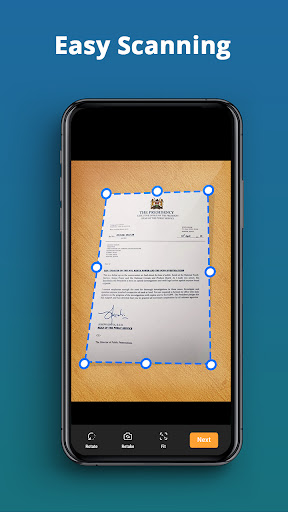
<h3>Photo Scanner: Pic To PDF Converter – Ultimate Scanning Application!</h3>With Photo Scanner: Pic To PDF converter app, you can turn your device into a powerful scanning tool. The Scan To PDF Documents Scanner app has all the features required for scanning documents, photos, and so much more, which makes file and document management a breeze. At the office, in the house, or out and about, this Photo To PDF Convert Scanner App For Documents is reliable and produces high quality every time.
Eliminate clutter and welcome maximum digital organization with this Photos To PDF Document Scanner!
📄 <b>Photo To PDF Convert Scanner App For Documents Features:</b> 📄
📸 Photo To PDF: This …
Read the full description
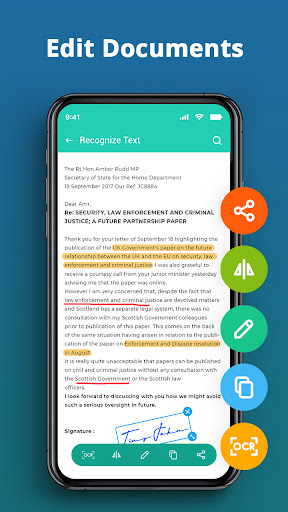
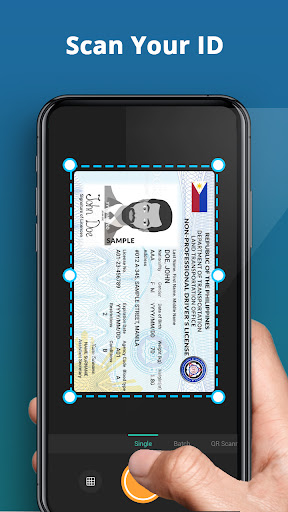
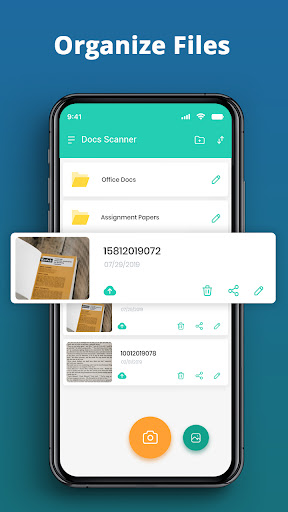
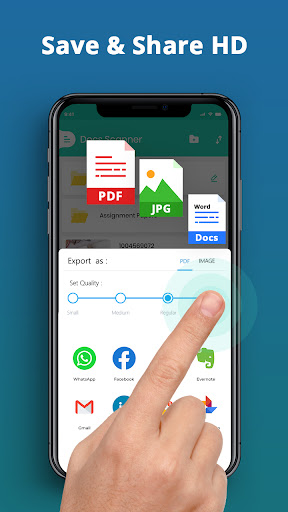
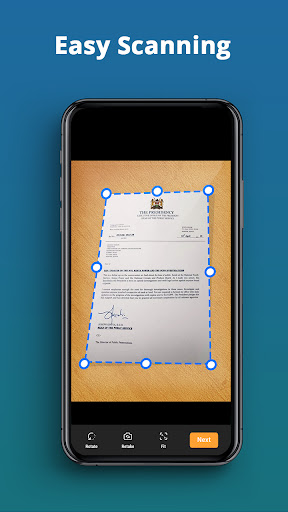
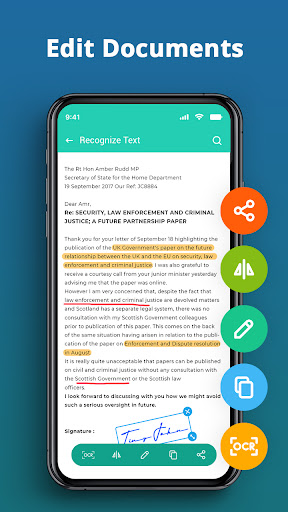
<h3>Photo Scanner: Pic To PDF Converter – Ultimate Scanning Application!</h3>With Photo Scanner: Pic To PDF converter app, you can turn your device into a powerful scanning tool. The Scan To PDF Documents Scanner app has all the features required for scanning documents, photos, and so much more, which makes file and document management a breeze. At the office, in the house, or out and about, this Photo To PDF Convert Scanner App For Documents is reliable and produces high quality every time. Eliminate clutter and welcome maximum digital organization with this Photos To PDF Document Scanner! 📄 <b>Photo To PDF Convert Scanner App For Documents Features:</b> 📄 📸 Photo To PDF: This feature enables users to transform their pictures into quality scans with high resolution; 📑Convert Photo To PDF Text Scanner: This allows users to convert their images into PDF files which can be saved; 📱Scan To PDF Documents Scanner: People can use their devices to directly scan important documents; 🖼️Convert Photo To PDF Text Scanner: Having the capability to extract text from images is crucial for professional use; 📂File Scanner App: Users can choose various formats such as JPEG or PDF to scan and store their documents; 📷Camera Scanner: Doc Scanner: Scanning documents can be a hassle but this feature allows users to use their cameras; ✍️E-signature Support: Users can directly sign a document to a scanned file for a more streamlined online experience. <h3>Create Seamless Scanning With The Help Of Cutting Edge Technology</h3>The Camera Scanner: Doc Scanner is a fully automatic scanning application that allows users to scan everything from business cards and contracts to important documents within seconds. <b>Extract Text From Important Images:</b>📱 The Convert Photo To PDF Text Scanner is capable of utilizing OCR to extract text from images and then it becomes easier to search, edit and even share important information. <b>Sort Out Your Files:</b>📁 Posting your files as either jpeg or pdf with the Assistance of File Scanner app will cut time on document management by merging all files into a single location. <b>Amazing E Signature App:</b>✒️ Papers are not needed anymore as the built-in e-signature application enables you to sign documents electronically, your work process will become more effective. Such Camera Scanner: Doc Scanner tool allows people to streamline their tasks and stay organized from anywhere in the world. <b>Enhance Your Output By Using Easy Sharing Tools</b> The Photo scanner: Pic to PDF Converter lets you share your scanned files directly with your colleagues by sending them an email, cloud storage, or any other service, irrespective of the workload. With features like the File Scanner app and the Photos To PDF Document Scanner, sharing and managing your files is much easier. <h3>Get the Photos To PDF Document Scanner You’ve Been Searching for!</h3>With Photo Scanner: Pic To Pdf Converter, you can observe the comfort of a conventional camera. This application is for those who scan a lot and require scanning on the go. It doesn’t matter whether it’s a Photo To PDF Convert Scanner App For Documents or a Scan To PDF Documents Scanner, this app provides you with everything. Make your everyday life effective by employing a Photo Scanner: Pic To PDF Converter. Get a start today!
Installs, last 30 days Measured
Exact Google Play install counts, collected daily
Ratings
84,770 ratings, 499 reviews
- 5 ★93%
- 4 ★2.8%
- 3 ★1.4%
- 2 ★0.0%
- 1 ★2.8%
Recent reviews
Latest public reviews from the store
- 6 Apr 2022
Nice to use
- 23 Apr 2021
Nice app
Top chart positions
Latest Google Play chart ranks by country, last 10 days
Not in any tracked top chart in the last 10 days.
Document Scanner - Scan to PDF history
Release, install milestones, listing and store changes
- Reached 10,000,000+ installs 23 Feb 2021
- Reached 5,000,000+ installs 31 Aug 2020
- Reached 1,000,000+ installs 19 May 2020
- Reached 500,000+ installs 30 Apr 2020
- First released on the store 21 Apr 2020
- Reached 100,000+ installs 29 Mar 2020
- Reached 50,000+ installs 15 Mar 2020
Update frequency
How often Document Scanner - Scan to PDF ships a new version, month by month
0 updates in the last 12 months. Less often than most similar apps: they shipped a median of 10 updates in the same year.
Recent versions
Current version 5.1.0
- Version 5.1.013 Feb 2025
Fix Minor Bugs
- Version 4.3.125 Nov 2024
- Version 4.2.830 Jul 2024
- Version 4.2.69 Jul 2024
Listing keywords
Words and phrases Document Scanner - Scan to PDF repeats most in its store listing
Top phrases: photo to pdf (7), photo scanner pic (5), pic to pdf (5), document scanner (5), pdf converter (5).
Highlighted words also appear in the title. Counts cover the title, short description and description.
Business model and tech
From the store listing, the SDKs in the app package and its declared permissions
- Business model
- Free to downloadIn-app purchasesShows ads
- Built with
- No cross-platform framework or game engine detected
- Ad networks (3)
- AdMobAppLovinFacebook Audience Network
- Subscriptions and payments
- Google Play billing
- Attribution and measurement
- Open Measurement
- Analytics and crash reports
- Firebase
- Sensitive access
- CameraPhotos, videos and filesAdvertising ID
4 ad, attribution and analytics SDKs detected. SDKs are read from the app package and permissions from the store listing, so code that loads later is not seen.
Technology
33 SDKs found in the app package
Ad networks
Advertising and install-attribution SDKs found in the app package
- AdMob
- AppLovin
- Facebook Audience Network
- Open Measurement
22 permissions
0 special access, 6 sensitive, 16 standard
- Take photos and videosSensitive
- Change or delete shared storageSensitive
- Read photosREAD_MEDIA_IMAGESSensitive
- Read photos and videos the user picksREAD_MEDIA_VISUAL_USER_SELECTEDSensitive
- Read shared storageSensitive
- Show notificationsPOST_NOTIFICATIONSSensitive
- Ad attribution (Privacy Sandbox)ACCESS_ADSERVICES_ATTRIBUTIONStandard
- Ad topics (Privacy Sandbox)ACCESS_ADSERVICES_TOPICSStandard
- Read how it was installed (install referrer)BIND_GET_INSTALL_REFERRER_SERVICEStandard
- Read the advertising IDAD_IDStandard
- Read the advertising ID (Privacy Sandbox)ACCESS_ADSERVICES_AD_IDStandard
- Foreground service (data sync)FOREGROUND_SERVICE_DATA_SYNCStandard
Compliance
What the listing and the app package show
- Store status
- Live
- Upkeep
- Updated 13 Oct 2026
- Registered in
- Israel
- Privacy policy
- Linked on the listing
- Advertising
- Shows ads
- In-app purchases
- Offered
- Age rating
- Everyone
- Sensitive permissions
- 6 sensitive of 22
- Location access
- No
- Camera and microphone
- Camera
Apps like Document Scanner - Scan to PDF
Email: Fast, Manage All MailsBizApp Innovators13.3M installs★ 4.58
HabitNow Daily Routine PlannerHabitNow7.3M installs★ 4.75
Orderkuota - Agen Pulsa PPOBOrderkuota Indonesia4.3M installs★ 4.79
AadhaarUnique Identification Authority of India53M installs★ 3.19
TimeTune - Schedule PlannerTimeTune Studio7.6M installs★ 4.6
PeopleStrongPeopleStrong Technologies Pvt Ltd4.5M installs★ 4.42
Spaces: Follow BusinessesWix.com, INC.22.1M installs★ 4.17
pCloud: Cloud StoragepCloud LTD5.9M installs★ 4.57
GalleryGallery Photos & Videos10.8M installs★ 3.78
Document Scanner - Scan to PDF: questions and answers
How many downloads does Document Scanner - Scan to PDF have?
Document Scanner - Scan to PDF has 25,180,304 installs on Google Play, measured from the store's own count on 20 Nov 2026.
Who makes Document Scanner - Scan to PDF?
Document Scanner - Scan to PDF is published by Firehawk, a developer based in IL.
When was Document Scanner - Scan to PDF last updated?
The latest version (5.1.0) was released on 13 Oct 2026.
Is Document Scanner - Scan to PDF free?
Yes. Document Scanner - Scan to PDF is free to download and offers in-app purchases, and it shows ads.
Is Document Scanner - Scan to PDF still available?
Yes. Document Scanner - Scan to PDF is live on Google Play as of 20 Nov 2026.
Track Document Scanner - Scan to PDF and its competitors
Watch any app for new versions, rating drops, chart moves and removals. Free plan, no card.