
Document Viewer - PDF Reader
All-in-one PDF reader, editor & document reader for easy document management
- Installs
- 1.76M
- Measured
- Rating
- 3.53
- Ratings
- 3.4K
- 10 reviews
- Version
- 1.1.3
- Updated 5 Sep 2025
- Released
- 15 Oct 2024
- Tracked since 13 May 2026
- Size
- —
Screenshots
About Document Viewer - PDF Reader
The description on the store listing
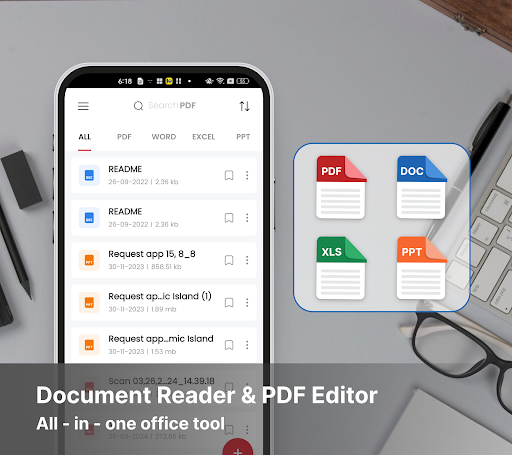
Document Viewer - PDF Reader is an app designed to help users easily access and manage a variety of file types directly from their mobile devices. With this Document Viewer - PDF Reader app, users can view, edit, and convert a wide range of commonly used documents, from office files to PDFs and more.
📝 Document reader
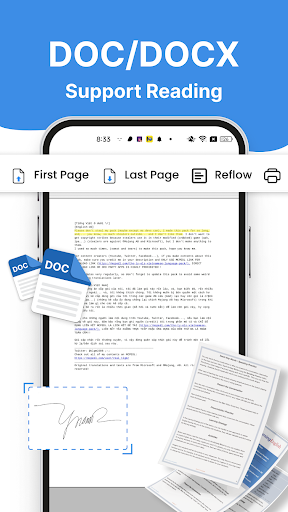
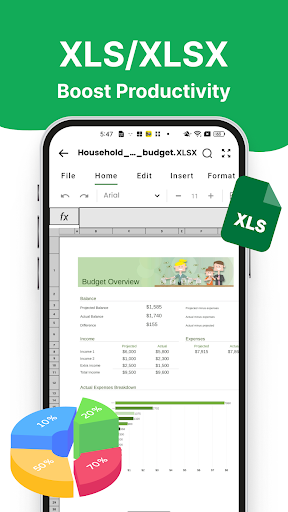
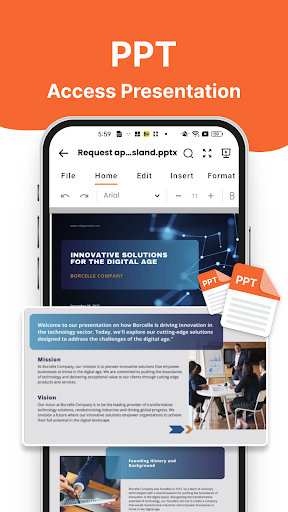
The app supports reading various document formats, including PDF, DOC, DOCX, XLS, XLSX, PPT, and TXT. As a file reader, it covers multiple formats commonly used in both professional and academic settings. With Document Viewer - PDF Reader, users no longer need multiple apps to open different file types. Everything is accessible through a single file opener, saving time …
Read the full description
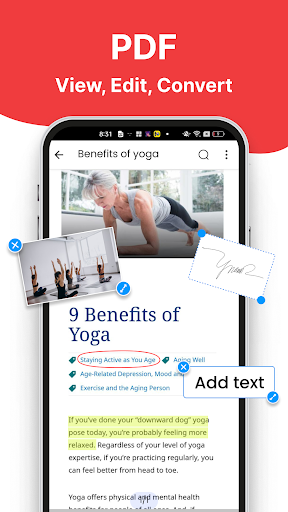
Document Viewer - PDF Reader is an app designed to help users easily access and manage a variety of file types directly from their mobile devices. With this Document Viewer - PDF Reader app, users can view, edit, and convert a wide range of commonly used documents, from office files to PDFs and more. 📝 Document reader The app supports reading various document formats, including PDF, DOC, DOCX, XLS, XLSX, PPT, and TXT. As a file reader, it covers multiple formats commonly used in both professional and academic settings. With Document Viewer - PDF Reader, users no longer need multiple apps to open different file types. Everything is accessible through a single file opener, saving time and boosting productivity. It offers a seamless and convenient experience for users who frequently work with diverse document formats, acting as a comprehensive doc viewer. 📝 PDF editor Our Document Viewer - PDF Reader app offers a wide range of features to help you edit documents effortlessly: - Add notes: Use tools like brush, underline, highlight, and strikethrough to mark important sections or add comments. - Sign PDF: Easily add your digital signature - Add image: Insert images to illustrate ideas or add logos directly into your document. - Add text: Place text anywhere to add extra information or make corrections seamlessly. 📝 Image to PDF converter A useful feature of the app is the ability to convert images into PDF files, serving as a reliable pdf converter. Users can easily take photos or select images from their gallery and convert them into a single, well-organized PDF document with just a few taps. This is particularly handy when users want to store images as documents or send multiple images in a neat, readable format. Whether for work or personal use, this pdf converter simplifies the task of creating PDFs from images. 📝 Why choose our app? - Time-saving: Thanks to its support for various file formats, users can work more efficiently without needing multiple apps to open different file types. The app acts as a pdf viewer, file reader, and doc viewer in one. - High flexibility: Whether users need to edit, read documents, or convert images into PDFs, the app meets their needs quickly and easily. It also serves as a ppt reader, XLSX viewer, and pdf viewer, improving both work and personal document management. - Convenient and multi-functional: This is especially beneficial for those frequently on the move or working remotely, offering them a powerful file reader and doc viewer in their pocket. Document Viewer - PDF Reader is more than just a basic pdf reader. It offers a powerful set of tools that allow users to effortlessly manage, edit, and convert their documents. With features like document reading, pdf editor, and image-to-pdf converter, this Document Viewer - PDF Reader app is an essential tool for anyone regularly handling documents on their mobile devices. Whether you're using it as a pdf converter, ppt reader, or jview pdf, this app provides all the functionality you need in one place. Experience this app to enjoy the convenience in document reading!
Installs since 19 Jul 2026 Measured
Exact Google Play install counts, collected daily
Ratings
3,402 ratings, 10 reviews
- 5 ★53%
- 4 ★11%
- 3 ★4.7%
- 2 ★3.8%
- 1 ★27%
Recent reviews
Latest public reviews from the store
No reviews in our sample for this app yet.
Top chart positions
Latest Google Play chart ranks by country, last 10 days
- Countries ranked
- 1
- Best rank
- #161
- Top 10 placements
- 0
- of 1 chart placements
- Average rank
- #161
Best countries on Google Play
- 🇮🇩 Indonesia · Top free, Productivity#161
| Country | Chart | Category | Rank | Best (10 days) | Date |
|---|---|---|---|---|---|
| 🇮🇩 Indonesia | Top free | Productivity | #161 | #161 | 12 Nov 2026 |
Document Viewer - PDF Reader history
Release, install milestones, listing and store changes
- Reached 1,000,000+ installs 13 Aug 2025
- Reached 500,000+ installs 18 Jun 2025
- Reached 100,000+ installs 15 Feb 2025
- Reached 50,000+ installs 6 Feb 2025
- Reached 10,000+ installs 30 Nov 2024
- Reached 5,000+ installs 23 Nov 2024
- Moved from Tools to Productivity 8 Nov 2024
- First released on the store 15 Oct 2024
Update frequency
How often Document Viewer - PDF Reader ships a new version, month by month
0 updates in the last 12 months. Less often than most similar apps: they shipped a median of 3 updates in the same year.
Recent versions
Current version 1.1.3
- Version 1.1.45 Sep 2025
- Version 1.1.33 Sep 2025
- Version 1.1.26 Aug 2025
- Version 1.1.121 Jul 2025
Listing keywords
Words and phrases Document Viewer - PDF Reader repeats most in its store listing
Top phrases: pdf reader (9), viewer pdf (8), document viewer pdf (7), viewer pdf reader (7), document viewer (7).
Highlighted words also appear in the title. Counts cover the title, short description and description.
Business model and tech
From the store listing, the SDKs in the app package and its declared permissions
- Business model
- Free to downloadIn-app purchasesShows ads
- Built with
- No cross-platform framework or game engine detected
- Ad networks (2)
- AdMobFacebook Audience Network
- Subscriptions and payments
- Google Play billing
- Attribution and measurement
- Adjust
- Analytics and crash reports
- Firebase
- Sign-in and social
- Sensitive access
- CameraPhotos, videos and filesAdvertising ID
4 ad, attribution and analytics SDKs detected. SDKs are read from the app package and permissions from the store listing, so code that loads later is not seen.
Technology
32 SDKs found in the app package
Ad networks
Advertising and install-attribution SDKs found in the app package
- AdMob
- Adjust
- Facebook Audience Network
18 permissions
1 special access, 4 sensitive, 13 standard
- Manage all filesMANAGE_EXTERNAL_STORAGESpecial access
- Take photos and videosSensitive
- Change or delete shared storageSensitive
- Read shared storageSensitive
- Show notificationsPOST_NOTIFICATIONSSensitive
- Ad attribution (Privacy Sandbox)ACCESS_ADSERVICES_ATTRIBUTIONStandard
- Ad topics (Privacy Sandbox)ACCESS_ADSERVICES_TOPICSStandard
- Privacy Sandbox ads (custom audience)ACCESS_ADSERVICES_CUSTOM_AUDIENCEStandard
- Read how it was installed (install referrer)BIND_GET_INSTALL_REFERRER_SERVICEStandard
- Read the advertising IDAD_IDStandard
- Read the advertising ID (Privacy Sandbox)ACCESS_ADSERVICES_AD_IDStandard
- Keep the phone awakeStandard
Compliance
What the listing and the app package show
- Store status
- Live
- Upkeep
- Updated 5 Sep 2025
- Privacy policy
- Linked on the listing
- Advertising
- Shows ads
- In-app purchases
- None declared
- Age rating
- Everyone
- Sensitive permissions
- 4 sensitive, 1 special access of 18
- Location access
- No
- Camera and microphone
- Camera
Apps like Document Viewer - PDF Reader
Region of Waterloo Waste WhizRegion of Waterloo68.1K installs★ 4.81
Aruba OTPAruba S.p.A.2.8M installs★ 3.1
Lịch Như Ý - Vạn Niên 2026Appota Corp243K installs★ 3.7
Text Repeater6Hive OU197K installs★ 4.12
PodioProgress Software Corp.502K installs★ 3.6
CodeBoard Keyboard for CodingGazLaws454K installs★ 3.96
CalendarInvisible Foste2.9M installs★ 4.03
Hijri Islamic CalendarShradhika Apps2.8M installs★ 4.2
MySudo - Identity ProtectionAnonyome Labs, Inc521K installs★ 4.23
Document Viewer - PDF Reader: questions and answers
How many downloads does Document Viewer - PDF Reader have?
Document Viewer - PDF Reader has 1,758,905 installs on Google Play, measured from the store's own count on 15 Nov 2026.
Who makes Document Viewer - PDF Reader?
Document Viewer - PDF Reader is published by Luna Media.
When was Document Viewer - PDF Reader last updated?
The latest version (1.1.3) was released on 5 Sep 2025.
Is Document Viewer - PDF Reader free?
Yes. Document Viewer - PDF Reader is free to download, and it shows ads.
Is Document Viewer - PDF Reader still available?
Yes. Document Viewer - PDF Reader is live on Google Play as of 15 Nov 2026.
Track Document Viewer - PDF Reader and its competitors
Watch any app for new versions, rating drops, chart moves and removals. Free plan, no card.