
Draw Text Notepad: Paper Notes
🎨 Create, Customize, Draw & Note with Style! All-in-one creativity tool.🖌️✍️📋
- Installs
- 5.25K
- Measured
- Rating
- 4.8
- Ratings
- 16
- 3 reviews
- Version
- Varies with device
- Updated 6 Mar 2026
- Released
- 27 Jan 2025
- Tracked since 13 May 2026
- Size
- —
Screenshots


About Draw Text Notepad: Paper Notes
The description on the store listing
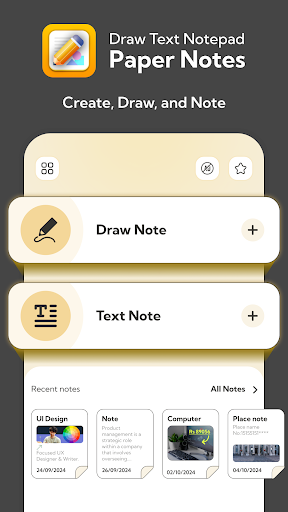
<b>Create, Draw and Note Like Never Before!</b>
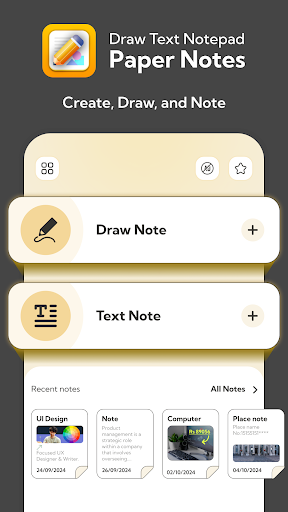
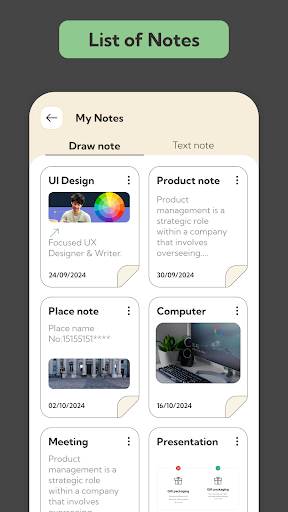
This app is your all-in-one drawing tool for creativity and productivity. Whether you’re sketching, jotting ideas, or crafting colorful text notes, this app makes it easy, fun and efficient!
Features That Make Your Notes Stand Out:
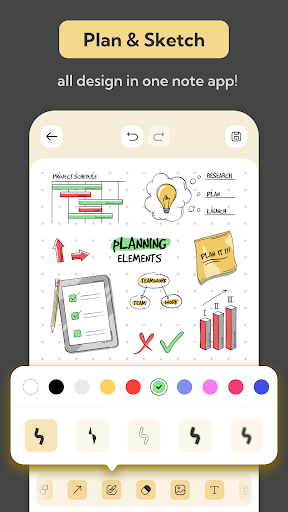
🖌️<b>Draw Note</b>
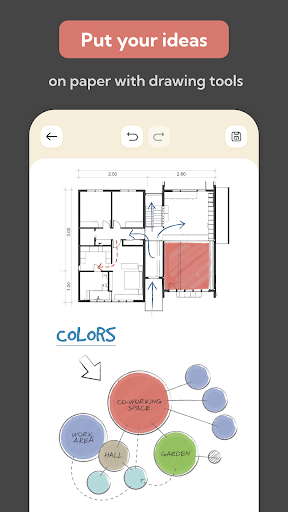
• Select your favorite backdrop, papers and colors.
• Use amazing tools like bordered or filled shapes, colorful brush lines and erasers.
• Add photos from camera or gallery directly to the canvas.
• Enjoy an array of stickers to make your notes pop!
<b>Capture Your Thoughts with Style</b>
✍️<b>Draw Text</b>
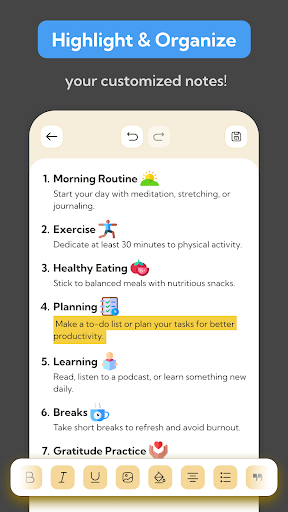
• Write text notes with powerful editing tools.
• Style your text: …
Read the full description
<b>Create, Draw and Note Like Never Before!</b> This app is your all-in-one drawing tool for creativity and productivity. Whether you’re sketching, jotting ideas, or crafting colorful text notes, this app makes it easy, fun and efficient! Features That Make Your Notes Stand Out: 🖌️<b>Draw Note</b> • Select your favorite backdrop, papers and colors. • Use amazing tools like bordered or filled shapes, colorful brush lines and erasers. • Add photos from camera or gallery directly to the canvas. • Enjoy an array of stickers to make your notes pop! <b>Capture Your Thoughts with Style</b> ✍️<b>Draw Text</b> • Write text notes with powerful editing tools. • Style your text: Bold, Italic, Underline, Strike-through. • Add dividers, superscripts (X²), subscripts (X₂), hyperlinks & many more options. • Change text size, font and color for customization. • Highlight important text with ease. • Share your text notes as images or plain text. 📋<b>Home Screen Notes</b> • Quickly access and view all your recent notes directly from the Home Screen. <b>Why Choose Draw Text Notepad?</b> 🎨 Perfect for artists, writers, and anyone who loves to stay organized. 📋 Combines creativity and productivity in one app. 🔗 Easily share your ideas with friends or save them for later. <b>Use Cases</b> <b>1. For Creative Professionals</b> • Sketch and Brainstorm Ideas: Artists, designers and illustrators can quickly sketch rough ideas or brainstorm concepts using the drawing tools and customizable canvases. • Design Mood Boards: Combine drawings, text, photos, and stickers to create mood boards or visual inspiration. <b>2. Hobby and Leisure • Recipe Notes: Write down recipes and add photos & share with anyone. • Travel Journals: Document travel experiences with a mix of text notes, and photos. <b>4. Project Planning • Project Planning: Use drawing tools to outline workflows, draw timelines, and attach notes for task details. <b>5. Creative Note-Taking • Style your notes with colorful text, fun fonts, and highlights. Add sketches or doodles to organize your thoughts with a creative touch. <b>6. Instant Sketch Pad</b> • Draw, doodle, or design effortlessly with brushes, shapes, and vibrant colors. Perfect for quick ideas or sharing your art. <b>7. Personalized Journals & Lists</b> • Create stylish journals or to-do lists with notes, drawings, stickers, and photos. Make everyday tasks fun and organized! Download the app now and experience the simplest way to create, draw and share notes with style!</b></b></b>
Installs since 1 Sep 2026 Measured
Exact Google Play install counts, collected daily
Ratings
16 ratings, 3 reviews
- 5 ★80%
- 4 ★20%
- 3 ★0.0%
- 2 ★0.0%
- 1 ★0.0%
Recent reviews
Latest public reviews from the store
No reviews in our sample for this app yet.
Top chart positions
Latest Google Play chart ranks by country, last 10 days
Not in any tracked top chart in the last 10 days.
Draw Text Notepad: Paper Notes history
Release, install milestones, listing and store changes
- Reached 1,000+ installs 17 Apr 2025
- Reached 500+ installs 6 Mar 2025
- Reached 100+ installs 20 Feb 2025
- First released on the store 27 Jan 2025
Update frequency
How often Draw Text Notepad: Paper Notes ships a new version, month by month
1 updates in the last 12 months. More often than most similar apps: they shipped a median of 0 updates in the same year.
Recent versions
Current version Varies with device
- Version 1.0.16 Mar 2026
Listing keywords
Words and phrases Draw Text Notepad: Paper Notes repeats most in its store listing
Top phrases: text notes (4), draw text (3), creativity and productivity (2), draw text notepad (2), add photos (2).
Highlighted words also appear in the title. Counts cover the title, short description and description.
Business model and tech
From the store listing and declared permissions
- Business model
- Free to downloadIn-app purchasesShows ads
- Subscriptions and payments
- Google Play billing
- Sensitive access
- Advertising ID
15 permissions
0 special access, 1 sensitive, 14 standard
- Show notificationsPOST_NOTIFICATIONSSensitive
- Ad attribution (Privacy Sandbox)ACCESS_ADSERVICES_ATTRIBUTIONStandard
- Ad topics (Privacy Sandbox)ACCESS_ADSERVICES_TOPICSStandard
- Read how it was installed (install referrer)BIND_GET_INSTALL_REFERRER_SERVICEStandard
- Read the advertising IDAD_IDStandard
- Read the advertising ID (Privacy Sandbox)ACCESS_ADSERVICES_AD_IDStandard
- Keep the phone awakeStandard
- Run a foreground serviceFOREGROUND_SERVICEStandard
- Start when the phone turns onStandard
- Full internet accessStandard
- See network connectionsStandard
- Receive push messagesStandard
Compliance
What the listing and the app package show
- Store status
- Removed (10 Nov 2026)
- Upkeep
- Updated 6 Mar 2026
- Registered in
- India
- Privacy policy
- Linked on the listing
- Advertising
- Shows ads
- In-app purchases
- Offered
- Age rating
- Everyone
- Sensitive permissions
- 1 sensitive of 15
- Location access
- No
- Camera and microphone
- Neither
Apps like Draw Text Notepad: Paper Notes
iLoomSpice Box Product Development9.2K installs★ 2.44
Soft Pink Blue Watch Facejigu watchface9K installs★ 4.38
Mehndi Designs offlineRR Mobile Apps4K installs★ 4.9
Sesame Street Art MakerSesame Workshop15.1K installs★ 4.0
FumiFumiSorasu Software11.2K installs★ 4.5
Inspiring Quotes Coloring BookAulaul apps9K installs★ 4.21
Album Cover MakerChristopher Enim35.2K installs★ 2.83
Design Studio for Cut MachineColoring Laze8.5K installs★ 4.0
Dallas Cowboys Wallpapers 4KBADON8.4K installs★ 4.59
Draw Text Notepad: Paper Notes: questions and answers
How many downloads does Draw Text Notepad: Paper Notes have?
Draw Text Notepad: Paper Notes has 5,248 installs on Google Play, measured from the store's own count on 10 Nov 2026.
Who makes Draw Text Notepad: Paper Notes?
Draw Text Notepad: Paper Notes is published by SM Infotech, a developer based in IN.
When was Draw Text Notepad: Paper Notes last updated?
The latest version (Varies with device) was released on 6 Mar 2026.
Is Draw Text Notepad: Paper Notes free?
Yes. Draw Text Notepad: Paper Notes is free to download and offers in-app purchases, and it shows ads.
Is Draw Text Notepad: Paper Notes still available?
No. Draw Text Notepad: Paper Notes is no longer listed on Google Play. We first saw it missing around 10 Nov 2026.
Track Draw Text Notepad: Paper Notes and its competitors
Watch any app for new versions, rating drops, chart moves and removals. Free plan, no card.