DroidJoy: Gamepad Joystick
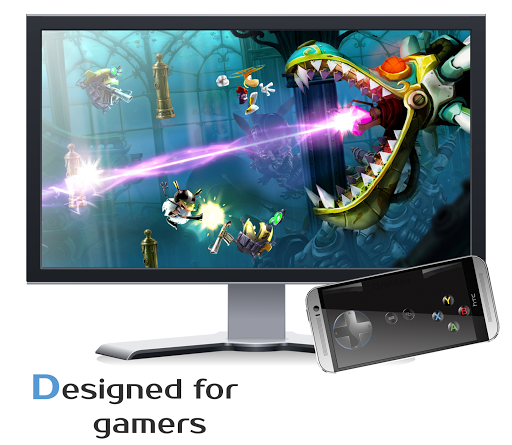
Turn your smartphone in a real customizable gamepad device for Windows PCs.
- Installs
- 14.08K
- Measured
- Rating
- 4.33
- Ratings
- 420
- 39 reviews
- Version
- Varies with device
- Updated 11 Aug 2024
- Released
- 3 Jul 2015
- Tracked since 12 May 2026
- Size
- —
Screenshots

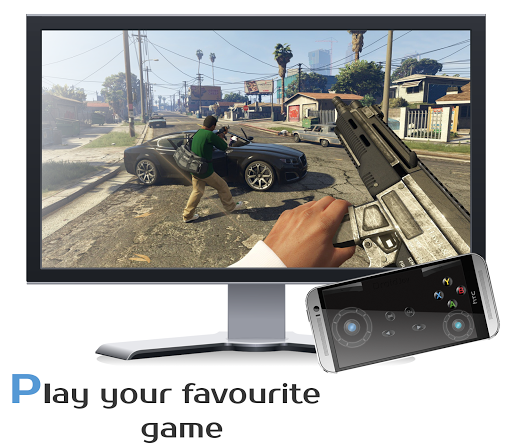
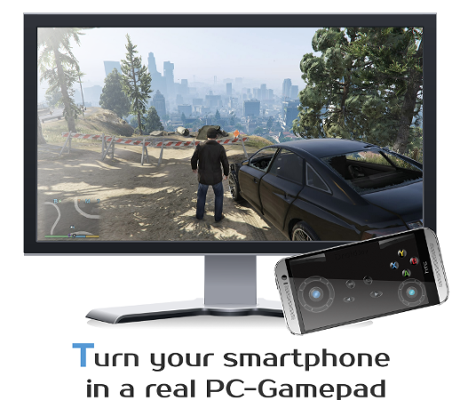
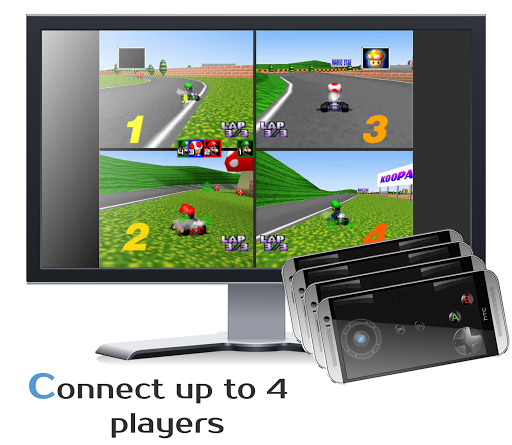


About DroidJoy: Gamepad Joystick
The description on the store listing
DroidJoy - Full version
<b>Note: Does not work on consoles</b>
<b>*Server supports now XInput and DInput emulation*</b>
<b>*DroidJoy server 2.0.1. works on Windows 7 and above*</b>
<h1>Before installing the app</h1>
<b>1.</b> Download the DroidJoy server software from https://grill2010.github.io/droidJoy.html#download
<b>2.</b> Install and start the server on your PC (If you have any problems, don't hesitate to contact me)
<b>3.</b> Be sure that your server and your Smartphone are in the same network. If you intend to use Bluetooth, be sure your PC is set to visible.
<b>4.</b> Start the DroidJoy app. Navigate to the "Connect" window and click "Search server".
<b>Windows 10 …
Read the full description
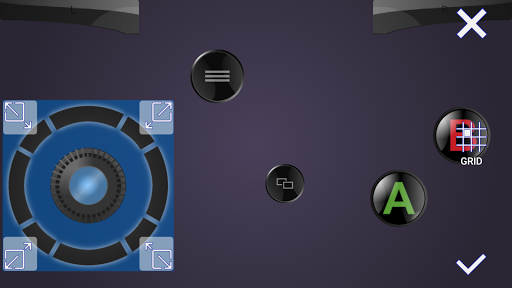
DroidJoy - Full version <b>Note: Does not work on consoles</b> <b>*Server supports now XInput and DInput emulation*</b> <b>*DroidJoy server 2.0.1. works on Windows 7 and above*</b> <h1>Before installing the app</h1> <b>1.</b> Download the DroidJoy server software from https://grill2010.github.io/droidJoy.html#download <b>2.</b> Install and start the server on your PC (If you have any problems, don't hesitate to contact me) <b>3.</b> Be sure that your server and your Smartphone are in the same network. If you intend to use Bluetooth, be sure your PC is set to visible. <b>4.</b> Start the DroidJoy app. Navigate to the "Connect" window and click "Search server". <b>Windows 10 1903 problem:</b> DInput is no longer supported in the server version 2.1.0. If you still need to use DInput you must use the DroidJoy server version 2.0.4 and you must have installed an older Windows version than Windows 10 build 1903. With DroidJoy you can use your Android Smartphone as PC Joystick / Controller. Almost every game is supported due DInput and XInput emulation. Play games like GTA V, Call of Duty, Need for Speed, Sonic Mania, GTA San Andreas, Counter Strike and many more. If you have any problems with the installation of the server, don't hesitate to contact me. I will reply as soon as possible. <b>!Be sure the DroidJoy server is running when you start your game or emulator. The game may not recognize gamepads which are plugged in during its runtime. In this case, simply restart your game!</b> For further information, please have a look at <b>General information</b> • https://github.com/grill2010/DroidJoy_Server/wiki <b>FAQ</b> • https://github.com/grill2010/DroidJoy_Server/wiki/FAQ <b>Server Tutorial</b> • https://github.com/grill2010/DroidJoy_Server/wiki/DroidJoy-Server-Tutorial <b>How to install the DroidJoy server</b> • https://youtu.be/jCHxhcYih1Y <h1>Description</h1> DroidJoy turns your Android Smartphone in a <b>real gamepad device</b> for your Windows PC. It offers many controller configuration possibilities, so that you can use it for multiple game genres. DroidJoy is not a simple Keyboard Mouse emulator, it is a real gamepad. The driver and the server are available for Windows 7 and above. The server can handle up to 4 DroidJoy Clients so that you can easily play multiplayer games with your friends by using only your Smartphones. All you need is the DroidJoy server software, which you can download from the official website for free: https://grill2010.github.io/droidJoy.html#download If you receive some warnings from Windows or your Firewall, please don't worry. The server has been tested on Windows Windows 7, Windows 8, Windows 8.1 and Windows 10. If you have any problems with the installation of the server please feel free to contact me at [email protected]. <h3>Requirements</h3> - Running DroidJoy server on your PC - Android version 5.0 (Lollipop) or higher <h3>Version 2.0</h3> - Real gamepad emulation * Multi Client support * Up to 14 Buttons * G-Sensor support * Buttons, volume keys, d-pad, left/ right joystick * Use WiFi or Bluetooth connection - X-Box 360 controller emulation with native XInput driver - Gamepad layout configuration * Customization of template layouts - Easy connection Setup <h3>Information</h3> - If you want to connect more than one Smartphone with your PC, you have to configure the same amount of virtual gamepads in the server application. Note: It can have several reasons if your game doesn't recognize the virtual gamepad as input device. Some new games just support X-Box gamepads and won't work with DInput gamepads. Please try the free lite version before purchasing the full version.
Installs since 29 Aug 2026 Measured
Exact Google Play install counts, collected daily
Ratings
420 ratings, 39 reviews
- 5 ★67%
- 4 ★17%
- 3 ★9.3%
- 2 ★0.0%
- 1 ★7.3%
Recent reviews
Latest public reviews from the store
- 13 May 2026
works great
- 22 Oct 2025
I set it up today and it was working for about 30 mins, then the app just randomly become unresponsive and responsive again multiple times. I checked the connection and it looked fine. We wasted a lot of time trying to troubleshoot but can't do anything
- 11 Sep 2025
A great app, only downsides being: 1- no slider type buttons (minor as can be mitigated with stick settings) 2- No zero-point calibration fkr the accelerometer! This second part makes it mostly useless for flight games sadly.
- 10 Jan 2025
Excellent application, I give it 5 stars, but why is there an A button, and not others separately. I need to space these buttons under my thumbs. Therefore only 3 stars.
What reviewers bring up
Topics mentioned in the latest 50 reviews, by how many reviews mention them
Liked in good reviews (36 reviews)
- controller 4
- better 4
- set 4
- developer 3
- gamepad 3
- buttons 3
- android 3
- little 3
Raised in bad reviews (7 reviews)
- shows 2
Top chart positions
Latest Google Play chart ranks by country, last 10 days
Not in any tracked top chart in the last 10 days.
DroidJoy: Gamepad Joystick history
Release, install milestones, listing and store changes
- Reached 10,000+ installs 28 Oct 2022
- Reached 5,000+ installs 14 Apr 2020
- Moved from Entertainment to Tools 20 Oct 2017
- Moved from Tools to Entertainment 17 Aug 2017
- Reached 1,000+ installs 22 May 2016
- Reached 500+ installs 13 Feb 2016
- Reached 100+ installs 12 Dec 2015
- Reached 50+ installs 12 Nov 2015
Recent versions
Current version Varies with device
- Version 2.5.011 Aug 2024
- Version 2.3.116 Dec 2022
- Version 2.2.131 Mar 2020
- Version 2.1.04 Jun 2019
Listing keywords
Words and phrases DroidJoy: Gamepad Joystick repeats most in its store listing
Top phrases: droidjoy server (7), real gamepad (3), windows windows (3), droidjoy server software (2), hesitate to contact (2).
Highlighted words also appear in the title. Counts cover the title, short description and description.
Business model and tech
From the store listing, the SDKs in the app package and its declared permissions
- Business model
- Paid, $3.49
- Built with
- No cross-platform framework or game engine detected
- Ad networks (0)
- None detected
- Sensitive access
- LocationNearby devices
0 ad, attribution and analytics SDKs detected. SDKs are read from the app package and permissions from the store listing, so code that loads later is not seen.
Technology
14 SDKs found in the app package
13 permissions
0 special access, 4 sensitive, 9 standard
- Approximate locationSensitive
- Precise locationSensitive
- Connect to paired Bluetooth devicesBLUETOOTH_CONNECTSensitive
- Find nearby Bluetooth devicesBLUETOOTH_SCANSensitive
- Control vibrationStandard
- Keep the phone awakeStandard
- Access Bluetooth settingsStandard
- Pair with Bluetooth devicesStandard
- Full internet accessStandard
- See network connectionsStandard
- Allow Wi-Fi Multicast receptionStandard
- Internal app permissionDYNAMIC_RECEIVER_NOT_EXPORTED_PERMISSIONStandard
Compliance
What the listing and the app package show
- Store status
- Live
- Upkeep
- No update since 11 Aug 2024
- Registered in
- Austria
- Privacy policy
- Linked on the listing
- Advertising
- No ads declared
- In-app purchases
- None declared
- Age rating
- Everyone
- Sensitive permissions
- 4 sensitive of 13
- Location access
- Yes, while in use
- Camera and microphone
- Neither
Apps like DroidJoy: Gamepad Joystick
Apk GeneratorAks Apps92.9K installs★ 3.54
Total Control 2.0Extraflame S.p.A.30K installs★ 2.67
EASI DriverHungrypanda Au Pty Ltd43.8K installs★ 3.67
Waste calendarZampogna Gianluca33.5K installs★ 3.0
Offline Password ManagerYogesh Dama21.4K installs★ 3.77
OBD Pluswanbaolu46.9K installs★ 2.67
Dreamy Light Jar ThemesTheme Design Apps for Android31.1K installs★ 4.75
- Apk Plus Sharing app - Application ManagerApp Sharing Management Lab226K installs★ 4.56
LaserPecker Design SpaceShenzhen Hingin Technology Co., Ltd.80.4K installs★ 2.05
DroidJoy: Gamepad Joystick: questions and answers
How many downloads does DroidJoy: Gamepad Joystick have?
DroidJoy: Gamepad Joystick has 14,081 installs on Google Play, measured from the store's own count on 14 Nov 2026.
Who makes DroidJoy: Gamepad Joystick?
DroidJoy: Gamepad Joystick is published by Streaming Dev, a developer based in AT.
When was DroidJoy: Gamepad Joystick last updated?
The latest version (Varies with device) was released on 11 Aug 2024.
Is DroidJoy: Gamepad Joystick free?
No. DroidJoy: Gamepad Joystick is a paid app priced at $3.49.
Is DroidJoy: Gamepad Joystick still available?
Yes. DroidJoy: Gamepad Joystick is live on Google Play as of 14 Nov 2026.
Track DroidJoy: Gamepad Joystick and its competitors
Watch any app for new versions, rating drops, chart moves and removals. Free plan, no card.