
Edge Gesture Controls
Quick access phone actions with customizable edge gestures. Swipe, tap & more.
- Installs
- 95.32K
- Measured
- Rating
- 2.33
- Ratings
- 274
- 5 reviews
- Version
- Varies with device
- Updated 20 Oct 2025
- Released
- 9 Aug 2024
- Tracked since 13 May 2026
- Size
- —
Screenshots
About Edge Gesture Controls
The description on the store listing
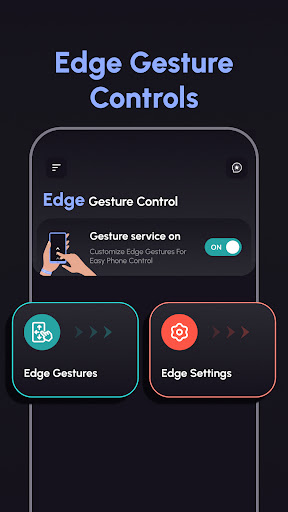
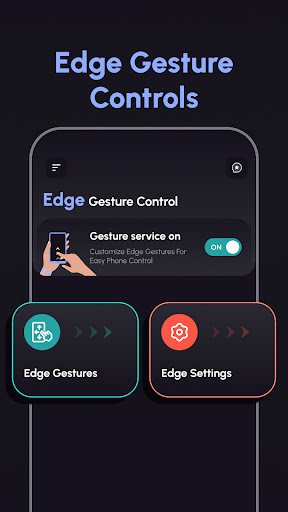
Quick access your phone actions with customizable edge gestures. Swipe, tap, and more.
Full Description:
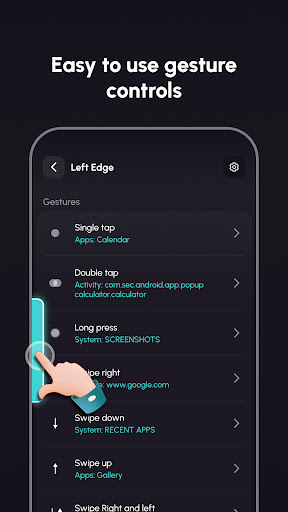
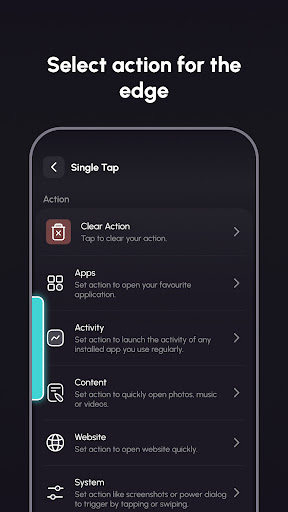
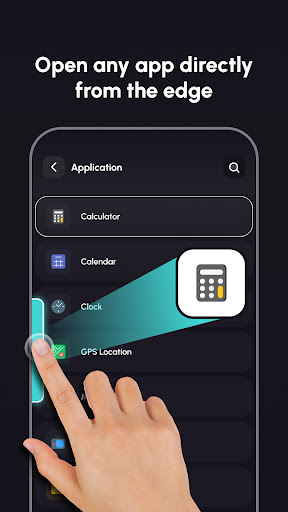
• Now you can perform tasks instantly with simple gestures on the screen's edge. Choose from a variety of gesture options like Single Tap, Double Tap, Long Press, Swipe Up, Swipe Down, and more to suit your needs.
• This app makes it easy to navigate your Android phone with simple gestures from the screen edges. Use customized actions to make everyday tasks faster and easier.
Key Features:
1. Edge Gesture Controls:
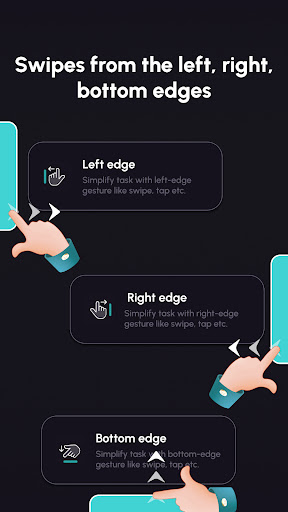
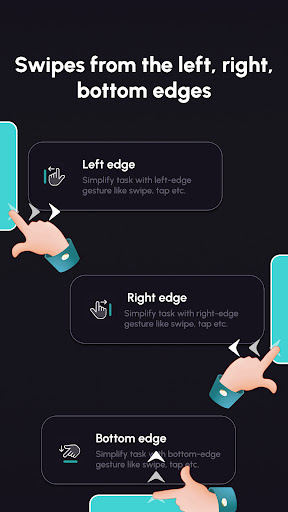
• Left/Right/Bottom Edge: Perform tasks quickly with gestures like swipe and tap from edge.Use the edge for easy access to your favorite actions.
• Set up actions …
Read the full description
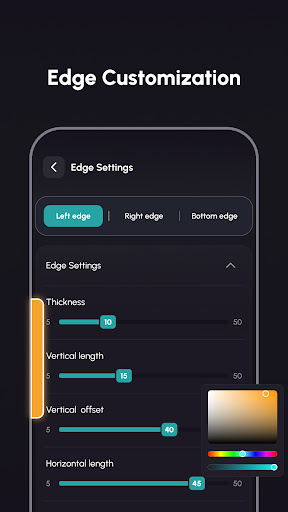
Quick access your phone actions with customizable edge gestures. Swipe, tap, and more. Full Description: • Now you can perform tasks instantly with simple gestures on the screen's edge. Choose from a variety of gesture options like Single Tap, Double Tap, Long Press, Swipe Up, Swipe Down, and more to suit your needs. • This app makes it easy to navigate your Android phone with simple gestures from the screen edges. Use customized actions to make everyday tasks faster and easier. Key Features: 1. Edge Gesture Controls: • Left/Right/Bottom Edge: Perform tasks quickly with gestures like swipe and tap from edge.Use the edge for easy access to your favorite actions. • Set up actions like Single Tap, Double Tap, Long Press, Swipe Up, Swipe Down, and more to suit your needs. 2. Edge Settings: • Adjustable Edge: Change the thickness, length, and position of the edge for comfortable use. • Personalize Edge Style: Choose a bar style, pick colors for the bar and icons, and make the edges match your theme. Why Use Edge Gesture Controls? • Faster Navigation: Get things done quicker with easy-to-use gestures. • Personalized gesture: Customize your gestures and how they look for a unique experience. • User-Friendly: Simple setup and intuitive design make it easy for anyone to use. Download app today and take access your phone actions using gestures! Permission: Accessibility Permission: We require the accessibility service permission to allow user to add edge views and perform user actions based on gestures such as expand notification panel, expand quick settings, recent apps, screenshot, lock screen switch to the previous app, power dialogue, ringtone, volume control, media volume control, open apps activity.User can choose any actions from their own. Disclosure: The app uses the Accessibility Service API to set action, which you want to perform on edge view's gesture.swipe right, left or bottom to perform action. No data is collected or shared using the Accessibility Service API!
Installs since 29 Aug 2026 Measured
Exact Google Play install counts, collected daily
Ratings
274 ratings, 5 reviews
- 5 ★22%
- 4 ★11%
- 3 ★0.0%
- 2 ★11%
- 1 ★56%
Recent reviews
Latest public reviews from the store
- 12 Apr 2024
Has expansions, for $1.50 each. Considering the base game is free, it's still a bargain only for 4.50. Comes with pass and play or online for multiplayer. AI is good, no bugs as of yet, and perfectly recreates the game. No fancy movement animations or anything, but that's not a problem.
- 31 Jul 2023
hive is an excellent game and this app is perfect for learning how to play! easy to learn, impossible to master. i was a little irked for a moment that the other bug expansions were microtransactions, but then i realized i hadn't seen a single ad -- worth it! once you master the base game i encourage you to support the devs and learn how to play with mosquitos, pill bugs and ladybugs!
- 20 Mar 2022
The app plays very well most of the time and is a good place to play hive. I do find that on certain games the ai will just intentionally lose by dropping all their pieces in a straight line but otherwise the game works great. I personally find it a little frustrating that the expansion pieces all cost money and are sold separately for more than I think is justified but the actual game runs well and I think the app itself is well designed and very functional.
- 28 Aug 2021
So far it's pretty good. I'm a little disappointed that I have to pay for the expansion pieces. I feel as though the beginner and easy modes are too easy, and the medium difficulty is a little too hard so far. Its not a terrible thing tho, like anything practice, practice, practice. It's a great way to learn strategies to implement when playing real people and the AI in the app. Graphics are as good as they need to be I guess. I think the explanation of the rules are well done on the app also.
What reviewers bring up
Topics mentioned in the latest 10 reviews, by how many reviews mention them
Liked in good reviews (8 reviews)
- pieces 4
- expansion 3
- online 3
- little 3
- think 3
- board 3
- bugs 3
- hive 3
Raised in bad reviews (0 reviews)
No topic comes up twice.
Top chart positions
Latest Google Play chart ranks by country, last 10 days
Not in any tracked top chart in the last 10 days.
Edge Gesture Controls history
Release, install milestones, listing and store changes
- Removed from the store 7 Nov 2026
- Reached 50,000+ installs 20 Oct 2025
- Reached 10,000+ installs 3 Nov 2024
- Reached 5,000+ installs 27 Oct 2024
- Reached 1,000+ installs 1 Sep 2024
- Reached 500+ installs 19 Aug 2024
- First released on the store 9 Aug 2024
Update frequency
How often Edge Gesture Controls ships a new version, month by month
0 updates in the last 12 months. Less often than most similar apps: they shipped a median of 2 updates in the same year.
Recent versions
Current version Varies with device
- Version 1.0.112 Jul 2025
- Solved minor errors.
Listing keywords
Words and phrases Edge Gesture Controls repeats most in its store listing
Top phrases: edge gesture controls (3), accessibility service (3), edge gesture (3), gesture controls (3), phone actions (3).
Highlighted words also appear in the title. Counts cover the title, short description and description.
Business model and tech
From the store listing and declared permissions
- Business model
- Free to downloadIn-app purchasesShows ads
- Subscriptions and payments
- Google Play billing
- Sensitive access
- Advertising ID
13 permissions
0 special access, 1 sensitive, 12 standard
- Show notificationsPOST_NOTIFICATIONSSensitive
- Ad attribution (Privacy Sandbox)ACCESS_ADSERVICES_ATTRIBUTIONStandard
- Ad topics (Privacy Sandbox)ACCESS_ADSERVICES_TOPICSStandard
- Read the advertising IDAD_IDStandard
- Read the advertising ID (Privacy Sandbox)ACCESS_ADSERVICES_AD_IDStandard
- Keep the phone awakeStandard
- Run a foreground serviceFOREGROUND_SERVICEStandard
- Start when the phone turns onStandard
- Full internet accessStandard
- See network connectionsStandard
- Receive push messagesStandard
- Internal app permissionDYNAMIC_RECEIVER_NOT_EXPORTED_PERMISSIONStandard
Compliance
What the listing and the app package show
- Store status
- Removed (7 Nov 2026)
- Upkeep
- Updated 20 Oct 2025
- Registered in
- India
- Privacy policy
- Linked on the listing
- Advertising
- Shows ads
- In-app purchases
- Offered
- Age rating
- Everyone
- Sensitive permissions
- 1 sensitive of 13
- Location access
- No
- Camera and microphone
- Neither
Apps like Edge Gesture Controls
Fit Tolerance ISOYaşar Yücel Yeşilbağ151K installs★ 4.83
ADL DMX CalculatorKirill Trofimov62K installs★ 5.0
Screenshot Expert: Markup ToolTasakiApps12.2K installs★ 4.25
TV Remote - Control Roku & AllLyra mob110K installs★ 4.03
Battery barABC.21.1K installs★ 3.18
Bubble LevelEONSOFT55K installs★ 4.8
Bubble LevelCrydata13.2K installs★ 4.85
M Calendar(calendar, schedule)Sunguy257K installs★ 3.56
Easy Homescreen LauncherSimple Palace studio69.2K installs★ 3.94
Edge Gesture Controls: questions and answers
How many downloads does Edge Gesture Controls have?
Edge Gesture Controls has 95,323 installs on Google Play, measured from the store's own count on 14 Nov 2026.
Who makes Edge Gesture Controls?
Edge Gesture Controls is published by JB Andro, a developer based in IN.
When was Edge Gesture Controls last updated?
The latest version (Varies with device) was released on 20 Oct 2025.
Is Edge Gesture Controls free?
Yes. Edge Gesture Controls is free to download and offers in-app purchases, and it shows ads.
Is Edge Gesture Controls still available?
No. Edge Gesture Controls is no longer listed on Google Play. We first saw it missing around 7 Nov 2026.
Track Edge Gesture Controls and its competitors
Watch any app for new versions, rating drops, chart moves and removals. Free plan, no card.