
Excel Reader : XLS File Viewer
XLSX Reader : View, Read & Edit XLS, XLSX, Sheets and manage Excel files easily.
- Installs
- 640K
- Measured
- Rating
- 4.06
- Ratings
- 6.3K
- 6 reviews
- Version
- 1.30
- Updated 10 Aug 2026
- Released
- 12 Feb 2025
- Tracked since 13 May 2026
- Size
- —
Screenshots
About Excel Reader : XLS File Viewer
The description on the store listing
📗 Excel Reader – XLS & XLSX File Viewer and Editor for Android
Explore the next generation of mobile spreadsheet tools!
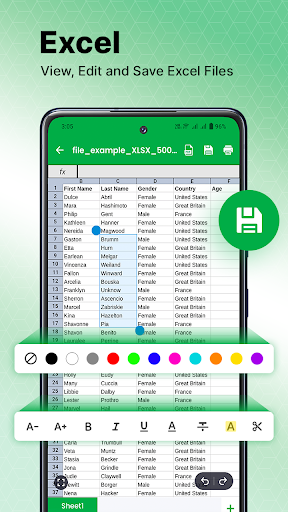
📊 Excel Reader: XLS & XLSX File Viewer is your lightweight, fast, and powerful Excel viewer and editor app for Android. Easily open, view, edit, and manage Excel spreadsheets (XLS, XLSX) on your phone – even offline!
🚀 Top Features of Excel Viewer & Editor:
✅ Offline Excel File Viewer – No Internet Needed
Open and read XLS/XLSX files without Wi-Fi. Perfect for travel, remote work, and on-the-go productivity.
✅ Fast Excel File Opener
Open large XLS and XLSX files instantly with our optimized Excel reader engine.
✅ Easy XLS File Editor
Edit Excel …
Read the full description
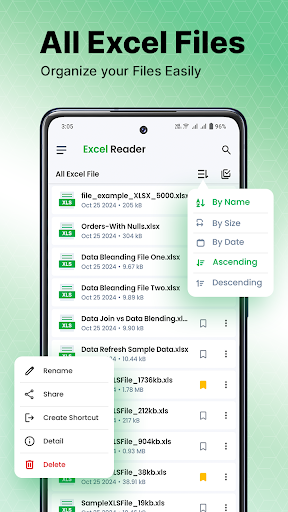
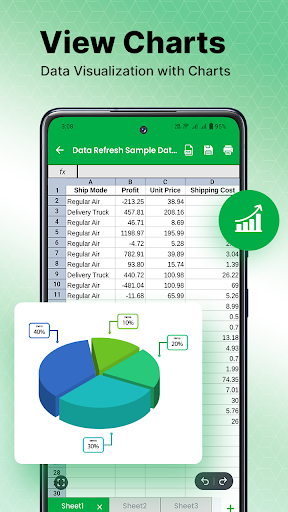
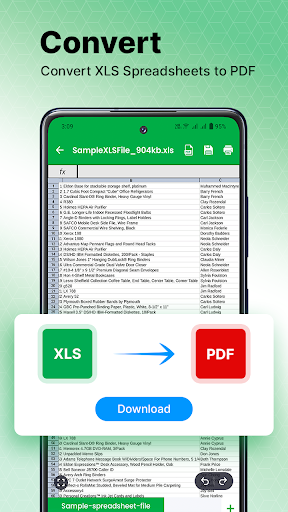
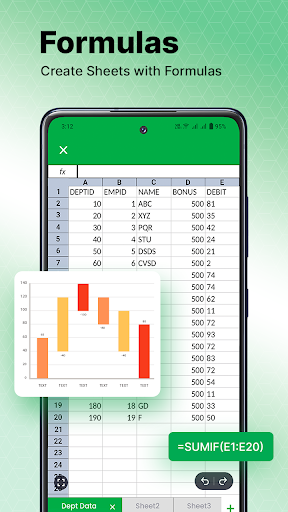
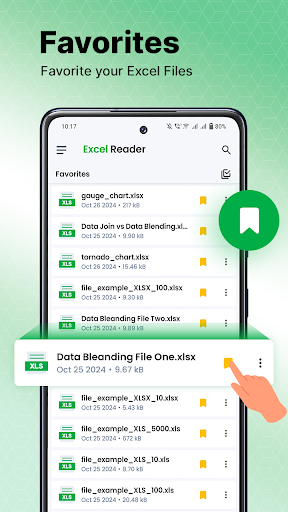
📗 Excel Reader – XLS & XLSX File Viewer and Editor for Android Explore the next generation of mobile spreadsheet tools! 📊 Excel Reader: XLS & XLSX File Viewer is your lightweight, fast, and powerful Excel viewer and editor app for Android. Easily open, view, edit, and manage Excel spreadsheets (XLS, XLSX) on your phone – even offline! 🚀 Top Features of Excel Viewer & Editor: ✅ Offline Excel File Viewer – No Internet Needed Open and read XLS/XLSX files without Wi-Fi. Perfect for travel, remote work, and on-the-go productivity. ✅ Fast Excel File Opener Open large XLS and XLSX files instantly with our optimized Excel reader engine. ✅ Easy XLS File Editor Edit Excel spreadsheets on Android: add or modify cell values, adjust data, and correct errors easily. ✅ All-in-One Spreadsheet Viewer Supports Excel 97-2003 (XLS) and Excel 2007+ (XLSX) file formats with smooth performance. ✅ High-Quality Spreadsheet Rendering Enjoy professional-quality layout and data presentation, great for Excel data analysis and review. 🔧 Advanced Spreadsheet Tools: 📁 File Management Rename, delete, move, and organize your Excel documents directly from the app. 📌 Favorites Pin frequently used spreadsheets for quick access. 📤 Excel File Sharing Easily send XLS/XLSX files via email, messaging apps, or cloud storage. 🖨️ Instant Print Support Print Excel files directly from your Android device. 🔍 Customizable View Options Switch between landscape and portrait, zoom in/out, and toggle full screen for comfortable viewing. 🛠️ Formula Editing & Sheet Navigation Quickly scroll between sheets, search content, and make formula-level changes. 👩💼 Ideal For: • Business professionals needing a mobile Excel editor • Students reviewing spreadsheet assignments • Freelancers or remote workers managing XLSX reports • Anyone needing a free Excel file opener on Android ⭐ Why Choose Excel Reader: ✔️ Clean, user-friendly UI ✔️ Lightning-fast performance for large files ✔️ 100% free XLSX viewer & editor ✔️ Supports both .xls and .xlsx formats ✔️ Regular updates and enhancements 📱 Supported Features: • View and edit Excel sheets (XLS/XLSX) • Supports formulas, cell formatting, and more • Import and open spreadsheets from file manager or cloud • View files from internal storage, SD card, or downloads • Multi-sheet support for complex Excel workbooks Download Excel Reader: XLS & XLSX File Viewer now and enjoy full-featured Excel file editing, viewing, and sharing — anytime, anywhere!
Installs, last 30 days Measured
Exact Google Play install counts, collected daily
Ratings
6,294 ratings, 6 reviews
- 5 ★67%
- 4 ★12%
- 3 ★4.1%
- 2 ★4.1%
- 1 ★12%
Recent reviews
Latest public reviews from the store
- 19 May 2026
Easy phone cloning app, worked perfectly for me 🌷
- 18 May 2026
Opens XLS and XLSX files instantly, no glitches. Exactly what I needed!🥰🥰
- 18 May 2026
Easy to navigate and packed with useful features 😎
- 16 May 2026
Opens big spreadsheets fast without freezing Handled a 20MB XLSX with multiple sheets and formulas perfectly. Filtering and zoom work smoothly, and it’s offline too.🥰🥰
What reviewers bring up
Topics mentioned in the latest 50 reviews, by how many reviews mention them
Liked in good reviews (50 reviews)
- excel 24
- reader 21
- files 19
- xlsx 16
- opening 11
- useful 11
- viewing 10
- fast 9
Raised in bad reviews (0 reviews)
No topic comes up twice.
Top chart positions
Latest Google Play chart ranks by country, last 10 days
Not in any tracked top chart in the last 10 days.
Excel Reader : XLS File Viewer history
Release, install milestones, listing and store changes
- Reached 100,000+ installs 16 Mar 2026
- Reached 50,000+ installs 5 Jan 2026
- Reached 10,000+ installs 17 Sep 2025
- Reached 5,000+ installs 6 Aug 2025
- First released on the store 12 Feb 2025
Update frequency
How often Excel Reader : XLS File Viewer ships a new version, month by month
9 updates in the last 12 months. More often than most similar apps: they shipped a median of 2 updates in the same year.
Recent versions
Current version 1.30
- Version 1.3010 Aug 2026
- Fixed various bugs and improved app stability. - Added a new option to create a new Excel file. - Improved overall user experience and performance.
- Version 1.2919 Jun 2026
major bug fixed !!
- Version 1.2815 Jun 2026
bug fix !!
- Version 1.265 Apr 2026
major bug fixed !
Listing keywords
Words and phrases Excel Reader : XLS File Viewer repeats most in its store listing
Top phrases: xls xlsx (8), excel reader (6), excel file (5), file viewer (5), excel reader xls (4).
Highlighted words also appear in the title. Counts cover the title, short description and description.
Business model and tech
From the store listing and declared permissions
- Business model
- Free to downloadIn-app purchases
- Subscriptions and payments
- Google Play billing
- Sensitive access
- Photos, videos and filesAdvertising ID
25 permissions
2 special access, 3 sensitive, 20 standard
- Change system settingsWRITE_SETTINGSSpecial access
- Manage all filesMANAGE_EXTERNAL_STORAGESpecial access
- Change or delete shared storageSensitive
- Read shared storageSensitive
- Show notificationsPOST_NOTIFICATIONSSensitive
- Ad attribution (Privacy Sandbox)ACCESS_ADSERVICES_ATTRIBUTIONStandard
- Ad topics (Privacy Sandbox)ACCESS_ADSERVICES_TOPICSStandard
- Privacy Sandbox ads (custom audience)ACCESS_ADSERVICES_CUSTOM_AUDIENCEStandard
- Read how it was installed (install referrer)BIND_GET_INSTALL_REFERRER_SERVICEStandard
- Read the advertising IDAD_IDStandard
- Read the advertising ID (Privacy Sandbox)ACCESS_ADSERVICES_AD_IDStandard
- App icon badge countsBADGE_COUNT_READStandard
Compliance
What the listing and the app package show
- Store status
- Live
- Upkeep
- Updated 10 Aug 2026
- Registered in
- India
- Privacy policy
- Linked on the listing
- Advertising
- No ads declared
- In-app purchases
- Offered
- Age rating
- Everyone
- Sensitive permissions
- 3 sensitive, 2 special access of 25
- Location access
- No
- Camera and microphone
- Neither
Apps like Excel Reader : XLS File Viewer
Smart TranslatorSMARTWHO1.4M installs★ 4.51
AI Notes & Transcribe MemoNewway Apps1.2M installs★ 4.17
ScanAll - QR code & BarcodesGlilab524K installs★ 5.0
Sleep Time - Alarm CalculatorOleg Filimonov1.5M installs★ 4.6
RICOH Smart Device ConnectorRicoh Co., Ltd.3.3M installs★ 3.16
AdsCoin - Easy Mobile EarningsCDM Apps263K installs★ 3.37
TIM Segurança DigitalFS SECURITY SERVIÇOS DE TECNOLOGIA S A328K installs★ 4.69
All Document Reader - ViewerDragster Production2.1M installs★ 3.37
Habit Tracker - Habit RadarGoal Tracker203K installs★ 4.48
Excel Reader : XLS File Viewer: questions and answers
How many downloads does Excel Reader : XLS File Viewer have?
Excel Reader : XLS File Viewer has 639,880 installs on Google Play, measured from the store's own count on 19 Nov 2026.
Who makes Excel Reader : XLS File Viewer?
Excel Reader : XLS File Viewer is published by OKDOWNLOADER LLZ, a developer based in IN.
When was Excel Reader : XLS File Viewer last updated?
The latest version (1.30) was released on 10 Aug 2026.
Is Excel Reader : XLS File Viewer free?
Yes. Excel Reader : XLS File Viewer is free to download and offers in-app purchases.
Is Excel Reader : XLS File Viewer still available?
Yes. Excel Reader : XLS File Viewer is live on Google Play as of 19 Nov 2026.
Track Excel Reader : XLS File Viewer and its competitors
Watch any app for new versions, rating drops, chart moves and removals. Free plan, no card.