
Excel shortcut keys - Codeplay
Easy to learn all shortcut keys for the Microsoft Excel application
- Installs
- 10.89K
- Measured
- Rating
- —
- Ratings
- —
- Version
- Varies with device
- Updated 17 Apr 2026
- Released
- 20 Mar 2020
- Tracked since 10 May 2026
- Size
- 2 MB
- Needs 4.4
Screenshots



About Excel shortcut keys - Codeplay
The description on the store listing
Even if you’re familiar with Microsoft Excel, you might be surprised by the number and variety of keyboard shortcuts you can use to speed up your work and generally make things more convenient.
Now, does anyone expect you to memorize all these keyboard combos? Of course not! Everyone’s needs are different, so some will be more useful to you than others. And even if you pick up a few new tricks, it’s worth it. We’ve also tried to keep the list clean and simple, so go ahead and print it that helps!
Also, even though our list of shortcuts here is pretty long, it’s by no means a complete list of every keyboard combo available in Excel. We’ve tried to keep it to the more generally useful …
Read the full description
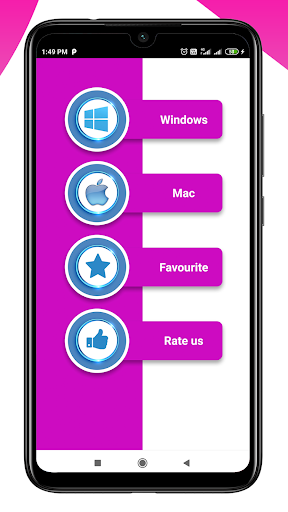
Even if you’re familiar with Microsoft Excel, you might be surprised by the number and variety of keyboard shortcuts you can use to speed up your work and generally make things more convenient. Now, does anyone expect you to memorize all these keyboard combos? Of course not! Everyone’s needs are different, so some will be more useful to you than others. And even if you pick up a few new tricks, it’s worth it. We’ve also tried to keep the list clean and simple, so go ahead and print it that helps! Also, even though our list of shortcuts here is pretty long, it’s by no means a complete list of every keyboard combo available in Excel. We’ve tried to keep it to the more generally useful shortcuts. And, you’ll be happy to know that almost all of these shortcuts have been around for a long time, so they should be helpful no matter what version of Excel you’re using. The more you use keyboard shortcuts, the easier they are to remember. And no one expects you to memorize all of them. Hopefully, you’ve found a few new ones you can use to make your life in Excel a little better. Need more help with keyboard shortcuts? You can access Help anytime by pressing F1. This opens a Help pane and allows you to search for help on any topic. Search for “keyboard shortcuts” to learn more. Features: 1) Excel shortcut keys for Windows operating system 2) Excel shortcut keys for mac operating system
Installs since 8 Nov 2026 Measured
Exact Google Play install counts, collected daily
Daily history starts once this app is in our daily install sample.
Ratings
- 5 ★0.0%
- 4 ★0.0%
- 3 ★0.0%
- 2 ★0.0%
- 1 ★0.0%
Recent reviews
Latest public reviews from the store
- 6 Apr 2026
the best best best
- 2 Aug 2025
This app is the best
- 22 Mar 2025
good
- 8 Dec 2024
That's awesome
What reviewers bring up
Topics mentioned in the latest 50 reviews, by how many reviews mention them
Liked in good reviews (36 reviews)
- application 10
- html 8
- viewer 7
- css 6
- wonderful 5
- recommend 4
- service 4
- code 4
Raised in bad reviews (12 reviews)
- cannot 2
- option 2
- open 2
- see 2
Top chart positions
Latest Google Play chart ranks by country, last 10 days
Not in any tracked top chart in the last 10 days.
Excel shortcut keys - Codeplay history
Release, install milestones, listing and store changes
- Reached 5,000+ installs 12 Jun 2022
- Reached 1,000+ installs 15 Oct 2020
- Reached 500+ installs 15 Aug 2020
- Reached 100+ installs 24 Apr 2020
- Reached 50+ installs 8 Apr 2020
- First released on the store 20 Mar 2020
Update frequency
How often Excel shortcut keys - Codeplay ships a new version, month by month
3 updates in the last 12 months. More often than most similar apps: they shipped a median of 0 updates in the same year.
Recent versions
Current version Varies with device
- Version 2.317 Apr 2026
- Version 2.212 Mar 2026
- Version 2.17 Jan 2026
- Version 2.06 Jul 2025
Listing keywords
Words and phrases Excel shortcut keys - Codeplay repeats most in its store listing
Top phrases: keyboard shortcuts (4), shortcut keys (4), excel shortcut keys (3), excel shortcut (3), microsoft excel (2).
Highlighted words also appear in the title. Counts cover the title, short description and description.
Business model and tech
From the store listing and declared permissions
- Business model
- Free to downloadShows ads
- Sensitive access
- No sensitive permission declared
Compliance
What the listing and the app package show
- Store status
- Live
- Upkeep
- Updated 17 Apr 2026
- Registered in
- India
- Privacy policy
- Linked on the listing
- Advertising
- Shows ads
- In-app purchases
- None declared
- Age rating
- Everyone
Apps like Excel shortcut keys - Codeplay
수원대학교 수강신청수원대학교34.9K installs★ 3.1
تنزيلةTaha Ben Ashur13.6K installs★ 5.0
मध्यकालीन भारत का इतिहासSuren Tech Lab24K installs★ 3.4
365 Morning & Evening PrayersELEGANT X STUDIO™17.5K installs★ 3.71
Chitas GuideThe Saber Team3.7K installs★ 5.0
GradStar AppPlum systems33K installs★ 1.7
- Mars ViewTobias Thierer4K installs★ 3.67
Theo TabTheologetics2.5K installs★ 5.0
MUNOLMUNOL1.9K installs★ 5.0
Excel shortcut keys - Codeplay: questions and answers
How many downloads does Excel shortcut keys - Codeplay have?
Excel shortcut keys - Codeplay has 10,891 installs on Google Play, measured from the store's own count on 8 Nov 2026.
Who makes Excel shortcut keys - Codeplay?
Excel shortcut keys - Codeplay is published by Code Play, a developer based in IN.
When was Excel shortcut keys - Codeplay last updated?
The latest version (Varies with device) was released on 17 Apr 2026.
Is Excel shortcut keys - Codeplay free?
Yes. Excel shortcut keys - Codeplay is free to download, and it shows ads.
Is Excel shortcut keys - Codeplay still available?
Yes. Excel shortcut keys - Codeplay is live on Google Play as of 8 Nov 2026.
Track Excel shortcut keys - Codeplay and its competitors
Watch any app for new versions, rating drops, chart moves and removals. Free plan, no card.