
Extract Text From Image
OCR Text Scanner converts images/PDFs to text, JPG to Word, and is a PDF reader.
- Installs
- 74.49K
- Measured
- Rating
- 4.27
- Ratings
- 1.2K
- 42 reviews
- Version
- 1.2.1
- Updated 7 Oct 2026
- Released
- 18 Dec 2024
- Tracked since 12 May 2026
- Size
- —
Screenshots


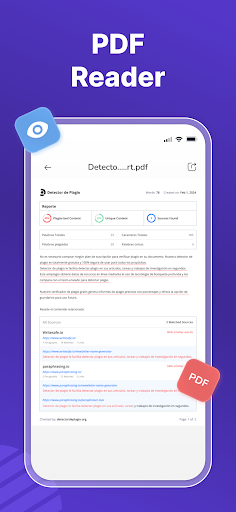


About Extract Text From Image
The description on the store listing
Use this app to easily convert your image to text, JPG to Word, & PDF to Text. Plus, it offers a PDF Reader to help you conveniently read PDFs.
What is the Extract Text from Image App?
Our Extract Text From Image app scans text from images, scanned documents, handwritten notes, etc., and converts it into an editable form. It uses powerful OCR technology to precisely recognize words, characters, symbols, and even mathematical terms from images.
It is a reliable image to text converter for professionals, teachers, daily users, and data-entry workers.
🛠️Other Tools by the Image to Text Scanner-OCR App
🖼️JPG to Word Converter:
It is an ultimate tool to convert JPG images to …
Read the full description
Use this app to easily convert your image to text, JPG to Word, & PDF to Text. Plus, it offers a PDF Reader to help you conveniently read PDFs. What is the Extract Text from Image App? Our Extract Text From Image app scans text from images, scanned documents, handwritten notes, etc., and converts it into an editable form. It uses powerful OCR technology to precisely recognize words, characters, symbols, and even mathematical terms from images. It is a reliable image to text converter for professionals, teachers, daily users, and data-entry workers. 🛠️Other Tools by the Image to Text Scanner-OCR App 🖼️JPG to Word Converter: It is an ultimate tool to convert JPG images to Word files. Besides, JPG supports other image formats as well. It can process multiple files and provide accurate results. 📄PDF to Text Converter: Our PDF to Text converter tool is designed to instantly convert PDF documents into editable text. 📘PDF Reader: It is a simple and fast tool, allowing you to open and read any PDF file on your device. 🌟How to Use the Image to Text App? ⬇️Follow these easier steps to use our image to text scanner: ★Open the app, and you’ll see Image to Text, JPG to Word, PDF to Text, & PDF Reader tools. ★Click to use any tool that you need. ★Photo to Text Scanner ★Upload scanned images or documents from the Gallery. ★Or capture photos using the built-in “Camera” option. ★You can now crop images to extract specific text. ★Then, click the “Convert” button to start the picture to text conversion. ★The OCR text scanner will instantly extract text from your image. ★Now, you can Edit, Copy, and Download. 🌟Key Features of the Image to Text Scanner app: ⬇️Here are the advanced features that make our OCR text scanner a worthwhile app: 🤖Advanced Technology: Our image to text scanner app uses advanced OCR technology to precisely recognize all the characters, whether it is printed or handwritten text. ➗Mathematical Terms: The picture to text app can extract complex mathematical terms such as symbols, equations, and formulas. 📤Multiple Upload Options: The OCR text scanner app offers multiple options, i.e., Camera & Gallery to submit images for maximum convenience. You can either capture images using the Camera option or pick existing images from the Gallery. 🎨Simple User-Interface: Another useful feature of the image to text converter app is its straightforward and clear user interface. Even newbie users can navigate it easily. ✂️Crop images: Our picture to text converter app comes up with a Crop option to refine their images before text extraction. This feature allows users to remove unnecessary parts of images, ensuring clean results. 🕒Stores History: The image to text converter stores extracted data that you can access through the History option. It allows you to access, edit, and share the previously extracted text without the need to re-scanning the original images. 🌐Multilingual: It is a multilingual app supporting a wide range of languages, making it a versatile app for users worldwide. 📁Supports Different Formats: The JPG to Text & Image to Word converting tools of app support different image file formats, including JPGs, JPEGs, PNGs, handwritten notes, screenshots, etc. Plus, it can extract text from scanned documents, also without compromising on quality. ✨Why Our image to Text Converter Stands out? ⬇️Below are the prominent benefits of our OCR text scanner that make it a standout app: ⚡It supports batch processing to simultaneously convert multiple images into text. 🛠️Our app offers multiple tools in one place: picture to Text, PDF to Text, JPG to Word, & PDF Reader. 🚀This picture to text works fast to extract text from images in a few seconds. 🎯The app ensures all the image to text conversions are accurate. 🔒Our Handwriting to Text app ensures that sensitive information and results of users remain secure. 📲Download the Handwriting to Text app and boost your productivity.
Installs, last 30 days Measured
Exact Google Play install counts, collected daily
Ratings
1,242 ratings, 42 reviews
- 5 ★79%
- 4 ★7.3%
- 3 ★0.0%
- 2 ★1.0%
- 1 ★12%
Recent reviews
Latest public reviews from the store
- 18 Feb 2026
Easy to use ❤️ 100% Recommended
- 17 Feb 2026
recommended
- 17 Feb 2026
Highly Recommended
- 17 Feb 2026
Bohat achi app hai. Use karna easy hai aur performance bhi fast hai. Ab tak koi issue face nahi hua. Zaroor recommend karungi
What reviewers bring up
Topics mentioned in the latest 8 reviews, by how many reviews mention them
Liked in good reviews (8 reviews)
- recommended 3
- files 2
- fast 2
Raised in bad reviews (0 reviews)
No topic comes up twice.
Top chart positions
Latest Google Play chart ranks by country, last 10 days
Not in any tracked top chart in the last 10 days.
Extract Text From Image history
Release, install milestones, listing and store changes
- Reached 50,000+ installs 11 Apr 2026
- Reached 10,000+ installs 16 May 2025
- Reached 5,000+ installs 11 Apr 2025
- Reached 1,000+ installs 31 Jan 2025
- Reached 500+ installs 17 Jan 2025
- First released on the store 18 Dec 2024
Update frequency
How often Extract Text From Image ships a new version, month by month
14 updates in the last 12 months. More often than most similar apps: they shipped a median of 0 updates in the same year.
Recent versions
Current version 1.2.1
- Version 1.2.17 Oct 2026
🛠️ Bug fixes & stability improvements
- Version 1.1.97 Aug 2026
📄 Improved OCR accuracy ⚡ Faster image to text conversion 🎯 Smoother UI experience 🛠️ Bug fixes & stability improvements
- Version 1.1.830 Jul 2026
📄 Improved OCR accuracy ⚡ Faster image to text conversion 🎯 Smoother UI experience 🛠️ Bug fixes & stability improvements
- Version 1.1.722 Jul 2026
📄 Improved OCR accuracy ⚡ Faster image to text conversion 🎯 Smoother UI experience 🛠️ Bug fixes & stability improvements
Listing keywords
Words and phrases Extract Text From Image repeats most in its store listing
Top phrases: image to text (12), text scanner (10), text converter (7), extract text (6), jpg to word (5).
Highlighted words also appear in the title. Counts cover the title, short description and description.
Business model and tech
From the store listing and declared permissions
- Business model
- Free to downloadIn-app purchasesShows ads
- Sensitive access
- No sensitive permission declared
Compliance
What the listing and the app package show
- Store status
- Live
- Upkeep
- Updated 7 Oct 2026
- Privacy policy
- Linked on the listing
- Advertising
- Shows ads
- In-app purchases
- Offered
- Age rating
- Everyone
Apps like Extract Text From Image
BatteryAlarmGoldLokik Soni58.2K installs★ 3.33
Photo Watch Face ProTiny Watch21.4K installs★ 4.42
GPS Location Sharing & LocatorNeo Utilities796K installs★ 4.2
Views Fans: CommunityaAa Designer36.5K installs★ 3.67
Space Clean ToolkitStarlume Tech597K installs★ 3.85
Calculator+ Photo&Video vaultGreen Water420K installs★ 4.37
Red Panic ButtonUltimate Communication Software LTD257K installs★ 3.31
Cutting Paper CalculatorTasikWeb.com84.5K installs★ 3.92
FORMSThe App Master848K installs★ 2.78
Extract Text From Image: questions and answers
How many downloads does Extract Text From Image have?
Extract Text From Image has 74,490 installs on Google Play, measured from the store's own count on 19 Nov 2026.
Who makes Extract Text From Image?
Extract Text From Image is published by AllMath.
When was Extract Text From Image last updated?
The latest version (1.2.1) was released on 7 Oct 2026.
Is Extract Text From Image free?
Yes. Extract Text From Image is free to download and offers in-app purchases, and it shows ads.
Is Extract Text From Image still available?
Yes. Extract Text From Image is live on Google Play as of 19 Nov 2026.
Track Extract Text From Image and its competitors
Watch any app for new versions, rating drops, chart moves and removals. Free plan, no card.