
File Converter
The most complete file converter. Convert Video, E-books, Document, 3D and more!
- Installs
- 1.48M
- Measured
- Rating
- 3.61
- Ratings
- 7.3K
- 758 reviews
- Version
- 24.8.18
- Updated 9 Nov 2026
- Released
- 15 Nov 2011
- Tracked since 13 May 2026
- Size
- 38 MB
- Needs 4.1
Also on App Store: File Converter (481 ratings)
Screenshots
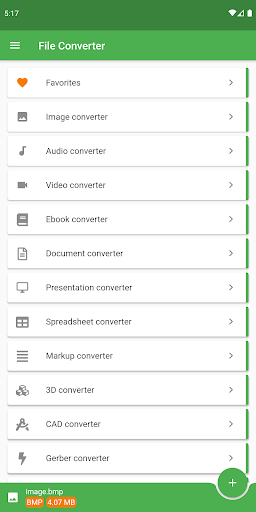
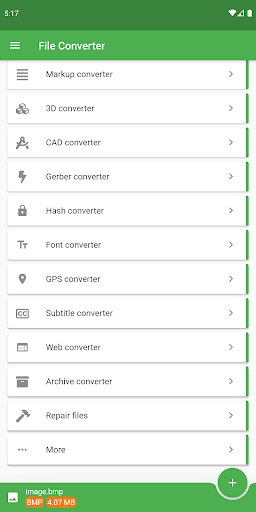


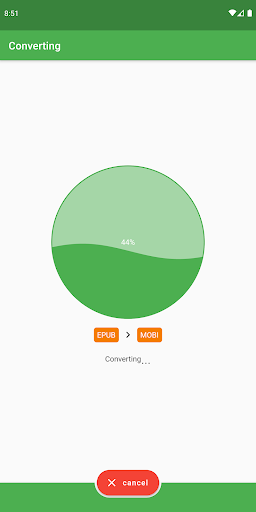


About File Converter
The description on the store listing
<b>File Converter will convert from and to almost every file format while saving you time and battery.</b>
Use our file conversion app to convert Audio, E-book, Video, 3D Models, Document, Presentation, CAD drawings, Image, LaTeX, Fonts, Spreadsheets, Gerber PCB and even Metadata from over <b>2000</b> source formats! 👀
The File Converter app converts files in the cloud so your battery isn't wasted, you can continue using your device and your conversions will be much faster.
Possible output formats:
• For <b>Ebooks</b> we support Amazon Kindle (AZW), Open eBook (ePub), DOCX, Fictionbook (FB2), Sony Portable reader (LRF), Mobipocket (MOBI), Palm Desktop (PDB), Psion (TCR) and of …
Read the full description
<b>File Converter will convert from and to almost every file format while saving you time and battery.</b> Use our file conversion app to convert Audio, E-book, Video, 3D Models, Document, Presentation, CAD drawings, Image, LaTeX, Fonts, Spreadsheets, Gerber PCB and even Metadata from over <b>2000</b> source formats! 👀 The File Converter app converts files in the cloud so your battery isn't wasted, you can continue using your device and your conversions will be much faster. Possible output formats: • For <b>Ebooks</b> we support Amazon Kindle (AZW), Open eBook (ePub), DOCX, Fictionbook (FB2), Sony Portable reader (LRF), Mobipocket (MOBI), Palm Desktop (PDB), Psion (TCR) and of course HTML, TXT, PDF and LIT. And as an extra we support DJVU, OEB, PML, RB, RTF and SNB • <b>Video</b> is supported to MPEG-4 (MP4), the WebM VP8 format, Windows Media Video (WMV), Matroska Video (MKV) and the formats AVI, FLV, OGV, MOV, 3DS and 3GP • <b>Images</b> can be converted to the famous PNG, JPG, Bitmap (BMP) and GIF or the newer WebP and EXR. Also vector graphics like SVG, EPS, Tiff, ICO, TGA and WBMP • <b>Conversion to audio</b> is supported for the well-known MP3, Wave (WAV), Lossless Flac and lesser known OGG, AAC, WMA, OPUS, AIFF, MMF and M4A • <b>Convert documents</b> to Microsoft Word (DOC and DOCX), Open-Office ODT, PowerPoint Presentations (PPT and PPTX) and of course Flash (SWF), HTML, PDF, RTF and text • <b>Convert presentations</b> to ODP, PDF, PPSX, PowerPoint PPT, PPTX, SWF and UOP • The <b>Markup converter</b> supports TEX, Markdown (MD), reStructuredText (TEXT), Textile, AsciiDoc, Word Docx, E-book ePub and of course HTML, INFO, PDF, TEXI, WIKI, PPTX and RTF • <b>Convert 3D models</b> to STL, Collada DAE, FBX, Iges IGS, Step STP, VRML WRL / X3D, and StepZ STPZ. Also support for 3DS, BRP, CTM, OBJ and images • <b>Compress</b> your files to 7Z zip, the Unix TAR BZ2 or TAR GZ, auto extracting EXE, RUN, ZIP and more • <b>Spreadsheet converter</b> for CSV, ODS, OTS, PDF, UOS, XLS and Excel XLSX • <b>Engineering CAD</b> drawings to DWG, DXF, SVG and PDF or images • <b>Convert gps tracks</b> to CSV, GDB, GPX, HTML, KML and KMZ. We also support LOC, NMEA, SDF, TCX, TRK, TXT, USR, WPT and just XLS / XLSX • A <b>hash</b> can be generated for an Apache Htpasswd or DES, MD5, RIPE, SHA, Adler and way more • The <b>LaTeX / ConTeXt converter</b> supports PDF, TEX and DOCX • <b>Convert fonts</b> to BIN, CFF, DFONT, EOT and FON. We also support OTF, PFA, PFB, PS, PT3, SVG, T11, T42, TTF, TTF.BIN, WOFF and WOFF2 • <b>Convert Gerber</b> PCB files to CNC, GBR, ISEL or PDF • <b>Subtitles</b> can be converted to LRC, SCC, SRT, SUB and of course USF • Last but not least you can extract <b>Metadata</b> and EXIF information or delete the metadata! We also have a <i>color palette</i>, <i>texture</i>, <i>mesh</i>, <i>embroidery</i>, <i>statistics</i>, <i>playlist</i>, <i>web</i> and <i>sheet music converter</i>! So what can be done with all of this? • Extract music 🎵 • Video to animated GIF 🎬 • Text to audio: listen to an ebook / audio book (text to speech, tts) 🎧 • Raster image to vector 📷 • PDF to Word 📖 • Convert RAW files 📷 • Extract text from images (OCR) 📄 • Create ringtones and cut audio 🎧 • Optimize for mobile devices 📱 • Password protect PDF 🔒 • ..much more 👌 <b>File editing</b> Besides all these features our online File Convert app supports: • Video conversion: codec, rotate, trim, stabilize, etc. • Audio conversion: bitrate, frequency, etc. • Ebook conversion: title, e-book reader: Kindle, Sony, Apple iPad, Kobo, Nook, tablet and way more • CAD drawing: color, scale, fit, etc. • Images conversion: quality, size, etc. • Documents conversion: OCR (text recognition), etc. • Spreadsheet conversion: OCR, etc. <b>Other file converter features</b> • Convert from URL / website • Convert between categories • Stable, secure and fast conversions <b>Notes</b> • We can't convert secured PDF/ZIP and DRM files.
Installs, last 30 days Measured
Exact Google Play install counts, collected daily
Ratings
7,305 ratings, 758 reviews
- 5 ★58%
- 4 ★9.0%
- 3 ★1.9%
- 2 ★4.0%
- 1 ★27%
Recent reviews
Latest public reviews from the store
- 20 Jun 2024
Haven't been to installed path.
- 24 Nov 2022
Haven't tried pro
- 28 Jan 2021
proxy servers works like a charm
- 30 Dec 2020
This is a solid app
What reviewers bring up
Topics mentioned in the latest 49 reviews, by how many reviews mention them
Liked in good reviews (32 reviews)
- servers 5
- useful 3
- smb server 2
- ultimate 2
- haven't 2
- running 2
- android 2
- install 2
Raised in bad reviews (12 reviews)
- smb 4
- support 3
- open button 2
- connect 2
Top chart positions
Latest Google Play chart ranks by country, last 10 days
Not in any tracked top chart in the last 10 days.
File Converter history
Release, install milestones, listing and store changes
- Reached 500,000+ installs 13 Jul 2021
- Reached 100,000+ installs 5 May 2020
- Reached 50,000+ installs 11 Feb 2020
- Reached 10,000+ installs 11 Dec 2012
- Reached 5,000+ installs 4 Jul 2012
- Reached 1,000+ installs 12 Jan 2012
- Reached 500+ installs 13 Dec 2011
- Reached 100+ installs 23 Nov 2011
Update frequency
How often File Converter ships a new version, month by month
2 updates in the last 12 months. More often than most similar apps: they shipped a median of 0 updates in the same year.
Recent versions
Current version 24.8.18
- Version 24.8.1810 Aug 2026
We're always working behind the scenes to make File Converter faster and more reliable. This update includes important upgrades to our core systems, resulting in improved performance and a quicker startup. These changes also lay the groundwork for even more powerful conversions in future updates. Stay tuned!
- Version 24.2.29 Dec 2025
We're always working behind the scenes to make File Converter faster and more reliable. This update includes important upgrades to our core systems, resulting in improved performance and a quicker startup. These changes also lay the groundwork for even more powerful conversions in future updates. Stay tuned!
- Version 21.0.821 Jul 2025
- Version 20.1.123 Mar 2025
Listing keywords
Words and phrases File Converter repeats most in its store listing
Top phrases: file converter (5), 3d models (2), audio book (2), cad drawings (2), conversion ocr (2).
Highlighted words also appear in the title. Counts cover the title, short description and description.
Business model and tech
From the store listing, the SDKs in the app package and its declared permissions
- Business model
- Free to downloadIn-app purchasesShows ads
- Built with
- Flutter
- Ad networks (1)
- AdMob
- Subscriptions and payments
- Google Play billing
- Analytics and crash reports
- Firebase
- Sensitive access
- CameraMicrophonePhotos, videos and filesAdvertising ID
2 ad, attribution and analytics SDKs detected. SDKs are read from the app package and permissions from the store listing, so code that loads later is not seen.
Technology
20 SDKs found in the app package
Ad networks
Advertising and install-attribution SDKs found in the app package
- AdMob
24 permissions
0 special access, 6 sensitive, 18 standard
- Record audioSensitive
- Take photos and videosSensitive
- Change or delete shared storageSensitive
- Read music and audioREAD_MEDIA_AUDIOSensitive
- Read shared storageSensitive
- Show notificationsPOST_NOTIFICATIONSSensitive
- Ad attribution (Privacy Sandbox)ACCESS_ADSERVICES_ATTRIBUTIONStandard
- Ad topics (Privacy Sandbox)ACCESS_ADSERVICES_TOPICSStandard
- Read how it was installed (install referrer)BIND_GET_INSTALL_REFERRER_SERVICEStandard
- Read the advertising IDAD_IDStandard
- Read the advertising ID (Privacy Sandbox)ACCESS_ADSERVICES_AD_IDStandard
- Change audio settingsStandard
Compliance
What the listing and the app package show
- Store status
- Live
- Upkeep
- Updated 9 Nov 2026
- Registered in
- Netherlands
- Privacy policy
- Linked on the listing
- Advertising
- Shows ads
- In-app purchases
- Offered
- Age rating
- Everyone
- Sensitive permissions
- 6 sensitive of 24
- Location access
- No
- Camera and microphone
- Both
Apps like File Converter
LED Strip Music Bulb RemoteCards3.4M installs★ 4.12
List, Copy And InviteManuelitaGG145K installs★ 4.4
Recover Deleted Messages AppAllied Clicks126K installs★ 4.3
Digital Dashboard GPSluozirui628K installs★ 3.44
Battery Health TemperatureSimpleEvo Apps1.1M installs★ 4.09
বাংলা ঘড়ি (Bangla Clock)Md. Sahedul Hasan1.4M installs★ 4.46
MyScript Calculator 2MyScript301K installs★ 4.61
WiFi Extract كشف الواى فاىKharphonk1.9M installs★ 3.79
StaytrackBossjob13.4K installs★ 4.96
File Converter: questions and answers
How many downloads does File Converter have?
File Converter has 1,475,330 installs on Google Play, measured from the store's own count on 19 Nov 2026.
Who makes File Converter?
File Converter is published by Ice Cold Apps, a developer based in NL.
When was File Converter last updated?
The latest version (24.8.18) was released on 9 Nov 2026.
Is File Converter free?
Yes. File Converter is free to download and offers in-app purchases, and it shows ads.
Is File Converter still available?
Yes. File Converter is live on Google Play as of 19 Nov 2026.
Track File Converter and its competitors
Watch any app for new versions, rating drops, chart moves and removals. Free plan, no card.