
File Locker - Protect files
A simple tool to manage & protect files with PIN, pattern or password lock.
- Installs
- 22.17K
- Measured
- Rating
- 3.57
- Ratings
- 142
- 8 reviews
- Version
- 1.3.1
- Updated 13 Feb 2026
- Released
- 12 May 2020
- Tracked since 13 May 2026
- Size
- 2 MB
- Needs 5.0
Screenshots
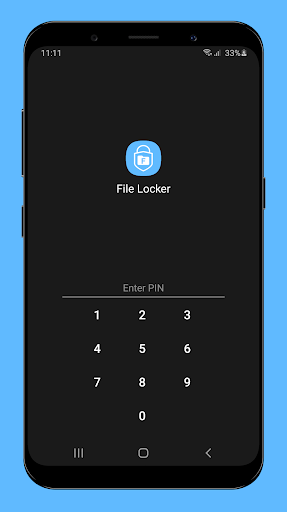
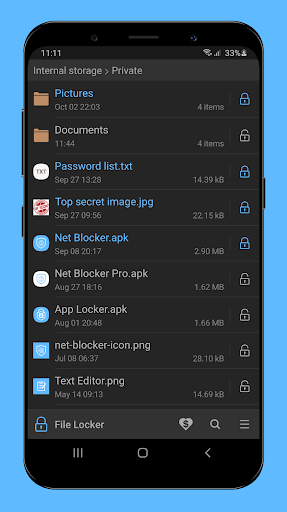
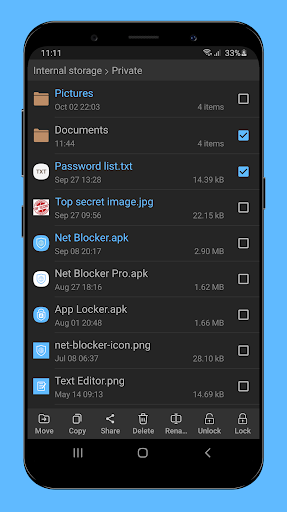


About File Locker - Protect files
The description on the store listing
File Locker allows you to manage files and prevent unwanted access to your private files - personal photos, videos, or confidential documents with PIN, pattern or password lock.
★ How it works?
This app locks file by encrypting the file content with the password and then hiding the encrypted file. It does not move the file to another folder. So if you delete the folder, the locked file will be deleted as well.
★ Please note:
The out of memory error may occur when the free storage of device is not enough to lock/unlock file. For example, please note that to unlock a 100 MB file, your device must have at least 100 MB of free storage.
So, in this case you may need to free up your …
Read the full description
File Locker allows you to manage files and prevent unwanted access to your private files - personal photos, videos, or confidential documents with PIN, pattern or password lock. ★ How it works? This app locks file by encrypting the file content with the password and then hiding the encrypted file. It does not move the file to another folder. So if you delete the folder, the locked file will be deleted as well. ★ Please note: The out of memory error may occur when the free storage of device is not enough to lock/unlock file. For example, please note that to unlock a 100 MB file, your device must have at least 100 MB of free storage. So, in this case you may need to free up your device storage to be able to unlock the file. Features: ★ Simple File Manager ★ Safe and easy to use ★ No unnecessary permissions ★ Use Advanced Encryption Standard to lock files with password ★ Advanced security settings: - Prevent uninstalling File Locker by activating its device admin If you have any questions, suggestions or bugs, please contact me at [email protected] FAQ: • How if I forget the lock screen? Because this app doesn't want to use Internet access (for your privacy), so it doesn't support password recovery via internet such as email. If you forget password, you can clear app data or re-install app to reset password. But if you cannot recover the old password, you will not be able to unlock the files locked before. So please try to not forget the password!
Installs since 29 Aug 2026 Measured
Exact Google Play install counts, collected daily
Ratings
142 ratings, 8 reviews
- 5 ★50%
- 4 ★14%
- 3 ★7.1%
- 2 ★0.0%
- 1 ★29%
Recent reviews
Latest public reviews from the store
- 3 Oct 2025
not bad but not good - JISOO
- 6 Dec 2024
Good once
- 2 Oct 2024
It does not show content on the previous used screen, the main problem I had. Love it. Thanks.
- 16 Sep 2024
This is most....beautiful app in my life.Thank you so much you are change my life 5 stars.
What reviewers bring up
Topics mentioned in the latest 50 reviews, by how many reviews mention them
Liked in good reviews (29 reviews)
- locker 3
- tried 2
- far 2
Raised in bad reviews (17 reviews)
- lock 6
- getting 2
Top chart positions
Latest Google Play chart ranks by country, last 10 days
Not in any tracked top chart in the last 10 days.
File Locker - Protect files history
Release, install milestones, listing and store changes
- Reached 10,000+ installs 8 May 2022
- Reached 5,000+ installs 26 Sep 2021
- Reached 1,000+ installs 14 Sep 2020
- Reached 500+ installs 31 Jul 2020
- Reached 100+ installs 7 Jun 2020
- Reached 50+ installs 30 May 2020
- First released on the store 12 May 2020
Update frequency
How often File Locker - Protect files ships a new version, month by month
1 updates in the last 12 months. More often than most similar apps: they shipped a median of 0 updates in the same year.
Recent versions
Current version 1.3.1
- Version 1.3.113 Feb 2026
• Improved performance when loading files • Fixed some bugs Thank you for using File Locker.
- Version 1.3.010 Oct 2025
- Version 1.2.922 Dec 2024
- Version 1.2.811 May 2024
Listing keywords
Words and phrases File Locker - Protect files repeats most in its store listing
Top phrases: file locker (3), able to unlock (2), pattern or password (2), password lock (2), pin pattern (2).
Highlighted words also appear in the title. Counts cover the title, short description and description.
Business model and tech
From the store listing, the SDKs in the app package and its declared permissions
- Business model
- Free to downloadIn-app purchasesShows ads
- Built with
- No cross-platform framework or game engine detected
- Ad networks (0)
- None detected
- Subscriptions and payments
- Google Play billing
- Sensitive access
- Photos, videos and filesAdvertising ID
0 ad, attribution and analytics SDKs detected. SDKs are read from the app package and permissions from the store listing, so code that loads later is not seen.
Technology
10 SDKs found in the app package
12 permissions
1 special access, 2 sensitive, 9 standard
- Manage all filesMANAGE_EXTERNAL_STORAGESpecial access
- Change or delete shared storageSensitive
- Read shared storageSensitive
- Ad attribution (Privacy Sandbox)ACCESS_ADSERVICES_ATTRIBUTIONStandard
- Ad topics (Privacy Sandbox)ACCESS_ADSERVICES_TOPICSStandard
- Read the advertising IDAD_IDStandard
- Read the advertising ID (Privacy Sandbox)ACCESS_ADSERVICES_AD_IDStandard
- Run a foreground serviceFOREGROUND_SERVICEStandard
- Full internet accessStandard
- See network connectionsStandard
- Internal app permissionDYNAMIC_RECEIVER_NOT_EXPORTED_PERMISSIONStandard
- In-app purchases with Google PlayStandard
Compliance
What the listing and the app package show
- Store status
- Live
- Upkeep
- Updated 13 Feb 2026
- Registered in
- Vietnam
- Privacy policy
- Linked on the listing
- Advertising
- Shows ads
- In-app purchases
- Offered
- Age rating
- Everyone
- Sensitive permissions
- 2 sensitive, 1 special access of 12
- Location access
- No
- Camera and microphone
- Neither
Apps like File Locker - Protect files
Easy Schedule Notebookoxdb.net51.5K installs★ 5.0
Land Parcels Areas CalculatorGeoZidan46K installs★ 1.73
Gallery Vault - Hide PhotoMerryblue51K installs★ 4.2
Heat Index Calculator - How toVnMobileSolutions Inc.3.7K installs★ 4.24
2D OwnerTechnologyGateway46K installs★ 4.8
3D Print Cost CalculatorReme Le Hane38.5K installs★ 3.95
Bluetooth ScannerThe Tree Team51.3K installs★ 3.87
HD wifi EndoskopCEI Conrad Electronic International (HK) Limited117K installs★ 2.41
WGS84 ConverterPilaBlu - Apps111K installs★ 4.29
File Locker - Protect files: questions and answers
How many downloads does File Locker - Protect files have?
File Locker - Protect files has 22,174 installs on Google Play, measured from the store's own count on 14 Nov 2026.
Who makes File Locker - Protect files?
File Locker - Protect files is published by The Simple Apps, a developer based in VN.
When was File Locker - Protect files last updated?
The latest version (1.3.1) was released on 13 Feb 2026.
Is File Locker - Protect files free?
Yes. File Locker - Protect files is free to download and offers in-app purchases, and it shows ads.
Is File Locker - Protect files still available?
Yes. File Locker - Protect files is live on Google Play as of 14 Nov 2026.
Track File Locker - Protect files and its competitors
Watch any app for new versions, rating drops, chart moves and removals. Free plan, no card.