
File Manager
Easy to use File Manager with perfect set of features.
- Installs
- 2.15M
- Measured
- Rating
- 4.4
- Ratings
- 19.8K
- 618 reviews
- Version
- 4.4
- Updated 19 Oct 2026
- Released
- 7 Apr 2014
- Tracked since 13 May 2026
- Size
- 5 MB
- Needs 4.1
Screenshots

About File Manager
The description on the store listing
Smart and free file manager for Android with perfect set of features.
It provides quick and convenient access to your pictures, music, videos, documents and other files.
You'll find that all operations on files become easy and more intuitive.
Our file manager is powerful in its simplicity and convenience of use.
Key Features
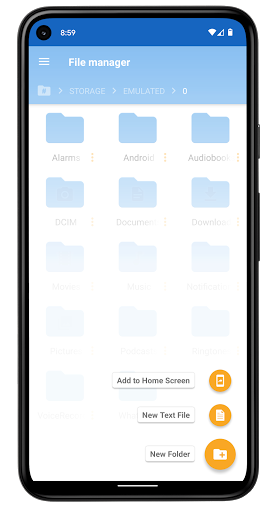
• User friendly file management. Manage your files and folders in a very simple and natural way, like you do on your desktop or laptop!
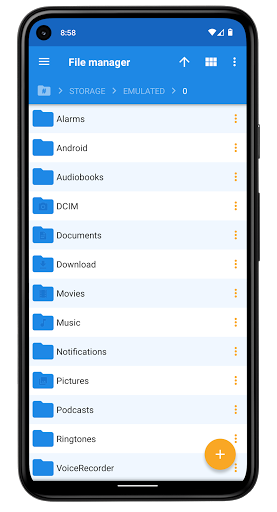
• Browsing file system on Grid View or List View
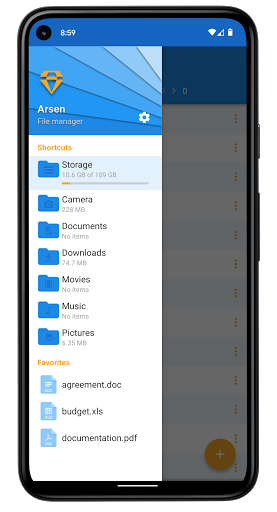
• Keep important things close - add them to Favorites! Bookmarks are available in app drawer.
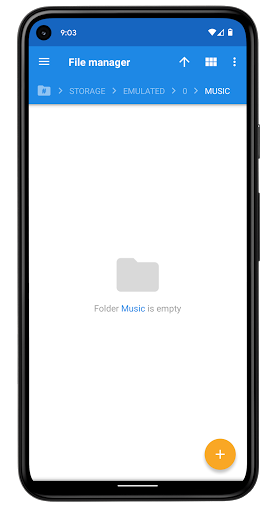
• Shortcuts to most important directories: Camera, Documents, Downloads, Movies, …
Read the full description
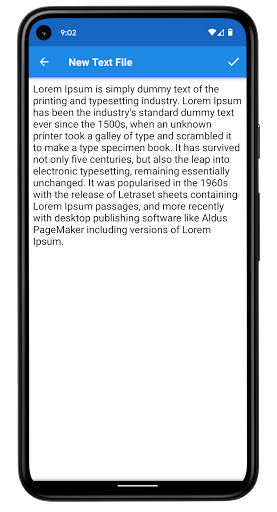
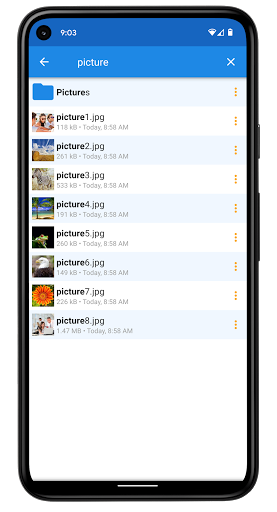
Smart and free file manager for Android with perfect set of features. It provides quick and convenient access to your pictures, music, videos, documents and other files. You'll find that all operations on files become easy and more intuitive. Our file manager is powerful in its simplicity and convenience of use. Key Features • User friendly file management. Manage your files and folders in a very simple and natural way, like you do on your desktop or laptop! • Browsing file system on Grid View or List View • Keep important things close - add them to Favorites! Bookmarks are available in app drawer. • Shortcuts to most important directories: Camera, Documents, Downloads, Movies, Music and Pictures • Interactive navigation path (breadcrumbs) • Built-in text viewer and editor • Properties view with additional information: permissions, size and last modified date • Actions on group of files and folders (multiple select, long-click selection support) Detailed Features • Copy and Move (equivalent to Cut, Copy and Paste) • Delete and Rename files, directories and favorites • Creating new folders • Creating and editing text files • Searching files and directories • Zipping and Unzipping files. Built-in zip support allows you to compress and decompress files and archives. • Sorting by name, date and size - ascending and descending with folders first or not. • Share and Send - integration with sharing on Android. You can share files with other apps: adding attachments to e-mails, uploading images to social networks, etc. • Adding shortcuts to home screen for quick access • Setting picture as system wallpaper (home screen wallpaper) • Can show thumbnails for images and videos • Can show hidden files and directories • Cancellable progress dialogs for long lasting operations • Root explorer - provides access to the entire file system and all directories on rooted devices • Useful configuration options • Support for tablets and different screen sizes • Arsen is free to download and use • Splend Apps support and more! About Us • Visit SplendApps.com: http://splendapps.com/ • Our Privacy Policy: http://splendapps.com/privacy-policy • Contact Us: http://splendapps.com/contact-us Follow Us • Facebook: https://www.facebook.com/SplendApps/ • Instagram: https://www.instagram.com/splendapps/ • Twitter: https://twitter.com/SplendApps
Installs since 19 Jul 2026 Measured
Exact Google Play install counts, collected daily
Ratings
19,785 ratings, 618 reviews
- 5 ★81%
- 4 ★5.7%
- 3 ★1.9%
- 2 ★0.9%
- 1 ★10%
Recent reviews
Latest public reviews from the store
- 18 May 2026
it's very good
- 17 May 2026
Experience was superb
- 16 May 2026
EASY 🛶 🏞️ 🛶 FLOW 😁 ACCURATE 😉EASY 🛶 🏞️ 🛶 FLOW 😁 ACCURATE 😉
- 16 May 2026
best app
What reviewers bring up
Topics mentioned in the latest 50 reviews, by how many reviews mention them
Liked in good reviews (42 reviews)
- note 3
- experience 2
Raised in bad reviews (5 reviews)
- unusable 2
- ads 2
Top chart positions
Latest Google Play chart ranks by country, last 10 days
Not in any tracked top chart in the last 10 days.
File Manager history
Release, install milestones, listing and store changes
- Reached 1,000,000+ installs 25 Apr 2020
- First released on the store 7 Apr 2014
Update frequency
How often File Manager ships a new version, month by month
6 updates in the last 12 months. More often than most similar apps: they shipped a median of 4 updates in the same year.
Recent versions
Current version 4.4
- Version 4.419 Oct 2026
Usability improvements and minor bug fixes.
- Version 4.217 Aug 2026
Usability improvements and minor bug fixes.
- Version 4.122 Jun 2026
Usability improvements and minor bug fixes.
- Version 4.017 Jun 2026
Usability improvements and minor bug fixes.
Listing keywords
Words and phrases File Manager repeats most in its store listing
Top phrases: file manager (4), files and directories (2), files and folders (2), set of features (2), file system (2).
Highlighted words also appear in the title. Counts cover the title, short description and description.
Business model and tech
From the store listing, the SDKs in the app package and its declared permissions
- Business model
- Free to downloadIn-app purchasesShows ads
- Built with
- No cross-platform framework or game engine detected
- Ad networks (2)
- AdMobFacebook Audience Network
- Subscriptions and payments
- Google Play billing
- Analytics and crash reports
- Firebase
- Sensitive access
- Photos, videos and filesAdvertising ID
3 ad, attribution and analytics SDKs detected. SDKs are read from the app package and permissions from the store listing, so code that loads later is not seen.
Technology
18 SDKs found in the app package
Ad networks
Advertising and install-attribution SDKs found in the app package
- AdMob
- Facebook Audience Network
18 permissions
1 special access, 2 sensitive, 15 standard
- Manage all filesMANAGE_EXTERNAL_STORAGESpecial access
- Change or delete shared storageSensitive
- Read shared storageSensitive
- Ad attribution (Privacy Sandbox)ACCESS_ADSERVICES_ATTRIBUTIONStandard
- Ad topics (Privacy Sandbox)ACCESS_ADSERVICES_TOPICSStandard
- Read how it was installed (install referrer)BIND_GET_INSTALL_REFERRER_SERVICEStandard
- Read the advertising IDAD_IDStandard
- Read the advertising ID (Privacy Sandbox)ACCESS_ADSERVICES_AD_IDStandard
- Add home screen shortcutsStandard
- Control vibrationStandard
- Keep the phone awakeStandard
- Run a foreground serviceFOREGROUND_SERVICEStandard
Compliance
What the listing and the app package show
- Store status
- Live
- Upkeep
- Updated 19 Oct 2026
- Registered in
- Poland
- Privacy policy
- Linked on the listing
- Advertising
- Shows ads
- In-app purchases
- Offered
- Age rating
- Everyone
- Sensitive permissions
- 2 sensitive, 1 special access of 18
- Location access
- No
- Camera and microphone
- Neither
Apps like File Manager
Screen Mirroring - 1001 TVsNero AG7.3M installs★ 3.25
AT&T Personal CloudAT&T Services, Inc.66.2M installs★ 3.63
ACNH.Guide 2Gene Sy1.4M installs★ 4.45
RealCall-Indian Girls CallingShamwaa14.7M installs★ 3.96
The Rise of Herobrine: MCPESamueljh12.1M installs★ 3.97
ParkMan - The Parking AppParkMan Oy1.5M installs★ 4.03
Dice Roller - Random GeneratorTD CONSTRUCTION INVESTMENT AND TRADING SERVICES2.5M installs★ 3.9
VPN Proxy AppVPNAI WELL GROUPS3.7M installs★ 4.35
FastDown: Offline Music & MP3Music Video Downloader, Player & Editor1.3M installs★ 3.97
File Manager: questions and answers
How many downloads does File Manager have?
File Manager has 2,153,220 installs on Google Play, measured from the store's own count on 15 Nov 2026.
Who makes File Manager?
File Manager is published by Splend Apps, a developer based in PL.
When was File Manager last updated?
The latest version (4.4) was released on 19 Oct 2026.
Is File Manager free?
Yes. File Manager is free to download and offers in-app purchases, and it shows ads.
Is File Manager still available?
Yes. File Manager is live on Google Play as of 15 Nov 2026.
Track File Manager and its competitors
Watch any app for new versions, rating drops, chart moves and removals. Free plan, no card.