
Flowchart AI
AI-powered Flowchart Diagram Creation
- Installs
- 85.48K
- Measured
- Rating
- 2.5
- Ratings
- 116
- 7 reviews
- Version
- 2.5.2
- Updated 7 Nov 2026
- Released
- 14 Oct 2024
- Tracked since 13 May 2026
- Size
- —
Also on App Store: Flowchart AI
Screenshots

About Flowchart AI
The description on the store listing
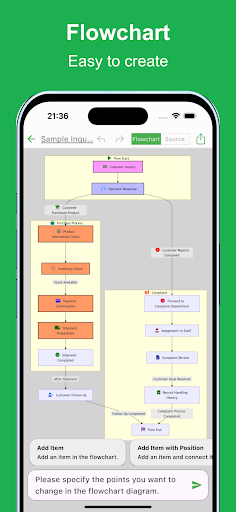
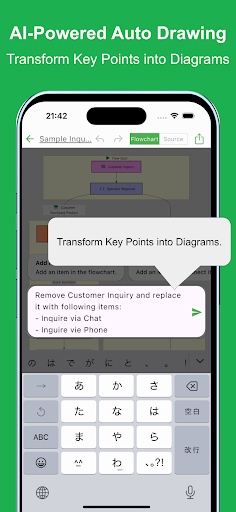
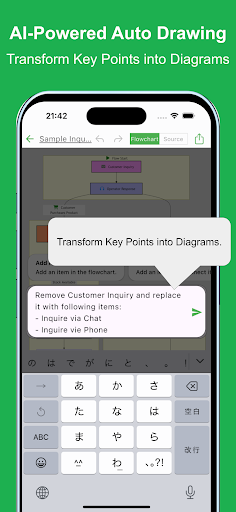
Creating flowcharts is crucial for organizing and visualizing processes. However, making a flowchart can be time-consuming and tedious. With this app, you can create flowcharts effortlessly using the latest AI technology. Simply describe the process you want, and the AI will automatically generate the chart.
Flowchart visualization plays an important role in organizing complex ideas and ensuring that all stakeholders are on the same page. Flowcharts are used in various scenarios across industries, but the creation process can often be labor-intensive. With this app, you can generate flowcharts quickly and efficiently.
Even with a rough outline, the app will automatically generate a …
Read the full description
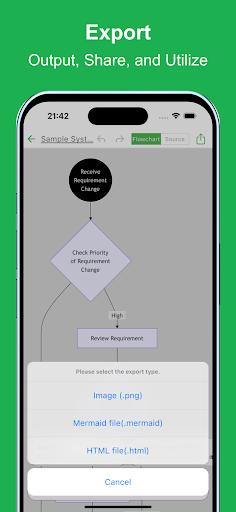
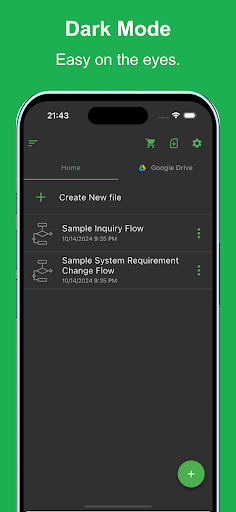
Creating flowcharts is crucial for organizing and visualizing processes. However, making a flowchart can be time-consuming and tedious. With this app, you can create flowcharts effortlessly using the latest AI technology. Simply describe the process you want, and the AI will automatically generate the chart. Flowchart visualization plays an important role in organizing complex ideas and ensuring that all stakeholders are on the same page. Flowcharts are used in various scenarios across industries, but the creation process can often be labor-intensive. With this app, you can generate flowcharts quickly and efficiently. Even with a rough outline, the app will automatically generate a flowchart, and you can make detailed adjustments as needed. It is used in various situations such as: - Optimizing and visualizing business processes - Managing and sharing project progress - Designing sales processes and workflows - Structuring customer support and service operations - Planning and managing projects from conception to execution - Managing new product or service launch processes - Visualizing budget planning and funding processes - Organizing internal approval flows and decision-making processes - Creating training programs and operational manuals - Planning and executing marketing strategies Please try it out whenever you need to create a flowchart. [Features] - Intuitive operability Ease of use is the most important factor. It runs smoothly, and you can intuitively edit your maps. - Ready to use You can use it immediately without registering an account. - Multi-device support It supports Google Drive integration, allowing seamless editing across multiple devices. - Export and Share You can export and share your Flowchart, and even edit them on a PC. - Import Exported files can be imported and edited. - Text-based editing Edit your Flowchart directly using Mermaid notation. - Dark theme support Since it supports a dark theme, it is also ideal for use at night.
Installs since 29 Aug 2026 Measured
Exact Google Play install counts, collected daily
Ratings
116 ratings, 7 reviews
- 5 ★14%
- 4 ★0.0%
- 3 ★28%
- 2 ★0.0%
- 1 ★58%
Recent reviews
Latest public reviews from the store
No reviews in our sample for this app yet.
Top chart positions
Latest Google Play chart ranks by country, last 10 days
Not in any tracked top chart in the last 10 days.
Flowchart AI history
Release, install milestones, listing and store changes
- Reached 50,000+ installs 15 Oct 2025
- Reached 10,000+ installs 12 Mar 2025
- Reached 5,000+ installs 11 Jan 2025
- Reached 1,000+ installs 12 Nov 2024
- Reached 100+ installs 28 Oct 2024
- Reached 50+ installs 27 Oct 2024
- First released on the store 14 Oct 2024
Update frequency
How often Flowchart AI ships a new version, month by month
6 updates in the last 12 months. More often than most similar apps: they shipped a median of 0 updates in the same year.
Recent versions
Current version 2.5.2
- Version 2.5.27 Nov 2026
• You can now link your purchases to your account, making it easy to transfer them when switching devices or using the PC version. • You can now share via URL. • Made several usability improvements.
- Version 2.2.1323 May 2026
Fixed a bug.
- Version 2.2.1213 Apr 2026
Fixed an issue with renaming.
- Version 2.2.1131 Mar 2026
Listing keywords
Words and phrases Flowchart AI repeats most in its store listing
Top phrases: export and share (2), automatically generate (2), dark theme (2).
Highlighted words also appear in the title. Counts cover the title, short description and description.
Business model and tech
From the store listing and declared permissions
- Business model
- Free to downloadIn-app purchases
- Subscriptions and payments
- Google Play billing
- Sensitive access
- MicrophonePhotos, videos and filesNearby devicesAdvertising ID
22 permissions
1 special access, 4 sensitive, 17 standard
- Change system settingsWRITE_SETTINGSSpecial access
- Record audioSensitive
- Read shared storageSensitive
- Connect to paired Bluetooth devicesBLUETOOTH_CONNECTSensitive
- Show notificationsPOST_NOTIFICATIONSSensitive
- Ad attribution (Privacy Sandbox)ACCESS_ADSERVICES_ATTRIBUTIONStandard
- Read how it was installed (install referrer)BIND_GET_INSTALL_REFERRER_SERVICEStandard
- Read the advertising IDAD_IDStandard
- Read the advertising ID (Privacy Sandbox)ACCESS_ADSERVICES_AD_IDStandard
- App icon badge countsBROADCAST_BADGEStandard
- Keep the phone awakeStandard
- Use fingerprint or face unlockUSE_BIOMETRICStandard
Compliance
What the listing and the app package show
- Store status
- Live
- Upkeep
- Updated 7 Nov 2026
- Registered in
- Japan
- Privacy policy
- Linked on the listing
- Advertising
- No ads declared
- In-app purchases
- Offered
- Age rating
- Everyone
- Sensitive permissions
- 4 sensitive, 1 special access of 22
- Location access
- No
- Camera and microphone
- Microphone
Apps like Flowchart AI
Penn National InsurancePenn National Insurance21.1K installs★ 1.91
ZKBio ZlinkZKTeco Biometrics India Pvt. Ltd.75.6K installs★ 2.83
Saving Connection ElectricianInnovative Incentives & Rewards Pvt Ltd.35K installs★ 4.4
دليل الاطباء Tabibiraq.comMajed Abd Alhameed Sharaf63.6K installs★ 4.42
The OpayTHEOPAY33.3K installs★ 4.29
Trane 360Trane64.5K installs★ 3.44
VAS PlatformVAS Dev20.5K installs★ 3.88
VU Mobile TokenVU Security S.A.82.6K installs★ 4.38
Event Check-in - Qflow.ioWiretouch Ltd83.1K installs★ 3.4
Flowchart AI: questions and answers
How many downloads does Flowchart AI have?
Flowchart AI has 85,482 installs on Google Play, measured from the store's own count on 14 Nov 2026.
Who makes Flowchart AI?
Flowchart AI is published by Yuki Tanaike, a developer based in JP.
When was Flowchart AI last updated?
The latest version (2.5.2) was released on 7 Nov 2026.
Is Flowchart AI free?
Yes. Flowchart AI is free to download and offers in-app purchases.
Is Flowchart AI still available?
Yes. Flowchart AI is live on Google Play as of 14 Nov 2026.
Track Flowchart AI and its competitors
Watch any app for new versions, rating drops, chart moves and removals. Free plan, no card.