
Glextor Folder Organizer Basic
Application organizer, manager, and local repository with backups, group widgets
- Installs
- 270K
- Measured
- Rating
- 3.92
- Ratings
- 3.1K
- 209 reviews
- Version
- 6.27.1.850
- Updated 6 Nov 2026
- Released
- 10 Jul 2013
- Tracked since 12 May 2026
- Size
- 5 MB
- Needs 5.1
Screenshots
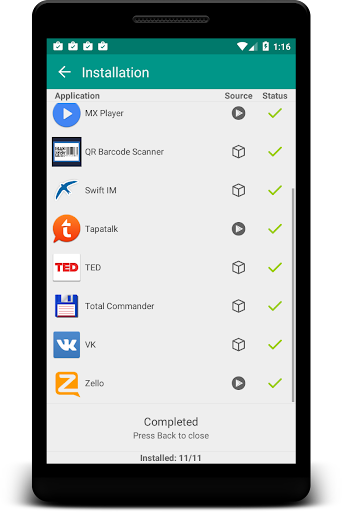
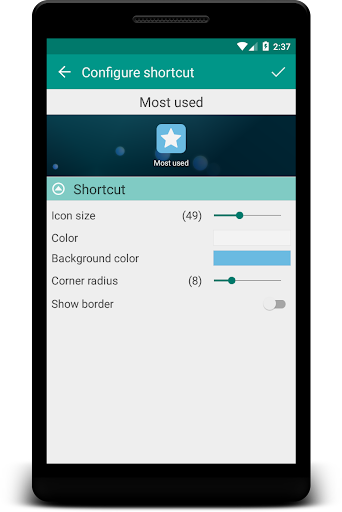
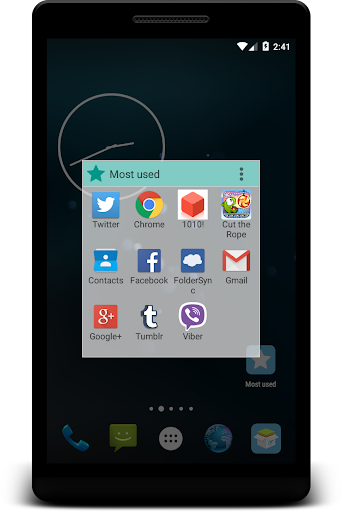

About Glextor Folder Organizer Basic
The description on the store listing
Looking for a better alternative to Android default application drawer? Need a handy application manager? Have hundreds of applications that need to be organized and managed? Do you want to backup and restore third part application packages. Try out Glextor App Manager. It is one of the best and full-featured app manager and organizer for Android!
<b>App organizer</b>
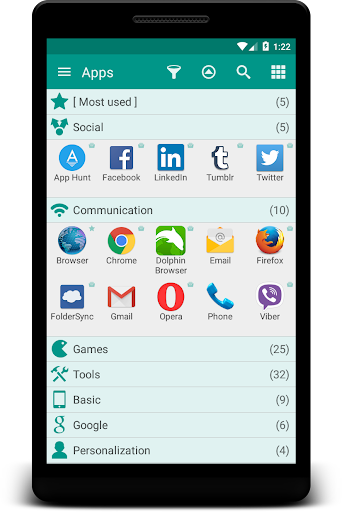
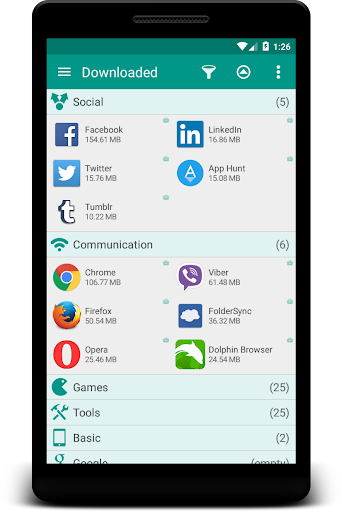
Organize your applications with auto-grouping to folders feature which is based on Google Play categories. Newly installed applications can be categorized automatically. If you want to get more personalized structure, create your own folders or just rename predefined ones. It is possible to assign each application to …
Read the full description
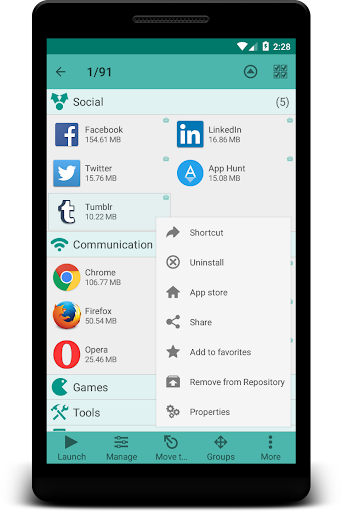
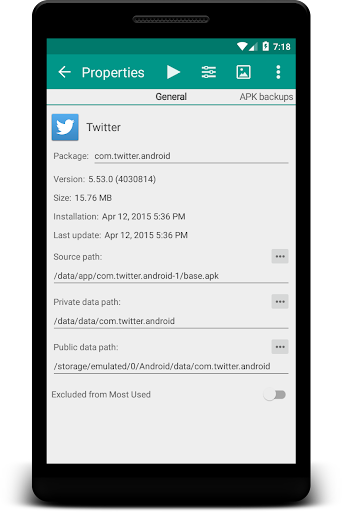
Looking for a better alternative to Android default application drawer? Need a handy application manager? Have hundreds of applications that need to be organized and managed? Do you want to backup and restore third part application packages. Try out Glextor App Manager. It is one of the best and full-featured app manager and organizer for Android! <b>App organizer</b> Organize your applications with auto-grouping to folders feature which is based on Google Play categories. Newly installed applications can be categorized automatically. If you want to get more personalized structure, create your own folders or just rename predefined ones. It is possible to assign each application to several groups at the same time according to your needs. Use system folders to get quick access to most used, last used, or last installed apps. <b>Group shortcuts & widgets</b> Now you don’t need to have dozens of shortcuts on your desktop. Use group desktop shortcuts and widgets to put your desktop in order. <b>Interface customization</b> Glextor AppManager has very flexible user interface. You can change the layout, icons, sorting, themes, customize menus and much more according to your taste and needs. <b>Application Repository with app market bookmarks and package backups (packages backup doesn't work well with all applications)</b> You have own Repository of applications where you can save applications as Market links or backup their packages (APK) with ability to install packages from backup later. To install application packages from backup you have to accept installation app packages permission for Glextor App Manager. Also you can share application packages using Android file sharing feature. You can add applications to Repository from Google Play page (use Share there with Glextor App Manager as a target). <b>Favorites</b> Mark applications as favorites to find them easily. Your favorite apps are always placed at the beginning when app list is sorted by name. Use filters to see only favorites. Use system group Favorites to access all your favorite applications inside one folder. <b>Configuration export</b> There is no need to customize Glextor AppManager and organize installed apps on your new Android from the scratch. Just backup preferred configuration and restore it on a new system in one click. <b>...and more</b> • Manage installed apps • Hide unused apps • Share your favorite apps with your friends instantly (Facebook, Twitter, SMS, email, etc.) • Use search and filters to find needed apps quickly Note: This app uses Accessibility services. If you are interested in helping us to translate this app to your native language, please let us know. Thank you in advance! <b>More screenshots and release notes</b>: http://glextor.com/products/appmanager/ <b>Also see features of the paid Full version:</b> ★ Ability to add subfolders to top folders ★ Root tools (batch operations of install/uninstall apps faster and easier, uninstalling system applications) ★ Backup history (multiple backups per app) ★ Automatic update of app backups when new version is installed ★ Ability to hide as many apps as you need (Free version allows to hide up to 3 apps) ★ Ability to hide social panel from drawer ★ System groups customization (Free version allows to show up to 5 items only inside System folder) ★ Context menu customization ★ Transparency customization for desktop group popup ★ Automatic applying icon packs to all applications ★ Ability to reconfigure widgets ★ Absence of an advertisement block <b>Stay connected!</b> Google+: http://plus.google.com/+GlextorInc Facebook: http://www.facebook.com/glextor Twitter: http://twitter.com/GlextorInc Email: [email protected]
Installs, last 30 days Measured
Exact Google Play install counts, collected daily
Ratings
3,107 ratings, 209 reviews
- 5 ★60%
- 4 ★13%
- 3 ★6.9%
- 2 ★6.0%
- 1 ★14%
Recent reviews
Latest public reviews from the store
- 10 Mar 2026
excellent
- 12 Feb 2026
works a alongside another launcher which has a completely different approach. So i can use either depending on my mood.
- 1 Feb 2026
رائع رائع
- 4 Sep 2025
Decent App. Easy to use.
What reviewers bring up
Topics mentioned in the latest 50 reviews, by how many reviews mention them
Liked in good reviews (32 reviews)
- looking 5
- organize 3
- applications 2
- especially 2
- categories 2
- recommend 2
- protect 2
- started 2
Raised in bad reviews (13 reviews)
- paid 3
- immediately 2
- problems 2
- android 2
- glextor 2
- without 2
- appear 2
- trying 2
Top chart positions
Latest Google Play chart ranks by country, last 10 days
Not in any tracked top chart in the last 10 days.
Glextor Folder Organizer Basic history
Release, install milestones, listing and store changes
- First released on the store 10 Jul 2013
Update frequency
How often Glextor Folder Organizer Basic ships a new version, month by month
15 updates in the last 12 months. More often than most similar apps: they shipped a median of 0 updates in the same year.
Recent versions
Current version 6.27.1.850
- Version 6.25.0.8286 Nov 2026
- Work profile apps: the new system group lists the apps of the work profile with launch, App info, rename and custom icons - Full version: work apps can be moved to groups, added to favorites, desktop icons and widgets - View dialog, Groups: option 'Transparent header' shows group headers without their own background color - New look of the main menu: flat sections, rounded highlighting of items and a single row of bottom buttons
- Version 6.20.2.78322 Aug 2026
- Create web shortcuts by selecting App Manager when sharing links - An icon for a web shortcut is downloaded automatically from a link site - Added a filter for web shortcuts
- Version 6.19.0.7696 Aug 2026
- Fuzzy application searching - Improved assigning tags in application notes - Fixed group order in MoveTo and Groups with option 'Revert order' - Auto-closing a status bar notification popup after an app is moved to a group
- Version 6.18.0.75928 Jul 2026
- Added groups ordering option 'Revert Order' - Fixed expanding group animation when a subgroup is expanded
Listing keywords
Words and phrases Glextor Folder Organizer Basic repeats most in its store listing
Top phrases: glextor app manager (3), application packages (3), ability to hide (2), packages from backup (2), facebook twitter (2).
Highlighted words also appear in the title. Counts cover the title, short description and description.
Business model and tech
From the store listing and declared permissions
- Business model
- Free to downloadIn-app purchasesShows ads
- Sensitive access
- No sensitive permission declared
Compliance
What the listing and the app package show
- Store status
- Live
- Upkeep
- Updated 6 Nov 2026
- Privacy policy
- Linked on the listing
- Advertising
- Shows ads
- In-app purchases
- Offered
- Age rating
- Everyone
Apps like Glextor Folder Organizer Basic
Craft Lucky Block Mods MCPEWira N Dev280K installs★ 4.54
Recover Everything: Photo&DataGIYASTAR2.9M installs★ 3.67
GameDriver - Mali (S20/N20)Samsung Electronics Co., Ltd.23.2M installs★ 3.85
SaveTok - Video DownloaderCynt Maxwell Apps243K installs★ 4.39
Mulugu Astro - Panchangam 2024Kameshwari e Services Pvt Ltd582K installs★ 3.36
TaskarioRichaMiguel307K installs★ 4.66
Authenticator App - 2FA AuthTaka Applications1.8M installs★ 4.34
MTG Tracker & Life CounterPlatty Soft Ltd38.7K installs★ 2.46
Shake to Enable TorchLuxebyte Labs531K installs★ 4.62
Glextor Folder Organizer Basic: questions and answers
How many downloads does Glextor Folder Organizer Basic have?
Glextor Folder Organizer Basic has 269,580 installs on Google Play, measured from the store's own count on 18 Nov 2026.
Who makes Glextor Folder Organizer Basic?
Glextor Folder Organizer Basic is published by Glextor UA.
When was Glextor Folder Organizer Basic last updated?
The latest version (6.27.1.850) was released on 6 Nov 2026.
Is Glextor Folder Organizer Basic free?
Yes. Glextor Folder Organizer Basic is free to download and offers in-app purchases, and it shows ads.
Is Glextor Folder Organizer Basic still available?
Yes. Glextor Folder Organizer Basic is live on Google Play as of 18 Nov 2026.
Track Glextor Folder Organizer Basic and its competitors
Watch any app for new versions, rating drops, chart moves and removals. Free plan, no card.