Graphing Calculator + Math PRO
Graphing calculator with algebra. Essential tool for school and college.
- Installs
- 164K
- Measured
- Rating
- 4.79
- Ratings
- 7.8K
- 782 reviews
- Version
- 2025.10.167
- Updated 11 Oct 2025
- Released
- 25 Sep 2013
- Tracked since 14 May 2026
- Size
- 6 MB
- Needs 4.0.3
Also on App Store: Graphing Calculator - Math Pro
Screenshots
About Graphing Calculator + Math PRO
The description on the store listing
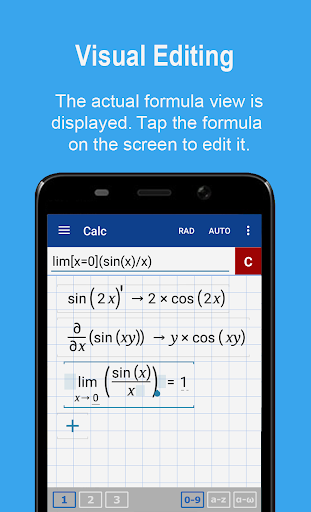
If you're looking for a graphing calculator app that works smoothly and seamlessly, you've found it! Graphing Calculator by Mathlab is a scientific graphing calculator integrated with algebra and is an indispensable mathematical tool for students in elementary school to those in college or graduate school, or just anyone who needs more than what a basic calculator offers. It is designed to replace bulky and costly handheld graphing calculators and works on virtually any Android phone or tablet.
Furthermore, Graphing Calculator by Mathlab displays calculations as it performs them on the high-quality display of the Android device, making it easier for the user to understand the …
Read the full description
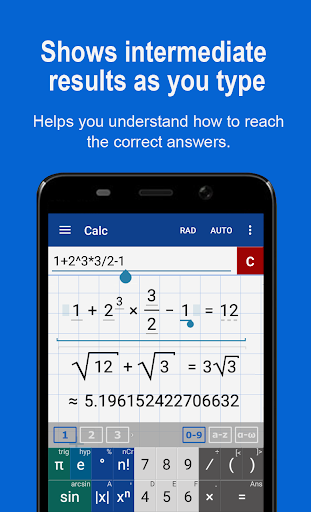
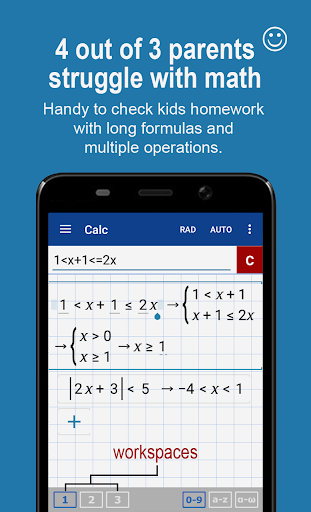
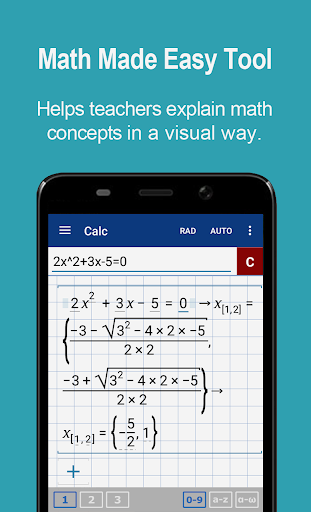
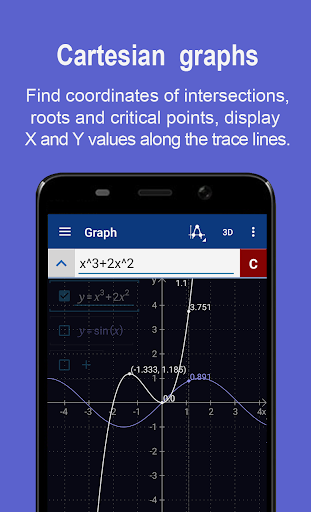
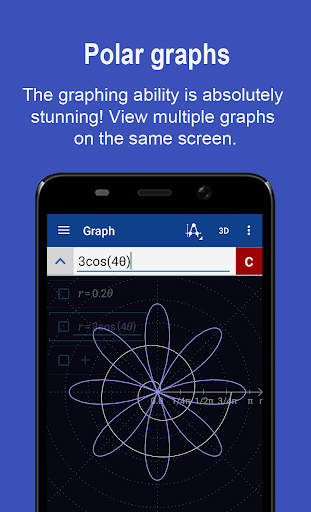
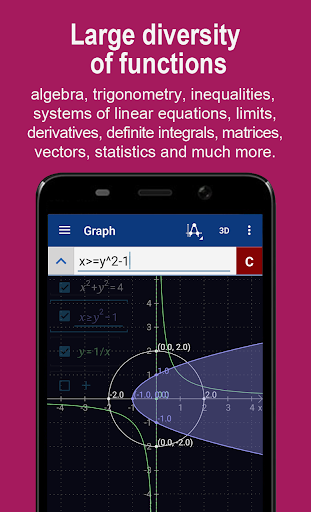
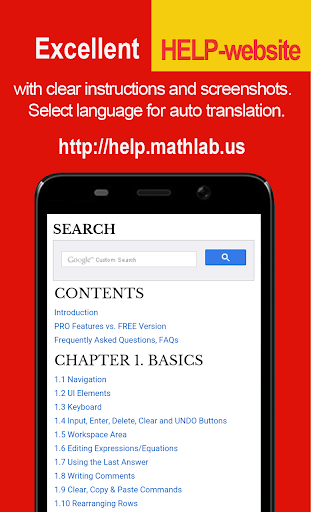
If you're looking for a graphing calculator app that works smoothly and seamlessly, you've found it! Graphing Calculator by Mathlab is a scientific graphing calculator integrated with algebra and is an indispensable mathematical tool for students in elementary school to those in college or graduate school, or just anyone who needs more than what a basic calculator offers. It is designed to replace bulky and costly handheld graphing calculators and works on virtually any Android phone or tablet. Furthermore, Graphing Calculator by Mathlab displays calculations as it performs them on the high-quality display of the Android device, making it easier for the user to understand the calculations and see them clearly. This app has two great strengths. First, it acts as a fine scientific calculator, but, more than that, it displays the intermediate results of the calculations as you type. It allows the students to both watch and learn how the calculations are made and how to find the final answer. Second, the graphing ability is absolutely stunning! Not only does the calculator beautifully display the graphs, but it automatically generates the x- and y- values and displays them as well. Video: https://youtu.be/6BR8Lv1U9kA Help site with instructions and examples: https://help.mathlab.app <b>PRO FEATURES</b> * Full screen graphs * 9 workspaces * Longer input and history * Save constants, functions and expressions in the library * Physical constants * Internet is not required * No advertisements * 30 days refund <b>SCIENTIFIC CALCULATOR</b> * Square root, cube and higher roots (hold √ key) * Exponent or power, use x^ key, (x^2) * Logarithms ln(), log(), log[base]() * Trigonometric functions sin π/2, cos 30°, ... * Hyperbolic functions sinh, cosh, tanh, ... (hold "e" key to switch) * Inverse functions (hold direct function key) * Complex numbers, all functions support complex arguments * Derivatives sin x' = cos x, ... (hold x^ key) * Scientific and engineering notation (enable in menu) * Percent mode * Binary, octal and hexadecimal numbers, 0b1010, 0o123, 0xABC * Save and load history <b>GRAPHING CALCULATOR</b> * Multiple functions graphing * Implicit functions up to 2nd degree (ellipse 2x^2+3y^2=1, etc.) * Polar graphs (r=cos2θ) * Parametric functions, enter each on new line (x=cos t, y=sin t) * Function roots and critical points. * Graph intersections * Tracing function values and slopes * Slide to scroll * Pinch to zoom * Fullscreen graphs (PRO) * Function tables * Save graphs as images * Save tables as csv * 3D graphs <b>FRACTION CALCULATOR</b> * Simple and complex fractions 1/2 + 1/3 = 5/6 * Mixed numbers, use space to enter values 3 1/2 * Use parentheses (1+2)/(3+4)=3/7 <b>ALGEBRA CALCULATOR</b> * Linear equations x+1=2 -> x=1 * Quadratic equations x^2-1=0 -> x=-1,1 * Approximate roots of higher polynomials * Systems of linear equations, write one equation per line, x1+x2=1, x1-x2=2 * Polynomial long division * Polynomial expansion, factoring * Linear and quadratic inequalities <b>PROBABILITY AND STATISTICS</b> * Hold n! key to enter functions, double tap dot to enter comma * Combinations nCr(5,2)=10 * Permutations nPr(5,2)=20 * Sample A=[1 2 3 4 5] * Sample B=[2 3 4 5 6] * Sum sum(A) = 15 * Average avg(A) = 3 * Median median(A) = 3 * Sample variance var(A) = 2.5 * Population variance varp(A) = 2 * Standard deviation stdev(A) = 1.58..., stdevp(A) = 1.41... * Covariance cov(A,B) = 2.5 * Correlation corr(A,B) = 1 <b>MATRIX CALCULATOR</b> * Matrix and vector arithmetic operations * Vector cross product, dot product (hold *) and norm * Matrix determinant, inverse, transpose and trace functions <b>LIBRARY</b> * Physical constants (PRO) * User defined constants and functions (PRO) * Save expressions for future reference
Installs, last 30 days Measured
Exact Google Play install counts, collected daily
Ratings
7,841 ratings, 782 reviews
- 5 ★91%
- 4 ★3.0%
- 3 ★1.0%
- 2 ★2.0%
- 1 ★3.0%
Recent reviews
Latest public reviews from the store
No reviews in our sample for this app yet.
Top chart positions
Latest Google Play chart ranks by country, last 10 days
Not in any tracked top chart in the last 10 days.
Graphing Calculator + Math PRO history
Release, install milestones, listing and store changes
- Reached 100,000+ installs 5 Aug 2017
- First released on the store 25 Sep 2013
Update frequency
How often Graphing Calculator + Math PRO ships a new version, month by month
0 updates in the last 12 months. Less often than most similar apps: they shipped a median of 4 updates in the same year.
Recent versions
Current version 2025.10.167
- Version 2025.10.1675 Oct 2025
- Version 2024.07.16621 Jul 2024
- Version 2023.07.16515 Jul 2023
- Version 2023.04.16417 Apr 2023
Listing keywords
Words and phrases Graphing Calculator + Math PRO repeats most in its store listing
Top phrases: graphing calculator (7), hold key (4), calculator by mathlab (2), library physical constants (2), library physical (2).
Highlighted words also appear in the title. Counts cover the title, short description and description.
Business model and tech
From the store listing and declared permissions
- Business model
- Paid, $9.99
- Sensitive access
- No sensitive permission declared
Compliance
What the listing and the app package show
- Store status
- Live
- Upkeep
- Updated 11 Oct 2025
- Registered in
- United States
- Privacy policy
- Linked on the listing
- Advertising
- No ads declared
- In-app purchases
- None declared
- Age rating
- Everyone
Apps like Graphing Calculator + Math PRO
Gyanoday Ke Guru JiGyanoday ke Guru JI581K installs★ 4.17
Learn English EasilyLeksi1.1M installs★ 4.7
Learn Thai Speak LanguageLuvLingua1.3M installs★ 4.63
DW Learn GermanDeutsche Welle3.7M installs★ 4.13
YayTalk: Speak & Learn EnglishIdeaLabs.1.4M installs★ 4.65
Français sans Fautes - GrammarLorelingo739K installs★ 4.79
Tamil-English TranslatorKlays-Development1.4M installs★ 4.42
51TalkHELLOWORLD ONLINE EDUCATION PTE.LTD3.3M installs★ 3.55
Learn Chinese - BeginnersBNR Languages1.6M installs★ 4.67
Graphing Calculator + Math PRO: questions and answers
How many downloads does Graphing Calculator + Math PRO have?
Graphing Calculator + Math PRO has 163,710 installs on Google Play, measured from the store's own count on 19 Nov 2026.
Who makes Graphing Calculator + Math PRO?
Graphing Calculator + Math PRO is published by Mathlab Apps, LLC, a developer based in US.
When was Graphing Calculator + Math PRO last updated?
The latest version (2025.10.167) was released on 11 Oct 2025.
Is Graphing Calculator + Math PRO free?
No. Graphing Calculator + Math PRO is a paid app priced at $9.99.
Is Graphing Calculator + Math PRO still available?
Yes. Graphing Calculator + Math PRO is live on Google Play as of 19 Nov 2026.
Track Graphing Calculator + Math PRO and its competitors
Watch any app for new versions, rating drops, chart moves and removals. Free plan, no card.