IP Tools & Geolocation
IP tools to analyze network, IP lookup & internet speed test
- Installs
- 37.94K
- Measured
- Rating
- 4.14
- Ratings
- 170
- 16 reviews
- Version
- Varies with device
- Updated 5 May 2026
- Released
- 8 Apr 2022
- Tracked since 12 May 2026
- Size
- —
Screenshots

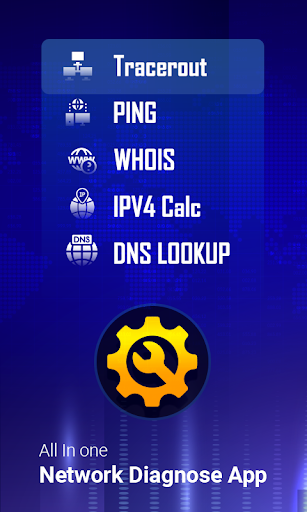
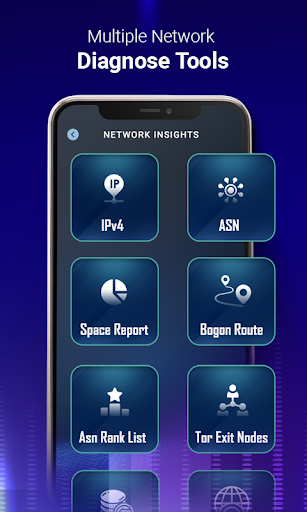


About IP Tools & Geolocation
The description on the store listing
Analyze and monitor your network with powerful IP tools.
Perfect for users who want to check their IP location, analyze their network, and monitor connections easily.
Track IP location and understand your connection clearly.
✨ IP Tools & Geolocation is an advanced IP tools app with powerful network features that help you monitor connections, perform IP lookup, and explore network details with confidence.
Built for everyday users, developers, and IT professionals.
Stay in control and manage your network smarter.
🔥 Why You’ll Love These IP Tools
✔️ Easy Network Analysis
• Analyze your network with smart network tools
• Understand connection details instantly
• Simple and …
Read the full description
Analyze and monitor your network with powerful IP tools. Perfect for users who want to check their IP location, analyze their network, and monitor connections easily. Track IP location and understand your connection clearly. ✨ IP Tools & Geolocation is an advanced IP tools app with powerful network features that help you monitor connections, perform IP lookup, and explore network details with confidence. Built for everyday users, developers, and IT professionals. Stay in control and manage your network smarter. 🔥 Why You’ll Love These IP Tools ✔️ Easy Network Analysis • Analyze your network with smart network tools • Understand connection details instantly • Simple and clear network insights ✔️ Instant IP Lookup & Geolocation • Perform fast IP lookup with detailed results • View IP location and ISP details • Track connections on map ✔️ Understand Network Performance • Monitor your internet speed and connection details • View latency, upload, and download performance • Stay informed about network performance ✔️ Fast Network Insights • Understand connection behavior using ping and traceroute • View route paths and latency clearly • Get useful network insights quickly ✔️ All-in-One Networking Toolkit • Combines IP tools, wifi analyzer, and utilities • No need for multiple apps • Everything in one place ⚡ Key Features ✔️ IP Tools & Networking Tools • View IP address with geolocation • Works as a complete set of networking tools ✔️ IP Lookup & ASN Information • IPv4 lookup with ISP and location details • ASN lookup with ranking insights ✔️ Ping & Traceroute • Test latency and route paths • Understand network behavior ✔️ DNS Lookup & Whois • Check DNS records and domain details • Perform Whois search instantly ✔️ Port Scanner • Scan open ports on your network • View open ports and connection details ✔️ Internet Speed Test • Measure download, upload, and latency • Fast and reliable speed test ✔️ LAN Scanner & WiFi Analyzer • Detect connected devices • Monitor your WiFi network easily ✔️ Subnet Calculator • Calculate IP ranges and subnet details • Useful for advanced networking ✔️ Advanced IP Insights • Explore detailed IP information 📱 Real-Life Use Cases 🌍 Check IP Location Use IP lookup to find your IP and location instantly 🛠 Understand Network Behavior Use ping, traceroute, and tools to view connection details ⚡ Test Internet Speed Run a fast and reliable internet speed test anytime 📡 Scan Devices on WiFi Use LAN scanner and wifi analyzer to detect devices 📌 Permissions Explained To provide network analysis, WiFi tools, and IP features, the app uses the following permissions: • Location (ACCESS_FINE_LOCATION & ACCESS_COARSE_LOCATION) Required by Android to access WiFi network details for WiFi analyzer, LAN scanner, and to show approximate geolocation of IP addresses. • Network State (ACCESS_NETWORK_STATE) Used to check whether your device is connected to the internet for proper app functionality. 🔒 Privacy Note Your privacy is important. These permissions are used only for app features and are not used to store or share your personal data. 🚀 Powerful, Fast & Smart Networking Take control of your connection with advanced IP tools designed for clarity, performance, and ease of use. 👉 Download now and analyze your network smarter! 🚀
Installs since 28 Aug 2026 Measured
Exact Google Play install counts, collected daily
Ratings
170 ratings, 16 reviews
- 5 ★69%
- 4 ★8.0%
- 3 ★5.8%
- 2 ★5.8%
- 1 ★12%
Recent reviews
Latest public reviews from the store
- 19 May 2025
clear sound
- 11 Jan 2025
Louder please!
- 16 Sep 2024
It was hard to hear anything unless it was right in the same room. Even then if sounds coming from the same room, you will get echoes and sometimes a loud skreetching sound. Beware headphone users.
- 3 May 2024
I want If bluetooth is connected it will start auto not touching phone
What reviewers bring up
Topics mentioned in the latest 21 reviews, by how many reviews mention them
Liked in good reviews (8 reviews)
No topic comes up twice.
Raised in bad reviews (10 reviews)
- sound 3
- hearing 2
- delay 2
Top chart positions
Latest Google Play chart ranks by country, last 10 days
Not in any tracked top chart in the last 10 days.
IP Tools & Geolocation history
Release, install milestones, listing and store changes
- Reached 10,000+ installs 19 Dec 2023
- Reached 1,000+ installs 8 Dec 2022
- Reached 500+ installs 15 Sep 2022
- First released on the store 8 Apr 2022
Update frequency
How often IP Tools & Geolocation ships a new version, month by month
1 updates in the last 12 months. More often than most similar apps: they shipped a median of 0 updates in the same year.
Recent versions
Current version Varies with device
- Version 1.405 May 2026
What’s New • Improved IP tools for faster and smoother network analysis • Enhanced IP lookup and geolocation accuracy • Improved internet speed test performance • Better WiFi analyzer and LAN scanner experience • UI improvements for easier navigation • Bug fixes and overall performance improvements
- Version 1.171 Mar 2024
- Version 1.1629 Jan 2024
- Version 1.1529 Dec 2023
Listing keywords
Words and phrases IP Tools & Geolocation repeats most in its store listing
Top phrases: ip tools (9), ip lookup (6), internet speed (5), connection details (4), ip location (4).
Highlighted words also appear in the title. Counts cover the title, short description and description.
Business model and tech
From the store listing, the SDKs in the app package and its declared permissions
- Business model
- Free to downloadIn-app purchasesShows ads
- Built with
- No cross-platform framework or game engine detected
- Ad networks (2)
- AdMobFacebook Audience Network
- Subscriptions and payments
- Google Play billing
- Analytics and crash reports
- Firebase
- Sensitive access
- LocationAdvertising ID
3 ad, attribution and analytics SDKs detected. SDKs are read from the app package and permissions from the store listing, so code that loads later is not seen.
Technology
40 SDKs found in the app package
Ad networks
Advertising and install-attribution SDKs found in the app package
- AdMob
- Facebook Audience Network
13 permissions
0 special access, 2 sensitive, 11 standard
- Approximate locationSensitive
- Precise locationSensitive
- Ad attribution (Privacy Sandbox)ACCESS_ADSERVICES_ATTRIBUTIONStandard
- Ad topics (Privacy Sandbox)ACCESS_ADSERVICES_TOPICSStandard
- Read the advertising IDAD_IDStandard
- Read the advertising ID (Privacy Sandbox)ACCESS_ADSERVICES_AD_IDStandard
- Keep the phone awakeStandard
- Run a foreground serviceFOREGROUND_SERVICEStandard
- Full internet accessStandard
- See network connectionsStandard
- See Wi-Fi connectionsStandard
- Internal app permissionDYNAMIC_RECEIVER_NOT_EXPORTED_PERMISSIONStandard
Compliance
What the listing and the app package show
- Store status
- Live
- Upkeep
- Updated 5 May 2026
- Privacy policy
- Linked on the listing
- Advertising
- Shows ads
- In-app purchases
- Offered
- Age rating
- Everyone
- Sensitive permissions
- 2 sensitive of 13
- Location access
- Yes, while in use
- Camera and microphone
- Neither
Apps like IP Tools & Geolocation
Flash Alert & Led FlashlightBTT Studios93.4K installs★ 4.4
Cancionero (Letras y acordes)SamRm24.2K installs★ 4.4
MotoSleepMotoMotion China Corporation35.2K installs★ 3.01
App Sync| Fiverr Reloadersamadfullstack23.6K installs★ 3.5
ArchiveTuneLEMUN85K installs★ 2.89
CounterArgon Dev50.9K installs★ 3.86
Auto Bluetooth Connect DevicesGopollx40.4K installs★ 4.35
pReader for Pebbleazya3K installs★ 3.29
4Cells4Cells43.1K installs★ 4.6
IP Tools & Geolocation: questions and answers
How many downloads does IP Tools & Geolocation have?
IP Tools & Geolocation has 37,938 installs on Google Play, measured from the store's own count on 14 Nov 2026.
Who makes IP Tools & Geolocation?
IP Tools & Geolocation is published by BRB Apps.
When was IP Tools & Geolocation last updated?
The latest version (Varies with device) was released on 5 May 2026.
Is IP Tools & Geolocation free?
Yes. IP Tools & Geolocation is free to download and offers in-app purchases, and it shows ads.
Is IP Tools & Geolocation still available?
Yes. IP Tools & Geolocation is live on Google Play as of 14 Nov 2026.
Track IP Tools & Geolocation and its competitors
Watch any app for new versions, rating drops, chart moves and removals. Free plan, no card.