
Iperius Remote Desktop
Remote desktop software, remote support,working from home.
- Installs
- 191K
- Measured
- Rating
- 2.11
- Ratings
- 393
- 77 reviews
- Version
- 4.6.0
- Updated 15 Sep 2026
- Released
- 20 Apr 2022
- Tracked since 12 May 2026
- Size
- —
Also on App Store: Iperius Remote Desktop (56 ratings)
Screenshots


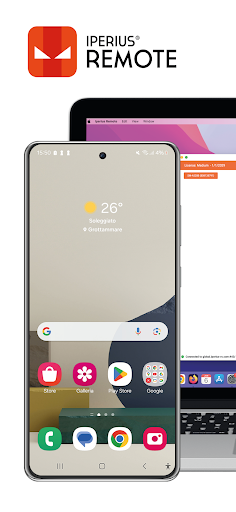
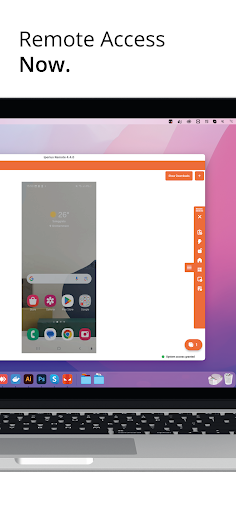
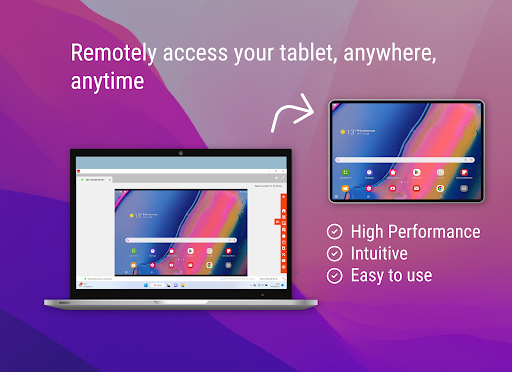
About Iperius Remote Desktop
The description on the store listing
****
IPERIUS REMOTE DESKTOP needs to enable the Android Accessibility Service. It is required if you want to control remotely this device.
Enable the accessibility service by clicking on: Accessibility->Installed application->Iperius Remote Service You can disable it whenever you want.
IN DETAIL:
1. You will be able to send events such as opening applications, scrolling the page or opening settings
2. You will be able to trigger events on your device such as reboot or lock
****
Iperius Remote Desktop is a multi-Platform remote desktop software for Android, iOS, Windows, and Mac.
Connect remotely to any computer from your smartphone, or do remote assistance to Android …
Read the full description
**** IPERIUS REMOTE DESKTOP needs to enable the Android Accessibility Service. It is required if you want to control remotely this device. Enable the accessibility service by clicking on: Accessibility->Installed application->Iperius Remote Service You can disable it whenever you want. IN DETAIL: 1. You will be able to send events such as opening applications, scrolling the page or opening settings 2. You will be able to trigger events on your device such as reboot or lock **** Iperius Remote Desktop is a multi-Platform remote desktop software for Android, iOS, Windows, and Mac. Connect remotely to any computer from your smartphone, or do remote assistance to Android devices. Bank-level security with 2FA, end-to-end encryption (TLS 1.2, DTLS-SRTP), HIPAA, and GDPR-compliant. Iperius Remote contains no advertising and is free for private use. For commercial use, please visit: https://www.iperiusremote.com/iperius-remote-control-software-shop.aspx Whether for IT Support or Smart Working, Iperius Remote is a simple and powerful software with many functions. Iperius offers many Remote Desktop functions: - File (Delta) and Folder Transfer - Remote Printing - Video recording of sessions - Shared address book - High performance up to 60 FPS - Compatible with Windows, MAC, iOS, and Android - End-to-end encryption (TLS 1.2, DTLS-SRTP), HIPAA and GDPR compliant - Low latency even for intercontinental connections - Unattended access - Access control permissions and connection statistics - Customised client (full rebranding) - No firewall configuration For an overview of features, please visit: https://www.iperiusremote.com/iperius-remote-support-software-features.aspx Quick guide 1. Install and start Iperius Remote on both devices. 2. Enter the Iperius Remote ID and password that you see on the remote device. 3. Click the Connect button. Now you can control the device remotely. Do you have any questions? Contact us! https://www.iperiusremote.com/contact.aspxmote.it/contact.aspx
Installs since 29 Aug 2026 Measured
Exact Google Play install counts, collected daily
Ratings
393 ratings, 77 reviews
- 5 ★25%
- 4 ★0.8%
- 3 ★1.6%
- 2 ★3.5%
- 1 ★69%
Recent reviews
Latest public reviews from the store
No reviews in our sample for this app yet.
Top chart positions
Latest Google Play chart ranks by country, last 10 days
Not in any tracked top chart in the last 10 days.
Iperius Remote Desktop history
Release, install milestones, listing and store changes
- Reached 100,000+ installs 3 Sep 2024
- Reached 50,000+ installs 16 May 2024
- Reached 10,000+ installs 31 Aug 2023
- Reached 5,000+ installs 6 Mar 2023
- Reached 1,000+ installs 8 Aug 2022
- Reached 500+ installs 27 Jun 2022
- Reached 100+ installs 18 May 2022
- First released on the store 20 Apr 2022
Update frequency
How often Iperius Remote Desktop ships a new version, month by month
5 updates in the last 12 months. More often than most similar apps: they shipped a median of 2 updates in the same year.
Recent versions
Current version 4.6.0
- Version 4.6.015 Sep 2026
• Added support for physical Bluetooth keyboards. • Added username and account role below the user's name in the top bar. • Improved name display when profile details are missing or incomplete.
- Version 4.5.45 Aug 2026
Improved app information display. Improved mobile-to-mobile connection stability.
- Version 4.5.28 Jul 2026
- Added support for Bluetooth mice connected to tablets and smartphones. - Fixed a minor issue related to connection and the display of “Your ID”. - Improved performance and overall stability.
- Version 4.5.129 Jun 2026
- Added remote access between mobile devices, including Android/iOS cross-platform support. - Improved remote desktop sharing stability, speed, and scroll responsiveness. - Added an in-app diagnostic event log with sensitive data redaction. - Improved reliability when starting screen sharing on host devices. - Fixed custom password and address book issues.
Listing keywords
Words and phrases Iperius Remote Desktop repeats most in its store listing
Top phrases: iperius remote (8), remote desktop (6), iperius remote desktop (3), dtls srtp hipaa (2), encryption tls dtls (2).
Highlighted words also appear in the title. Counts cover the title, short description and description.
Business model and tech
From the store listing and declared permissions
- Business model
- Free to download
- Sensitive access
- LocationPhotos, videos and filesAccounts on the deviceNearby devicesDraws over other appsAdvertising ID
38 permissions
4 special access, 9 sensitive, 25 standard
- Act as an accessibility serviceBIND_ACCESSIBILITY_SERVICESpecial access
- Draw over other appsSpecial access
- Set exact alarmsSCHEDULE_EXACT_ALARMSpecial access
- Show full-screen alertsUSE_FULL_SCREEN_INTENTSpecial access
- See accounts on the deviceSensitive
- Change or delete shared storageSensitive
- Read music and audioREAD_MEDIA_AUDIOSensitive
- Read photosREAD_MEDIA_IMAGESSensitive
- Read shared storageSensitive
- Read videosREAD_MEDIA_VIDEOSensitive
- Approximate locationSensitive
- Connect to paired Bluetooth devicesBLUETOOTH_CONNECTSensitive
Compliance
What the listing and the app package show
- Store status
- Live
- Upkeep
- Updated 15 Sep 2026
- Registered in
- Italy
- Privacy policy
- Linked on the listing
- Advertising
- No ads declared
- In-app purchases
- None declared
- Age rating
- Everyone
- Sensitive permissions
- 9 sensitive, 4 special access of 38
- Location access
- Yes, while in use
- Camera and microphone
- Neither
Apps like Iperius Remote Desktop
Spoke: Shift Calendar PlannerPIXO Inc29.7K installs★ 4.37
Bosch EasyRemoteBosch Home Comfort Group60.7K installs★ 2.1
TTS Reader - Text to Speechwiththeflow01104K installs★ 3.91
CourtReserveCourtReserve276K installs★ 2.49
Link Tree in Bio Site: NexLinkStackwares14.7K installs★ 4.25
Mobile LiveReal Green Systems21.3K installs★ 1.85
Packages TrackersSamedi31.1K installs★ 4.05
Ja lmaWarinium3.2K installs★ 5.0
Wisconsin MyWICWisconsin Department of Health Services158K installs★ 4.01
Iperius Remote Desktop: questions and answers
How many downloads does Iperius Remote Desktop have?
Iperius Remote Desktop has 191,389 installs on Google Play, measured from the store's own count on 14 Nov 2026.
Who makes Iperius Remote Desktop?
Iperius Remote Desktop is published by Enter Software, a developer based in IT.
When was Iperius Remote Desktop last updated?
The latest version (4.6.0) was released on 15 Sep 2026.
Is Iperius Remote Desktop free?
Yes. Iperius Remote Desktop is free to download.
Is Iperius Remote Desktop still available?
Yes. Iperius Remote Desktop is live on Google Play as of 14 Nov 2026.
Track Iperius Remote Desktop and its competitors
Watch any app for new versions, rating drops, chart moves and removals. Free plan, no card.