
JavaScript Viewer: JS Editor
JavaScript Editor or JavaScript viewer is used to view and edit JS file.
- Installs
- 46.85K
- Measured
- Rating
- 3.67
- Ratings
- 46
- 2 reviews
- Version
- 1.0.9
- Updated 25 Dec 2025
- Released
- 20 Apr 2022
- Tracked since 13 May 2026
- Size
- —
Screenshots
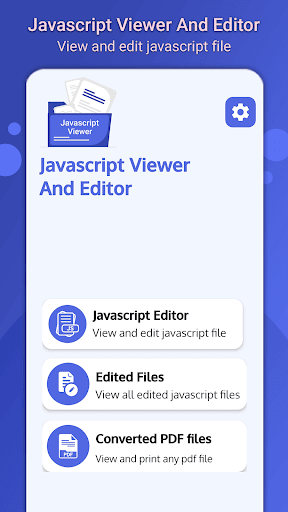
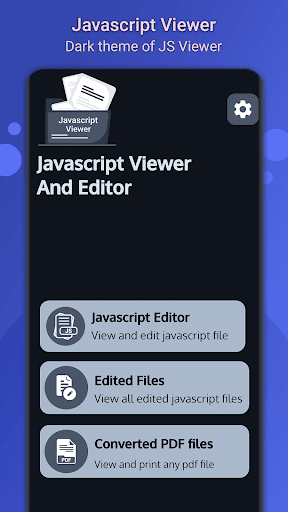
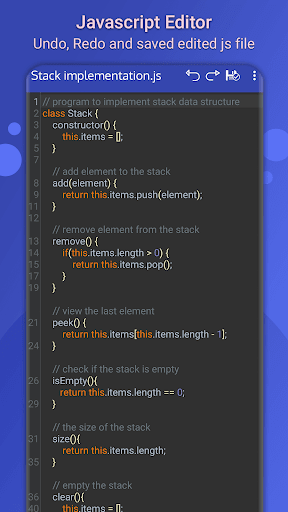
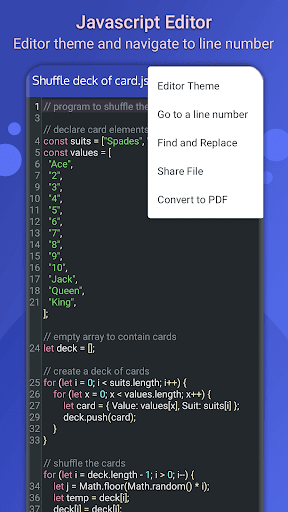

About JavaScript Viewer: JS Editor
The description on the store listing
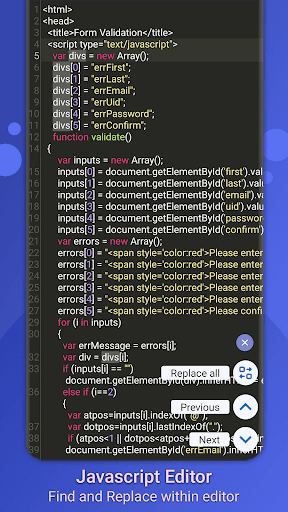
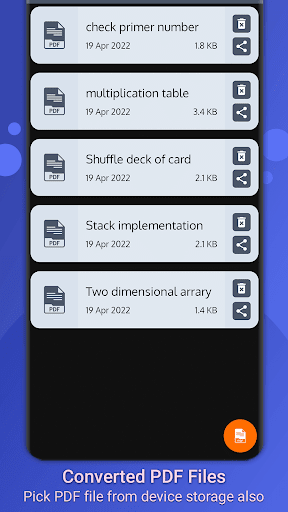
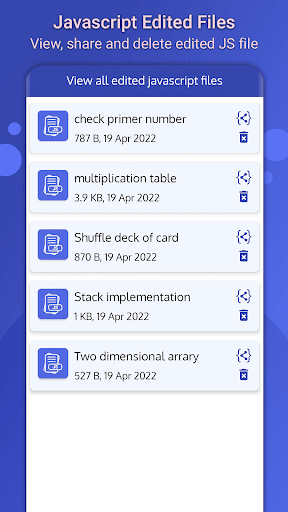
If you are worrying about javascript file that how to read and edit JS file, then you are at the right place. Javascript viewer is used to view and edit any javascript file easily without any code loss. In Javascript editor you can easily save all edited file and then view it within the app easily. Javascript editor also allow you to convert javascript into pdf file.
Explore the world of programming with JavaScript Viewer. The app is packed with all the features you need to explore code, from text editors to syntax highlighting, undo, redo, auto code completion, auto indentation and many more. Javascript editor font size can easily be changed from setting.
Javascript editor has …
Read the full description
If you are worrying about javascript file that how to read and edit JS file, then you are at the right place. Javascript viewer is used to view and edit any javascript file easily without any code loss. In Javascript editor you can easily save all edited file and then view it within the app easily. Javascript editor also allow you to convert javascript into pdf file. Explore the world of programming with JavaScript Viewer. The app is packed with all the features you need to explore code, from text editors to syntax highlighting, undo, redo, auto code completion, auto indentation and many more. Javascript editor font size can easily be changed from setting. Javascript editor has different themes which will beautify the code more with different syntax highlighting. There are 3 different themes of javascript file reader app I.e. Default, Light and Dark. <b>Features of Javascript Viewer</b> 1. View and edit Javascript code 2. Support features like Auto code completion, auto indentation, undo and Redo 3. Support Find and Replace operation 4. Enable/Disable editor line number 5. Convert Javascript to PDF 6. View all edited JS file 7. View all converted Javascript to PDF files JavaScript file opener is a fast, lightweight and user-friendly JavaScript file viewer. It converts Javascript to PDF files and provide PDF viewer without installation. You can open any pdf file on your device storage. It is also a great tool that can improve your productivity. You can easily save all your edited JS file and view all those edited files within the app for easy navigation. The edited JS file will be removed when user uninstall the app, so before uninstalling the app move your JS files into a safe place. In Javascript file reader you can also view all converted javascript to pdf files, which are easy to share and delete. All those converted pdf files can be viewed through built-in PDF viewer and also print the pdf file directly. If you like Javascript file opener then support us by your positive feedback. Thanks!.
Installs since 17 Nov 2026 Measured
Exact Google Play install counts, collected daily
Daily history starts once this app is in our daily install sample.
Ratings
46 ratings, 2 reviews
- 5 ★51%
- 4 ★11%
- 3 ★0.0%
- 2 ★11%
- 1 ★26%
Recent reviews
Latest public reviews from the store
- 29 May 2024
Do not miss dining at this restaurant! The food and service are absolutely impeccable. Our group had several appetizers, the pappardelle with beef cheeks and the beef cheek with potatoes and all were delicious. The pasta is perfect, just like homemade Italian. Our waiters, Andrea and Antonio were very professional and friendly, their service was of the highest standard. Good for an intimate dinner for 2 inside or a group outside.
- 13 May 2024
very nice,thumps up.
- 5 Apr 2024
ok
- 16 Mar 2024
useful easy to follow
What reviewers bring up
Topics mentioned in the latest 50 reviews, by how many reviews mention them
Liked in good reviews (42 reviews)
- useful 2
Raised in bad reviews (7 reviews)
No topic comes up twice.
Top chart positions
Latest Google Play chart ranks by country, last 10 days
Not in any tracked top chart in the last 10 days.
JavaScript Viewer: JS Editor history
Release, install milestones, listing and store changes
- Reached 10,000+ installs 2 Feb 2024
- Reached 5,000+ installs 12 May 2023
- Reached 1,000+ installs 12 Sep 2022
- Reached 500+ installs 13 Aug 2022
- Reached 100+ installs 14 Jun 2022
- First released on the store 20 Apr 2022
Update frequency
How often JavaScript Viewer: JS Editor ships a new version, month by month
1 updates in the last 12 months. About as often as similar apps, which shipped a median of 1 updates in the same year.
Recent versions
Current version 1.0.9
- Version 1.0.925 Dec 2025
Performance is improved Minor bugs is fixed
- Version 1.0.820 Sep 2025
- Version 1.0.617 Jul 2025
- Version 1.0.514 Jun 2025
Listing keywords
Words and phrases JavaScript Viewer: JS Editor repeats most in its store listing
Top phrases: javascript file (7), javascript editor (5), javascript viewer (5), js file (5), javascript to pdf (4).
Highlighted words also appear in the title. Counts cover the title, short description and description.
Business model and tech
From the store listing, the SDKs in the app package and its declared permissions
- Business model
- Free to downloadShows ads
- Built with
- No cross-platform framework or game engine detected
- Ad networks (1)
- AdMob
- Sensitive access
- Phone and callsPhotos, videos and filesAdvertising ID
1 ad, attribution and analytics SDKs detected. SDKs are read from the app package and permissions from the store listing, so code that loads later is not seen.
Technology
13 SDKs found in the app package
Ad networks
Advertising and install-attribution SDKs found in the app package
- AdMob
12 permissions
0 special access, 3 sensitive, 9 standard
- Change or delete shared storageSensitive
- Read shared storageSensitive
- Read phone status and identitySensitive
- Ad attribution (Privacy Sandbox)ACCESS_ADSERVICES_ATTRIBUTIONStandard
- Ad topics (Privacy Sandbox)ACCESS_ADSERVICES_TOPICSStandard
- Read the advertising IDAD_IDStandard
- Read the advertising ID (Privacy Sandbox)ACCESS_ADSERVICES_AD_IDStandard
- Keep the phone awakeStandard
- Run a foreground serviceFOREGROUND_SERVICEStandard
- Full internet accessStandard
- See network connectionsStandard
- Internal app permissionDYNAMIC_RECEIVER_NOT_EXPORTED_PERMISSIONStandard
Compliance
What the listing and the app package show
- Store status
- Live
- Upkeep
- Updated 25 Dec 2025
- Registered in
- Pakistan
- Privacy policy
- Linked on the listing
- Advertising
- Shows ads
- In-app purchases
- None declared
- Age rating
- Everyone
- Sensitive permissions
- 3 sensitive of 12
- Location access
- No
- Camera and microphone
- Neither
Apps like JavaScript Viewer: JS Editor
Smart talkieHangzhou Zhidou Technology Co., Ltd.4.1K installs★ 4.45
PicFind - Local photo searchMagic Pixel Studio3.5K installs★ 3.9
Apk InstallerAppsLib14.3K installs★ 3.13
FilioFilio Corp5.3K installs★ 4.74
Anker SOLIX ProfessionalAnker47K installs★ 3.83
File Vault - Hide your filesALIF Technology7.3K installs★ 4.25
iSmKitAllen-Tong20.7K installs★ 3.5
AGC PlayerMobile Filters & Watermark & Video Player24.6K installs★ 3.7
Flashlight (with Shake)Acedev0032.4K installs★ 2.64
JavaScript Viewer: JS Editor: questions and answers
How many downloads does JavaScript Viewer: JS Editor have?
JavaScript Viewer: JS Editor has 46,847 installs on Google Play, measured from the store's own count on 17 Nov 2026.
Who makes JavaScript Viewer: JS Editor?
JavaScript Viewer: JS Editor is published by Technoify, a developer based in PK.
When was JavaScript Viewer: JS Editor last updated?
The latest version (1.0.9) was released on 25 Dec 2025.
Is JavaScript Viewer: JS Editor free?
Yes. JavaScript Viewer: JS Editor is free to download, and it shows ads.
Is JavaScript Viewer: JS Editor still available?
Yes. JavaScript Viewer: JS Editor is live on Google Play as of 17 Nov 2026.
Track JavaScript Viewer: JS Editor and its competitors
Watch any app for new versions, rating drops, chart moves and removals. Free plan, no card.