
Jlink
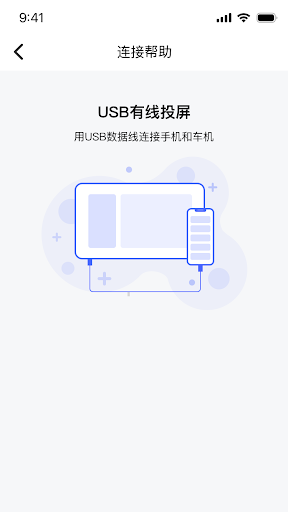
Jlink is a car infotainment screen mirroring application. By connecting your phone to your car's infotainment system via USB cable or WiFi, you can project your phone screen and audio onto the car's screen, allowing you to enjoy a more immersive viewing and entertainment experience on the car's large screen.
- Installs
- 59.48K
- Measured
- Rating
- 2.64
- Ratings
- 54
- 10 reviews
- Version
- 1.2.18
- Updated 8 Aug 2026
- Released
- 14 Jan 2025
- Tracked since 12 May 2026
- Size
- —
Screenshots




About Jlink
The description on the store listing
Jlink is a car infotainment screen mirroring application. Connect your phone to your car's infotainment system via USB cable or Wi-Fi, or ensure both are connected to the same Wi-Fi network. Easily mirror your phone's screen and audio onto the car's display with clear picture quality and stable real-time performance, providing a superior viewing, gaming, and entertainment experience.
Application Features:
1. Easily mirror your phone screen – apps, videos, and games are all supported with a fast and stable connection!
Adjustable screen mirroring window size: One-click full-screen or one-click minimize for convenient and flexible use!
Supports reverse touch control on the car's …
Read the full description
Jlink is a car infotainment screen mirroring application. Connect your phone to your car's infotainment system via USB cable or Wi-Fi, or ensure both are connected to the same Wi-Fi network. Easily mirror your phone's screen and audio onto the car's display with clear picture quality and stable real-time performance, providing a superior viewing, gaming, and entertainment experience. Application Features: 1. Easily mirror your phone screen – apps, videos, and games are all supported with a fast and stable connection! Adjustable screen mirroring window size: One-click full-screen or one-click minimize for convenient and flexible use! Supports reverse touch control on the car's infotainment system, allowing you to perform reverse operations on your phone within the mirrored window (only supported on select devices)! 2. Supports synchronized audio and video mirroring, allowing you to play your phone's audio through your car's speakers! (Audio requires a Bluetooth connection between the phone and car's infotainment system.) 3. Supports simultaneous switching between portrait and landscape screen orientations! 4. Supports Wi-Fi connection, Wi-Fi/Bluetooth seamless connection (car devices must support BLE), and USB cable connection – enjoy the fun of screen mirroring with multiple methods! Compatible with multiple mobile operating systems, including Android, HarmonyOS, and iOS! Supports multiple languages, adapting to users of various languages! Use Scenarios: 1. Mirror your phone screen to the car's infotainment system for easier phone operation on a larger screen. 2. Watch videos or photos on the car's infotainment system for a smoother viewing experience. 3. Watch live streams on the car's infotainment system. 4. Mirror live game footage to the car's infotainment system. 5. Mirror navigation screen to the car's infotainment system for easier navigation on a larger screen. Connection Guide: 1. Download and install the latest J-Link client from the app store or official website; 2. Wired connection: Connect your phone and car's infotainment system via USB cable; 3. Wireless connection: Connect your phone to the car's hotspot or vice versa, ensuring both are connected to the same Wi-Fi network; 4. Open the J-Link app on both your phone and the car's infotainment system; the connection will begin automatically; 5. Tap "Agree to screen recording" on your phone to successfully mirror the screen. 6. Simultaneously connect your phone and the car's Bluetooth system to achieve synchronized voice communication or screen control. Note: Screen mirroring quality depends on your Wi-Fi network environment and your mobile device. Please ensure a stable USB cable or Wi-Fi connection. If you encounter problems during screen mirroring, you can try restarting the application. If you have any further suggestions or questions, please feel free to contact us.
Installs since 2 Sep 2026 Measured
Exact Google Play install counts, collected daily
Daily history starts once this app is in our daily install sample.
Ratings
54 ratings, 10 reviews
- 5 ★34%
- 4 ★9.4%
- 3 ★0.0%
- 2 ★0.0%
- 1 ★56%
Recent reviews
Latest public reviews from the store
- 15 Apr 2025
So easy to answer our customers
Top chart positions
Latest Google Play chart ranks by country, last 10 days
- Countries ranked
- 3
- Best rank
- #130
- Top 10 placements
- 0
- of 3 chart placements
- Average rank
- #144.3
Best countries on Google Play
- 🇲🇽 Mexico · Top free, Auto & Vehicles#130
- 🇫🇷 France · Top free, Auto & Vehicles#137
- 🇩🇪 Germany · Top free, Auto & Vehicles#166
Jlink history
Release, install milestones, listing and store changes
- Reached 10,000+ installs 10 Dec 2025
- First released on the store 14 Jan 2025
Update frequency
How often Jlink ships a new version, month by month
2 updates in the last 12 months. More often than most similar apps: they shipped a median of 1 updates in the same year.
Recent versions
Current version 1.2.18
- Version 1.2.188 Aug 2026
1.兼容安卓16 2. 优化16KB页
- Version 1.2.165 Dec 2025
1. Add a scanning code connection option (8227). 2. Update the information regarding interface navigation, disclaimer, and privacy policy. 3.Adjust screen adaptation
Listing keywords
Words and phrases Jlink repeats most in its store listing
Top phrases: car's infotainment system (11), car's infotainment (11), infotainment system (11), wi fi (7), screen mirroring (6).
Highlighted words also appear in the title. Counts cover the title, short description and description.
Business model and tech
From the store listing, the SDKs in the app package and its declared permissions
- Business model
- Free to download
- Built with
- No cross-platform framework or game engine detected
- Ad networks (0)
- None detected
- Sensitive access
- LocationCameraNearby devicesDraws over other apps
0 ad, attribution and analytics SDKs detected. SDKs are read from the app package and permissions from the store listing, so code that loads later is not seen.
Technology
15 SDKs found in the app package
26 permissions
2 special access, 7 sensitive, 17 standard
- Draw over other appsSpecial access
- See which apps are usedPACKAGE_USAGE_STATSSpecial access
- Take photos and videosSensitive
- Approximate locationSensitive
- Precise locationSensitive
- Connect to paired Bluetooth devicesBLUETOOTH_CONNECTSensitive
- Find nearby Bluetooth devicesBLUETOOTH_SCANSensitive
- Find nearby Wi-Fi devicesNEARBY_WIFI_DEVICESSensitive
- Show notificationsPOST_NOTIFICATIONSSensitive
- Change audio settingsStandard
- Foreground service (media playback)FOREGROUND_SERVICE_MEDIA_PLAYBACKStandard
- Foreground service (media projection)FOREGROUND_SERVICE_MEDIA_PROJECTIONStandard
Compliance
What the listing and the app package show
- Store status
- Live
- Upkeep
- Updated 8 Aug 2026
- Registered in
- China
- Privacy policy
- Linked on the listing
- Advertising
- No ads declared
- In-app purchases
- None declared
- Age rating
- Everyone
- Sensitive permissions
- 7 sensitive, 2 special access of 26
- Location access
- Yes, while in use
- Camera and microphone
- Camera
Apps like Jlink
AviationNews incorporatingJETSPocketmags.com10.1K installs★ 5.0
Mileage Odometer Tracker CarHobby Bowl7K installs★ 4.0
WadilyRightware L.L.C11.3K installs★ 4.6
AI Car Interior: Seat 3D ColorHarfaiz5.6K installs★ 3.44
LMD DriveLMDmax14.2K installs★ 3.11
MBtech e-CatalogDigital Creative Division14K installs★ 5.0
DeprisaCtrl Soluciones30K installs★ 3.6
Everclean Car WashEverclean2.4K installs★ 4.26
Таксі 6000 водійLigaTaxi10.8K installs★ 2.6
Jlink: questions and answers
How many downloads does Jlink have?
Jlink has 59,480 installs on Google Play, measured from the store's own count on 2 Sep 2026.
Who makes Jlink?
Jlink is published by jacdevAnd, a developer based in CN.
When was Jlink last updated?
The latest version (1.2.18) was released on 8 Aug 2026.
Is Jlink free?
Yes. Jlink is free to download.
Is Jlink still available?
Yes. Jlink is live on Google Play as of 2 Sep 2026.
Track Jlink and its competitors
Watch any app for new versions, rating drops, chart moves and removals. Free plan, no card.