
Label Maker: Design & Print
Easy Label Maker: Design custom stickers, tags, shipping labels. Ready to print!
- Installs
- 913K
- Measured
- Rating
- 4.33
- Ratings
- 9.9K
- 15 reviews
- Version
- 54.0
- Updated 4 May 2026
- Released
- 26 Dec 2021
- Tracked since 13 May 2026
- Size
- —
Screenshots
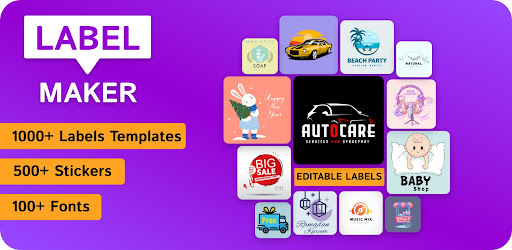
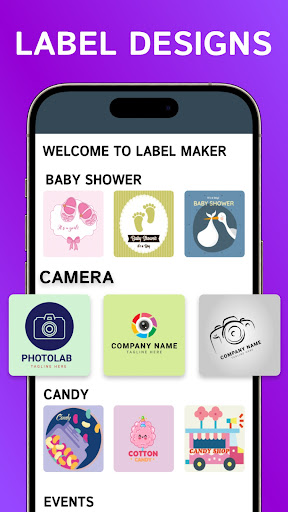

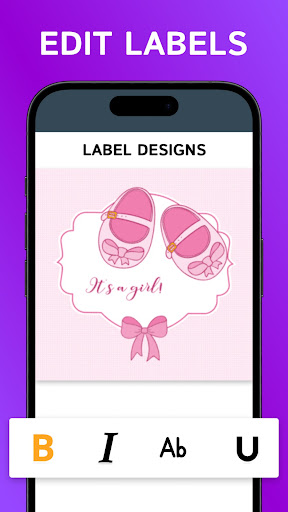


About Label Maker: Design & Print
The description on the store listing
Transform your ideas into professional labels with the #1 Label Maker & Sticker Designer app. Whether you need a shipping label creator for your business or a creative sticker maker for home organization, our app provides the ultimate label designer toolset for Android users.
Trusted by over 500,000 users, we provide perfectly designed label templates that work seamlessly with all standard thermal printers and label printer app setups. From product label sticker maker requirements to personal monogram designs, you can create everything in seconds.
Why Choose Our Label Maker App?
Premium Design Templates: Access an extensive range of label creator layouts for shipping, jars, Etsy …
Read the full description
Transform your ideas into professional labels with the #1 Label Maker & Sticker Designer app. Whether you need a shipping label creator for your business or a creative sticker maker for home organization, our app provides the ultimate label designer toolset for Android users. Trusted by over 500,000 users, we provide perfectly designed label templates that work seamlessly with all standard thermal printers and label printer app setups. From product label sticker maker requirements to personal monogram designs, you can create everything in seconds. Why Choose Our Label Maker App? Premium Design Templates: Access an extensive range of label creator layouts for shipping, jars, Etsy branding, and gift tags. Fully Customizable: Use our pro editing tools to change fonts, colors, and icons. Add your own brand logo for professional product branding. Ready to Print: Export in high-resolution PNG, PDF, or JPEG. Compatible with label sheets, thermal printers, and offline printing. Smart Design Tools: An intuitive interface that requires zero graphic design skills. Align text, add shapes, and use modern monogram styles easily. Advanced Editing & Design Features Our label maker goes beyond simple text. You can manage multiple layers to arrange text, icons, and backgrounds with precision. The advanced color picker allows you to match your brand colors perfectly, while our vast library of over 500 stylish fonts and trendy icons ensures your designs stand out. You can also upload your own photos or gallery images to create truly personalized stickers and labels. The real-time preview feature lets you see exactly how your design will look before you hit the print button, saving you time and resources. Versatile Solutions for Every Project Small Business & Shipping: Create shipping labels, price tags, and "Thank You" stickers to uplift your brand identity on digital marketplaces. Generate professional mailer box stickers and business cards right from your phone. Home & Kitchen Organization: Design jar labels, spice rack stickers, and laundry room tags to keep your home perfectly organized. Neatly label your storage bins, home office files, and school supplies. Events & Personal Use: Craft custom labels for bottles, weddings, birthdays, and holiday gifts. Design unique stickers for laptops, phone cases, and water bottles to express your personality. DIY & Craft Projects: Perfect for creating printable stickers, scrapbooking assets, and tag maker designs. Use the monogram maker to create elegant initials for stationery and clothing tags. How to Create Your First Label in Seconds Select a Category: Choose from shipping, jars, branding, or start from scratch with a blank canvas. Pick a Template: Browse hundreds of professionally designed layouts and select the one that fits your need. Customize Your Design: Add your text, change the background color, and insert icons or your own logo. Save and Export: Save your project within the app for future edits and export it in high-quality PNG or PDF format. Key App Highlights Offline Functionality: Design and save your labels offline anytime, anywhere without needing an active internet connection. High-Resolution Export: Perfect for professional printing and high-quality label png assets that don't lose clarity. Layer Management: Move text, icons, and backgrounds with precision like a pro label designer using our intuitive layer system. Regular Updates: Fresh sticker maker assets and new label designs added weekly to keep your creativity flowing with the latest trends. Stop struggling with complicated and expensive design software. Whether you need a business label maker, a specialized jar labeler, or a simple tag maker, our app is the most efficient and user-friendly label printer app on the Play Store. Download Label Maker: Custom Sticker Designer today and start creating professional-grade labels right from your phone!
Installs, last 30 days Measured
Exact Google Play install counts, collected daily
Ratings
9,923 ratings, 15 reviews
- 5 ★73%
- 4 ★9.9%
- 3 ★9.9%
- 2 ★0.0%
- 1 ★6.9%
Recent reviews
Latest public reviews from the store
- 11 Oct 2024
The app is very confusing to me I did however set a date but that's the only area I could work. I give up . I have no interest in this application anymore. not sure how to navigate it . tech savy , not!
- 10 Oct 2024
Done
Top chart positions
Latest Google Play chart ranks by country, last 10 days
Not in any tracked top chart in the last 10 days.
Label Maker: Design & Print history
Release, install milestones, listing and store changes
- Reached 500,000+ installs 6 Jun 2024
- Reached 100,000+ installs 17 Sep 2022
- Reached 50,000+ installs 11 Jun 2022
- Reached 10,000+ installs 5 Mar 2022
- Reached 5,000+ installs 19 Feb 2022
- Reached 1,000+ installs 22 Jan 2022
- Reached 500+ installs 12 Jan 2022
- First released on the store 26 Dec 2021
Update frequency
How often Label Maker: Design & Print ships a new version, month by month
4 updates in the last 12 months. More often than most similar apps: they shipped a median of 2 updates in the same year.
Recent versions
Current version 54.0
- Version 54.04 May 2026
- Version 52.031 Mar 2026
- Version 51.010 Mar 2026
- Version 50.022 Dec 2025
Listing keywords
Words and phrases Label Maker: Design & Print repeats most in its store listing
Top phrases: label maker (7), sticker maker (3), backgrounds with precision (2), icons and backgrounds (2), label maker design (2).
Highlighted words also appear in the title. Counts cover the title, short description and description.
Business model and tech
From the store listing and declared permissions
- Business model
- Free to downloadIn-app purchasesShows ads
- Subscriptions and payments
- Google Play billing
- Sensitive access
- CameraPhotos, videos and filesAdvertising ID
16 permissions
0 special access, 3 sensitive, 13 standard
- Take photos and videosSensitive
- Change or delete shared storageSensitive
- Read shared storageSensitive
- Ad attribution (Privacy Sandbox)ACCESS_ADSERVICES_ATTRIBUTIONStandard
- Ad topics (Privacy Sandbox)ACCESS_ADSERVICES_TOPICSStandard
- Read how it was installed (install referrer)BIND_GET_INSTALL_REFERRER_SERVICEStandard
- Read the advertising IDAD_IDStandard
- Read the advertising ID (Privacy Sandbox)ACCESS_ADSERVICES_AD_IDStandard
- Keep the phone awakeStandard
- Read basic phone stateREAD_BASIC_PHONE_STATEStandard
- Run a foreground serviceFOREGROUND_SERVICEStandard
- Full internet accessStandard
Compliance
What the listing and the app package show
- Store status
- Live
- Upkeep
- Updated 4 May 2026
- Privacy policy
- Linked on the listing
- Advertising
- Shows ads
- In-app purchases
- Offered
- Age rating
- Everyone
- Sensitive permissions
- 3 sensitive of 16
- Location access
- No
- Camera and microphone
- Camera
Apps like Label Maker: Design & Print
Nexus - AI Video GeneratorDQL TechLab12.9M installs★ 3.39
Invitation Card Maker & RSVPStarnest JSC922K installs★ 4.75
Animated Text Creator - Text AOQ4Dev2.1M installs★ 3.83
AI Drawing : Trace & SketchThe App Company INC9.1M installs★ 4.15
Anime Color LiteBrilliant Games Private Ltd.1.7M installs★ 4.5
Logo Maker - Logo CreatorDevabits Inc2.6M installs★ 4.01
Anime WallpaperKAWAII WALLPAPER2.2M installs★ 4.56
Quotes Creator - Quote WriterVR Labs1.1M installs★ 4.65
Nomad SculptHexanomad3.9M installs★ 4.41
Label Maker: Design & Print: questions and answers
How many downloads does Label Maker: Design & Print have?
Label Maker: Design & Print has 912,717 installs on Google Play, measured from the store's own count on 20 Nov 2026.
Who makes Label Maker: Design & Print?
Label Maker: Design & Print is published by Core Elgo.
When was Label Maker: Design & Print last updated?
The latest version (54.0) was released on 4 May 2026.
Is Label Maker: Design & Print free?
Yes. Label Maker: Design & Print is free to download and offers in-app purchases, and it shows ads.
Is Label Maker: Design & Print still available?
Yes. Label Maker: Design & Print is live on Google Play as of 20 Nov 2026.
Track Label Maker: Design & Print and its competitors
Watch any app for new versions, rating drops, chart moves and removals. Free plan, no card.