
LastPass Authenticator
Effortless two-factor authentication for your LastPass account and apps.
- Installs
- 2.35M
- Measured
- Rating
- 4.48
- Ratings
- 17.8K
- 1.8K reviews
- Version
- 2.27.0
- Updated 2 Dec 2025
- Released
- 16 Mar 2016
- Tracked since 13 May 2026
- Size
- 16 MB
- Needs 6.0
Also on App Store: LastPass Authenticator (44.9K ratings)
Screenshots


About LastPass Authenticator
The description on the store listing
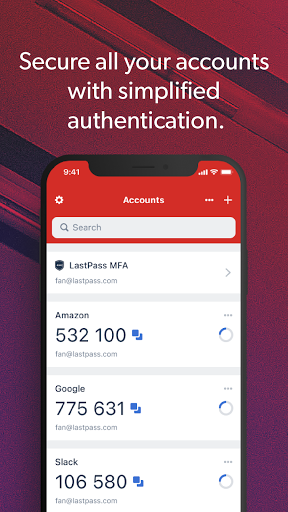
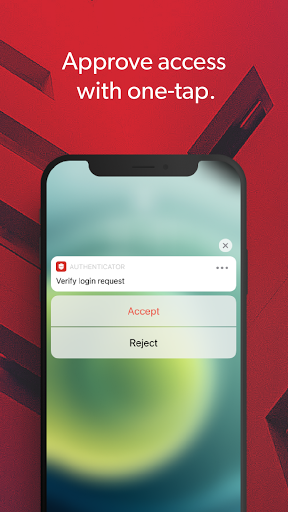
LastPass Authenticator offers effortless two-factor authentication for your LastPass account and other supported apps. With one-tap verification and secure cloud backup, LastPass Authenticator gives you all the security, without any of the frustration.
ADD MORE SECURITY
Safeguard your LastPass account by requiring two-factor authentication codes when signing in. Two-factor authentication improves your digital security by protecting your account with an additional login step. Even if your password is compromised, your account can’t be accessed without the two-factor authentication code.
You can even mark a device as “trusted”, so you won’t be prompted for codes on that device while …
Read the full description
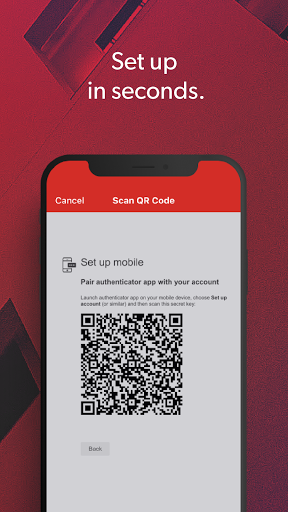
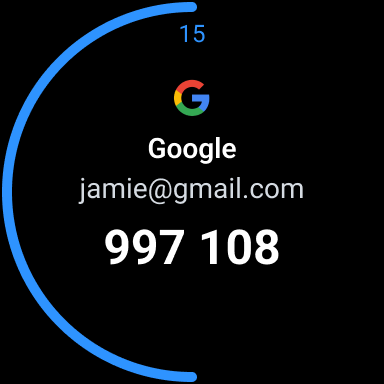
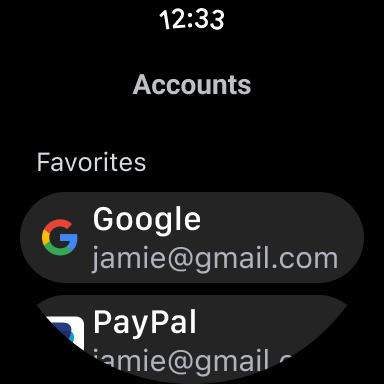
LastPass Authenticator offers effortless two-factor authentication for your LastPass account and other supported apps. With one-tap verification and secure cloud backup, LastPass Authenticator gives you all the security, without any of the frustration. ADD MORE SECURITY Safeguard your LastPass account by requiring two-factor authentication codes when signing in. Two-factor authentication improves your digital security by protecting your account with an additional login step. Even if your password is compromised, your account can’t be accessed without the two-factor authentication code. You can even mark a device as “trusted”, so you won’t be prompted for codes on that device while your account remains protected by two-factor authentication. TURNING IT ON To turn on LastPass Authenticator for your LastPass account: 1. Download LastPass Authenticator to your mobile device. 2. Log in to LastPass on your computer and launch “Account Settings” from your vault. 3. In “Multifactor Options”, edit LastPass Authenticator and view the barcode. 4. Scan the barcode with the LastPass Authenticator app. 5. Set your preferences and save your changes. LastPass Authenticator can also be turned on for any service or app that supports Google Authenticator or TOTP-based two-factor authentication. LOGGING IN To login to your LastPass account or other supported vendor service: 1. Open the app to generate a 6-digit, 30-second code OR approve/deny an automated push notification 2. Alternatively, send SMS code 3. Enter the code into the login prompt on your device OR hit approve/deny request FEATURES - Generates 6-digit codes every 30 seconds - Push notifications for one-tap approval - Free encrypted backup to restore your tokens on a new/reinstalled device - Support for SMS codes - Automated set-up via QR code - Support for LastPass accounts - Support for other TOTP-compatible services and apps (including any that support Google Authenticator) - Add multiple accounts - Available on Android and iOS - Wear OS support for LastPass Premium, Families, Business and Teams customers
Installs since 15 Nov 2026 Measured
Exact Google Play install counts, collected daily
Daily history starts once this app is in our daily install sample.
Ratings
17,816 ratings, 1,804 reviews
- 5 ★79%
- 4 ★7.5%
- 3 ★2.1%
- 2 ★2.1%
- 1 ★9.0%
Recent reviews
Latest public reviews from the store
- 21 Feb 2026
Update-been working well now for quite awhile. Upgraded from 1 star to 4. Previous review-Worked great for a few months then just died, would get hung on "Loading" and never finish loading for me to accept. Uninstaller and reinstalled, worked for a couple of weeks and started doing the same thing. Giving up and just having SMS code sent to my phone each time and not bothering with this app.
- 26 Jul 2022
I've been using LastPass for around 2-3 years now, and the free version was working fine for me for the majority of it. Then, I decided to try the premium features so I could have multiple devices logged in, and it was only a yearly subscription I thought why not? I haven't regretted my purchase once, and when I found out that the authenticatior app existed I immediately jumped on it. You could probably live without a password manager, but it makes life so much easier! Definitely use this app!
- 24 Jun 2022
The best authenticator app I've seen so far (and it has been for several years)! You can configure it with the same TOTP seed that almost all other apps use (the 6 digit numbers). With some services, it can use "push notifications" to pop a message on your "trusted device", typically your phone. Just click yes to allow the login. Much easier than copying numbers from TXT messages into another app!
- 15 Jun 2022
When it stays on, the authenticator works very quickly and easily. Sometimes in the security dashboard for your overall security score, it's disabled but it's happening less and less frequently. Even if it says the Authenticator is disabled, it still works. Other than that, tech support is great and it's really a very usable program. The only reason I would switch, is if they keep raising the yearly price. There's lots of other products out there but I do like the ease of use of Last Pass.
What reviewers bring up
Topics mentioned in the latest 10 reviews, by how many reviews mention them
Liked in good reviews (5 reviews)
- authenticator 2
- lastpass 2
- password 2
- yearly 2
- easier 2
- same 2
Raised in bad reviews (4 reviews)
- authentication 2
- account 2
- kicker 2
- log 2
Top chart positions
Latest Google Play chart ranks by country, last 10 days
Not in any tracked top chart in the last 10 days.
LastPass Authenticator history
Release, install milestones, listing and store changes
- Reached 1,000,000+ installs 13 Sep 2020
- Reached 500,000+ installs 8 Oct 2018
- Reached 100,000+ installs 13 Sep 2016
- First released on the store 16 Mar 2016
Update frequency
How often LastPass Authenticator ships a new version, month by month
1 updates in the last 12 months. Less often than most similar apps: they shipped a median of 3 updates in the same year.
Recent versions
Current version 2.27.0
- Version 2.25.02 Dec 2025
You'll have a more reliable experience thanks to various minor bug fixes.
- Version 2.17.117 Jun 2024
- Version 2.17.017 Apr 2024
- Version 2.16.012 Feb 2024
Listing keywords
Words and phrases LastPass Authenticator repeats most in its store listing
Top phrases: lastpass authenticator (8), factor authentication (7), lastpass account (5), effortless two factor (2), support for lastpass (2).
Highlighted words also appear in the title. Counts cover the title, short description and description.
Business model and tech
From the store listing, the SDKs in the app package and its declared permissions
- Business model
- Free to download
- Built with
- No cross-platform framework or game engine detected
- Ad networks (0)
- None detected
- Analytics and crash reports
- Firebase
- Sensitive access
- No sensitive permission declared
1 ad, attribution and analytics SDKs detected. SDKs are read from the app package and permissions from the store listing, so code that loads later is not seen.
Technology
17 SDKs found in the app package
Compliance
What the listing and the app package show
- Store status
- Live
- Upkeep
- Updated 2 Dec 2025
- Registered in
- United States
- Privacy policy
- Linked on the listing
- Advertising
- No ads declared
- In-app purchases
- None declared
- Age rating
- Everyone
Apps like LastPass Authenticator
7Zipper 2.0 – Local and CloudPolarBear soft2.5M installs★ 4.16
App lock - Fingerprint,ApplockEasyelife3.7M installs★ 4.48
Hindi Calendar 2026Samvat Calendars LLP2.8M installs★ 4.7
Bills ReminderAscent24588K installs★ 3.28
Winmail.dat, MSG, MHT ViewerLetter Opener GmbH1M installs★ 3.98
Screen & Notifications Dimmeretsang1.3M installs★ 4.58
QR & Barcode Scanner - QR Scan1MB Apps Studio13.2M installs★ 4.51
AI Chatbot - Chat AI AssistantProdigy AI1.1M installs★ 4.16
QR Code Reader・Barcode ScannerApp Craze7.7M installs★ 4.66
LastPass Authenticator: questions and answers
How many downloads does LastPass Authenticator have?
LastPass Authenticator has 2,349,115 installs on Google Play, measured from the store's own count on 15 Nov 2026.
Who makes LastPass Authenticator?
LastPass Authenticator is published by LastPass US LP, a developer based in US.
When was LastPass Authenticator last updated?
The latest version (2.27.0) was released on 2 Dec 2025.
Is LastPass Authenticator free?
Yes. LastPass Authenticator is free to download.
Is LastPass Authenticator still available?
Yes. LastPass Authenticator is live on Google Play as of 15 Nov 2026.
Track LastPass Authenticator and its competitors
Watch any app for new versions, rating drops, chart moves and removals. Free plan, no card.