
Legacy View
Information and control for your Chandler Systems water treatment system
- Installs
- 56.30K
- Measured
- Rating
- 4.6
- Ratings
- 1.3K
- 164 reviews
- Version
- 6.18.2
- Updated 13 Apr 2026
- Released
- 20 Oct 2015
- Tracked since 11 May 2026
- Size
- 3 MB
- Needs 4.4
Also on App Store: Legacy View (5.7K ratings)
Screenshots
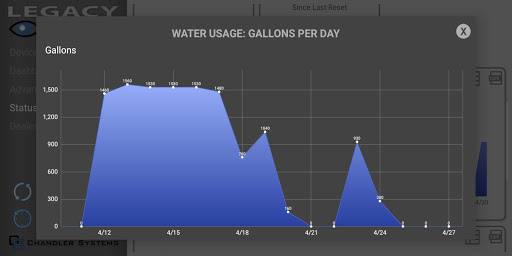
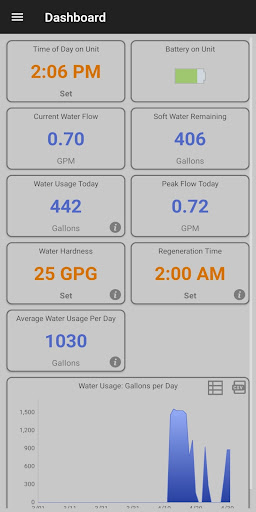

About Legacy View
The description on the store listing
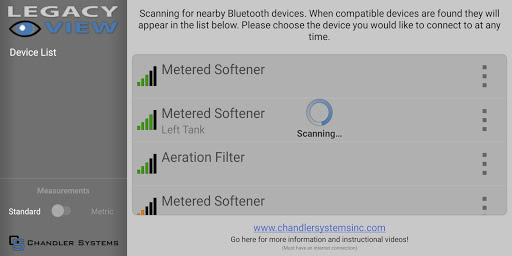
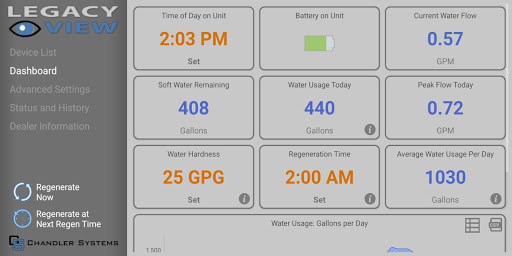
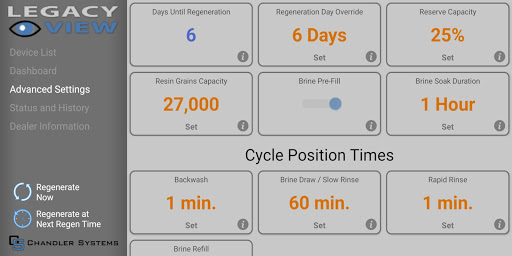
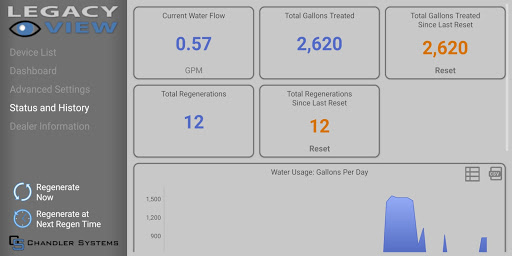
Legacy View makes setting up and monitoring your Chandler Systems water treatment system easier than ever! This App covers systems sold under Chandler Systems' three brands (CSI, Clearion and WaterSoft) that use the Legacy View Valve. When used with a Legacy View Valve the user, through the app, can do the following functions:
- Connect to all the Legacy View valves in your system.
- Conveniently view the status of your valve.
- Easily view and change valve settings.
- View current water usage information.
- Graphically view and export water usage information.
- Start a regeneration or backwash cycle from your phone or tablet.
- Set, view, import and export the servicing water …
Read the full description
Legacy View makes setting up and monitoring your Chandler Systems water treatment system easier than ever! This App covers systems sold under Chandler Systems' three brands (CSI, Clearion and WaterSoft) that use the Legacy View Valve. When used with a Legacy View Valve the user, through the app, can do the following functions: - Connect to all the Legacy View valves in your system. - Conveniently view the status of your valve. - Easily view and change valve settings. - View current water usage information. - Graphically view and export water usage information. - Start a regeneration or backwash cycle from your phone or tablet. - Set, view, import and export the servicing water treatment dealer information. - Better understand how your system is working and understand what settings are for. - Update firmware on the Bluetooth LE valves. Permissions: - Access Bluetooth setting, Pair with Bluetooth devices: This app uses your devices Bluetooth radio to communicate with the Legacy View valve. - Approximate location (network-based): This is a requirement of the Android operating system for the App to scan for Bluetooth devices on Android Marshmallow +. - Write External Storage: This is a requirement to manage valve firmware, export graph data and import/export dealer information. We do not modify or view anything outside of the “/Documents/Water System” directory, we only export mentioned data to this directory. - Read External Storage: This is inherited from the write external storage permission. We do not read anything from external storage. Troubleshooting: Some users experience difficulty with their valve not showing up on the device list. When this occurs, here are some things to try. 1. Make sure Bluetooth is turned on for your valve. Go into the Advanced menu on the valve by pressing and holding both buttons for 5 seconds until the screen starts flashing. Then press the Menu/Enter button repeatedly until you see "bE 0" or "bE 1". If it is "bE 0", then Bluetooth is turned off, press the Set/Change button to enable it, changing the setting to "bE 1". Then press Menu/Enter button repeatedly until you are back at time of day. If your valve will not set and stay at "bE 1" then contact us, your board may need replaced. 2. Unplug your valve and remove the 9V battery (if installed). Wait 30 seconds, then re-power your valve. 3. Turn Bluetooth on your phone off and then back on. 4. Reboot your phone. 5. Make sure your location permission is turned on for the Legacy View app. Location permission is required by Google to use the Bluetooth LE scanner. We do not need or access your location, but because Bluetooth can be used to determine your location, we have to have the location permission just to do a scan for our valves. Once you can connect to your valve, make sure that you allow your valve to update firmware if the app prompts you to do a firmware update.
Installs since 24 Jul 2026 Measured
Exact Google Play install counts, collected daily
Ratings
1,316 ratings, 164 reviews
- 5 ★67%
- 4 ★18%
- 3 ★7.0%
- 2 ★1.7%
- 1 ★6.1%
Recent reviews
Latest public reviews from the store
- 12 Dec 2025
one of the best app designs
- 4 Dec 2025
App has great options and provides full system control.
- 7 Nov 2025
Semi-simple to navigate but not for a novice for sure
- 20 Jun 2025
Absolute must have.
What reviewers bring up
Topics mentioned in the latest 19 reviews, by how many reviews mention them
Liked in good reviews (15 reviews)
- system 7
- water 5
- connect 3
- drop 3
- installation 2
- detection 2
- softener 2
- hardness 2
Raised in bad reviews (3 reviews)
No topic comes up twice.
Top chart positions
Latest Google Play chart ranks by country, last 10 days
- Countries ranked
- 1
- Best rank
- #175
- Top 10 placements
- 0
- of 1 chart placements
- Average rank
- #175
Best countries on Google Play
- 🇺🇸 United States · Top free, House & Home#175
| Country | Chart | Category | Rank | Best (10 days) | Date |
|---|---|---|---|---|---|
| 🇺🇸 United States | Top free | House & Home | #175 | #155 | 19 Nov 2026 |
Legacy View history
Release, install milestones, listing and store changes
- Reached 50,000+ installs 13 Apr 2026
- Moved from Lifestyle to House & Home 25 Jan 2023
- Reached 10,000+ installs 21 Mar 2021
- Reached 5,000+ installs 2 Feb 2020
- First released on the store 20 Oct 2015
Update frequency
How often Legacy View ships a new version, month by month
1 updates in the last 12 months. About as often as similar apps, which shipped a median of 1 updates in the same year.
Recent versions
Current version 6.18.2
- Version 6.18.25 Jan 2026
* New C4.40 firmware
- Version 6.16.127 Oct 2025
- Version 6.15.18 Oct 2025
- Version 6.14.125 Sep 2025
Listing keywords
Words and phrases Legacy View repeats most in its store listing
Top phrases: legacy view (7), external storage (4), legacy view valve (3), chandler systems (3), location permission (3).
Highlighted words also appear in the title. Counts cover the title, short description and description.
Business model and tech
From the store listing and declared permissions
- Business model
- Free to download
- Sensitive access
- No sensitive permission declared
Compliance
What the listing and the app package show
- Store status
- Live
- Upkeep
- Updated 13 Apr 2026
- Registered in
- United States
- Privacy policy
- Linked on the listing
- Advertising
- No ads declared
- In-app purchases
- None declared
- Age rating
- Everyone
Apps like Legacy View
MetrocuadradoMetrocuadrado530K installs★ 3.81
3D Closet LiteAliaksandr Samasiuk155K installs★ 3.33
Kilid: Homes For Sale & RentKilid کیلید345K installs★ 3.19
Hisense TV RemoteMobile Tools Shop228K installs★ 4.02
Universal TV Remote ControlAppNest™1.5M installs★ 3.42
Favi.cz - vyhledávač nábytkuFAVI117K installs★ 4.8
LOCKLY®PIN Genie Inc.313K installs★ 3.0
Elsys HomeElsys Equip. Eletrônicos LTDA240K installs★ 2.57
Invitation HomesInvitation Homes, Inc73K installs★ 4.6
Legacy View: questions and answers
How many downloads does Legacy View have?
Legacy View has 56,296 installs on Google Play, measured from the store's own count on 19 Nov 2026.
Who makes Legacy View?
Legacy View is published by Chandler Systems, a developer based in US.
When was Legacy View last updated?
The latest version (6.18.2) was released on 13 Apr 2026.
Is Legacy View free?
Yes. Legacy View is free to download.
Is Legacy View still available?
Yes. Legacy View is live on Google Play as of 19 Nov 2026.
Track Legacy View and its competitors
Watch any app for new versions, rating drops, chart moves and removals. Free plan, no card.